

Starting August 2, 2026, the EU AI Act’s transparency provisions become enforceable. That means if your website uses AI-generated content and you serve European visitors, you could face real consequences for staying silent about it. California already started enforcing its own rules in January.
I found out about Aithenticate while researching how website owners are handling this compliance mess. The pitch is straightforward: add colored badges to your pages that tell visitors whether content was made by a human or by AI, with each badge linking to a detailed disclosure page hosted on Aithenticate’s platform.
Simple concept. But does it actually solve the problem? And is it worth paying for when free alternatives exist?
I signed up, installed the WordPress plugin, tested it across multiple pages, and compared it against three other approaches to AI content disclosure. In this Aithenticate review, I will walk through what the tool does well, where it falls short, and whether it deserves a spot in your compliance workflow before the August deadline hits.
If you are already exploring tested AI tools to streamline your operations, this one sits in a different category. It is not about productivity. It is about transparency.
Key Takeaways
Aithenticate solves a real problem that most website owners are ignoring: transparent AI content disclosure. With the EU AI Act and California regulations both enforcing transparency rules in 2026, this is not optional anymore for sites with international traffic.
The free plan is too limited for most sites. Ten implementations means ten pages. If your site has more than a handful of posts, you are immediately pushed to the Premium tier at $5.99/month. The Unlimited plan at $29.99/month is the only option that includes automatic site-wide deployment.
The badge-and-profile approach is clever but unproven. No regulatory body has confirmed whether linking to an external disclosure page satisfies compliance requirements under the EU AI Act or California’s AB 2013. You might add the badges and still need a separate legal disclosure on your own domain.
Free alternatives exist. AI Honesty Badge offers a similar badge system with zero cost and zero implementation limits. The trade-off is that it lacks the structured company profile and disclosure generator that Aithenticate provides.
Best for: WordPress site owners who want a quick, visual way to signal AI transparency before the August 2026 EU deadline, and who value the structured disclosure profile over a simple code snippet.
What Is Aithenticate? An AI Transparency Tool for Websites

Aithenticate is a web-based AI transparency tool that helps website owners disclose whether their content was created by humans or with AI assistance. It works through a combination of visual badges embedded on individual pages and a hosted company profile that details your AI usage practices.
The core mechanic is simple. You place a colored icon on each page or post:
- Blue icon: This content was created with AI assistance
- Green icon: This content was created by a human without AI
When a visitor clicks either icon, they are taken to your company’s Aithenticate profile page, which displays your company information, a list of AI tools you use, and a formal AI disclosure statement.
Think of it as a “nutrition label” for AI content. Instead of hiding the fact that you used Claude or ChatGPT to draft an article, you put a small badge on the page that says “yes, AI was involved” and link to a full explanation of how.
The tool targets a specific anxiety that is growing among website owners in 2026: the regulatory push for AI transparency. Between the EU AI Act, California’s AB 2013, and platform-specific policies from YouTube, TikTok, and Amazon, the pressure to disclose AI usage is not theoretical anymore. It is happening.
The Problem Aithenticate Addresses
Here is the reality most content creators are avoiding. When David launched his marketing agency’s blog in early 2025, he used AI tools for roughly 70% of his content. The posts ranked well, clients were happy, and nobody asked questions.
Then California’s AB 2013 took effect in January 2026, and one of his enterprise clients sent a pointed email: “Can you confirm which of these deliverables used AI? We need this for our compliance audit.”
David had no system for tracking AI involvement across 200+ blog posts. No disclosure policy. No way to retroactively label content. He spent two weeks manually reviewing every article and creating a disclosure framework from scratch.
That is the scenario Aithenticate wants to prevent. The tool gives you a standardized way to handle AI generated content disclosure at the point of publication, with a centralized profile that serves as your AI transparency hub.
Whether you need a dedicated tool for this or can handle it with a simple footer disclaimer is the real question. I will get to that.
How Aithenticate Works: AI Disclosure Plugin for WordPress
Step 1: Create Your Account
Sign up at aithenticate.org with your email. The registration is quick. No credit card required for the free tier.
Step 2: Build Your Company Profile
This is where Aithenticate differs from a simple badge generator. You create a branded company page on their platform that includes:
- Your company name and description
- The specific AI tools you use (ChatGPT, Claude, Midjourney, Jasper, and so on)
- A formal AI disclosure statement
Aithenticate includes an AI Disclosure Generator that auto-creates a compliance-friendly disclosure based on your inputs. You answer questions about how you use AI, and it produces a statement you can customize. This is genuinely useful if you have never written a formal AI disclosure before and do not want to pay a lawyer $500 for one.
Step 3: Install the WordPress Plugin
Search for “Aithenticate” in the WordPress plugin directory, install, and activate. The plugin adds configuration options to your WordPress admin panel.
Step 4: Add Badges to Content
You can either manually add badges to individual posts and pages, or on the Unlimited plan, deploy them site-wide with a single click. Each badge links back to your Aithenticate company profile.
The manual approach means editing each post to insert the badge code. For a site with 50 or 100 pages, this gets tedious fast. The one-click site-wide option on the Unlimited plan is the only practical solution for larger sites, but that costs $29.99 per month.
Step 5: Maintain and Update
As you publish new content, you add the appropriate badge (blue for AI-assisted, green for human-created). Your company profile serves as the central disclosure hub that all badges point to.
The whole setup took me about 15 minutes from sign-up to having badges live on three test pages. That includes configuring the company profile and writing the disclosure statement. As far as an AI disclosure plugin for WordPress goes, the installation experience is smooth. Not bad.
Aithenticate Review: Pricing Breakdown

| Feature | Free | Premium | Unlimited |
|---|---|---|---|
| Price | $0 | $5.99/month | $29.99/month |
| Implementations | 10 pages | Up to 100 pages | Unlimited |
| Company Profile | Yes | Yes | Yes |
| AI Disclosure | Yes | Yes | Yes |
| Badge Display | Yes | Yes | Yes |
| Site-wide Deployment | No | No | Yes (one click) |
| Annual Billing | N/A | No option | No option |
All prices are in euros. At current exchange rates, the Premium plan runs roughly $6.50 USD per month, and Unlimited is about $32.50 USD.
Is the Pricing Fair?
Here is where I start to raise an eyebrow.
The free plan limits you to 10 implementations. If your site has 11 blog posts, you are already over the limit. For a tool that claims to help with compliance, gating the core functionality behind a paywall at such a low threshold feels restrictive.
The Premium plan at $5.99/month unlocks up to 100 pages. That covers most small to mid-size blogs. But you still have to manually add badges to each post. No bulk deployment.
The Unlimited plan at $29.99/month is the only tier that includes one-click site-wide implementation. For a compliance tool where the whole point is covering your entire site, locking the most practical feature behind the most expensive plan is a deliberate upsell. I understand the business logic, but it stings.
There is no annual billing option. No AI lifetime deal. No discount for paying upfront. You are locked into monthly billing with no savings for commitment. If you are hunting for AI discount deals, this is not the place to find one.
My take: If you have a small blog (under 10 pages), the free plan works. For anything larger, you are looking at $72 to $360 per year for what is essentially a badge system with a hosted profile page. That is not cheap for what you get.
Aithenticate Review: What It Does Well
1. The Disclosure Generator Is Genuinely Useful
Writing a proper AI disclosure statement from scratch is harder than it sounds. What do you include? How formal does it need to be? What language satisfies regulators?
Aithenticate’s disclosure generator walks you through the process with guided prompts. It asks what AI tools you use, how you use them (drafting, editing, image generation, code), and produces a structured statement you can customize. The output is clear, professional, and covers the key elements that regulators look for.
For someone who has never dealt with compliance language before, this alone could save hours of research and potentially hundreds of dollars in legal consultation.
2. Centralized Transparency Hub
Having one page that explains all your AI practices, linked from every page on your site, is a clean approach. Instead of adding unique disclaimers to every post, you maintain one comprehensive disclosure and point everything there.
When your AI usage changes (you start using a new tool, or stop using another), you update one profile instead of editing dozens of posts.
3. Visual Clarity for Visitors
The blue/green icon system is intuitive. Blue means AI was involved. Green means human only. Visitors do not need to read fine print to understand the distinction.
The icons are small, non-intrusive, and link to the full story.
This matters because the EU AI Act specifically requires that AI disclosure be “clear and distinguishable.” A tiny text disclaimer buried in your footer might not meet that standard. A visible badge at the bottom of each post is harder to argue against.
4. WordPress Integration Is Clean
The plugin installs in under a minute, and the configuration is straightforward. No bloated settings pages. No conflicts with other plugins in my testing. It does one thing and does it without getting in the way.
Aithenticate Review: Where It Falls Short
1. No Regulatory Validation
This is the biggest gap. Aithenticate positions itself as a compliance tool, but no regulatory body has confirmed that their badge-and-profile approach satisfies the EU AI Act’s transparency requirements or California’s AB 2013 obligations.
Article 50 of the EU AI Act requires that providers “ensure that AI-generated content is marked in a machine-readable format and is detectable.” A visual badge is not machine-readable. It is human-readable. The regulation specifically calls for technical measures, such as metadata embedding, watermarking, or provenance tracking.
Aithenticate’s badges might satisfy the “inform users” component, but they likely do not satisfy the “machine-readable” requirement. This is a critical distinction that the marketing does not address clearly.
If you are relying on Aithenticate as your sole compliance mechanism, you might be building on incomplete ground.
2. External Dependency Risk
Your disclosure lives on aithenticate.org, not on your domain. If Aithenticate goes down, changes their terms, or shuts down entirely, every badge on your site points to a dead page. For a compliance tool, this external dependency is a concern.
I would feel more comfortable if the disclosure page could be self-hosted on your own domain with Aithenticate providing the template and tools to manage it. As it stands, you are renting your transparency infrastructure from a third party.
3. No Multi-Site Support
Each website requires a separate Aithenticate account. If you manage five sites, you are paying for five separate subscriptions. For agencies or multi-site operators, this adds up quickly.
At the Unlimited tier across five sites, you are looking at $150/month or $1,800/year. That is significant for a badge and disclosure system.
4. Limited Platform Coverage
The plugin is WordPress-only. If your site runs on Shopify, Wix, Squarespace, Webflow, Astro, Next.js, or any other platform, you are out of luck unless you can manually embed code. The documentation does not provide clear instructions for non-WordPress implementations.
Given that a huge portion of modern websites run on platforms other than WordPress, this limits the tool’s usefulness substantially.
5. No Content-Level Granularity
Aithenticate offers two options: blue (AI) or green (human). There is no middle option for “AI-assisted” content, which is how most real-world content gets created.
You used AI for research but wrote the article yourself? Blue or green? You used AI to generate an outline but wrote every sentence manually? The binary choice does not reflect how most creators actually use AI.
AI Honesty Badge, by comparison, offers three tiers: No AI, AI Assisted, and AI Generated. That granularity better matches reality.
Aithenticate vs. Alternatives
AI Honesty Badge (Free)
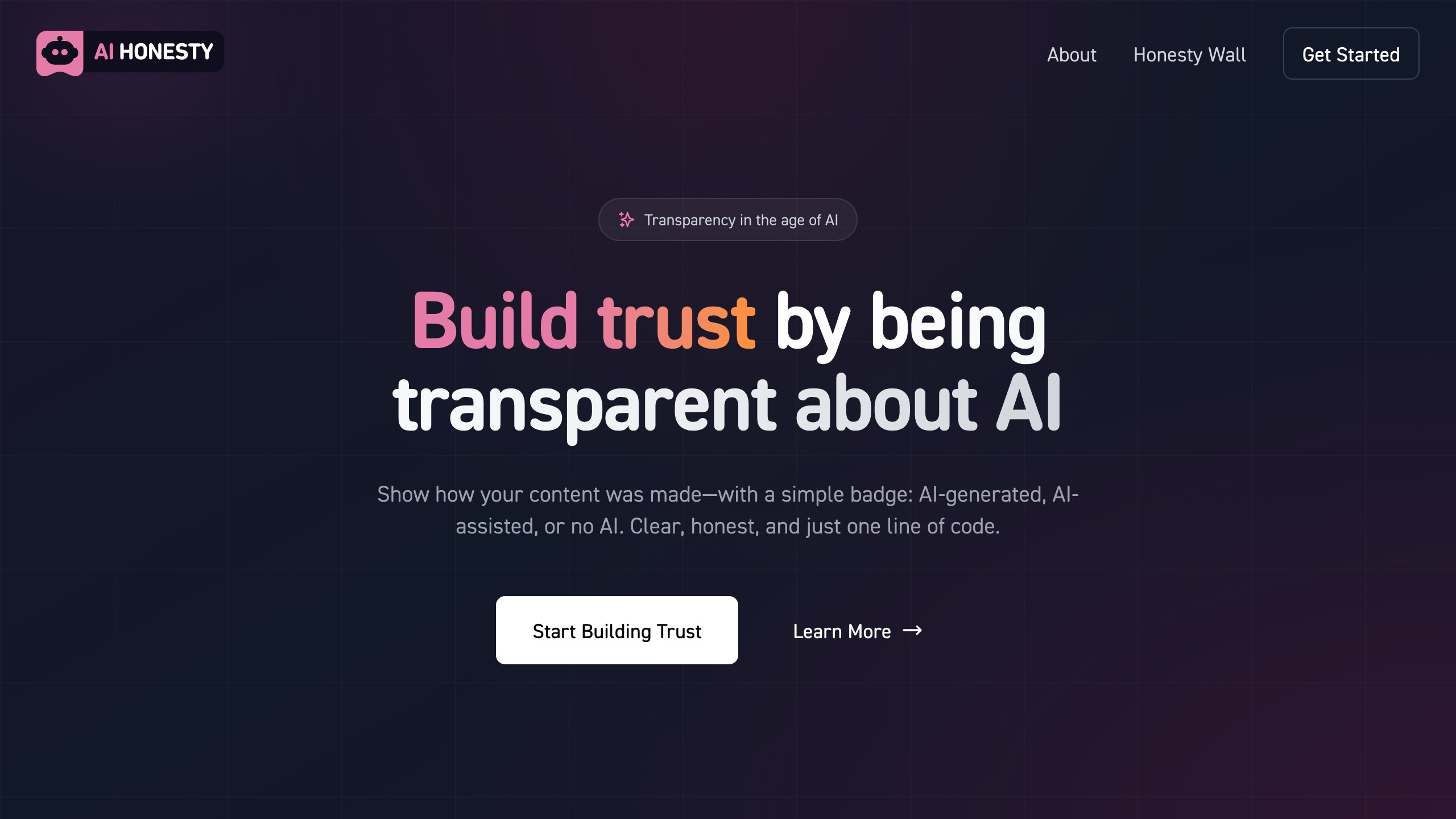
AI Honesty Badge is the most direct competitor. It offers three badge types (No AI, AI Assisted, AI Generated), installs with a single line of code, and is completely free with no implementation limits.
| Feature | Aithenticate | AI Honesty Badge |
|---|---|---|
| Price | Free (10 pages) to $29.99/month | Free (unlimited) |
| Badge Types | 2 (AI / Human) | 3 (No AI / AI Assisted / AI Generated) |
| Installation | WordPress plugin | One line of code (any platform) |
| Company Profile | Yes (hosted on aithenticate.org) | No |
| Disclosure Generator | Yes | No |
| Platform Support | WordPress primarily | Any website |
| Verification | None (honor system) | None (honor system) |
| Community Feature | No | AI Honesty Wall showcase |
Verdict: AI Honesty Badge wins on price and simplicity. Aithenticate wins on the structured disclosure profile and auto-generated compliance statement. If your primary need is a visible badge, AI Honesty Badge does the job for free. If you need a formal disclosure hub to point auditors or clients to, Aithenticate’s profile system adds value.
Manual Disclosure Page (DIY)
You can skip both tools entirely and create your own AI disclosure page. Write a statement explaining your AI usage, add it to your website’s footer or a dedicated /ai-disclosure/ page, and link to it from individual posts.
Pros: Free, self-hosted, fully customizable, no external dependencies.
Cons: Requires you to write the disclosure yourself (or hire a lawyer), no visual badge system, no standardized format.
For technical users who can write their own compliance language, this is the most robust option. You own the content, host it on your domain, and do not depend on a third-party service. The IAB AI Transparency and Disclosure Framework provides a solid template to work from.
C2PA (Coalition for Content Provenance and Authenticity)
C2PA is a technical standard backed by Adobe, Microsoft, Google, and others. It embeds provenance metadata directly into content files, making AI disclosure machine-readable. This is the approach that the EU AI Act’s Article 50 actually points toward.
Pros: Machine-readable (meets regulatory requirements), backed by major tech companies, tamper-evident.
Cons: Complex implementation, requires tool-level integration, not a simple plugin.
C2PA is the gold standard for regulatory compliance but is not a practical DIY solution for most website owners yet. If your CMS or content tools support C2PA metadata, use it. If not, tools like Aithenticate serve as a human-readable bridge while the technical standards catch up. You can explore all AI deals to find tools that handle other parts of your AI workflow.
EU AI Act Compliance: Why AI Content Disclosure Matters Now
Let me be direct about the urgency, because too many site owners are ignoring this.
EU AI Act (Article 50) – August 2, 2026
The EU AI Act’s transparency provisions require:
- Disclosure when users are interacting with AI systems
- AI-generated content must be marked in a machine-readable format
- Deepfakes must be labeled
- Content generated by AI must be detectable
If your website serves EU visitors (and if you are on the internet, it does), these rules apply to you. The enforcement date is August 2, 2026. That is less than four months away.
California AB 2013 – Already in Effect
California’s law took effect January 1, 2026. It requires developers to post summaries covering data sources, ownership, collection methods, and synthetic data usage. Violations can result in daily fines of up to $5,000.
Platform-Specific Rules
YouTube, TikTok, Amazon KDP, and Instagram all have their own AI content disclosure policies in 2026. If you publish content across platforms, the disclosure requirements multiply.
When Lisa started her content marketing agency in 2024, AI disclosure was a “nice to have.” By early 2026, three of her enterprise clients added AI transparency clauses to their contracts. One required quarterly audits of AI usage across all deliverables. Without a system in place, she was scrambling to retroactively document which content used AI and how. A $6/month tool would have saved her weeks of billable hours spent on compliance paperwork.
The point is not that Aithenticate specifically is the answer. The point is that EU AI Act compliance requires having some system in place, and that is now a business requirement, not a philosophical choice.
Who Should Use Aithenticate?
Good Fit
- WordPress bloggers publishing a mix of AI-assisted and human-written content who want a quick visual disclosure system before the EU AI Act deadline
- Small business owners who need a structured AI disclosure statement but do not want to pay a lawyer to write one. The disclosure generator genuinely helps here.
- Content teams that want a centralized transparency hub where clients or auditors can see a clear explanation of AI practices
- Anyone who wants a starting point. If you have done nothing about AI transparency and the deadline is approaching, Aithenticate gives you a functional baseline in under 20 minutes.
Not a Good Fit
- Multi-site operators or agencies managing five or more websites. The per-site pricing model makes this expensive quickly.
- Non-WordPress sites without easy code embedding capabilities. The platform support is too narrow.
- Anyone who needs actual regulatory compliance. If you need machine-readable provenance metadata that satisfies Article 50 of the EU AI Act, Aithenticate’s visual badges alone will not get you there. You need C2PA or equivalent technical solutions.
- Budget-conscious creators who just need a simple badge. AI Honesty Badge does the visual disclosure part for free. If you are using ChatGPT’s free tier and want to disclose it, a free badge tool makes more sense than a paid one.
If you are looking for free AI tools across other categories, we maintain a curated list of tested options.
Final Verdict: Buy, Wait, or Skip?
Verdict: Buy If It Suits You
After completing this Aithenticate review, my conclusion is that the tool solves a real and growing problem. The disclosure generator is the best feature. The badge system is clean. The WordPress plugin works without friction.
But three things hold me back from a “Buy” recommendation right now:
No regulatory validation. Until a regulatory body confirms that badge-based disclosure satisfies EU AI Act or California requirements, you cannot rely on this as your sole compliance strategy. You might pay for a tool that does not actually protect you.
External dependency. Your compliance disclosure lives on someone else’s domain. For something this important, I want it on my own servers.
Pricing-to-value ratio. At $29.99/month for the only practical plan (unlimited with site-wide deployment), you are paying $360/year for a badge and hosted profile page. When a free alternative exists and a DIY disclosure page takes 30 minutes to create, the value proposition is thin for most users.
What I would do: Use the free plan or AI Honesty Badge to get visible badges on your site immediately. Write your own AI disclosure page (use the IAB framework as a template) and host it on your domain. Watch how regulators respond to badge-based vs. metadata-based disclosure approaches over the next 6 months. If Aithenticate adds self-hosted disclosure options, C2PA metadata support, or multi-site pricing, revisit.
The regulatory pressure is real and accelerating. Do not wait until August to have something in place. But that something does not need to cost $360/year.
Tools do not solve compliance problems by themselves. They only help you do the right work, faster. The disclosure page you write yourself and host on your own domain will serve you better than a badge you rent from a third party.
Want to stay updated on AI tools and deals that actually matter? Subscribe to our weekly newsletter for honest verdicts on new tools, tested AI deals, and deal alerts.
Frequently Asked Questions
Is Aithenticate Free?
Aithenticate offers a free plan that covers up to 10 page implementations. That means you can add AI disclosure badges to 10 pages at no cost. If your site has more than 10 pages that need disclosure, you need the Premium plan at $5.99/month (up to 100 pages) or the Unlimited plan at $29.99/month.
Does Aithenticate Satisfy EU AI Act Requirements?
Not on its own. The EU AI Act’s Article 50 requires AI-generated content to be “marked in a machine-readable format.” Aithenticate’s visual badges are human-readable but not machine-readable. The badges may satisfy the “inform users” component of transparency, but you will likely need additional technical measures (metadata, watermarking, or C2PA integration) to fully comply with the regulation.
What Is the Difference Between the Blue and Green Badges?
The blue badge indicates that AI was used in creating the content on that page. The green badge indicates the content was created entirely by humans without AI assistance. Both badges link to your Aithenticate company profile where visitors can read your full AI disclosure statement.
Can I Use Aithenticate on Non-WordPress Sites?
Aithenticate’s primary integration is a WordPress plugin. For non-WordPress sites, you would need to manually embed badge code, though the documentation does not provide detailed instructions for other platforms. If your site runs on Shopify, Squarespace, Webflow, or a custom framework, implementation will require more technical effort.
How Does Aithenticate Compare to AI Honesty Badge?
AI Honesty Badge is completely free with unlimited implementations and supports any website platform through a single line of code. It offers three badge types (No AI, AI Assisted, AI Generated) compared to Aithenticate’s two (AI or Human).
Aithenticate provides a structured company profile, an AI disclosure generator, and a more formal compliance-oriented presentation. Choose AI Honesty Badge for simplicity and cost. Choose Aithenticate if you value the structured disclosure profile and generated compliance language.
Do I Actually Need an AI Disclosure on My Website?
In 2026, increasingly yes. The EU AI Act’s transparency provisions become enforceable August 2, 2026. California’s AB 2013 has been in effect since January 1, 2026, with daily fines up to $5,000 for violations.
Even if you are not legally required to disclose right now, proactive transparency builds audience trust. A disclosure policy protects you from future regulatory changes and shows readers you respect their right to know how content was created.
What Happens to My Badges if Aithenticate Shuts Down?
If Aithenticate’s service goes offline, the badges on your site would either display broken links or stop functioning, depending on implementation. Your company profile and disclosure statement hosted on their platform would become inaccessible. This is a key risk of relying on an external service for compliance infrastructure. Consider maintaining a backup AI disclosure page on your own domain regardless of which tools you use.
Disclosure: Deal Notification. This tool has not been personally purchased. I signed up for the free plan to evaluate the product. This review represents an honest assessment based on publicly available information and hands-on testing of the free tier. Some links on this page may be affiliate links. Browse all tested AI deals or view our AI lifetime deals.
