

What would you pay for a form builder that gives you unlimited forms, unlimited responses, AI generation, and analytics, and then never charges you again?
That is the question FormFlux is forcing every Typeform and Jotform user to ask themselves right now. Because while those platforms charge $25 to $83 per month for features like conversational forms and submission analytics, FormFlux is selling lifetime access for a flat $99. One payment. Done.
I came across FormFlux while running independent AI software comparisons for ZPlatform.ai, and the pitch stopped me mid-scroll. An ai form builder with dual display modes, field-level drop-off analytics, and a free tier that includes unlimited everything? That either means the product is genuinely rethinking form builder pricing, or the free tier is a bait-and-switch with walls you hit the moment you need anything useful.
So I tested it. I built forms from scratch, generated forms with AI, embedded them on test pages, and dug through the analytics dashboard to see what data actually shows up. This FormFlux review covers every feature, every limitation, and whether the $99 lifetime deal is a smart buy or a risk you should skip.
If you are tired of paying $30 or more per month just to collect form responses, this one is worth reading through.
Key Takeaways
Here is what stood out in this FormFlux review after hands-on testing across multiple form types.
- Free tier is genuinely free. Unlimited forms, unlimited responses, conditional logic, conversational mode, and CSV export. No hidden response caps like Typeform’s 10-per-month limit on free.
- AI form generation works but has limits. You describe what you need in plain English and FormFlux builds a complete form with field types and a theme. It handles standard use cases well. Complex multi-section forms still need manual editing.
- The $99 lifetime deal is the real value play. Pro unlocks analytics, integrations, file uploads, branding removal, and embed options. At $99 once versus $348 per year on Typeform’s Basic plan, the math is hard to argue with.
- Analytics are more useful than expected. Field-level drop-off tracking, completion rates, time-to-finish, UTM tracking, and device metadata. This is the kind of data you normally pay $29 or more per month for on other platforms.
- It is a newer product with tradeoffs. Limited templates compared to Typeform, no native payment processing, and the integration library is functional but not deep. If you need Stripe checkout inside your form, this is not it, at least not yet.
What Is FormFlux?
I will keep this simple because FormFlux keeps it simple. It is an online form builder that does exactly what it says: you build forms, share them, and collect responses. No funnels, no landing page builders, no CRM bolted on. Just forms.
What separates it from the dozens of other form builders is a combination of three things. First, it offers both standard and conversational display modes in the same builder. Standard mode shows all fields on one page. Conversational mode presents one question at a time, Typeform-style. You can switch between them on any form without rebuilding anything.
Second, it includes AI form generation. You type a description of what you need, such as “create a job application form for a marketing manager position,” and FormFlux generates a complete form with appropriate field types, labels, and even a theme. You can refine it through follow-up messages in a chat interface.
Third, and this is where the pricing gets interesting, the free plan includes unlimited forms and unlimited responses. No caps. No “upgrade to unlock your 11th response” gates. The free tier gives you the drag and drop form builder, conditional logic, calculated fields, conversational mode, link sharing, and CSV/JSON export.
The Pro plan adds analytics, integrations, file uploads, embed options, branding removal, security features, and AI credits. It costs $19 per month or $99 as a one-time lifetime payment.
FormFlux launched in 2025, so it is a newer entrant to the form builder market. It has been featured on ProductHunt where it won the Stellar Launch Top 1 Daily award, and it is listed on SaaSPirate as a tested AI lifetime deal. The site reports 4.8 out of 5 stars across 127 reviews, though independent review platforms like GetApp and Capterra have not yet accumulated user reviews, which is expected for a product this early.
FormFlux Pricing: What Each Plan Costs
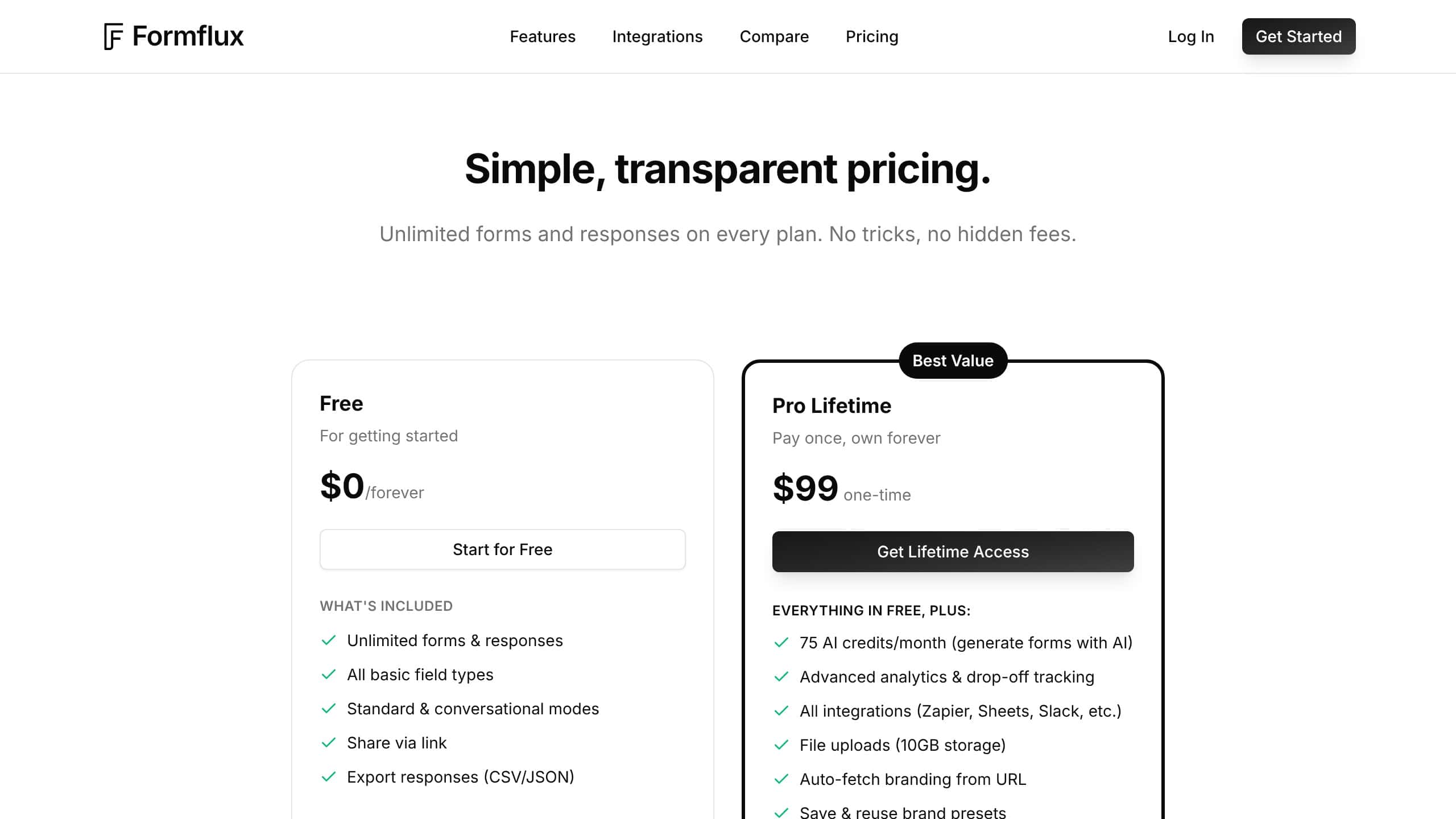
I went through the FormFlux pricing page and the numbers are refreshingly simple compared to the tier mazes that Typeform and Jotform put you through.
Free Plan: $0 Forever
The free plan includes:
- Unlimited forms
- Unlimited responses
- All basic field types (text, email, phone, dropdowns, checkboxes, dates, ratings, addresses, signatures)
- Standard and conversational display modes
- Conditional logic and field validation
- Calculated fields
- Share via link
- CSV and JSON export
- 21 themes with color and font customization
- URL prefilling
That is not a stripped-down demo. That is a functional form builder.
Pro Lifetime: $99 One-Time Payment
Everything in Free, plus:
- 75 AI credits per month (for AI form generation)
- Advanced analytics with field-level drop-off tracking
- All integrations (Zapier, Google Sheets, Slack, Calendly, Cal.com, Webhooks, Google Tag Manager)
- File uploads with 10 GB storage
- Auto-fetch branding from any URL
- Save and reuse brand presets
- Email notifications and auto-responders
- All embed types (iframe, inline, popup, slider) and QR codes
- CAPTCHA, rate limiting, and password protection
- Response limits and close-after-date settings
- Remove FormFlux branding
- Priority support
There is also a Pro Monthly option at $19 per month if you prefer not to commit upfront. But the form builder lifetime deal at $99 is where most buyers will find the best value.
AI Credit Top-Ups
If you burn through the 75 monthly AI credits, you can buy 25 more for $10. For most users building a few forms per month, 75 credits will be more than enough.
How FormFlux Pricing Compares
Here is where the value becomes clear:
| Platform | Free Responses | Conversational Mode | Analytics | Monthly Price | Annual Cost |
|---|---|---|---|---|---|
| FormFlux | Unlimited | Yes (free) | Pro ($99 LTD) | $19/mo or $99 once | $99 total |
| Typeform | 10/month | Yes | $29+/mo | $29/mo | $348/yr |
| Jotform | 100/month | No | $39+/mo | $39/mo | $468/yr |
| Tally | Unlimited | No | $29/mo | $29/mo | $348/yr |
| Google Forms | Unlimited | No | Basic only | Free | Free |
When Priya, a freelance UX researcher, switched from Typeform’s $29 per month Basic plan to FormFlux’s lifetime deal, the math was simple. She had been paying $348 per year for conversational forms and basic analytics. FormFlux gave her the same core features for $99 total. By month four, the tool had already paid for itself, and she still had unlimited responses with no recurring invoice hitting her card.
If you are evaluating AI deals and lifetime offers, FormFlux sits in a strong position. If you prefer subscription discounts over lifetime commitments, browse current AI discount deals for savings on monthly plans. But FormFlux’s lifetime pricing model means your cost per month drops every month you use it. By month six, you are paying less than $17 per month effectively. By month twelve, less than $9. Typeform never gets cheaper.
AI Form Generation: How Well Does It Work?
The headline feature on FormFlux’s Pro plan is AI form generation, and it is the main reason this ai form builder stands apart from traditional drag-and-drop-only tools. You describe what you need in plain English, and FormFlux creates a complete form.
I tested this with several prompts to see how well it handles different complexity levels. I wanted to push the AI, not just run the demo prompts.
Simple Forms
For a prompt like “create a customer feedback form with ratings and comments,” FormFlux generated a clean form with a rating field, a text area for comments, an email field, and a name field. It also selected an appropriate theme automatically. The whole process took about 10 seconds.
For standard use cases like contact forms, feedback surveys, event registrations, and job applications, the AI does a solid job. It picks the right field types. The labels make sense. The form structure is logical.
Complex Forms
When I tried more complex prompts like “create a multi-section vendor onboarding form with file uploads, conditional sections based on vendor type, and calculated fields for pricing,” the results were mixed. FormFlux generated a reasonable structure with the right sections and field types, but the conditional logic and calculations needed manual tweaking. The AI got me about 70% of the way there in one step, which is still faster than building from scratch.
The Chat Refinement Feature
After the AI generates your initial form, you can refine it through follow-up messages. Say something like “add a section for references” or “make the phone field optional,” and FormFlux adjusts the form. This iterative approach works well for getting the details right without starting over.
Brand Style Extraction
One underrated feature: FormFlux can auto-fetch your brand colors and fonts from a URL. Point it at your website and it pulls your brand palette into the form theme. This saves the tedious manual work of matching hex codes and font stacks.
AI Credits Math
You get 75 AI credits per month on Pro. Each form generation uses credits, and refinement messages use additional credits. For a small business or freelancer building two to five forms per month, 75 credits is plenty. If you are an agency churning out forms daily, you might need the $10 top-up packs, but even then, the total cost stays far below competitors.
The AI form generation is not a gimmick. It is a genuine time-saver for standard form types. Just do not expect it to handle complex multi-page workflows without manual intervention.
Conversational Mode: One Question at a Time
This is the feature that makes FormFlux a serious conversational form builder, putting it in direct competition with Typeform. And it is available on the free plan.
Conversational mode transforms any form into a one-question-per-screen experience. Instead of showing a long page of fields, respondents see a single question with smooth transitions between each step. Progress indicators show how far they are through the form.
Why Conversational Forms Matter
The data on conversational forms is clear. Showing one question at a time reduces cognitive load, which leads to higher completion rates. FormFlux’s own blog cites industry benchmarks showing that conversational forms typically see 10% to 20% higher completion rates compared to traditional layouts, depending on form length and audience.
For lead capture forms, survey responses, and application processes, that difference translates directly into more submissions.
Standard vs Conversational: When to Use Each
FormFlux lets you toggle between modes on any form. Here is when each works best:
Use conversational mode when:
- You have 5 or more questions
- The form is customer-facing (lead gen, surveys, applications)
- You want higher completion rates
- The form includes conditional logic that narrows the path
Use standard mode when:
- The form is short (3 or fewer fields)
- Users need to see all fields at once (order forms, quick signups)
- The form is internal (team requests, inventories)
- Speed matters more than experience
The ability to switch between both modes on the same form, without rebuilding, is something most competitors do not offer. Typeform is conversational only. Google Forms is standard only. Jotform is primarily standard with a separate cards mode that works differently. FormFlux gives you both in the same builder, which makes it a flexible typeform alternative for teams that need both form styles. I have not found another conversational form builder at this price point that also supports standard layouts.
Drag and Drop Form Builder: The Core Experience
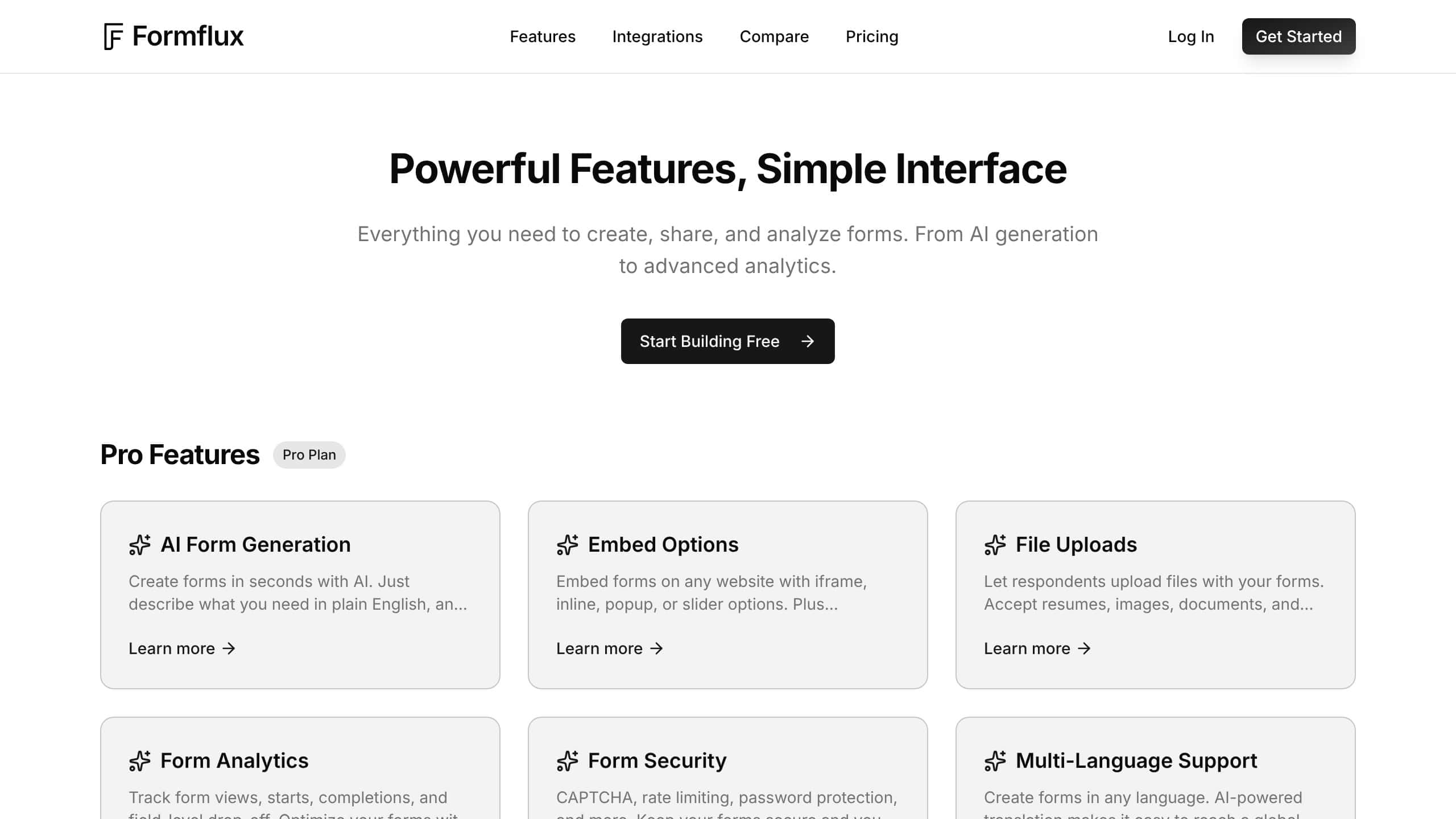
The form builder itself uses a drag and drop interface with a live preview panel. You pick a field type from the sidebar, drag it into position, and configure settings in a right-side panel.
Field Types Available
FormFlux covers the standard lineup plus a few extras:
- Basic: Text, email, phone, number, URL, date, time
- Selection: Dropdowns, checkboxes, radio buttons, multi-select
- Advanced: File uploads (Pro), signatures, ratings, scales
- Utility: Calculated fields, address (with autocomplete), section dividers
- Logic: Conditional show/hide rules, field validation, required toggles
The calculated fields feature deserves a mention. You can create fields that automatically compute values based on other responses. Sum an order total, calculate a score, build dynamic pricing. This is available on the free plan, which is unusual. Most competitors gate calculated fields behind paid tiers.
Builder UX
The drag and drop experience is smooth. Fields snap into place. The live preview updates in real time. Undo and redo work as expected. You can duplicate fields, reorder sections, and toggle required status with a click.
What I appreciated was the lack of clutter. There is no bloated sidebar with 50 widget types you will never use. FormFlux keeps the field library focused, which means less time hunting and more time building.
Marcus, a startup founder who needed registration forms for a three-day conference, built all five forms in a single afternoon. Two were standard layout for quick data collection at check-in. Three were conversational for attendee feedback after each session. He told me the dual-mode feature saved him from maintaining separate accounts on two different platforms, which he had been doing with Google Forms and Typeform before switching.
Themes and Customization
You get 21 pre-built themes. Each one can be customized with your own colors, fonts, and logo. The auto-brand fetching feature on Pro pulls your brand style from any URL, which speeds up the design process.
For most use cases, the theme options are sufficient. If you need pixel-perfect custom CSS control, FormFlux does not offer that. The styling is template-based with customization points, not a blank canvas.
Form Analytics: The Data That Matters
This is where FormFlux surprised me in this FormFlux review. The analytics dashboard on the Pro plan provides data that you typically need a $29 or more per month plan to access on other platforms.
What FormFlux Tracks
Completion Metrics:
- Total views, starts, and completions
- Completion rate percentage
- Average time to finish
- Submission trends over time
Drop-Off Analysis:
- Field-level drop-off rates
- Which questions cause people to abandon the form
- Conversion funnel from start to finish
Traffic Intelligence:
- Referral sources
- UTM parameter tracking
- Device and browser breakdown
- Geographic data
Response Management:
- Search, filter, and sort submissions
- Mark responses as spam
- Verify response authenticity
- Export to CSV or JSON
Why Drop-Off Analytics Matter
Here is the thing most form builders miss. Knowing how many responses you got tells you nothing about how to get more. You need to know where people quit.
FormFlux shows you exactly which question is killing your completion rate. If 40% of respondents drop off at question 7, you know that question needs to be rewritten, moved, or removed. Without this data, you are guessing.
Elena, a SaaS product manager, used FormFlux analytics to optimize her onboarding survey. The drop-off data showed that a multi-select question about “how did you hear about us” had a 35% abandonment rate. She changed it from multi-select to a simple dropdown and moved it to the end of the form. Completion rate jumped from 52% to 71% in two weeks.
That kind of optimization is impossible without field-level analytics. And on FormFlux, it is included in the $99 lifetime plan. On Typeform, you need the $29 per month Basic plan at minimum, and the deeper analytics require the $59 per month Plus plan.
UTM and Source Tracking
If you are running paid campaigns or multi-channel distribution, the UTM tracking is valuable. Append UTM parameters to your form link, and FormFlux shows which campaigns, sources, and mediums are driving the most completions. Not just the most clicks. The most completions. That distinction matters for ROI measurement.
Want to catch tools like this before prices change? Subscribe for AI deal alerts to get the best offers weekly.
Integrations: What Connects and What Does Not
FormFlux supports seven integration categories. Here is what each does and how well it works.
Google Sheets (Pro)
Responses automatically sync to a Google Sheet. New columns are added for new fields. Existing data stays intact. This is the simplest way to get form data into a spreadsheet without manual exports.
Zapier (Pro)
Connect to 5,000+ apps through Zapier. This is the catch-all integration. Need to push form responses to your CRM, project management tool, or email marketing platform? Zapier handles it. The FormFlux trigger fires on new submissions.
Slack (Pro)
Get instant notifications in a Slack channel when someone submits a form. Each notification includes the response data. Useful for lead forms, support requests, or any time-sensitive submissions.
Calendly and Cal.com (Pro)
After a form submission, redirect respondents to book a meeting. This is a smart workflow for lead qualification forms. Respondent fills out your qualification questions, then books a call immediately. No separate email follow-up needed.
Webhooks (Pro)
Send form submission data to any custom endpoint. Webhooks include HMAC signatures for security verification. If you have a custom backend or API that needs to receive form data, this is how you connect it.
Google Tag Manager (Pro)
Track form events (views, starts, completions) through GTM. This feeds data into your existing analytics stack, whether that is GA4, Meta Pixel, or any other tag-based tracking system.
Email Notifications (Pro)
Set up notifications for yourself and auto-responders for form submitters. Customize the email content and sender details. Basic but essential for most form workflows.
What Is Missing
Here is where I need to be honest. FormFlux’s integration list is functional but not deep. Compared to Typeform’s 120+ native integrations or Jotform’s 100+, FormFlux covers the essentials and relies on Zapier for the rest.
Notable gaps:
- No native payment processing. If you need Stripe or PayPal inside your form for orders or donations, FormFlux does not support this directly. You would need a Zapier workflow or a redirect.
- No native CRM connections. HubSpot, Salesforce, and Pipedrive are not natively available. Zapier bridges the gap, but it adds another cost layer.
- No native email marketing. Mailchimp, ConvertKit, and ActiveCampaign need Zapier connections.
For users who need deep native integrations with specific platforms, this is a real limitation. For users who are comfortable with Zapier or webhooks, it is manageable.
Is FormFlux Secure? Form Protection Features
FormFlux includes several security features on the Pro plan that protect your forms from spam and abuse. I tested each one to see how they work in practice.
- CAPTCHA: Add CAPTCHA challenges to prevent bot submissions. This is table stakes for any public-facing form, and it works as expected. I enabled it on a contact form and confirmed it blocks automated submissions without adding friction for real users.
- Rate Limiting: Prevent submission flooding by limiting how many responses can come from a single source within a time window. Useful for public forms that might attract automated abuse.
- Password Protection: Lock a form behind a password. Only people with the password can access and fill out the form. I used this for a client-specific survey where I only wanted invited participants to respond.
- Response Limits: Set a maximum number of total responses. Once the limit is hit, the form automatically closes. Good for event registrations with capacity limits or limited-time surveys.
- Close-After-Date: Automatically close a form after a specific date and time. The form becomes inaccessible, and respondents see a customizable closed message.
Webhook payloads include HMAC signatures for payload verification, which means you can validate that incoming data actually came from FormFlux and was not tampered with. This is a detail that matters for developers building custom integrations.
These security features are solid for a form builder in this price range. Enterprise users might want more granular access controls or SSO, but for small businesses and freelancers, FormFlux covers the essentials.
Does FormFlux Support Multiple Languages?
FormFlux Pro includes AI-powered translation that lets you create forms in multiple languages. You build the form in your primary language, then use the AI to generate translations. The form can detect the respondent’s browser language and automatically display the appropriate version.
I tested this with a feedback form translated into Spanish and French. The translations were solid for standard form labels and instructions. For industry-specific terminology you will want to review the output, but for general purpose forms the AI translation gets the job done without hiring a translator.
The browser language detection is a nice touch. When a French-speaking user opens your form, they see the French version automatically. No language selector needed. For businesses serving international audiences, this eliminates the need to maintain separate form copies in each language. It is a practical feature that saves real time, especially for survey forms distributed across multiple markets or customer bases that span different countries.
Embed Options and Distribution
FormFlux gives you multiple ways to get your forms in front of people.
Sharing
- Direct link: A unique URL for each form
- QR code: Generated automatically, ready for print materials or presentations
Embedding (Pro)
- Iframe: Standard embed in any webpage
- Inline: Embeds directly in the page flow, no iframe container
- Popup: Form appears as a modal overlay, triggered by click or delay
- Slider: Form slides in from the side of the page
The popup and slider options are particularly useful for lead capture forms. Instead of dedicating a full page to a form, you can trigger it contextually within your existing content. This is a feature that tools like Typeform charge extra for through add-ons.
What Are the Downsides?
No tool is perfect, and I would not be doing my job if I only covered the good parts. Here is what FormFlux gets wrong or has not figured out yet.
Limited Template Library
Typeform has hundreds of pre-built templates for every industry and use case. FormFlux has far fewer. The AI generation partially compensates for this because you can describe what you need and get a form quickly. But if you want to browse templates for inspiration or grab a ready-made industry-specific form, the selection is thin.
No Native Payment Processing
If you need to collect payments directly within a form, such as for event tickets, donations, or product orders, FormFlux cannot handle this natively. You need to use Zapier to connect to Stripe or redirect users to a separate payment page. For businesses where form-based payments are a core workflow, this is a deal-breaker.
New Product Risk
FormFlux launched in 2025. It does not have the track record of Typeform (founded 2012) or Jotform (founded 2006). The lifetime deal pricing suggests the company is in growth mode, which is common for startups. But lifetime deals carry inherent risk. If the company struggles financially, the product could stagnate or shut down.
The FormFlux FAQ addresses this directly: “Lifetime means your lifetime, not the company’s.” That is honest messaging, but it is still a bet on the company’s longevity.
Limited Independent Reviews
While the site reports 4.8 out of 5 stars across 127 reviews, platforms like GetApp and Capterra show zero independent user reviews as of early 2026. This is expected for a new product, but it means you are relying on the company’s own reported numbers rather than verified third-party feedback.
No Advanced Workflow Automation
FormFlux does not include built-in workflow automation like conditional email sequences, multi-step approval chains, or internal routing. If you need “when response equals X, send to team A, when response equals Y, send to team B” logic, you need Zapier or webhooks to handle it externally.
Integration Depth
As covered in the integrations section, the native integration library is limited compared to established competitors. Zapier fills the gap, but it adds cost and complexity.
FormFlux vs Typeform: Head-to-Head Comparison
Since Typeform is the most direct competitor, here is a detailed breakdown.
| Feature | FormFlux | Typeform |
|---|---|---|
| Conversational mode | Yes (free) | Yes (core feature) |
| Standard mode | Yes (free) | No |
| Free responses | Unlimited | 10 per month |
| AI form generation | Yes (Pro) | Yes (paid plans) |
| Field-level analytics | Yes (Pro, $99 LTD) | Yes ($29+/mo) |
| Native integrations | 7 categories | 120+ |
| Payment processing | No | Yes (Stripe) |
| Templates | Limited | Hundreds |
| Custom CSS | No | Yes (paid) |
| Lifetime pricing | $99 one-time | Not available |
| Monthly pricing | $19/mo | $29/mo (Basic) |
| Annual cost | $99 total (LTD) | $348/yr (Basic) |
| Branding removal | Pro ($99 LTD) | $29+/mo |
Choose FormFlux if: You want a typeform alternative with both display modes, unlimited free responses, solid analytics, and you prefer to pay once instead of monthly. You are comfortable with Zapier for integrations that are not natively supported.
Choose Typeform if: You need deep native integrations with specific platforms, payment processing inside forms, hundreds of templates, or pixel-perfect custom styling. You are comfortable with ongoing monthly costs.
For most small businesses and freelancers who need conversational forms without the recurring bill, this FormFlux review makes the value gap hard to ignore. Browse more AI tool lifetime deals to compare.
FormFlux vs Google Forms: When Free Is Not Enough
Google Forms is the default “free form builder” and it does the job for basic data collection. But if you need anything beyond the basics, the gaps become obvious.
| Feature | FormFlux (Free) | Google Forms |
|---|---|---|
| Conversational mode | Yes | No |
| Conditional logic | Yes | Yes (basic) |
| Calculated fields | Yes | No |
| Custom themes | 21 themes + customization | 5 themes, limited customization |
| Analytics | Basic (Pro for advanced) | Basic response summary |
| Field types | 15+ including signatures, ratings | 11 basic types |
| File uploads | Pro | Yes (Google Drive) |
| Embed options | Pro (4 types) | iframe only |
| Branding | FormFlux brand (removable on Pro) | Google brand (not removable) |
| Export | CSV and JSON | CSV and Google Sheets |
FormFlux’s free plan already beats Google Forms on customization, field types, display modes, and calculated fields. If you have been searching for the best free form builder to replace Google Forms, FormFlux’s free tier gives you a significant upgrade without spending a dollar.
If you are looking for free AI tools that actually compete with paid alternatives, FormFlux’s free plan belongs on your shortlist. For another genuinely free AI tool worth testing, see our ChatGPT free tier review.
Who Should Buy FormFlux Pro?
Buy It If:
- You are a freelancer or solopreneur who needs professional-looking forms without a monthly bill. The $99 lifetime deal pays for itself in four months versus Typeform.
- You run a small business that collects customer feedback, leads, or applications. Unlimited responses on the free tier plus analytics on Pro give you everything you need.
- You want both form styles. If some of your forms need to be conversational and others standard, FormFlux is one of the only builders that handles both natively.
- You value analytics. Field-level drop-off tracking at this price point is rare. If form optimization matters to your conversion rates, this data is worth the cost.
- You are comfortable with Zapier. If your integration needs can be met through Zapier and webhooks, the limited native integrations will not be a problem.
Skip It If:
- You need in-form payment processing. No Stripe, no PayPal, no direct checkout. If payments are central to your form workflow, look at Jotform or Typeform.
- You need deep native integrations. If you specifically need HubSpot, Salesforce, or Mailchimp connections without Zapier, FormFlux is not there yet.
- You need enterprise-grade compliance. No SOC 2 certification mentioned, no SSO, no advanced access controls. For organizations with strict compliance requirements, this may not meet the bar.
- You are risk-averse about new products. If you need a 10-year track record before buying a lifetime deal, FormFlux is too new. The product works well today, but longevity is unproven.
Final Verdict
After spending real time with this tool, I can say FormFlux does something rare in the form builder market: it offers a genuinely useful free tier, a competent AI-powered builder, and a lifetime pricing model that makes financial sense.
The free plan alone is more capable than most competitors’ paid plans. Unlimited forms, unlimited responses, conditional logic, conversational mode, and calculated fields at zero cost is a strong proposition for anyone who just needs forms that work.
The $99 lifetime Pro plan is where the real value sits. Analytics, integrations, embed options, branding removal, AI generation, and security features for a one-time payment that costs less than four months of Typeform. For freelancers, small businesses, and solopreneurs, that is a clear win.
The limitations are real. No payment processing. Limited native integrations. A thin template library. No independent review history yet. These are tradeoffs you accept with a newer product.
But here is the bottom line: if your primary need is building professional forms with analytics, sharing them, and collecting responses without a recurring subscription, FormFlux delivers exactly that. It does not try to be a landing page builder, a CRM, or a marketing automation platform. It builds forms, and it does that job well.
My recommendation based on this FormFlux review: Buy the $99 lifetime deal if you currently pay for Typeform or Jotform and do not use payment processing. Start with the free plan if you want to test it first. Skip it if payments or deep native integrations are non-negotiable.
Frequently Asked Questions
Is FormFlux Really Free?
Yes. The free plan includes unlimited forms and unlimited responses with no hidden caps. You get conditional logic, conversational mode, calculated fields, themes, and CSV export at zero cost. FormFlux makes money from Pro plan upgrades and AI credit top-ups.
How Does FormFlux Compare to Typeform?
As a conversational form builder, FormFlux offers both standard and conversational modes (Typeform is conversational only), unlimited free responses (Typeform limits free to 10 per month), and a $99 lifetime deal (Typeform starts at $29 per month). Typeform has more templates, more native integrations, and payment processing. For most use cases, FormFlux delivers 80% of Typeform’s value at 20% of the cost.
Is the Lifetime Deal Worth It?
At $99 one-time versus $348 per year for Typeform Basic, this form builder lifetime deal pays for itself in under four months. The risk is that FormFlux is a newer company, so lifetime deal longevity depends on the company’s success. The product works well today, and the pricing is aggressive enough to attract a user base quickly.
Can FormFlux Handle Complex Forms?
Yes, with caveats. Conditional logic, calculated fields, and multi-section layouts all work. The AI can generate moderately complex forms, but advanced conditional workflows and multi-step approval processes may need manual setup or external automation through Zapier.
Does FormFlux Integrate With My CRM?
Not natively. FormFlux connects to Google Sheets, Slack, Zapier, Calendly, Cal.com, Webhooks, and Google Tag Manager. For CRM connections like HubSpot or Salesforce, you need Zapier as a bridge.
Is FormFlux Secure?
Pro includes CAPTCHA, rate limiting, password protection, response limits, and automatic form closing. Webhook payloads include HMAC signatures for verification. For most small business use cases, this is adequate. Enterprise compliance certifications like SOC 2 are not mentioned.
Can I Remove FormFlux Branding?
Yes, on the Pro plan. The free plan includes FormFlux branding on your forms. The $99 lifetime Pro plan removes it entirely.
How Does AI Form Generation Work?
You describe your form in plain English through a chat interface. As an ai form builder, FormFlux handles the structure, field types, labels, validation rules, and a matching theme automatically. You can refine it with follow-up messages. Each generation and refinement uses AI credits (75 per month included with Pro, with $10 top-up packs available).
Building an AI tool? Submit your AI tool for a free review on ZPlatform.ai.
