Let’s be honest—most SEO tools are not “hard” because they’re advanced. They’re hard because they’re overwhelming.
If you’ve ever opened a platform like Ahrefs or Semrush and felt like you needed a second brain just to interpret the dashboard, you already know the problem: SEO becomes a stressful data project instead of a clear growth system.
That’s exactly why this Morningscore Review matters.
Morningscore positions itself as an all-in-one SEO platform (similar category to the big names), but it takes a different approach. Instead of throwing endless reports at you, it turns SEO execution into something more like a mission-based control center—complete with a gaming-style “XP/levels” framework that nudges you to keep improving instead of quitting.
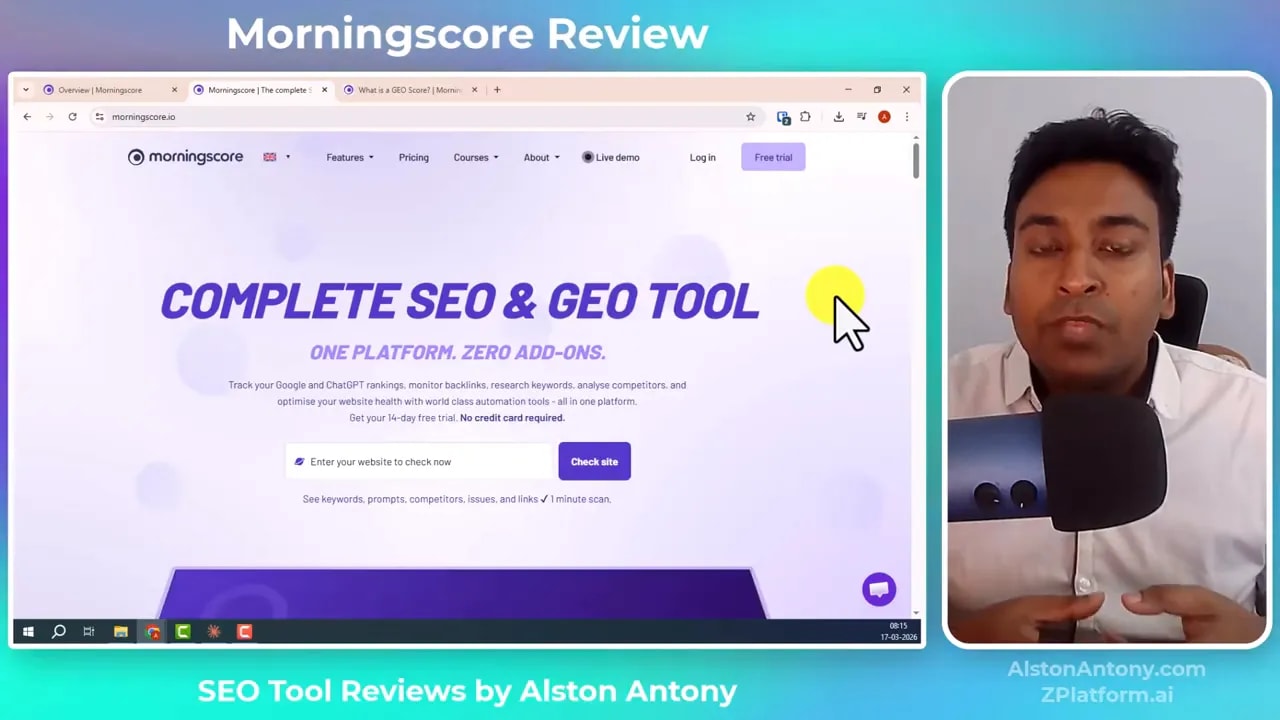
In this article, I’ll break down what Morningscore does, how its main modules work (missions, keyword research, rank tracking, backlinks, health audits, automation), who it’s actually for, and whether it’s worth your time if you’re a founder, beginner, or non-technical marketer.
Table of Contents
- What Is Morningscore?
- Morningscore Review: The Core Concept (Missions / “Mission Control”)
- Morningscore Dashboard: Overview Module
- Keyword Research: How Morningscore Finds Opportunities
- Prompt Research: A Different Kind of SEO Discovery
- Rank Tracking: Daily Updates and Clear Keyword History
- Backlinks: Monitoring New, Lost, and Competitor Links
- Website Health Audits: On-Page + Technical Fixes with AI Help
- Automation: One-Click Content Generation (Use Carefully)
- Integrations and Extensions: WordPress, Shopify, Geo Analysis, API
- Who Morningscore Is Best For
- Pros and Cons (Practical View)
- Overall Verdict: Is Morningscore Worth It?
- How to Get Started with Morningscore (Simple Plan)
- Morningscore Review FAQ
- Final Thoughts
What Is Morningscore?
Morningscore is a gamified SEO platform that combines multiple SEO workflows into one dashboard:
- SEO score & site visibility tracking (including geo-related visibility features)
- Missions that break optimization tasks into “doable” steps
- Keyword research and prompt research (for AI/search-inspired discovery)
- Rank tracking (daily for tracking data)
- Backlink monitoring (new/lost links, link values, competitor link comparisons)
- Website health audits (on-page + technical issues)
- Automation features and integrations (WordPress plugin, Shopify app, API)
And unlike many SEO tools that assume you already know what to do, Morningscore tries to guide you through tasks step-by-step using missions and “fix” suggestions.
Morningscore Review: The Core Concept (Missions / “Mission Control”)
The most distinct feature in this Morningscore Review is the missions system.
Most tools show you data. Morningscore tries to show you what to do next.
Instead of one giant checklist, it breaks SEO optimization into mission levels across areas like:
- Research
- Tracking
- Links acquisition
- Page score / performance improvements
- Overall health fixes
- Automation tasks
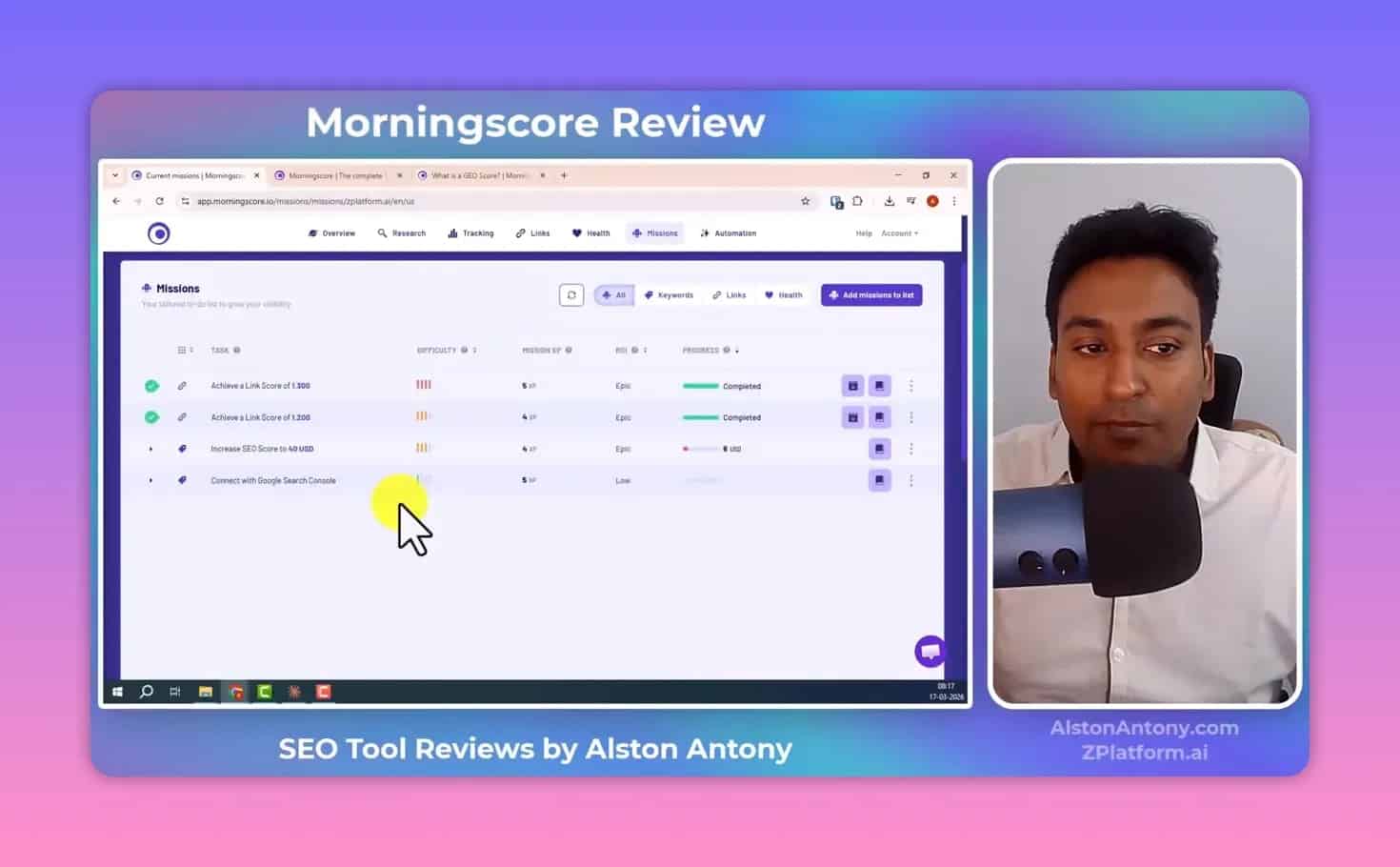
In the dashboard, you can add missions to your list. Each mission is tied to measurable progress—for example, improving a link score or meeting a specific SEO condition. When you refresh, Morningscore checks whether the criteria is met and marks the mission as completed.
This matters because SEO is rarely “one-and-done.” It’s an ongoing optimization loop. The missions system helps you maintain momentum.
Why the gamification works (especially for non-technical people)
If you’re not technical, you might still understand this:
- You want rankings to improve.
- You want site errors fixed.
- You want new keywords and backlinks.
- You want to know what to do every week.
But traditional tools often fail at one thing: they don’t tell you what to do in a way that feels immediately actionable.
Morningscore’s missions add a psychological layer—XP progression, level progression, completion states—that makes SEO feel less like paperwork and more like progress.
Morningscore Dashboard: Overview Module
Once you enter the dashboard, the interface is organized around a central “site overview” experience.
You can manage tracked websites, add new sites, and compare competitors. The UI is designed to keep you from bouncing around too many tools.
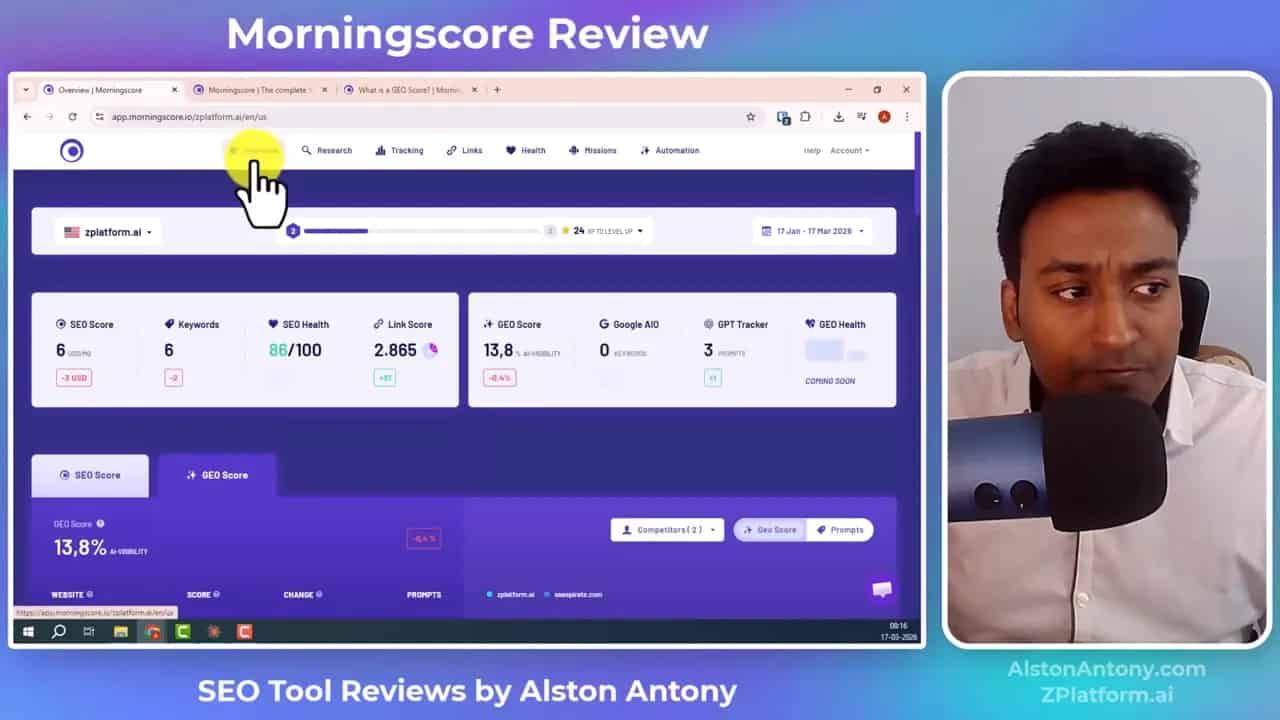
Inside the overview area, you’ll typically see:
- SEO score—a consolidated score that represents technical + on-page progress and keyword visibility outcomes
- SEO score calculation details—so you can understand what’s contributing to the score
- Geo score (visibility-related) features—positioned as a new direction in the product
- Competitor comparison (called a “co-scope” in the experience)
- Tracked keyword performance
- SEO health summary (what basic technical optimization looks like and what needs attention)
The point is not just “show charts.” It’s to provide a single starting view of your SEO status and the next improvement opportunities.
Keyword Research: How Morningscore Finds Opportunities
Keyword research is where most SEO platforms show their real value. And in this Morningscore Review, Morningscore stands out because it focuses on simplicity and speed.
The keyword research module lets you discover keywords, filter them, and quickly turn research into action.
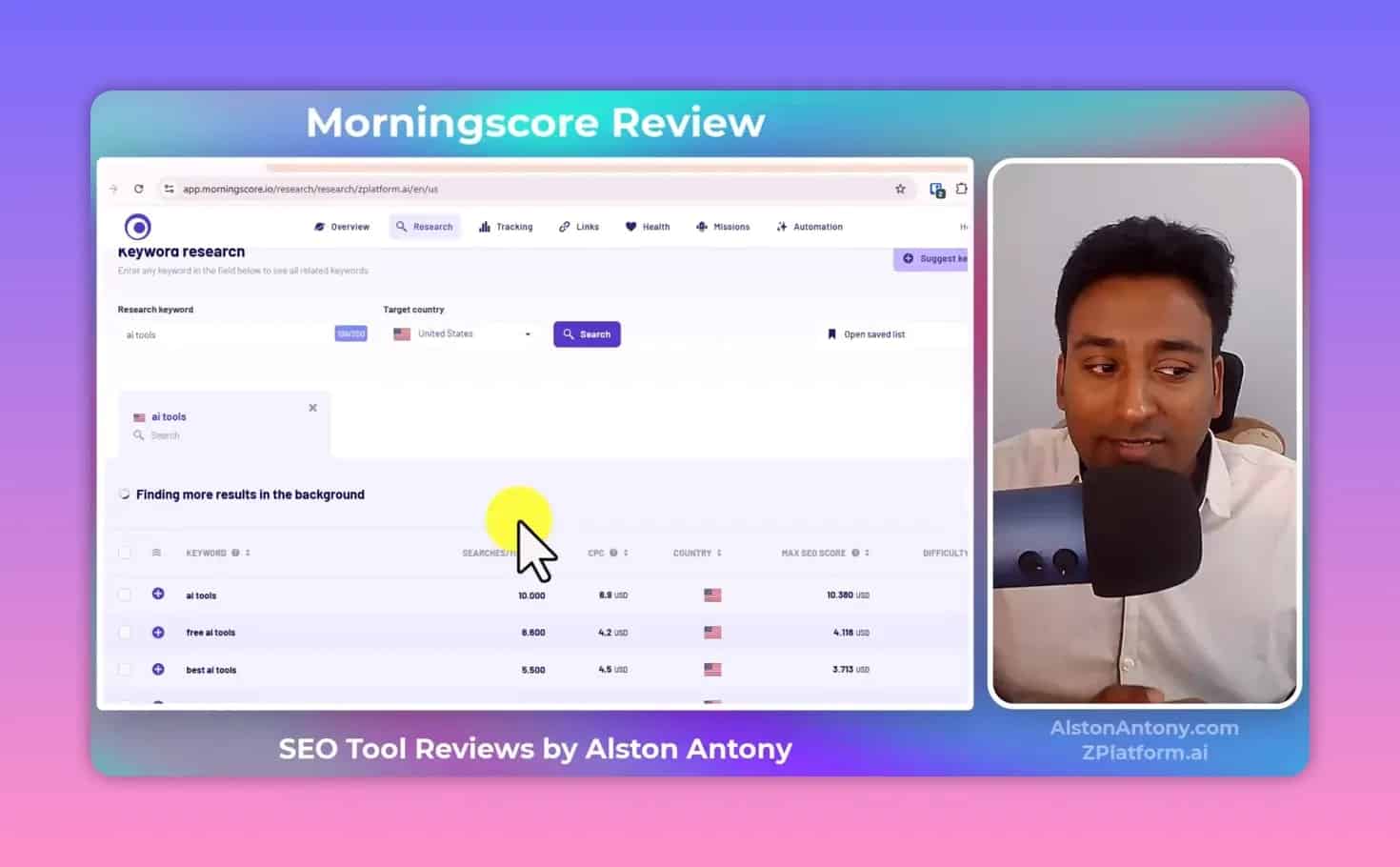
Key keyword research capabilities
- View keywords ranking between positions 1–20 (not necessarily updated daily, but presented as tracking positions)
- Connect Google Search Console to bring in more relevant data
- Run keyword discovery using search input like “AI tools”
- Filter and sort keywords using controls like:
- Monthly cost per click
- Inclusion/exclusion filters
- Reset filter options
- Keyword difficulty indicators to help you spot easier opportunities
- Max SEO score / value indicators to show potential value when you rank
- Export to CSV for deeper offline analysis
Turning research into execution
In many tools, you research keywords and then you “figure out what to do.” In Morningscore, the keyword research interface provides actions that connect to other workflows.
For example:
- You can run “look up on Google” to validate what you’re targeting.
- You can add selected keywords to tracking lists.
- You can export keyword details into CSV.
This is a big deal for beginners: you reduce the gap between “researching” and “ranking.”
Keyword suggestions from your site
Morningscore also offers a “suggest keywords” workflow where you provide your site, and the tool recommends keywords you can go after.
Instead of you starting from scratch, the tool attempts to guide you toward opportunities based on your site’s existing context.
Prompt Research: A Different Kind of SEO Discovery
One of the more unique modules in Morningscore is “prompt research.” This is where the platform leans into modern discovery patterns—especially related to AI/search experiences.
In the prompt research view, you can see “prompt lookup” results like:
- Your brand being founded at a certain position out of a number of prompts
- Example prompts such as “lifetime deal transcription surveys” (as described in the experience)
- Percentages indicating performance related to these prompts
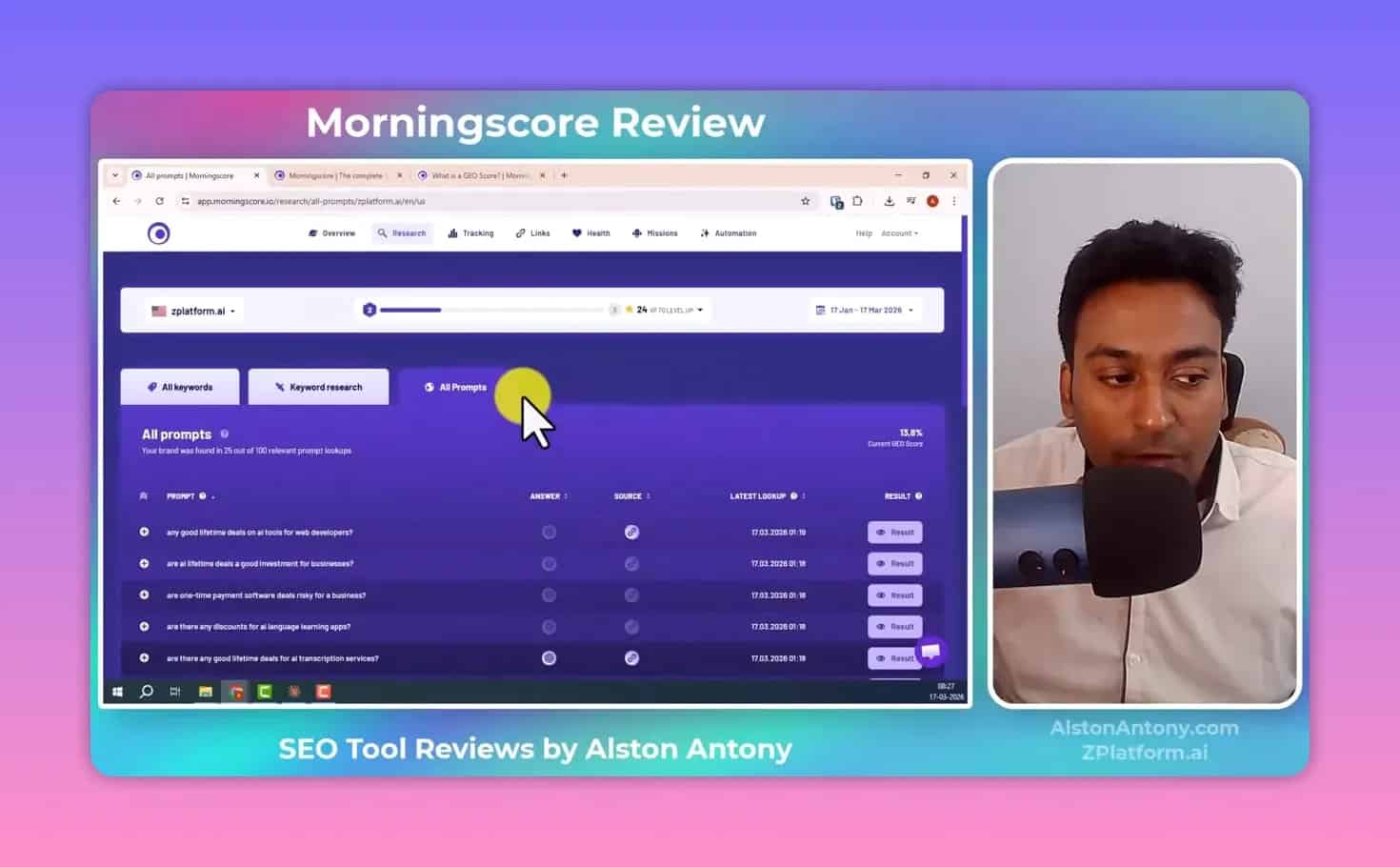
You can click into prompt results and view where the tool found your content or brand mentions. The workflow also supports optimization: if you want better visibility for a prompt, you can keep adjusting your content direction toward that prompt type.
Important note: This doesn’t replace classic SEO. It’s more like an additional angle on discovery—useful if your business benefits from AI-assisted search contexts and modern “answer” environments.
Rank Tracking: Daily Updates and Clear Keyword History
Rank tracking is the heartbeat of SEO. You need to know whether what you’re doing is working.
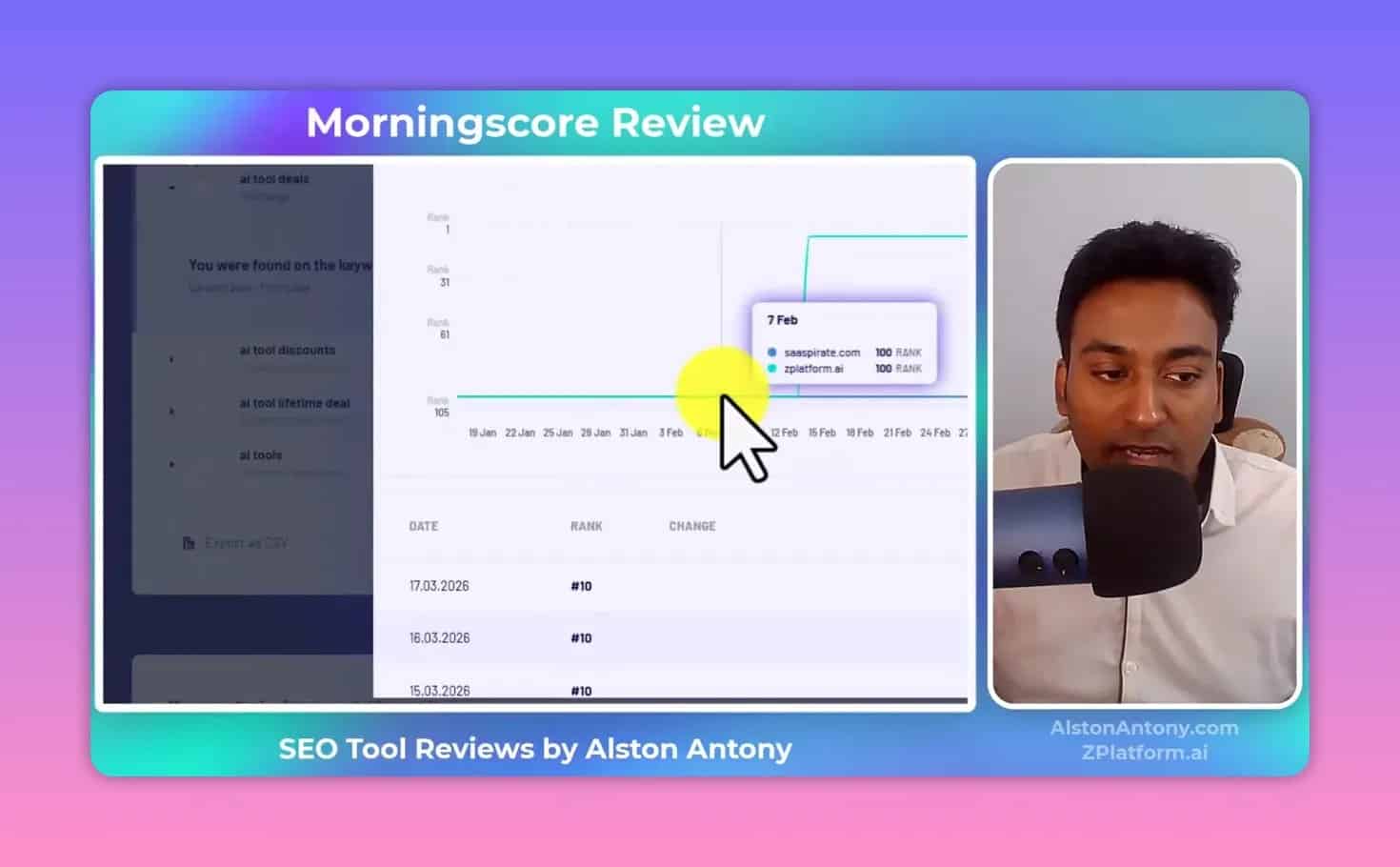
In Morningscore’s tracking module, you can monitor keywords and see ranking movement over time.
What you can track
- Google tracker with daily updated tracking data
- Folder structures to group keywords and view performance by page or search group
- Keyword position display (including “ranking history” movement)
- Top ranking pages when you click into a keyword
- Competitor comparisons for the tracked keywords you monitor
- ChatGPT tracker-style views for prompt-related visibility (based on the module descriptions)
The experience emphasizes movement—like seeing when you go from “not ranking” into a position such as 9th. That kind of movement view is valuable because it helps you connect actions to outcomes.
Backlinks: Monitoring New, Lost, and Competitor Links
Backlink analysis can quickly become complex. But Morningscore tries to make backlink monitoring more “game-like” and decision-focused.
Backlink tab highlights
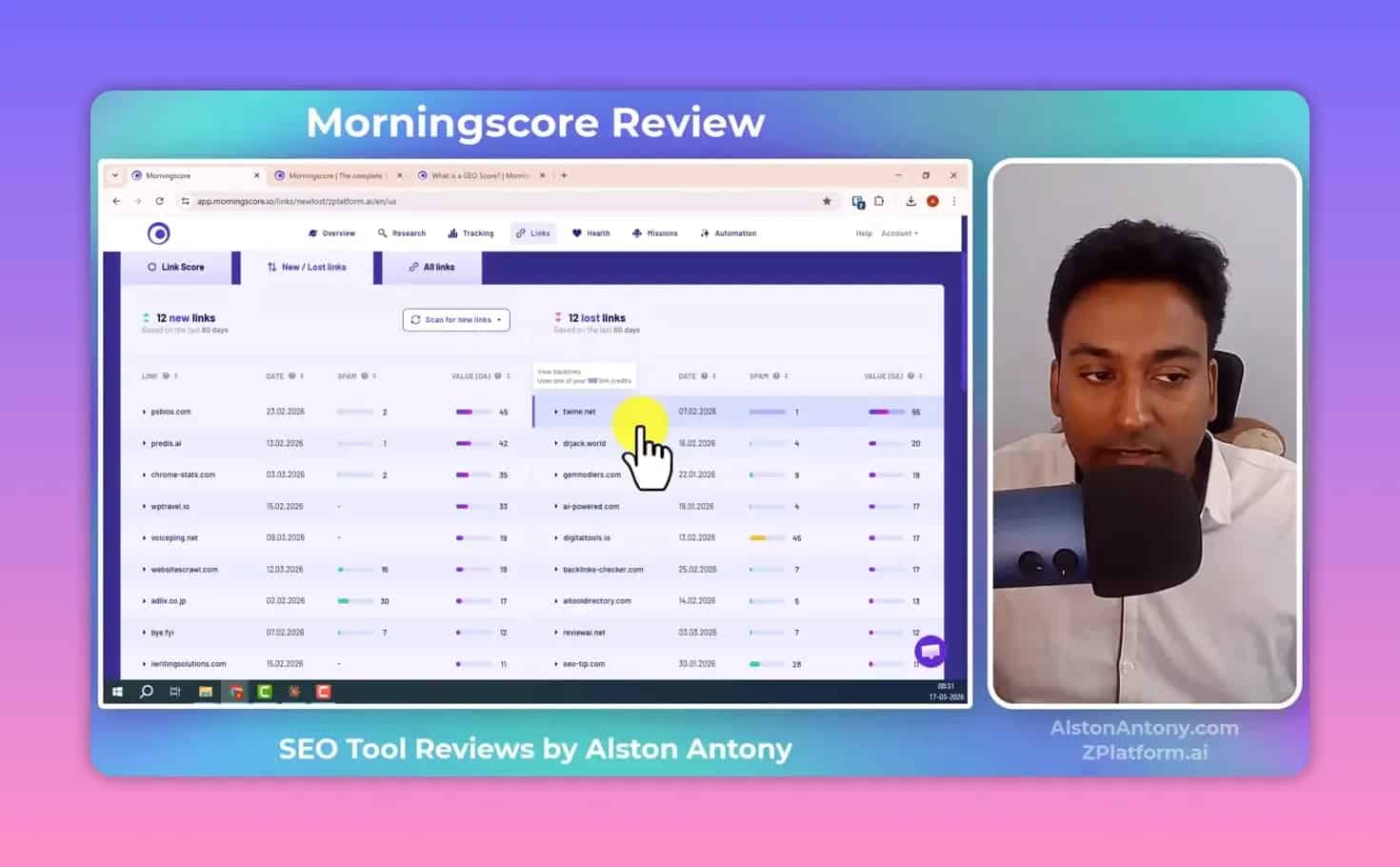
- Backlink statistics such as how many links you have, how they improve, and how you compare to competitors
- Link machine style views (in the interface logic) to understand what’s happening
- New and lost links so you know when you gain links and when links disappear
- Lost link context so you can potentially reach out and reclaim a link
- Manual link scanning: you paste a backlink URL, and the tool scans to confirm whether it exists and adds it if found
- All links library that includes the platform’s available link data sorted by factors like domain authority
- Spam filtering views to help you understand which backlink types might be less desirable
- Option to export or filter depending on needs
Even for non-technical users, knowing “what changed” (new vs lost) is often enough to take action without needing to master every SEO backlink metric.
Website Health Audits: On-Page + Technical Fixes with AI Help
If keyword research and rankings are the “growth” side of SEO, health audits are the “foundation” side. Broken links, missing metadata, missing alt tags—these are often invisible problems that hurt performance.
Morningscore’s Health module focuses on audits and fix suggestions.
How the health audit works
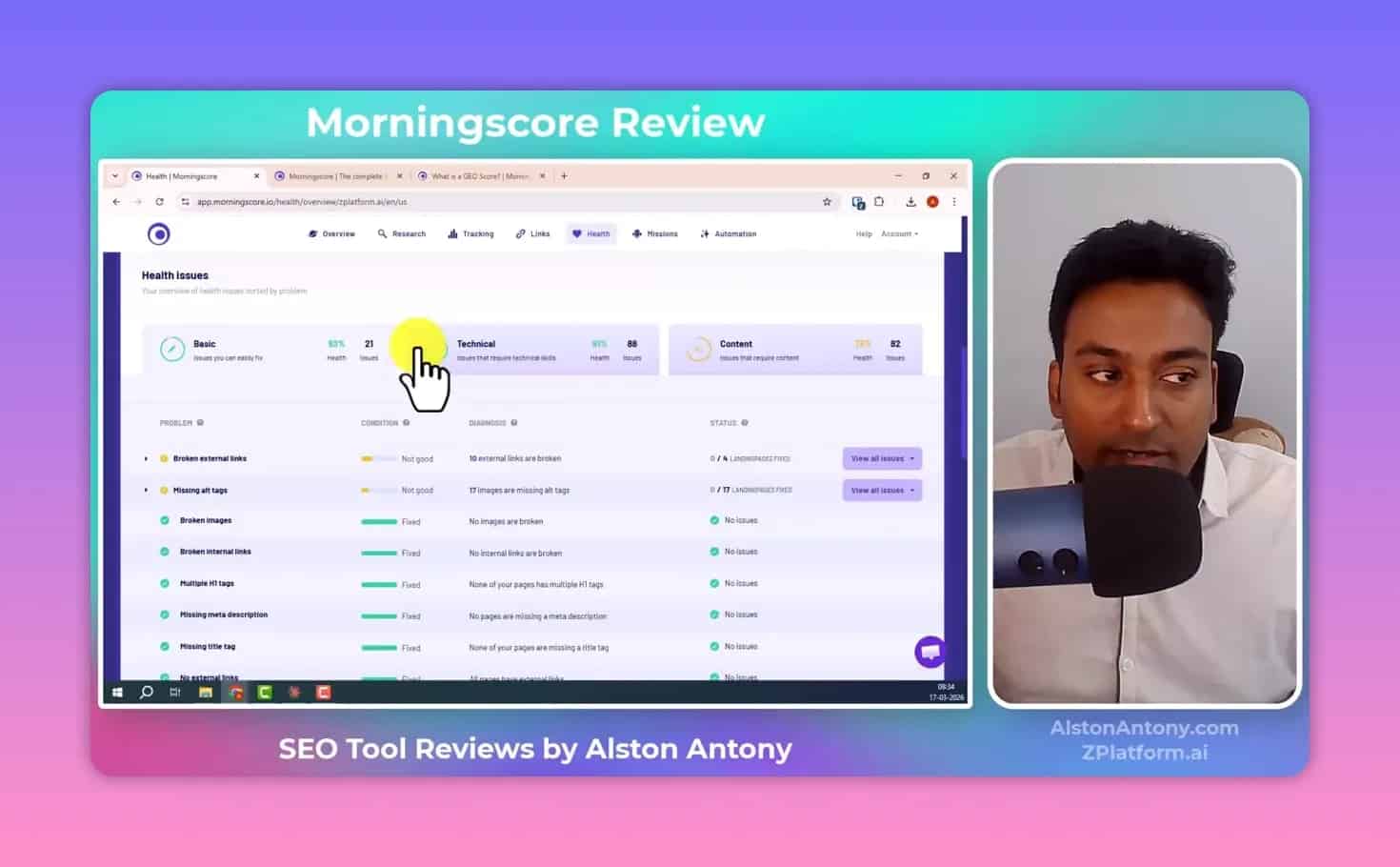
- You can run a full health scan of the website
- The tool reports:
- Overall health score
- How many landing pages were scanned
- Basic issues
- Technical issues
- Optimization issues
- New issues detected since the last audit
- It keeps audit history, so you can see what changed (new vs recurring)
- Health issues are categorized (examples described include broken external links and missing elements like image alt tags)
Fix with AI (beginner-friendly)
The most helpful part of the health audit is that it provides “fix” assistance. In the experience described, you can click “fix with AI” to get:
- Suggested replacements for broken external links
- Generated alt text for images missing alt tags
- Beginner-friendly step instructions to implement the fix correctly
- “Status” updates when items are fixed
This is where Morningscore shows its purpose: reduce confusion and speed up execution.
Color coding and recheck
To avoid you guessing where to start, the interface uses color coding and provides recheck options to validate fixes.
Automation: One-Click Content Generation (Use Carefully)
Morningscore includes an automation section that brings in an AI assistant concept for content creation and SEO workflows.
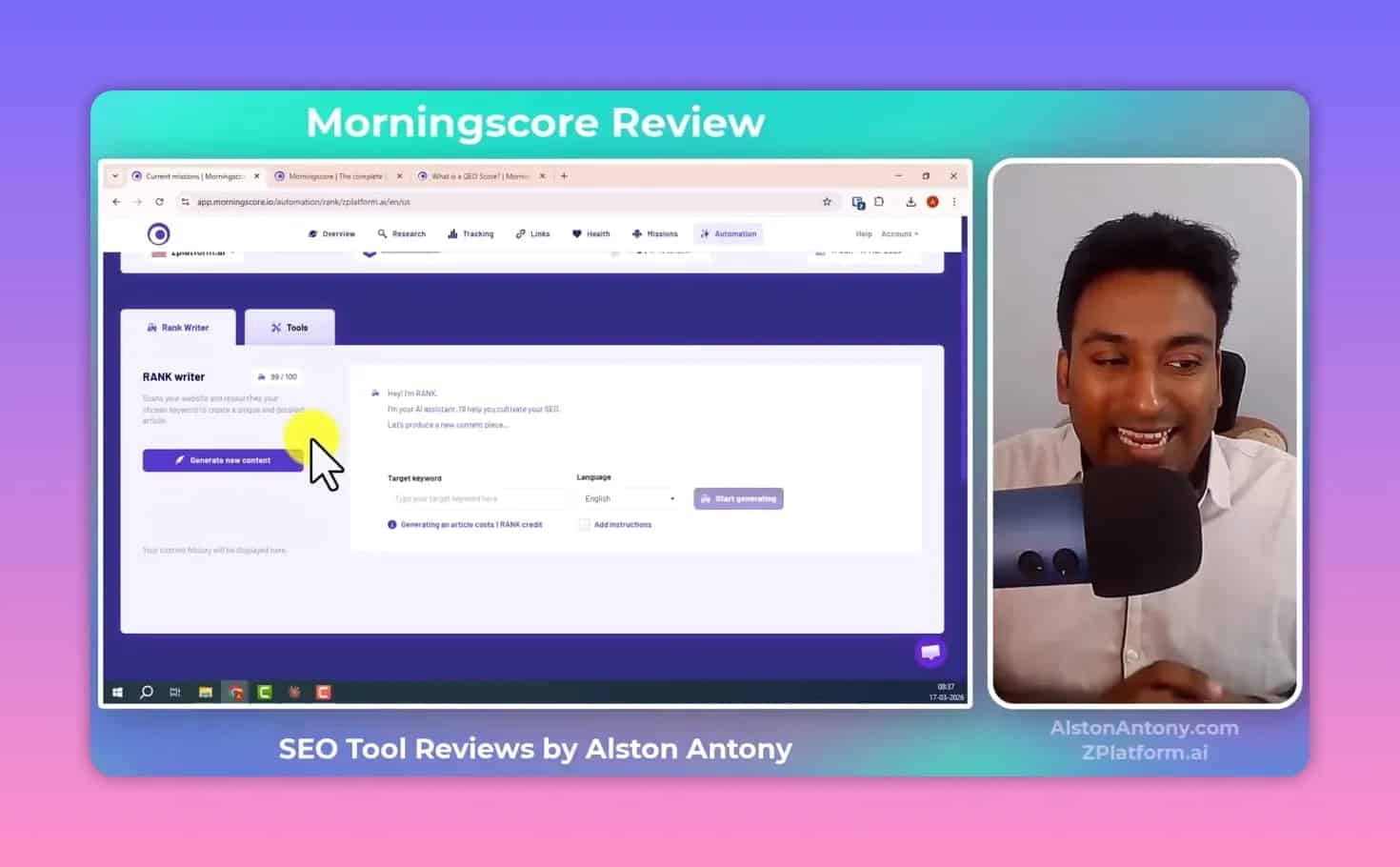
However, in the described experience, the reviewer personally had not used it extensively. The key takeaway is:
- Automation can generate a draft article by working through research steps automatically.
- It may also attempt internal link suggestions (which is a strong positive sign).
- But you should still evaluate quality—especially accuracy and relevance—before publishing.
As with any AI writing tool: if your SEO depends on trust, originality, and correctness, don’t skip your human review and refinement.
Integrations and Extensions: WordPress, Shopify, Geo Analysis, API
A key part of any SEO platform is whether it connects to the tools you already use.
Morningscore supports integrations and an API, plus dedicated tooling for content platforms.
WordPress plugin
The WordPress plugin is positioned as a way to apply health fixes directly from the site. In the experience described, it helps with tasks like:
- Missing alt tags
- Missing meta descriptions
- Broken links and other health issues
And the “Fix with AI” workflow can be used to generate the exact replacement content to apply.
Shopify app
A Shopify integration exists, though it was mentioned as not tested fully in the described experience.
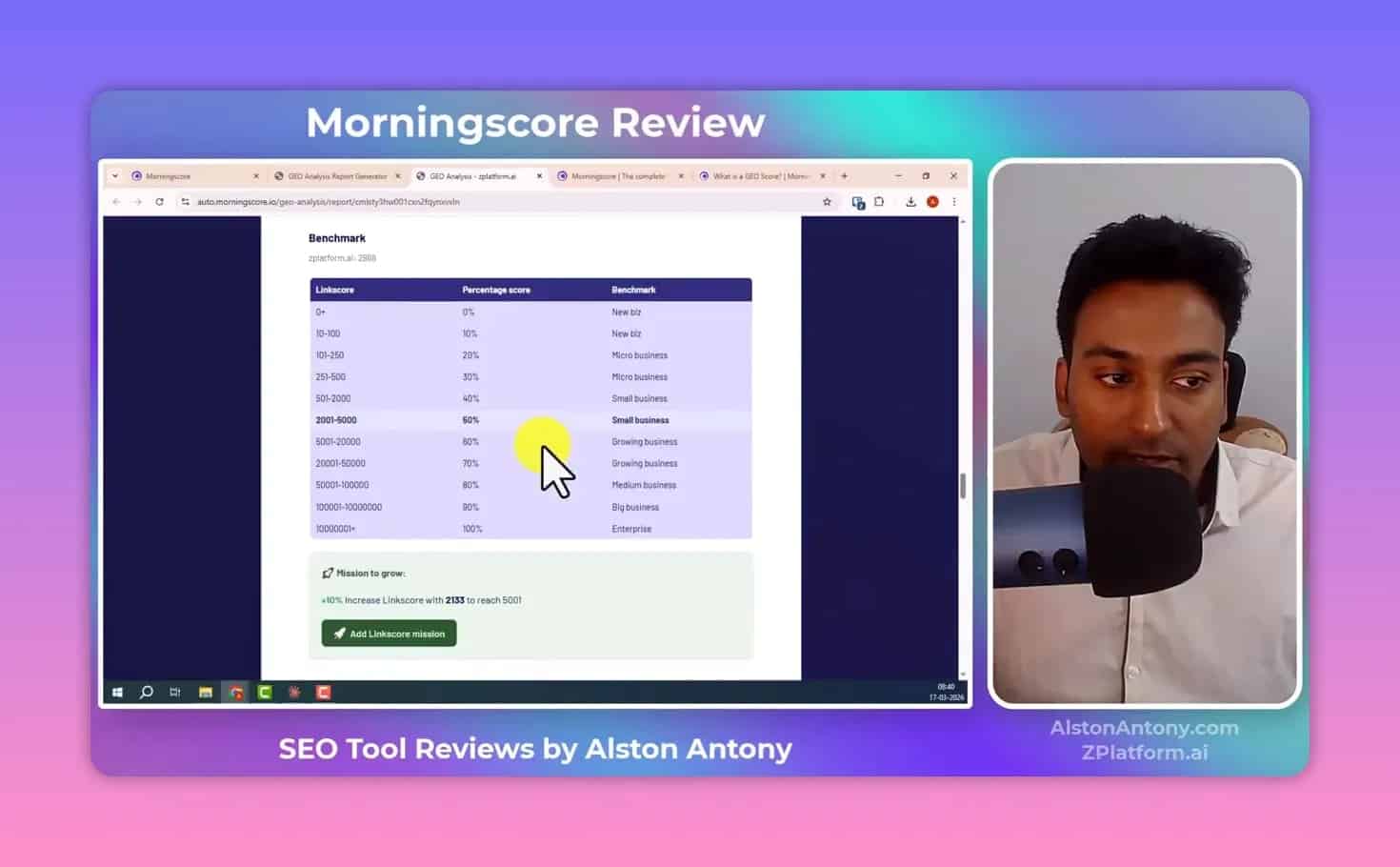
Geo analysis tool
Morningscore also includes a geo analysis workflow that produces a report showing changes and visibility-related performance across categories like:
- SEO content
- Links
- Brand mentions
- Overall score
It can compare a previous report with the latest run to show how you’ve changed over time.
API
The platform provides an API so you can retrieve Morningscore data without constantly visiting the dashboard. This is useful for agencies and workflow builders who want automated reporting and monitoring inside their own systems.
Who Morningscore Is Best For
This Morningscore Review wouldn’t be complete without a clear answer: who is this tool actually designed for?
- Non-technical founders who want SEO progress without becoming an SEO engineer
- Beginners who struggle with “data overload” and need guided next steps
- Small businesses that need a single dashboard for keywords, ranks, backlinks, and health
- Agencies that want faster workflows, especially with health fixes and integrations
- Anyone who needs motivation to keep improving weekly (missions provide that momentum)
If you already live inside Ahrefs and you prefer purely manual control, you might still like Morningscore—but the missions + guided approach may feel less “freestyle” and more “system-driven.”
Pros and Cons (Practical View)
Pros
- Gamified missions that turn SEO into a progress system
- Beginner-friendly execution via guides and “fix with AI” suggestions
- All-in-one modules: research, tracking, backlinks, health, automation, and analytics in one place
- Clear tracking experience with keyword history movement and competitor comparison
- Health audit history so you see new problems since last scans
- WordPress plugin supports applying fixes directly
Cons
- Automation/content generation may require extra quality checks (AI output quality isn’t guaranteed)
- Some modules are still evolving, such as geo features mentioned as newly available
- If you want deep, highly customizable reporting, you may find the simplified “mission control” style less granular than hardcore SEO suites
Overall Verdict: Is Morningscore Worth It?
If your main pain is that SEO tools are overwhelming—and you want a system that pushes you to complete tasks instead of merely viewing metrics—then this Morningscore Review suggests Morningscore is a strong fit.
The missions framework is not a gimmick. It addresses the real problem beginners face: knowing what to do next.
On top of that, the combination of keyword research, rank tracking, backlinks, and health audits in one dashboard reduces tool-switching and decision fatigue.
And if you use WordPress, the ability to apply AI-assisted fixes inside the workflow is a meaningful advantage.
How to Get Started with Morningscore (Simple Plan)
If you’re new and want to use Morningscore effectively, use this simple loop:
- Add your website and set up tracking.
- Pick a few missions (start with beginner-friendly ones).
- Run keyword research and build a list of target keywords.
- Turn those keywords into tracking so you can watch movement weekly.
- Run a health scan and fix the most urgent issues first (broken links, missing meta, missing image alt tags).
- Monitor backlinks changes and aim for consistent link acquisition.
- Refresh missions to keep XP progressing and stay accountable.
This is how Morningscore is designed to be used: as a continuous optimization loop, not a one-time audit.
Morningscore Review FAQ
What is the main difference between Morningscore and tools like Semrush or Ahrefs?
Morningscore focuses on guided execution through a “missions” system. Instead of only showing SEO data, it breaks tasks into levels and provides step-by-step guidance, which can feel more manageable for beginners and non-technical users.
Is Morningscore beginner-friendly?
Yes. The interface is designed to be simplified, and health audits include “fix with AI” suggestions with beginner-oriented instructions. The missions framework also reduces the guesswork of what to do next.
Can I track keyword rankings and see what’s changing?
Yes. The rank tracking module supports daily updates (for tracking data) and shows keyword history movement, top ranking pages, and competitor comparisons.
Does Morningscore monitor backlinks like new and lost links?
Yes. The backlinks section provides views for new links and lost links, includes link value and competitor comparison, and supports scanning a specific link to see if it exists in the dataset.
What does the “health audit” do?
It scans your website for on-page and technical SEO issues, reports categories of problems, tracks audit history to highlight new issues, and helps you fix problems such as broken external links and missing alt tags.
Can I apply health fixes directly on WordPress?
Yes. The WordPress plugin supports applying health fixes from within the workflow, including AI-assisted suggestions for items like alt tags and meta description issues.
Is the AI content automation safe to publish directly?
You should treat AI-generated drafts as a starting point. The platform can generate content quickly, but quality and accuracy should be reviewed before publishing, especially if you require correctness and brand trust.
Does Morningscore include geo/visibility features?
It includes geo-related visibility features, including geo scores and geo analysis reports, which are positioned as newer functionality in the platform.
Final Thoughts
Morningscore is not trying to replace your brain with dashboards.
It’s trying to replace the friction between “I want better SEO” and “I know exactly what to do today.”
With the missions system, clear modules for research, tracking, backlinks, and health audits, plus integrations like WordPress and an API, the tool is built for real growth workflows—especially for non-technical people who need progress to feel obvious.
If your SEO strategy keeps stalling because tools feel too complex, this Morningscore Review suggests you should give it a close look.