
Remio Lifetime Deal
Remio lifetime deal on AppSumo: $69 (Tier 1), $199 (Tier 2), or $399 (Tier 3) one-time. Includes unlimited BYOK usage, 60-day refund. Replaces $139/year Pro plan.
- Type Lifetime
- Verdict Buy
- Status Expired
- Updated May 29, 2026
- Confidence High
- Score 6/10
Verdict: Buy
Remio's $69 lifetime deal offers genuine value for privacy-focused solo researchers and knowledge workers willing to use BYOK, breaking even in months versus the $139/year plan. However, tight credit limits, no Linux support, missing dark mode, and a half-baked mobile experience mean this is a conditional buy: it works well for a specific user profile, not a universal recommendation.
On this page7 sections
What is Remio?
Remio is a local-first AI knowledge base that auto-captures web pages, local files, and meeting recordings into a private, searchable hub. Remio lifetime deal on AppSumo: $69 (Tier 1), $199 (Tier 2), or $399 (Tier 3) one-time. Includes unlimited BYOK usage, 60-day refund. Replaces $139/year Pro plan.
The Remio lifetime deal on AppSumo starts at $69 for a private AI knowledge base that auto-captures web pages, files, and meeting recordings. It replaces Remio's regular Pro plan at $139/year, making even Tier 1 a break-even within six months. The main catch: AI credits are very limited on the lower tiers (roughly 15 chat queries per month on Tier 1), and heavy users will need to bring their own API key to get real value. The tool only runs on Windows 10+ and M-chip Macs, so Linux users and teams needing collaboration are better served by Notion or Obsidian. Remio's local-first approach and automatic background capture set it apart from manual note-taking tools, but the product is still maturing, with cross-device sync, dark mode, and full mobile parity still missing.
Pros & Cons
Pros
- Auto-captures web pages, local files, and meetings without manual effort; the passive knowledge building is a genuine time saver for research-heavy workflows.
- Local-first architecture keeps all data on your device by default; no cloud upload required, which is a strong privacy advantage over Notion, Mem AI, and most competitors.
- Unlimited local meeting recording and transcription included on all tiers, with no bot joining your calls; processing happens on-device.
- BYOK support is flexible: works with OpenAI, Anthropic, Google Gemini, X-AI, OpenRouter, and even local LLMs via Ollama or LM Studio; this effectively gives unlimited AI usage at your own API cost.
- Lifetime deal pricing ($69 to $399) breaks even quickly against the $139/year regular Pro plan; includes all future BYOK plan updates.
Cons
- AI credit limits on Tier 1 are very tight (500 credits, roughly 15 queries/month); users report credits vanishing after minimal use, pushing you toward BYOK.
- No Linux, Intel Mac, or Chromebook support; desktop app is limited to Windows 10+ x64 and Apple Silicon Macs only.
- Mobile app is a basic capture tool only; it lacks AI chat, knowledge insights, and full sync with the desktop (multiple reviewers confirm this gap).
- UI is becoming cluttered as the team adds mini-apps and features; several AppSumo reviewers note difficulty finding core knowledge base functions amid the feature bloat.
- Cross-device sync and dark mode are still missing as of April 2026; both are listed as 'upcoming' with no confirmed timeline.
What It Does
- Auto-captures web pages you browse in the background
- Records and transcribes meetings locally without bots
- Indexes local files (PDFs, docs, spreadsheets) on-device
- AI chat answers questions across your entire knowledge base
- Organizes content into smart collections automatically
- Drafts reports and briefs using your saved sources
Who It's For
- Researchers and educators managing large volumes of reading material
- Knowledge workers who want passive information capture without manual note-taking
- Privacy-conscious professionals who need local-first data storage
- Consultants and analysts who conduct frequent competitive research
Pricing Comparison
| Plan | Price | Type |
|---|---|---|
| Remio AppSumo Tier 1 | $69 one-time | ⭐ Lifetime Deal |
| Remio AppSumo Tier 2 | $199 one-time | Lifetime Deal |
| Remio AppSumo Tier 3 | $399 one-time | Lifetime Deal |
| Remio Pro (regular) | $139/year ($11.60/mo) | Subscription |
| Notion Plus + AI | $10/user/mo + $10/mo AI add-on | Subscription |
| Mem AI | $14.99/mo | Subscription |
| Obsidian (core + Sync) | Free core, $5/mo Sync | Freemium |
| mymind Mastermind | $12.99/mo | Subscription |
Feature Comparison
| Feature | Remio | Notion AI | Obsidian | Mem AI |
|---|---|---|---|---|
| Auto web page capture | ✅ | ❌ | ❌ (plugin needed) | ❌ |
| Local-first storage | ✅ | ❌ | ✅ | ❌ |
| Meeting recording and transcription | ✅ (unlimited, local) | ❌ | ❌ | ❌ |
| BYOK (bring your own API key) | ✅ | ❌ | ✅ (via plugins) | ❌ |
| Real-time team collaboration | ❌ | ✅ | ❌ | ✅ |
| Database and structured data views | ❌ | ✅ | ❌ (plugin needed) | ❌ |
| Bidirectional linking / graph view | ❌ | ❌ | ✅ | ✅ |
| Linux support | ❌ | ✅ (web-based) | ✅ | ✅ (web-based) |
| Dark mode | ❌ (not yet) | ✅ | ✅ | ✅ |
| Offline full-featured mobile app | ❌ (limited capture only) | ✅ | ✅ | ✅ |
| Task management / to-dos | ❌ | ✅ | ✅ (via plugins) | ❌ |
| Plugin / extension ecosystem | ❌ (aApp market, early) | ✅ | ✅ (1000+ plugins) | ❌ |
| Smart AI search across saved content | ✅ | ✅ | ❌ (plugin needed) | ✅ |
Limitations
- Desktop app only runs on Windows 10+ (x64) and M-chip Macs; no Linux, no Intel Mac, no Chromebook support (confirmed on official site and multiple sources).
- AI credits on Tier 1 (500/month, roughly 15 chat queries) deplete very quickly; one AppSumo user reported 100 starting credits gone after just two test chats.
- Mobile app is limited to basic capture (notes, voice, links); it lacks the full knowledge base browsing, AI chat, and insight features available on desktop (confirmed by multiple AppSumo reviewers).
- No dark mode available as of April 2026; multiple users have requested this feature.
- Cross-device sync is listed as 'upcoming' on the pricing page and is not yet functional.
- Interface has become cluttered with mini-apps (NoteTaker, Voice NoteTaker, aApps); users report it makes finding core knowledge base features harder (AppSumo feedback).
- Small bootstrapped team based in Singapore; long-term viability of the lifetime deal depends on the company sustaining itself (founded by ex-NetEase employee).
- Onboarding issues reported: validation emails delayed up to 30 minutes, codes expiring before arrival, and license activation confusion (1-star AppSumo feedback).
What's Missing vs Competitors
- No real-time collaboration or team workspaces, which Notion and Mem AI both offer natively.
- No bidirectional linking or knowledge graph view, a core feature in Obsidian and Mem AI for networked thinking.
- No Linux or web-based access; Notion, Mem AI, and Obsidian all support Linux users.
- No task management, project boards, or to-do functionality; Notion includes databases, Kanban boards, and calendars.
- No mature plugin ecosystem; Obsidian has 1,000+ community plugins for customization.
Who Should Skip This Deal
- Teams needing collaboration should use Notion, which offers real-time editing, shared workspaces, and database views.
- Linux users have no option here; Obsidian (free, local-first) or Notion (web-based) are better choices.
- Users who want networked note-taking with graph views should choose Obsidian or Roam Research instead.
- Heavy AI users on Tier 1 will burn through 500 credits fast; those unwilling to use BYOK should consider Mem AI's unlimited AI at $14.99/mo.
Frequently Asked Questions
- At $69 for Tier 1, the deal pays for itself in about six months compared to the $139/year Pro plan. However, the 500 monthly credits on Tier 1 are extremely limited. The real value comes from using BYOK (your own API key), which gives unlimited AI usage on all tiers. If you are comfortable setting up BYOK with OpenAI, Anthropic, or a local LLM, the deal is strong. If you want everything to work out of the box without API keys, you will likely need Tier 2 ($199) or Tier 3 ($399) for meaningful credit allotments.
- AppSumo offers a 60-day money-back guarantee on the Remio lifetime deal. You must activate your license within 60 days of purchase. You can upgrade between tiers while the deal is live and downgrade within 60 days of purchase.
- Remio focuses on automatic background capture and local-first privacy. Notion AI focuses on collaboration, databases, and structured workspaces. Remio captures web pages and meetings passively; Notion requires manual input. Notion supports real-time team editing, Linux (web), and dark mode. Remio does not. Choose Remio for private, hands-off knowledge capture. Choose Notion for team collaboration and structured project management.
- Platform support is limited to Windows 10+ and M-chip Macs only. AI credits deplete quickly on lower tiers. The mobile app handles basic capture but lacks AI chat and full sync. Dark mode and cross-device sync are not yet available. The interface has become increasingly cluttered as new mini-apps are added. Some users report onboarding issues with delayed verification emails.
- Linux users (no support at all), teams needing real-time collaboration (use Notion instead), users who want graph-based networked note-taking (use Obsidian or Roam Research), and anyone expecting a polished mobile experience comparable to desktop. Users unwilling to configure BYOK API keys may also find the included credits insufficient.
Is the Remio AppSumo lifetime deal worth the money?
What is the refund policy for Remio on AppSumo?
How does Remio compare to Notion AI?
What are the main limitations of Remio?
Who should NOT buy Remio?
Sources
Get alerted if Remio returns
Many lifetime deals come back around Black Friday or relaunch with new terms. We track them and email you the moment a verified re-launch goes live.
We only email you about this specific deal. Unsubscribe anytime.
Related tools & guides
Alternatives to Remio
Other active deals in AI Productivity
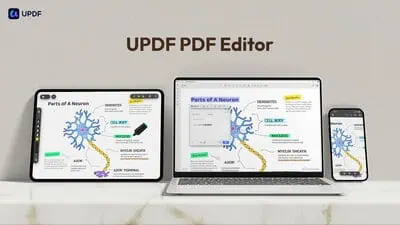
UPDF is a cross-platform PDF editor for Windows, macOS, iOS, and Android that edits, converts, annotates, and ...
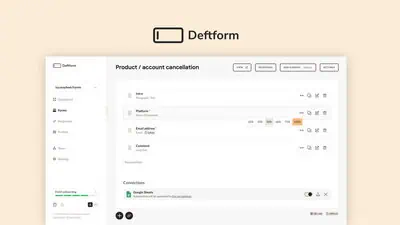
Deftform is a drag-and-drop online form builder with an AI assistant, custom domains, and GDPR-compliant EU ho...
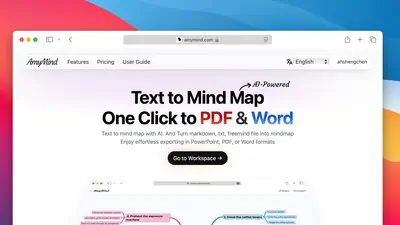
AmyMind is a web-based AI mind mapping tool that converts paragraphs, PDFs, Word docs, Markdown files, and You...

OnlineCourseHost is a white-label course platform that lets creators host, sell, and deliver online courses on...
Comments
Loading comments...