
SlideFill Lifetime Deal
SlideFill lifetime deal on AppSumo is $29 one-time with all future updates confirmed included; standard AppSumo 60-day refund policy applies; deal window is limited to approximately 3 months.
- Type Lifetime
- Verdict Buy
- Status Active
- Updated Jun 11, 2026
- Confidence Medium
- Score 7/10
Verdict: Buy
SlideFill's $29 AppSumo lifetime deal with confirmed future updates is genuine value for sales and marketing teams that automate data-driven presentations from spreadsheets or CRM exports at volume. The AutoScaled rebranding introduces continuity uncertainty, but the 60-day AppSumo refund window gives buyers adequate time to verify the platform holds up before committing long-term.
On this page7 sections
What is SlideFill?
SlideFill connects Google Sheets, Excel, or CSV data to Google Slides templates and auto-generates personalized presentation decks at scale. SlideFill lifetime deal on AppSumo is $29 one-time with all future updates confirmed included; standard AppSumo 60-day refund policy applies; deal window is limited to approximately 3 months.
The SlideFill lifetime deal on AppSumo gives sales and marketing teams a $29 one-time path to automated, personalized presentation generation from Google Sheets, Excel, CSV files, or connected CRM platforms like Salesforce and HubSpot. The core concept is practical and specific: instead of manually copying prospect data into pitch deck slides one by one, users build a Google Slides template once, connect a data source, and SlideFill generates one fully populated deck per data row automatically. However, SlideFill is not a design tool, and that distinction is critical before buying. All visual design must be done directly in Google Slides first; SlideFill adds no drag-and-drop editor, no stock media library, and no design flexibility of its own, so weak templates produce weak final decks with no correction layer inside the tool. The product also rebranded to AutoScaled in 2024, and it is not publicly confirmed whether AppSumo lifetime deal holders receive full feature parity on the updated platform, which is a material risk for long-term users. Canva Pro ($120/year) and Visme ($99/year) both offer significantly more design freedom and now include AI-powered slide generation from text prompts, capabilities SlideFill entirely lacks. The $29 price remains genuinely competitive for the narrow automation use case it serves, but buyers outside that niche will be better served by one of those alternatives.
Pros & Cons
Pros
- $29 AppSumo lifetime deal includes confirmed future software updates per the official deal page, replacing what is expected to cost more than a full annual subscription once the three-month deal window closes.
- A 100% free plan is available with no credit card required, letting users test the full data-to-slides automation workflow with a real Google Sheets connection before deciding whether the paid lifetime tier is worth purchasing.
- Confirmed CRM integrations with Salesforce, HubSpot, and Pipedrive allow sales teams to pull live prospect data directly into personalized deck templates without manual data entry or copy-paste steps between systems.
- No data is stored on SlideFill's own servers; Google-verified privacy compliance means all spreadsheet and CRM data stays within the Google ecosystem and is not passed to third-party storage, which matters for enterprise buyers.
- Solves a specific, high-value problem efficiently: for teams that regularly produce one presentation per spreadsheet row at volume, the automation eliminates a repetitive manual process that can consume hours per batch each week.
Cons
- Rebranded to AutoScaled in 2024 with no clear public confirmation that AppSumo lifetime deal holders receive full AutoScaled features; the platform transition introduces meaningful continuity risk that has not been addressed on the deal page.
- No built-in design editor; the tool requires Google Slides as the canvas, so users must already know how to build and configure Slides templates with correct placeholder parameters before any automation can be triggered.
- Design output quality is bounded entirely by the user's own Google Slides template; there is no enhancement layer within SlideFill, which means a poorly designed template produces a poorly designed final deck with no visual rescue option.
- No AI-powered slide generation from text prompts or URLs; SlideFill strictly requires structured tabular input, so users with unstructured sources such as documents, email threads, or web pages cannot use the product at all.
- Fair-use terms for the advertised unlimited presentations are not published anywhere on the deal page or pricing page; undisclosed rate limits or throttling policies remain a concern for teams planning high-volume automated workflows.
What It Does
- Connects Google Sheets, Excel, or CSV files to Slides templates
- Auto-generates one personalized deck per data row at scale
- Integrates with CRMs including Salesforce, HubSpot, and Pipedrive
- Customizes templates using named placeholder parameters
- Keeps all data within Google's platform with no third-party storage
- Supports unlimited presentations and client data integrations on paid plan
Who It's For
- Sales teams sending personalized pitch decks to individual prospects from CRM exports
- Agencies generating custom client reports or proposals at volume
- Marketing teams building data-driven campaign presentations from spreadsheets
- Operations managers who produce recurring structured reports from data exports
Pricing Comparison
| Plan | Price | Type |
|---|---|---|
| SlideFill Lifetime (AppSumo) | $29 one-time | ⭐ Best Value |
| SlideFill Free Plan | $0 forever | Free |
| Canva Pro | $120/year | Subscription |
| Visme Standard | $99/year | Subscription |
| Flipsnack Pro | $99/year | Subscription |
Feature Comparison
| Feature | SlideFill | Canva | Visme | Flipsnack |
|---|---|---|---|---|
| Auto-generate slides from spreadsheet data | ✅ | ❌ | ❌ | ❌ |
| CRM integration (Salesforce, HubSpot) | ✅ | ❌ | ❌ | ❌ |
| Google Sheets and CSV data import | ✅ | ❌ | ❌ | ❌ |
| Lifetime deal option available | ✅ | ❌ | ❌ | ❌ |
| No data stored on third-party servers | ✅ | ❓ | ❓ | ❓ |
| Drag-and-drop visual design editor | ❌ | ✅ | ✅ | ✅ |
| Built-in stock image and media library | ❌ | ✅ | ✅ | ✅ |
| Interactive animations and video embeds | ❌ | ✅ | ✅ | ❌ |
| AI-powered text-to-slide generation | ❌ | ❌ | ✅ | ❌ |
| White-label and custom branding options | ❌ | ❌ | ✅ | ❌ |
| Reader engagement analytics | ❌ | ❌ | ❌ | ✅ |
| Standalone tool (no Google account required) | ❌ | ✅ | ✅ | ✅ |
Limitations
- Rebranding to AutoScaled in 2024 creates uncertainty about whether AppSumo lifetime deal holders receive AutoScaled features or remain on the legacy SlideFill platform. No public announcement confirms that LTD purchasers get full feature parity on the renamed product, which is a material long-term risk. (AppSumo deal page, June 2026)
- Entirely dependent on Google Slides as the presentation canvas with no standalone editor. Users must hold an active Google account; SlideFill cannot generate presentations outside the Google ecosystem, unlike Canva or Visme which operate without any Google account requirement. (slidefill.com product page)
- Limited design flexibility compared to Canva or Visme. Template customization requires manually placing placeholder parameters inside Google Slides with no drag-and-drop or visual design layer within SlideFill itself, creating a hard dependency on the user's own design skills in the base platform. (AppSumo review section)
- Initial learning curve for template setup and parameter configuration. New users must understand placeholder syntax, data field mapping, and integration configuration before generating their first deck, adding several hours of setup work before any automation value is realized. (AppSumo user reviews)
- No AI-powered text-to-slide generation. SlideFill processes structured tabular data only and cannot produce a presentation from a written prompt, a URL, or an unstructured document, putting it behind Visme and newer AI tools in generative presentation capability. (crunchbase.com/organization/slidefill)
- No engagement analytics on generated presentations. SlideFill does not track whether recipients opened a deck, which slides they viewed, or how long they spent per slide. Flipsnack provides this level of reader engagement data as a standard feature at a comparable price point. (flipsnack.com feature comparison)
- Fair-use policy for advertised unlimited presentations is not clearly published. No specific daily, monthly, or API rate-limit thresholds are stated on the AppSumo deal page or the pricing page, leaving heavy automated users uncertain about potential throttling or account restrictions. (appsumo.com/products/slidefill/)
- No offline functionality; SlideFill is fully cloud-dependent and requires an active Google account and internet connection for all operations. Users in restricted Google Workspace environments, organizations with data residency requirements, or areas with limited connectivity cannot use the tool. (inferred from cloud-only product architecture at slidefill.com)
What's Missing vs Competitors
- Visme includes AI-powered text-to-presentation generation, letting users create slides from a written prompt or uploaded document; SlideFill requires pre-formatted spreadsheet or CRM data and cannot handle unstructured input sources at any tier.
- Flipsnack provides detailed reader engagement analytics including per-slide time spent and click-through tracking; SlideFill generates the deck but provides zero post-delivery data on how recipients interact with the presentation.
- Canva, Visme, and Flipsnack all offer drag-and-drop visual design editors with built-in stock media libraries; SlideFill has no design layer of its own and is entirely dependent on Google Slides for all visual work.
- Visme supports white-label presentations and custom branding controls that remove tool attribution, a critical feature for agencies delivering decks to clients; SlideFill has no white-label or brand-removal capability.
- Canva, Visme, and Flipsnack operate as standalone tools requiring no Google account; SlideFill is hard-wired to the Google Slides ecosystem and cannot output to PowerPoint, Apple Keynote, or any non-Google presentation format.
Who Should Skip This Deal
- Design-focused teams needing full creative control should choose Canva Pro ($120/year), which provides a complete drag-and-drop editor, stock media library, and animation tools that SlideFill does not offer at any price tier.
- Users who want AI slide generation from text prompts or documents should choose Visme Standard ($99/year), which generates slides from natural language inputs rather than requiring pre-structured spreadsheet data.
- Agencies delivering co-branded or white-labeled presentations to clients should use Visme Premium, which includes branding controls and white-label output that SlideFill does not offer.
- Teams working primarily in Microsoft PowerPoint or Apple Keynote will find SlideFill's hard dependency on Google Slides a complete blocker, as there is no PowerPoint or Keynote output option available in the product.
Frequently Asked Questions
- At $29 one-time with confirmed future updates included, SlideFill is strong value for the specific job it does: automating data-driven presentation generation from Google Sheets or CRM data at scale. If your team sends the same slide deck structure to dozens or hundreds of prospects, clients, or stakeholders with different data in each one, SlideFill eliminates hours of manual copy-paste work per week. The comparable manual process, or a custom scripted automation solution, would cost far more than $29 to build and maintain over time. However, the product is not general-purpose. It does not replace Canva for design work, cannot generate slides from text prompts, and is entirely dependent on Google Slides and a Google account. For teams already operating within the Google ecosystem who have a clear, repeating data-to-presentation workflow, the lifetime deal offers a strong return on investment relative to the asking price. For all other use cases, the value proposition weakens considerably and a competitor will serve you more effectively.
- SlideFill's AppSumo lifetime deal is covered by AppSumo's standard refund policy, which typically allows a 60-day refund window on lifetime deals. Buyers can request a full refund within 60 days of purchase if the product does not meet their needs, with no complex justification required. SlideFill's own standalone refund terms are not separately published on the slidefill.com website as of June 2026, so the AppSumo refund window is the primary consumer guarantee for this purchase. The 60-day window is a meaningful safety net: it is long enough for most users to build at least one complete template, connect a real data source, test the CRM integration, and assess whether the automation workflow fits their actual process and output requirements. Buyers should verify the specific refund terms directly on the AppSumo deal page at the time of purchase, as deal-specific terms can occasionally differ from AppSumo's general published policy. No product-specific SLA or uptime guarantee was found for SlideFill in available sources.
- SlideFill and Canva solve fundamentally different problems and are rarely direct substitutes for each other. SlideFill is a data automation tool: its purpose is to take a Google Slides template and populate it at scale with rows from a spreadsheet or CRM, producing one personalized deck per row automatically without any manual work per deck. Canva is a visual design tool: its strength is creative flexibility, with drag-and-drop editing, millions of pre-built templates, a built-in stock media library, animation capabilities, and AI-powered slide generation from text prompts. Canva does not offer bulk data-driven presentation generation from spreadsheets or native CRM integrations in any tier. SlideFill has none of Canva's design flexibility, creative tooling, or standalone capability. If you need a single visually polished presentation, Canva is the better tool by a significant margin. If you need 50 or 500 personalized pitch decks from a CRM export with consistent structure and varying prospect data in each one, SlideFill is purpose-built for that workflow and Canva is not. Canva Pro costs $120 per year versus SlideFill's $29 lifetime deal, but they serve different workflows rather than competing directly.
- Several confirmed limitations stand out from research. First, SlideFill is fully dependent on Google Slides and requires an active Google account for all operations; there is no PowerPoint, Keynote, or other non-Google output format, which blocks teams outside the Google ecosystem entirely. Second, the product rebranded to AutoScaled in 2024 and it is not publicly confirmed whether AppSumo lifetime deal holders receive full feature parity on the updated platform, introducing long-term continuity uncertainty. Third, SlideFill has no built-in design editor; all visual design must be completed in Google Slides before connecting it as a template, which means the quality of the automation output is bounded by the user's own design skills. Fourth, the fair-use policy for the advertised unlimited presentations is not clearly published, leaving high-volume users uncertain about potential throttling or rate limits. Fifth, no engagement analytics exist post-delivery: once a deck is generated and distributed, SlideFill provides no data on whether recipients opened it, which slides they viewed, or how long they spent on each one.
- Several user types will find SlideFill a poor fit for their actual workflow. Design-focused teams who need full creative control over slide aesthetics should use Canva Pro ($120/year), which provides a complete drag-and-drop visual editor, an extensive stock media library, and animation tools that SlideFill cannot replicate at any price point. Users who want to generate presentations from a text prompt, a Word document, or a URL should evaluate Visme Standard ($99/year), which includes AI-powered slide generation from natural language inputs and does not require pre-structured spreadsheet data. Agencies delivering co-branded or white-labeled presentations to clients without visible tool attribution will not find that feature in SlideFill; Visme Premium supports white-label output as a core capability. Teams that work primarily in Microsoft PowerPoint or Apple Keynote will be blocked entirely by SlideFill's hard dependency on Google Slides, since no non-Google export format is available in the product. Anyone in an organization with restricted Google Workspace access, strict data residency requirements, or consistently limited internet connectivity should also avoid SlideFill's cloud-only, Google-integrated architecture.
Is SlideFill worth the money?
What is the refund policy for SlideFill?
How does SlideFill compare to Canva?
What are the main limitations of SlideFill?
Who should NOT buy SlideFill?
Sources
Related tools & guides
Alternatives to SlideFill
Other active deals in AI Automation
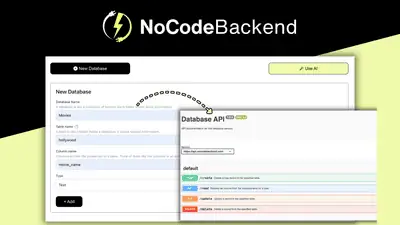
NoCodeBackend is a no-code platform that auto-generates REST APIs and database schemas in minutes without writ...

ApproveThis is an approval workflow automation platform that lets internal and external decision-makers approv...
Pabbly Connect is a no-code workflow automation platform that connects 2,000+ apps with trigger-and-action wor...

CodeSmash is a no-code deployment platform that ships serverless APIs, static sites, and 35+ pre-built apps in...
Comments
Loading comments...