

A customer places an order for 50 products. The sales team confirms it, but the warehouse receives the details late. The accounts team prepares an invoice using an old price. Two days later, the customer calls to ask why the products have not arrived.
This is a common problem for small businesses that manage sales through phone calls, spreadsheets, and messages. An order may start with one person, but several teams must work together to complete it. When they use separate records, small mistakes can delay the whole process.
A connected sales management software system can help businesses keep orders, invoices, deliveries, and payment records in one place. For this workflow guide, we selected TAZK Sales Management Software as the product to evaluate. The goal was to examine how a business could follow one customer order from the first entry to the final payment.
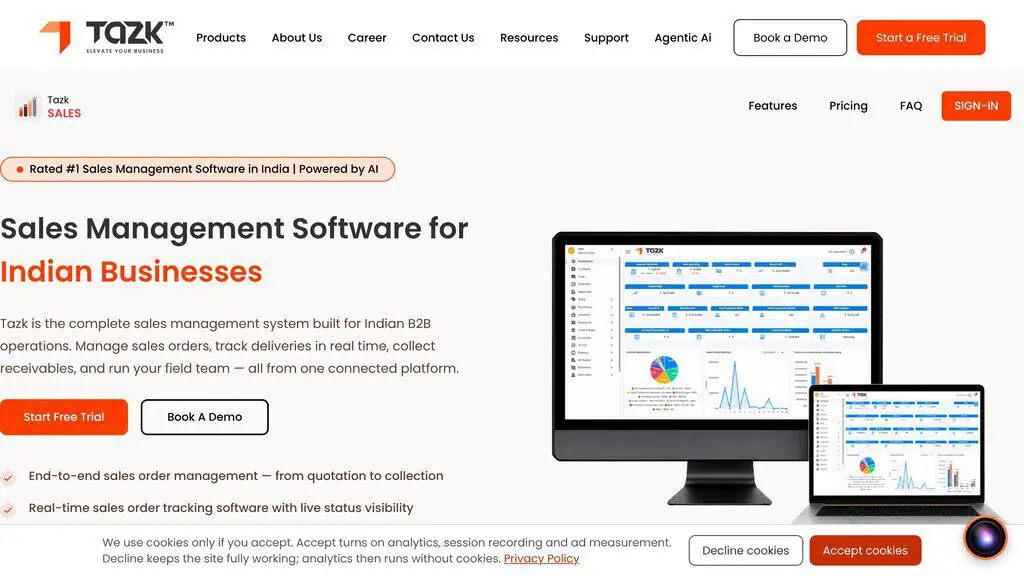
Rather than judging a platform only by its feature list, this guide focuses on the tasks that a small business needs to complete every day. It explains the test process, the details that should be checked, and the problems that can still happen when a business uses software.
Why we chose a complete sales order workflow
Many businesses look for a tool that can create sales orders. But creating an order is only the beginning. A business also needs to confirm product availability, check customer details, prepare an invoice, arrange delivery, record payments, and follow up on unpaid amounts.
If one of these steps is missed, the order may remain incomplete even though the sales team has marked its work as finished.
Consider a small wholesale business with 12 employees. Its sales team collects orders from local retailers. The warehouse packs the products. An accounts employee prepares invoices and checks payments. The owner reviews daily sales and pending deliveries.
Each team has a different responsibility, but they all need correct information about the same customer order. For this reason, a useful software review should follow one order through the complete process instead of checking each screen separately.
The business example used for the workflow
To make the review easy to follow, we created an illustrative business scenario. A small distributor receives an order from a retail customer for the following products:
- 20 boxes of Product A at Rs. 500 each.
- 10 boxes of Product B at Rs. 800 each.
- 5 boxes of Product C at Rs. 1,200 each.
The total product value before applicable taxes and discounts is Rs. 24,000. The customer requests delivery within three working days and plans to pay after receiving the goods, according to the agreed credit terms.
This example creates several questions for a sales management system. Can the sales employee enter all three products in one order? Can the team check available stock before confirming the order? Can accounts prepare an invoice using the approved product prices? Can the warehouse update the delivery status? Can the business record a partial payment and identify the remaining balance?
These are the questions that guide the following workflow. The prices, quantities, and customer details in this scenario are illustrative. They are not actual customer transactions or measured software results.
Walking one order through the workflow
Step 1: Creating a new sales order
The first step is to create a sales order with complete customer and product information. A typical sales order needs the customer name, order date, products, quantities, agreed prices, and delivery details.
TAZK describes a sales order management feature that allows businesses to create and track customer orders through its web and mobile interfaces.
During a practical product test, the reviewer should start by selecting an existing customer or creating a test customer in an authorized test account. Next, the reviewer should enter the three products from the example and verify that the order total matches the expected value.
An important part of this step is checking mandatory fields. For example, what happens if the sales employee tries to save an order without selecting a customer? Does the system clearly explain what is missing? Can the employee correct the information without starting again?
These checks matter because sales employees often work quickly, especially when they receive several orders in a short period. A system should help them identify missing information before an incomplete order reaches the next team.
Step 2: Checking product availability
A sales order should reflect what the business can supply. A salesperson may promise 30 boxes to a customer without knowing that the warehouse has only 18 boxes available. This can create confusion when the delivery team begins packing the order.
TAZK’s product information describes inventory visibility that allows the sales team to check stock availability before confirming customer orders.
A useful test should compare the requested quantity with the available stock shown in the system. For example, suppose the customer wants 20 boxes of Product A, but the system records only 15 boxes in stock. The reviewer should find out whether the system shows the stock shortage, prevents confirmation, or allows an authorized employee to handle the exception.
This behavior needs to be checked in the actual test environment because different businesses may configure stock handling in different ways. The main lesson is simple. A sales order should not create an unrealistic promise without giving the team a clear way to handle the stock issue.
Step 3: Reviewing the order before approval
Businesses often allow sales employees to prepare orders while managers approve them. This separation can help a company control discounts, unusual quantities, and customer credit limits.
TAZK describes sales order approval and credit control features on its product page.
For the sample order, the reviewer should check the approval process after entering the customer and product details. The test should answer several practical questions. Does the order remain pending until it is approved? Can a manager review the value and customer information? Is the approved order clearly marked? Does the system record any changes made during approval?
Another useful check is to create an order that exceeds a test customer’s permitted credit amount. The reviewer should then examine how the system handles the request and whether it follows the configured approval rules.
These checks help businesses understand how a sales management platform may reduce mistakes before orders move to invoicing or dispatch.
Step 4: Preparing the sales invoice
After an order is confirmed, the accounts team needs an invoice. If employees prepare invoices manually, they may type the wrong quantity, use an outdated price, or forget to include the correct customer details.
TAZK states that its sales management product supports GST-ready invoicing linked to sales orders.
For this review, the next test should involve preparing an invoice from the approved sample order. The reviewer should compare the invoice with the original sales order. The products and quantities should match the approved details unless the workflow permits an authorized change. The product value should also match the expected calculation.
Tax treatment requires particular care. The reviewer must use the correct tax settings for the product and transaction being tested. A business should never assume that the same GST rate applies to every item. The invoice should also contain the required customer and business information for the applicable transaction.
The goal is to confirm that employees can trace the invoice back to the approved order and understand any changes.
Step 5: Following the delivery process
An approved invoice does not mean the customer has received the products. The warehouse still needs to prepare the goods, arrange dispatch, and confirm delivery.
This is where some small businesses face problems. The sales team may say an order is complete because it has been invoiced, while the delivery team has not yet sent the products.
TAZK describes order tracking stages such as order placement, approval, invoicing, dispatch, and delivery.
A practical test should examine the status of the sample order at each relevant stage. For example, after preparing the invoice, the reviewer should check whether the order still shows that delivery is pending. When the dispatch process is recorded, the reviewer should look for a clear status update. The final check is whether the system can show that the order has been delivered after the relevant user records the completion.
It is also useful to check whether employees can identify orders that are waiting for dispatch. For a company handling 40 or 50 daily orders, this information may help the team find delayed deliveries before customers begin calling.
However, a status shown on a dashboard is only as accurate as the information entered by the responsible employee. Software cannot confirm a physical delivery unless the business has a reliable process for recording it.
Step 6: Recording customer payments
Delivering the products completes one part of the sale. Collecting the payment completes another important part. Some customers pay immediately. Others pay after an agreed period. A customer may also make two or three payments against a single invoice. Without proper records, a business may struggle to identify which invoices remain unpaid.
TAZK describes collections and receivables tracking, including customer outstanding balances and aging reports.
For the sample transaction, assume the customer pays Rs. 10,000 toward the invoice. The reviewer should check whether the accounts team can record this payment against the correct invoice and see the remaining amount. The final outstanding balance must be calculated using the actual invoice total, including any applicable taxes, adjustments, or discounts.
A second useful test is to record another payment later and check whether the outstanding amount changes correctly. The reviewer should also examine how the software handles an incorrect payment entry. Can the business identify who entered the payment? Is there an approved correction process? Does the record explain the change?
These details matter because a payment record affects both customer follow-up and financial reporting.
Step 7: Checking the daily sales dashboard
Owners of small businesses often need quick answers. How many orders came in today? Which deliveries are pending? How much money is outstanding? Which customers need a payment reminder? When teams use separate spreadsheets, the owner may need to ask several employees for these answers.
TAZK describes a sales dashboard with information about orders, collections, dispatch status, and business performance.
A useful review should compare dashboard figures with the actual records created during testing. For example, after entering a test order, the reviewer should check whether the relevant order report includes it. After recording a payment, the reviewer should compare the updated collection details with the original invoice. If the dashboard takes time to update, that delay should be recorded rather than ignored.
The reviewer should also confirm whether users with different responsibilities can access only the information they need. A sales employee may need customer orders, while an accounts manager may need payment information. This helps the business judge whether the dashboard supports daily work instead of simply displaying attractive charts.
Step 8: Checking common mistakes
A good software evaluation should include mistakes that employees could make during normal work. A reviewer should test several situations using authorized test data.
- Missing information: try creating an order without the required customer information. The system should help the employee identify the missing detail.
- Invalid values: try adding an invalid quantity or another value that the system should reject.
- Duplicate orders: examine what happens when someone tries to create a duplicate order. The system’s actual behavior should be recorded, including any warning, validation, or permitted duplicate process.
- Edits: make a change to a test order and verify whether the record reflects the change correctly.
- Unfinished forms: check what happens when a user closes an unfinished form. Does the system warn about unsaved changes or discard the information?
These checks are important because employees do not always follow the perfect process. A platform may work well during a simple demonstration but still require better instructions, training, or controls when unusual situations occur. The purpose of negative testing is to find these issues before they affect actual customers.
Step 9: Reviewing access and responsibility
A sales process usually involves employees with different roles. A salesperson creates an order. A manager approves it. Accounts reviews payments. A warehouse employee handles dispatch. Giving every employee access to every task may create unnecessary risks.
A reviewer should examine how the software handles user permissions and approval responsibilities. For example, can a sales employee change an approved price without permission? Can someone who works in sales change a payment record? Can a manager review the history of an important transaction?
The correct permission settings depend on the company. A business with three employees may use a simpler approval structure than a distributor with several branches. Whatever the size, employees should know which tasks they are allowed to perform and who must approve important changes.
Step 10: Reviewing the mobile sales process
Some businesses receive orders from employees visiting customers in person. These employees may not have a desktop computer available when they need to create an order.
TAZK describes an Android field sales app that supports order placement, customer visits, payment collection, and related field activities.
A practical mobile test should compare the mobile process with the web dashboard. A reviewer could enter an authorized test order through the mobile app and then check whether the relevant information appears correctly in the web interface. The test should also examine what happens when internet connectivity is weak, if the product supports such conditions.
Mobile behavior should never be assumed from desktop behavior alone. A clear and reliable mobile process can be important for distributors whose sales employees spend much of their working day outside the office.
What businesses should measure during testing
A software demonstration may show that a feature exists, but business owners also need to know whether their teams can use it correctly. A practical evaluation can measure the time required to enter an order, the number of missing fields found during testing, the steps required for approval, and the time taken to locate an unpaid invoice. Businesses can also record whether order and payment totals match between the relevant screens.
These measurements should come from actual tests, with the test conditions recorded. For example, entering a simple order containing three products may take a different amount of time from entering a larger order with discounts, special pricing, and approval requirements. The number of employees, the test data, and the system configuration may also affect the result.
Without verified measurements, it would be misleading to claim that a particular platform cuts order processing time by a specific percentage. Instead, businesses should collect their own results and compare them with their existing process.
Limitations to keep in mind
Software can help organize a sales process, but it cannot correct every business problem. If a salesperson enters the wrong customer, the system may still contain an incorrect order. If the warehouse does not update dispatch information, the status may not reflect the actual movement of products. If accounts records a payment against the wrong invoice, the business may still need a correction.
A company also needs clear pricing rules, trained employees, and reliable stock information. Before adopting a platform, businesses should confirm which features are included in their chosen plan and which workflows require setup. They should also check the available support, data import options, mobile requirements, and the process for correcting transaction errors.
A useful system works best when employees understand both the software and their responsibilities.
A practical checklist before choosing sales management software
Before selecting a sales management system, a small business can use the following checklist:
- Create an order with multiple products and verify the total.
- Check stock availability and credit rules.
- Review how orders are approved.
- Prepare an invoice and verify its details.
- Follow the order through dispatch and delivery.
- Record a partial customer payment.
- Check the remaining amount due.
- Compare dashboard information with transaction records.
- Test missing fields and incorrect entries.
- Review user permissions and approval history.
- Test the mobile workflow if field employees need it.
- Record the actual results, including problems and limitations.
This process helps a business identify the features that matter to its daily work. It also gives employees a chance to raise questions before the company begins using the system for real orders.
Final thoughts
Small businesses need more than a way to enter sales orders. They need a clear process that connects customer requests, order approval, stock availability, invoicing, delivery, and payment collection.
TAZK Sales Management Software provides a relevant product example for evaluating this type of workflow. Its published feature information covers sales orders, inventory visibility, GST-ready invoicing, delivery tracking, collections, and field sales activities.
The most useful way to judge these features is to follow a realistic customer order through the system and record what happens at each stage. By checking each stage, including errors and exceptions, businesses can better understand whether the software meets their needs.
A connected workflow may reduce repeated manual work and make pending tasks easier to find. However, accurate records, clear responsibilities, and regular reviews remain essential.
The goal is to help employees complete customer orders correctly, deliver products on time, and follow up on payments with confidence.
Related Posts

Agentic AI pentesting tools replay the original exploit after a patch ships, then try mutated payloads. Eight platforms ...

AI adoption statistics, sourced: 78% of companies say they use AI and only 21% have redesigned a workflow. Here is the h...
Before you buy an AI agent subscription, test whether you can revoke its authority. Five practical tests for stop, queue...

A free, cited AI glossary covering 264 machine learning and generative AI terms, with plain-English definitions and cros...

Real examples of artificial intelligence in digital marketing across content, SEO, ads, email and analytics, with what e...

AI marketing on Reddit: I pulled 239 threads across 7 subreddits. Marketers use AI daily and mostly dislike the products...