
Clawdia Lifetime Deal
Clawdia lifetime deal on AppSumo: $99 one-time for 30+ legal document templates, e-signatures, and document storage, backed by AppSumo's 60-day money-back guarantee. No verified discount code available outside AppSumo.
- Type Lifetime
- Verdict Skip
- Status Active
- Updated Jul 3, 2026
- Confidence Medium
- Score 3/10
Verdict: Skip
Clawdia's misleading AI branding, restricted in-app editing, vague document analysis with no actionable feedback, and pre-purchase template opacity add up to seven confirmed limitations that disqualify it for most professional use cases. PandaDoc at $19 per month delivers broader document coverage, real editing, and actionable analysis that Clawdia cannot match at any price.
Clawdia deal: quick verdict
Skip 3/10- Verdict
- Skip (3/10)
- Price
- $99 one-time (normally $9.99/mo)
- Best for
- Freelancers needing basic NDAs and service contracts without hiring a lawyer
- Skip if
- Businesses in healthcare, finance, or any regulated industry should use DocuSign instead, which holds HIPAA and SOC 2 certifications that Clawdia does not provide and regulated environments require.
- Bottom line
- Clawdia's misleading AI branding, restricted in-app editing, vague document analysis with no actionable feedback, and pre-purchase template opacity add up to seven confirmed limitations that disqualify it for most professional use cases. PandaDoc at $19 per month delivers broader document coverage, real editing, and actionable analysis that Clawdia cannot match at any price.
Last verified Jul 3, 2026 by Alston Antony.
On this page7 sections
What is Clawdia?
Clawdia is a questionnaire-driven legal document generator offering 30+ lawyer-crafted templates, e-signatures, and basic document storage for freelancers and small businesses. Clawdia lifetime deal on AppSumo: $99 one-time for 30+ legal document templates, e-signatures, and document storage, backed by AppSumo's 60-day money-back guarantee. No verified discount code available outside AppSumo.
Clawdia is an AI legal document tool available as a lifetime deal on AppSumo for $99 one-time, offering 30+ lawyer-crafted templates covering NDAs, contracts, privacy policies, and other common business agreements. On paper it sounds like a reasonable value for freelancers and small business owners who want to handle routine legal paperwork without hiring a lawyer. The core problem is that Clawdia is not really an AI tool in the meaningful sense: it operates primarily as a questionnaire-driven template selector rather than a generative AI engine, and the upload-and-analyze feature only delivers color-coded ratings with no actionable guidance on how to fix flagged document issues. PandaDoc, at $19 per seat per month, gives you real workflow automation, dynamic document fields, proposal generation, and full in-app editing that Clawdia cannot offer at any price tier. For users who need only a basic NDA or standard privacy policy and have no plans to scale their legal document workflow, the $99 price with a 60-day refund window makes the financial risk manageable. For anyone with complex, sensitive, or specialized legal documentation needs, Clawdia will fall short on multiple fronts before the first month is over.
Pros & Cons
Pros
- The interface is consistently praised across AppSumo and Trustpilot reviews. Navigation is intuitive and the questionnaire workflow makes basic document creation accessible to non-lawyers without requiring any legal background or terminology knowledge.
- All templates are lawyer-crafted rather than crowdsourced or AI-generated from scratch, providing solid foundational legal language for the 30+ document types supported within the platform.
- At $99 with a 60-day money-back guarantee through AppSumo, the purchase risk is limited. Buyers who find the template library insufficient for their needs can request a refund within two months without a complicated process.
- E-signature functionality is built in, allowing freelancers to both create and sign client contracts inside one platform rather than paying separately for a dedicated signing tool like HelloSign or Dropbox Sign.
Cons
- The analyze feature delivers no actionable repair guidance. Color-coded ratings flag a problem in a document section but provide no instructions on how to address the issue, making the feature largely cosmetic for real document improvement.
- In-app editing is severely limited. Any customization beyond the initial questionnaire requires exporting to Microsoft Word, which adds friction, breaks the workflow, and undermines the value of a browser-based document management platform.
- The AI branding is misleading. Document generation is driven by questionnaire inputs fed into pre-written templates, with no natural language processing, generative clause drafting, or meaningful differentiation from a well-organized free template library.
- Document coverage has gaps buyers cannot discover before purchase. The platform does not show a browsable template list pre-sale, so users only learn about missing document types after committing $99 to the deal.
- Clawdia is not suitable for complex or legally sensitive agreements. It should not replace professional legal counsel for high-value contracts, employment agreements, or jurisdiction-specific documents, limiting its applicability for serious business use.
What It Does
- Generates NDAs, contracts, and privacy policies from 30+ lawyer-crafted templates
- Guides users through questionnaire-based document creation without legal knowledge
- Analyzes uploaded documents with color-coded risk ratings
- Enables e-signatures directly within the platform
- Stores and shares completed documents securely in the cloud
Who It's For
- Freelancers needing basic NDAs and service contracts without hiring a lawyer
- SaaS founders who need a privacy policy or terms of service for a new product
- Small business owners creating routine legal agreements for clients or vendors
- Consultants managing a small set of recurring contract templates
Pricing Comparison
| Plan | Price | Type |
|---|---|---|
| Clawdia Lifetime Deal (AppSumo) | $99 one-time | ⭐ Best Value |
| Clawdia Regular Plan | See current price > | Subscription |
| PandaDoc Affordable | $19/seat/month (annual) | Subscription |
| PandaDoc Business | $49/seat/month (annual) | Subscription |
| DocuSign Business | $66/user/month | Subscription |
| Adobe Sign | From $9.99/month | Subscription |
| SignNow | From $12/month | Subscription |
Feature Comparison
| Feature | Clawdia | PandaDoc | DocuSign |
|---|---|---|---|
| Legal document templates | ✅ | ✅ | ✅ |
| E-signature functionality | ✅ | ✅ | ✅ |
| Document storage and sharing | ✅ | ✅ | ✅ |
| Lifetime deal availability | ✅ | ❌ | ❌ |
| Actionable document analysis feedback | ❌ | ✅ | ✅ |
| Full in-app document editing | ❌ | ✅ | ✅ |
| Proposal and quote generation | ❌ | ✅ | ❌ |
| Advanced workflow automation | ❌ | ✅ | ✅ |
| Dynamic fields and conditional logic | ❌ | ✅ | ❌ |
| HIPAA/SOC 2 compliance certification | ❌ | ❌ | ✅ |
| 400+ third-party integrations | ❌ | ❌ | ✅ |
| Bulk document sending | ❌ | ❌ | ✅ |
Limitations
- The upload-and-analyze feature provides color-coded green/yellow/red ratings but offers no specific guidance on what to fix or how to correct flagged issues. Multiple AppSumo reviewers flagged this as a significant disappointment, describing the tool as a traffic light with no directions attached. (Source: AppSumo user reviews, dealsaas.com independent analysis)
- Not all business document types are available in the 30+ template library. Users have reported needing specialized agreements, industry-specific contracts, or international document variants that Clawdia does not support. This gap is typically discovered after purchase since no full template list is visible on the pre-purchase page. (Source: AppSumo user reviews)
- Despite prominent AI branding, Clawdia functions primarily as a questionnaire-based template selector rather than a generative AI tool. Documents are populated by filling guided forms fed into pre-written templates, with no natural language processing or AI-generated clause drafting. Independent reviewer dealsaas.com called this a template tool with AI branding rather than a genuine AI document generator. (Source: dealsaas.com, AppSumo user reviews)
- In-app editing capabilities are severely restricted. Users who need meaningful customizations beyond the guided questionnaire must export documents to Microsoft Word and work externally before re-importing results. This dependency on external editing breaks the workflow and significantly reduces the platform's value as a self-contained document management solution. (Source: AppSumo user reviews)
- Clawdia does not show a browsable document list before purchase, meaning buyers cannot verify whether their specific needed templates exist before committing $99. This design choice increases the risk of buyer dissatisfaction and has contributed to a pattern of refund requests from users who discovered missing documents only after purchasing. (Source: AppSumo user reviews)
- Clawdia is not appropriate for legally sensitive, high-value, or jurisdiction-specific agreements. Multiple reviewers note it should not replace professional legal counsel for employment contracts, complex commercial agreements, or any document carrying significant financial or legal liability. Positioning the product as a legal sidekick overstates its capability for serious professional use. (Source: AppSumo user reviews, clawdia.ai reviews)
- The wizard-based educational guidance within the tool is thin. When documents are flagged during analysis, users receive no explanation of the legal implications or suggested remediation steps. Compared to tools like PandaDoc that provide contextual guidance alongside templates, Clawdia's instructional layer adds little practical value beyond populating the template itself. (Source: AppSumo user reviews)
What's Missing vs Competitors
- PandaDoc supports proposal, quote, and full sales document generation across the complete business document lifecycle. Clawdia covers only legal templates, making it unsuitable for any non-legal document need a growing business encounters.
- DocuSign provides 400+ native third-party integrations including Salesforce, Google Workspace, and Microsoft 365. Clawdia's integration support is minimal and not fully documented, limiting workflow connectivity for teams relying on existing toolchains.
- DocuSign holds HIPAA and SOC 2 compliance certifications required by healthcare, finance, and other regulated industries. Clawdia has no published compliance certifications, disqualifying it from many professional and enterprise procurement processes.
- PandaDoc provides full in-app document editing with dynamic fields and conditional logic for complex contract customization. Clawdia forces users to export to Microsoft Word for any editing beyond the initial questionnaire-driven document setup.
- DocuSign and PandaDoc both deliver actionable feedback during document analysis, identifying specific issues and suggesting remediation steps. Clawdia's analysis feature only assigns color-coded ratings with no guidance on how to resolve the flagged problems.
Who Should Skip This Deal
- Businesses in healthcare, finance, or any regulated industry should use DocuSign instead, which holds HIPAA and SOC 2 certifications that Clawdia does not provide and regulated environments require.
- Teams that also need proposals, quotes, or non-legal business documents should choose PandaDoc, which covers a far broader document ecosystem with real workflow automation and full editing starting at $19 per seat per month.
- Users who need to make frequent, detailed contract customizations with dynamic fields or conditional logic should avoid Clawdia and use PandaDoc or a Word-based workflow, since Clawdia forces external exports for any meaningful in-document editing.
- Anyone whose primary need is analyzing existing third-party contracts and receiving actionable guidance on what to fix should not buy Clawdia, as its analysis feature only provides color-coded flags with no remediation instructions whatsoever.
Frequently Asked Questions
- Clawdia's $99 lifetime deal on AppSumo is a reasonable price for what it actually delivers: a set of 30+ questionnaire-driven legal document templates with e-signature support and basic cloud storage. If your only need is a standard NDA, a freelance service contract, or a simple privacy policy for a new website, the tool will handle those tasks without significant friction. The problem emerges quickly for anyone with broader needs. The AI branding is misleading; Clawdia is fundamentally a template system powered by questionnaire inputs, not generative AI. The upload-and-analyze feature provides only vague color-coded alerts with no guidance on fixing flagged issues. In-app editing requires jumping to Microsoft Word for anything beyond the initial form. The template library has gaps you can only discover after purchase since no browsable list exists pre-sale. The 60-day refund window mitigates the financial risk considerably, but the experience gap versus PandaDoc or even free Notion legal templates means the $99 investment delivers limited long-term value for most professional users beyond the most basic one-time use cases.
- Clawdia's AppSumo deal is covered by AppSumo's standard 60-day money-back guarantee, which is one of the more generous refund windows available on deal platforms. If you purchase the lifetime deal and find within 60 days that the tool does not meet your document needs, you can request a refund through AppSumo's support system. It is worth noting that AppSumo typically processes refunds as AppSumo credits rather than direct cash returns to your original payment method, which is standard practice across all AppSumo lifetime deals. This means your $99 stays on the AppSumo platform as credit toward a future purchase rather than returning to your bank account. There is no clearly documented information about Clawdia's own direct refund or cancellation policy if you were to purchase directly from clawdia.ai outside of AppSumo, and no public free trial period has been confirmed on the official website. For this specific deal, AppSumo's 60-day credit window is the most reliable and documented buyer protection currently available and should factor into your purchase decision.
- PandaDoc is a considerably more capable document platform than Clawdia across nearly every functional dimension. PandaDoc supports proposals, quotes, contracts, and a wide range of document types with dynamic fields, conditional logic, and enterprise-grade workflow automation. Clawdia is restricted to legal-specific templates and a questionnaire-based generation process that cannot produce non-legal documents at all. PandaDoc's entry-level Affordable plan costs $19 per seat per month on annual billing, totaling $228 per year. Clawdia's $99 lifetime deal is cheaper long-term if you only need a handful of basic legal templates and do not require scalability. However, PandaDoc provides full in-app document editing without forcing you to export to Word, delivers actionable document review feedback rather than vague color-coded ratings, maintains a significantly larger integration ecosystem, and is appropriate for complex or high-value contracts in a way Clawdia is not. For a solo freelancer with minimal, recurring contract needs, Clawdia might just be sufficient. For any team, agency, or growing business, PandaDoc delivers meaningfully more capability at a cost that quickly justifies itself against lawyer fees and workflow savings.
- Clawdia has seven confirmed limitations backed by multiple independent sources. The upload-and-analyze feature provides only color-coded risk ratings without explaining how to fix identified issues, making it functionally weak for actual document improvement. In-app editing is restricted; significant customizations require exporting to Microsoft Word, which breaks the workflow. The 30+ template library has coverage gaps for specialized industries, international jurisdictions, and less common contract types, and buyers cannot preview the full list before purchasing since no browsable catalog exists pre-sale. Despite AI branding, the tool primarily functions as a questionnaire-driven template selector with no generative AI or natural language processing. The platform is not appropriate for complex, legally sensitive, or high-value agreements and should not replace professional legal advice in those contexts. Educational guidance is thin; when documents are flagged as problematic, the tool provides no explanation of the legal implications or remediation steps. These limitations are drawn consistently from AppSumo user reviews and the independent analysis published at dealsaas.com, forming a coherent pattern rather than isolated one-off complaints.
- Several user types would be better served by alternatives. Teams or agencies needing document proposals, quotes, and non-legal business documents should use PandaDoc instead; it covers a far broader document ecosystem with real workflow automation and full in-app editing starting at $19 per seat per month on annual billing. Businesses in regulated industries such as healthcare or finance that require HIPAA or SOC 2 compliance should use DocuSign, which holds both certifications and provides the legal standing required for sensitive agreements in those sectors. Startups or growing businesses that expect to make frequent, detailed contract customizations will find Clawdia's restricted in-app editing a daily source of friction, since every meaningful edit requires an export to Word and back. Anyone whose primary need is to analyze and improve existing third-party contracts and receive actionable guidance should also avoid Clawdia; its analysis feature only assigns color-coded flags and provides no instructions on what to actually fix. The 60-day refund window offers a financial safety net, but these gaps are worth understanding clearly before committing to the purchase.
Is Clawdia worth the money?
What is the refund policy for Clawdia?
How does Clawdia compare to PandaDoc?
What are the main limitations of Clawdia?
Who should NOT buy Clawdia?
Sources
Clawdia deal terms
- Refund window
- 60-day money-back guarantee
Clawdia vendor check
- Domain Rating
- 52/100 Backlink authority
- In business since
- 2021
- Security
- No known flags Google Safe Browsing
Domain Rating by Ahrefs. Objective third-party data, not our opinion.
Lifetime Deal Savings Calculator
Work out whether a lifetime deal actually beats the subscription. Enter the monthly price of the tool you would replace and the one-time lifetime price. The single most important number is the break-even: how fast you recover the cost. Recovering it quickly is what protects you if the company shuts down later.
This lifetime deal pays for itself in 10 months and saves $500 over 5 years versus paying monthly.
Roughly 1 in 10 lifetime deal companies shut down within five years. Recovering your cost fast, and buying only tools you will use right away, is how you stay ahead of that risk. This is an estimate, not financial advice.
How Clawdia's price compares
Clawdia is the 16th-cheapest of 18AI Writinglifetime deals we've reviewed. At $99 it is above the $59 median for AI Writing lifetime deals we've reviewed.
- PrettyPrompt$34
- ResumeUp AI$39
- Katteb$39
- WriteSeed$44
- Inkfluence AI$49
Related tools & guides
Alternatives to Clawdia
Other active deals in AI Writing
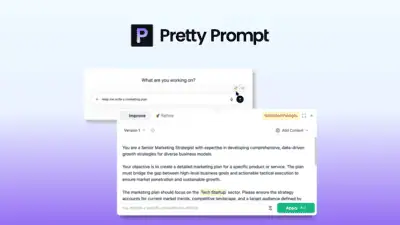
PrettyPrompt is a browser extension that rewrites rough text into structured prompts inside ChatGPT, Claude, a...
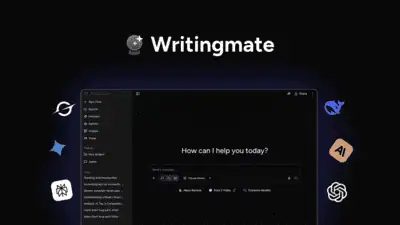
WritingMate AI is a cloud writing assistant that routes one chat interface through 200+ AI models including GP...
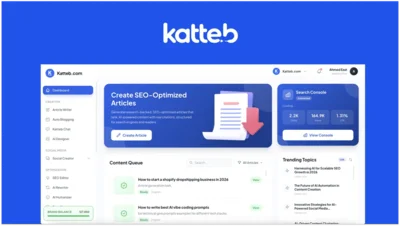
Katteb is an AI article writer that generates SEO content with fact-checking and inline citations from credibl...
Nichesss is an AI content platform that bundles 150+ writing tools with Reddit and niche research for generati...
Comments
Loading comments...