
Graficto Lifetime Deal
Graficto lifetime deal: $69 to $109 one-time on AppSumo for unlimited AI infographics, backed by AppSumo's 60-day money-back guarantee.
- Type Lifetime
- Verdict Wait
- Status Active
- Updated Jun 20, 2026
- Confidence Medium
- Score 5/10
Verdict: Wait
Graficto offers a fair one-time price for simple static infographics, but a thin template library, restrictive charts, missing AI and animation, and a year-stale company blog make it a test-with-the-refund buy, not a confident one.
On this page7 sections
What is Graficto?
Graficto is an AI infographic maker that auto-adjusts layouts, fonts, and spacing so you can build visuals without design skills. Graficto lifetime deal: $69 to $109 one-time on AppSumo for unlimited AI infographics, backed by AppSumo's 60-day money-back guarantee.
The Graficto lifetime deal sells on AppSumo for $69 on the standard tier and $109 for the premium tier, replacing a subscription that starts around $5 per month. At $109 you get unlimited infographics, premium templates, premium color palettes, and premium fonts, plus a 60-day money-back guarantee. The catch shows up fast: Capterra reviewers report the template library is limited and grows slowly, charts will not accept a dollar sign, and font sizes on charts cannot be changed. Graficto also has no generative AI, no animated output, and no live data feeds, so it sits behind active competitors on capability. Canva Pro at $144 per year offers a far bigger asset library and its Magic Studio AI tools, while Piktochart at roughly $14 per month billed annually is the stronger pick for data-heavy infographics. Graficto makes sense mainly for simple, static visuals where a low one-time price matters more than depth, and the 60-day refund window gives you room to test that fit before committing.
Pros & Cons
Pros
- One-time price of $69 to $109 replaces a recurring subscription, and the premium tier advertises unlimited infographics with premium templates, fonts, and palettes.
- Real-time auto-layout handles spacing and formatting for you, which lowers the barrier for non-designers building quick visuals.
- AppSumo's 60-day money-back guarantee gives a genuine two-month window to test the tool against your real workload before committing.
- Solid baseline ratings, including 4.6 out of 5 on Capterra, suggest the core editing experience satisfies casual infographic users.
- Magic resize plus custom font, logo, and photo uploads cover the basics most solo marketers need for branded visuals.
Cons
- Template library is limited and updated slowly per Capterra reviews, so niche layouts and graphic styles can be hard to find.
- Chart editing is restrictive: no dollar signs on common charts and no adjustable chart font sizes, per Capterra feedback.
- No generative AI, no animated or interactive output, and no live data integration, leaving Graficto behind Canva, Visme, and Piktochart.
- The official blog has gone over a year without updates, a signal that product development pace may have slowed.
- No dedicated team collaboration plan, while all three main competitors sell multi-user workspaces for growing teams.
What It Does
- Auto-adjusts infographic layouts in real time
- Generates unlimited infographics on the premium tier
- Provides premium templates, fonts, and color palettes
- Includes built-in icon library and image editor
- Magic resize reformats designs for multiple platforms
- Supports custom font, logo, and photo uploads
Who It's For
- Solo marketers and bloggers who need simple infographics fast
- Small business owners without a dedicated designer on staff
- Course creators and educators building visual summaries
- Lifetime-deal buyers who want a low one-time design tool
Pricing Comparison
| Plan | Price | Type |
|---|---|---|
| Graficto Premium LTD | $109 one-time | ⭐ Best Value |
| Graficto Standard LTD | $69 one-time | Lifetime Deal |
| Graficto Regular Plan | From $5/month | Subscription |
| Canva Pro | $144/year (~$12/month annual) | Subscription |
| Piktochart Pro | $14/month billed annually | Subscription |
| Visme Starter | $12.25/month | Subscription |
Feature Comparison
| Feature | Graficto | Canva | Piktochart | Visme |
|---|---|---|---|---|
| Automatic layout adjustment | ✅ | ✅ | ✅ | ✅ |
| Lifetime deal option | ✅ | ❌ | ❌ | ❌ |
| Premium icon library | ✅ | ✅ | ✅ | ✅ |
| Magic resize | ✅ | ✅ | ✅ | ✅ |
| Generative AI suite | ❌ | ✅ | ❌ | ✅ |
| Animated / interactive output | ❌ | ✅ | ❌ | ✅ |
| Live data integration for charts | ❌ | ❌ | ✅ | ✅ |
| Team collaboration plan | ❌ | ✅ | ✅ | ✅ |
| Background remover tool | ❌ | ✅ | ❌ | ✅ |
| Transparent background / SVG export | ❓ | ✅ | ✅ | ✅ |
| Large stock asset library | ❌ | ✅ | ✅ | ✅ |
Limitations
- Template library is thin and grows slowly; Capterra reviewers report new templates are added at a slow pace, forcing workarounds for niche layouts and design styles.
- Chart customization is constrained: Capterra users note common charts will not accept a dollar sign and font sizes on charts cannot be adjusted, which hurts budget and finance visuals.
- Text capacity is capped per design; Capterra reviewers say certain templates limit how much text you can add and push users to switch templates mid-project.
- Symbol and icon access is narrow; multiple Capterra reviews describe the lack of customization and limited symbols as a recurring source of frustration.
- Company momentum looks slow: Capterra feedback flags that the official blog has not been updated for over a year, raising questions about active product development.
- No generative AI tools exist in Graficto, while Canva ships its Magic Studio AI suite, per Designrr's Canva pricing breakdown and our competitor research.
- Outputs are static only; independent comparisons note Visme produces animated and interactive infographics that Graficto cannot match for web or presentation use.
- Lifetime value depends on the company staying online; AppSumo's own help docs warn that in rare cases partners get acquired or discontinue their service.
What's Missing vs Competitors
- Generative AI image and text tools that Canva bundles through Magic Studio, used for quick drafts and background generation.
- Animated and interactive infographic output that Visme produces natively for web embeds and clickable reports.
- Live data integration that Piktochart offers so charts update from connected spreadsheets instead of manual entry.
- A built-in background remover and a large stock asset library, both standard in Canva Pro at $144 per year.
- A dedicated team or business collaboration plan, which Canva, Piktochart, and Visme all sell for multi-user workflows.
Who Should Skip This Deal
- Data analysts who need live-updating charts should choose Piktochart, which supports data integration Graficto lacks entirely.
- Anyone wanting animated or interactive infographics should pick Visme, since Graficto only exports static visuals.
- Teams needing shared workspaces and roles should use Canva or Piktochart, which sell proper collaboration plans.
- Heavy AI users wanting generative drafts will be better served by Canva's Magic Studio suite than Graficto's manual editor.
Frequently Asked Questions
- For simple, static infographics it can be worth the one-time $69 to $109 if you would otherwise pay monthly for a design tool. The premium tier advertises unlimited infographics, premium templates, and premium fonts, and Capterra users rate it 4.6 out of 5. The value erodes if you need charts with dollar signs, larger template variety, generative AI, or animation, since Capterra reviewers flag the limited template library and constrained chart editing. Use the 60-day AppSumo refund to confirm the template range fits your work. If your needs are basic, the lifetime price is reasonable; if they grow, a Canva or Piktochart subscription delivers more.
- Graficto is sold through AppSumo, which applies a 60-day money-back guarantee to lifetime deals, measured from your date of purchase. That gives you two full months to build real projects and decide whether the template library, chart tools, and export options match your workflow. The 60-day window is standard for AppSumo and is one of the stronger trial periods among lifetime-deal marketplaces. It is still relatively narrow for judging long-term product fit, so test the features you care about early, especially chart customization and template variety. If Graficto falls short, you can request a refund through AppSumo before the window closes and move to a competitor.
- Graficto and Canva both auto-adjust layouts and offer premium icons, magic resize, and uploads, but Canva is the broader tool. Canva Pro runs about $144 per year and adds its Magic Studio generative AI suite, a background remover, transparent and SVG exports, large brand kits, and a library of 141-plus million assets, per Designrr's pricing breakdown. Graficto counters with a one-time lifetime price and a simpler, infographic-focused editor. If you want depth, AI features, and a huge asset pool, Canva wins. If you want a low one-time cost for straightforward static infographics and can live with a smaller template set, Graficto is the cheaper long-run option, assuming the company keeps the service running.
- Based on Capterra reviews, the biggest limitations are a small template library that grows slowly and restrictive chart editing, including no dollar signs on common charts and no adjustable chart font sizes. Reviewers also cite limited symbols and per-template text caps that force you to switch templates mid-design. Beyond user feedback, Graficto lacks generative AI, animated or interactive output, live data integration, and a dedicated team collaboration plan, all of which competitors offer. The official blog has also gone more than a year without an update, which raises questions about development pace. None of these are dealbreakers for basic use, but they matter for data-heavy or advanced design work.
- Skip Graficto if you need data-driven or advanced visuals. Data analysts who want charts that update from connected spreadsheets should choose Piktochart, which supports live data integration Graficto does not have. Anyone who needs animated or interactive infographics should pick Visme, since Graficto exports static images only. Teams that need shared workspaces, roles, and collaboration should use Canva or Piktochart, which all sell multi-user plans. Heavy AI users who want generative drafting and background tools will get more from Canva's Magic Studio. Graficto is built for solo users making simple static infographics, so power users and teams will hit its limits quickly and should look elsewhere.
Is Graficto worth the money?
What is the refund policy for Graficto?
How does Graficto compare to Canva?
What are the main limitations of Graficto?
Who should NOT buy Graficto?
Sources
Get notified when the verdict changes
This deal currently has a "Wait" verdict. If pricing improves, limitations are fixed, or the verdict changes to Buy, we will email you.
We only email you about this specific deal. Unsubscribe anytime.
Related tools & guides
Alternatives to Graficto
Other active deals in AI Design

WebAbility.io is an AI-powered accessibility overlay widget that adds WCAG, ADA, and Section 508 user adjustme...
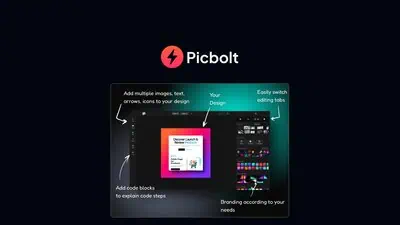
Picbolt is a browser-based design tool from developer Sohail Hussain that converts URLs, screenshots, and uplo...

Mockitt is a Wondershare-built AI design platform that combines prototyping, UI design, infinite whiteboarding...
BugSmash is a visual feedback and annotation tool for reviewing live websites, videos, PDFs, images, and audio...
Comments
Loading comments...