


- Deal status Active
- Price $49 one-time
- Normally $107.88
- Deal type Lifetime Deal
- Refund window 60 days
ChartBrick is available as a lifetime deal at $49 one-time. That is against a regular price of $107.88. There is a 60-day refund window, which is long enough to test it properly before the money is committed. Last checked against the seller's own page on November 9, 2026.
On this page10 sections
Get This Deal → Affiliate link - see our disclosure.
ChartBrick Deal Snapshot
Every fact we hold on this offer, in one place. 8 of 12 confirmed; anything the vendor does not state publicly is marked as such rather than guessed.
| Deal status | Active |
|---|---|
| Price | $49 one-time |
| Regular price | $107.88 |
| Deal type | Lifetime Deal |
| Refund window | 60 days |
| Tiers available | Not published by the vendor |
| Stackable | Not published by the vendor |
| Free tier | Yes |
| Free trial | Not published by the vendor |
| Credits / usage model | Not published by the vendor |
| Vendor | chartbrick.com |
| Last checked | November 9, 2026 |
What we checked
- Offer page read directly from the seller's live checkout page
- Listed price could not be matched on that page
- Refund window recorded from the offer terms
- Deal status checked (this offer is active)
- Affiliate relationship disclosed on every outbound link
Last checked November 9, 2026
This records what the seller's page said on that date. Vendors change lifetime terms without notice, so confirm the price and the terms at checkout before you pay.
ChartBrick pricing at a glance
- Free tier
- Yes
- Deal price
- $49 one-time
- Normally
- $107.88
ChartBrick deal terms
- Refund window
- 60-day money-back guarantee
- Status
- active
Terms last checked Nov 9, 2026.
What is ChartBrick?
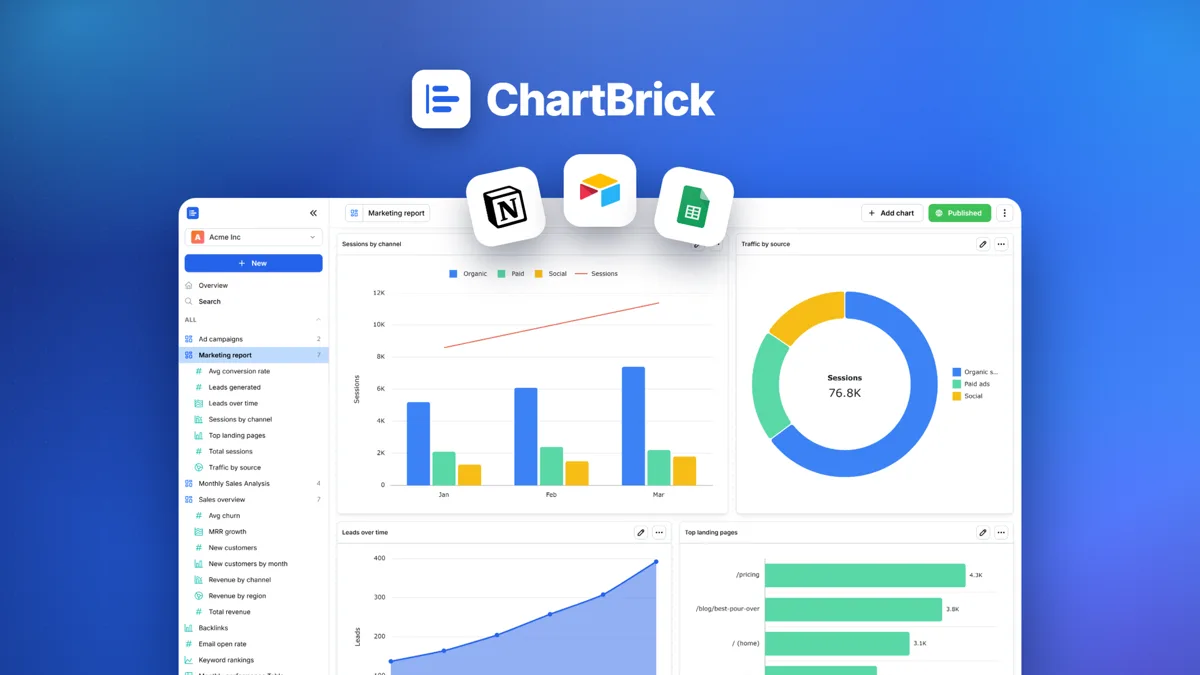
ChartBrick is a no-code SaaS tool for building, sharing, and embedding charts and dashboards from spreadsheets, databases, and cloud apps. ChartBrick's AppSumo lifetime deal costs $49 one-time (55% off the $107.88 listed price) for a single code; the deal is not stackable and the listing shows a 60-day refund window.
ChartBrick is a no-code chart and dashboard builder listed on AppSumo, and this ChartBrick lifetime deal breakdown looks at what the Spain-based tool actually offers before you buy. The AppSumo deal costs $49 one-time for a single code, 55% off a $107.88 listed price. ChartBrick's free plan caps out at just 4 charts, a tighter limit than free alternatives like Google Looker Studio, which imposes no chart cap at all. The tool connects to CSV, Excel, JSON, MySQL, PostgreSQL, Google Sheets, Airtable, Notion, and Stackby, and lets you share dashboards via public link or embed code without writing any code. Compared to Metabase, an open-source competitor with a free self-hosted tier, unlimited charts, and a growing API ecosystem, ChartBrick looks thin on documented features like alerting, scheduling, and programmatic access. No independent user reviews were found on G2, Capterra, or Trustpilot, which makes it hard to verify real-world reliability. Anyone comparing no-code dashboard tools should weigh ChartBrick's simplicity against the free power of Looker Studio and Metabase before committing to a lifetime purchase.
What You Get, and What to Accept
What the deal gets you
- Connects to a wide range of data sources out of the box, including CSV, Excel, JSON, MySQL, PostgreSQL, Google Sheets, Airtable, Notion, and Stackby, covering most small business spreadsheet-to-database workflows without extra connector tools.
- Public share links and website embed codes are both confirmed features, letting non-technical users publish a dashboard externally without writing embed scripting or managing hosting infrastructure themselves.
- ChartBrick's terms explicitly confirm users retain full ownership of uploaded data and created charts, plus a full account deletion option, a clear and buyer-friendly data policy compared to vaguer competitor terms.
- As a purely no-code tool, ChartBrick targets non-technical users who find SQL-native platforms like Metabase or Superset intimidating, filling a simpler niche aimed at basic business dashboards and quick reporting.
Trade-offs to know first
- The free plan's 4-chart cap is restrictive next to free competitors, forcing an early upgrade decision before a user can properly test the tool across multiple real use cases or departments.
- The paid Unlimited plan's actual limits, whether on data rows, users, or API calls, are not disclosed anywhere in the terms or accessible pricing page, making it impossible to budget confidently before purchase.
- No API, alerting, scheduling, or collaboration features are documented, all of which are standard in Metabase, Grafana, and Tableau, limiting ChartBrick to simple, manually-refreshed dashboards rather than automated reporting workflows.
- Zero third-party reviews exist on G2, Capterra, Trustpilot, or Reddit, so there is no independent validation of uptime, support quality, or bug history beyond the vendor's own claims.
What It Does
- Connects to CSV, Excel, MySQL, PostgreSQL, Sheets, Airtable, Notion, Stackby
- Builds charts and dashboards without writing any code
- Shares dashboards publicly through a shareable link
- Embeds charts on external websites using embed code
- Retains full user ownership of uploaded data and charts
ChartBrick Lifetime Deal Tiers Compared
| Plan | Price | Type |
|---|---|---|
| ChartBrick Lifetime Deal (AppSumo) | $49 one-time | ⭐ Lifetime Deal |
| ChartBrick Free Plan | $0 (4 charts max) | Free |
| ChartBrick Unlimited Plan | Check pricing > | Subscription |
How It Compares to the Alternatives
| Plan | Price | Type |
|---|---|---|
| Google Looker Studio | $0 (no chart limit) | Free |
| Metabase Cloud | $29/month, or free self-hosted | Subscription or Free (open source) |
| Grafana Cloud | $29/month, or free self-hosted | Subscription or Free (open source) |
| Tableau | $70/month per user | Subscription |
Who Should Buy This Lifetime Deal?
- Non-technical solo founders who need quick spreadsheet-based dashboards
- Small teams tracking simple metrics from Sheets or Airtable
- Freelancers who want to embed a shareable chart on a client-facing website
Who Should Use ChartBrick but Not Buy This Deal?
- Technical teams that want SQL-native querying and self-hosted control should use Apache Superset or Metabase instead, since both are free, open source, and offer more advanced capability.
- Marketing teams already working inside Google Workspace should choose Looker Studio, which is completely free, has no chart caps, and connects natively to Google Analytics and Ads data.
- Ops and engineering teams that need real-time alerting and monitoring dashboards should pick Grafana, which includes alerting as a standard confirmed feature ChartBrick does not offer.
- Enterprises with strict compliance requirements like SOC 2 or GDPR data residency guarantees should choose Tableau, which publishes clear enterprise security documentation ChartBrick has not made public.
ChartBrick vendor check
- Domain Rating
- 13/100 Backlink authority
- In business since
- 2022
- Monthly visitors
- ~17 Est. organic
- Ranks for
- 1 keywords Organic search
- Traffic value
- ~$36/mo Equivalent ad spend
- Security
- No known flags Google Safe Browsing
Domain Rating & traffic data by Ahrefs. Objective third-party data, not our opinion.
How ChartBrick's price compares
ChartBrick is the 3rd-cheapest of 12AI Analyticslifetime deals we've reviewed. At $49 it is below the $59 median for AI Analytics lifetime deals we've reviewed. It ranks 10th by verdict score (4/10) among the same group.
- Instacharts
- Litlyx
- ChartBrick(this deal)
- The Wheel Screener
- AI Mentions
Get notified when the verdict changes
This deal currently has a "Wait" verdict. If pricing improves, limitations are fixed, or the verdict changes to Buy, we will email you.
We only email you about this specific deal. Unsubscribe anytime.
What Does "Lifetime" Actually Mean Here?
How long do you have to change your mind?
60 days. That refund window is the single most useful thing about any lifetime deal: it is long enough to put the tool through real work and get your money back if it does not hold up. Set a reminder for a day or two before it closes.
Before you buy, get these in writing
"Lifetime" is a marketing word, not a legal one. In practice it almost always means the lifetime of the product, not yours: if the company shuts down or retires the tool, the deal ends with it. These are the questions worth answering on ChartBrick's own terms page before you pay (chartbrick.com).
- Updates. Are future versions included forever, or only for a fixed window?
- New features. Do features built after your purchase reach your plan, or only the paid tiers?
- Support. Is help included indefinitely, or does it lapse after the first year?
- Integrations. Are new third-party connections part of the deal?
- Usage limits. Do monthly credits reset, and can the vendor lower them later?
- Fair use. Is there a cap that turns "unlimited" into something else?
- Inactivity. Can the account be closed if you stop logging in?
- Hosting and storage. If the tool stores your data, is that storage included permanently?
- Transfer. Can the licence move to another person or business?
Where a vendor answers these clearly, that is a good sign in itself. Silence on updates and support is the most common way a lifetime deal quietly becomes a one-year deal.
Frequently Asked Questions
- ChartBrick's AppSumo lifetime deal costs $49 one-time for a single code, so the worth-it judgment comes down to whether its features justify paying anything when free tools exist. Based on confirmed features, the tool covers basic no-code chart and dashboard creation from sources like CSV, MySQL, Google Sheets, and Airtable, plus sharing via link or embed code, which suits simple personal or small business reporting. However, free and open-source alternatives like Google Looker Studio and Metabase already cover this ground at no cost with fewer restrictions, and ChartBrick has no public API, alerting, or scheduling features. Even at $49, the value case is weak compared to free competitors, especially given the total absence of independent user reviews validating real-world performance and support quality.
- ChartBrick's own terms and conditions do not spell out a company-specific refund window or policy in the sections available for review. AppSumo lifetime deals typically carry a standard 60-day money-back guarantee across most products sold on the platform, and that policy likely applies here, but this has not been independently confirmed for ChartBrick specifically at the time of writing. Buyers should check the refund policy section directly on the AppSumo product page before purchasing, since AppSumo's standard terms can vary by promotion or be superseded by vendor-specific exceptions. Given the lack of confirmed refund detail and the account transfer restrictions found in ChartBrick's own terms, it is worth verifying the refund window in writing before treating it as a safety net.
- Metabase is a mature, open-source business intelligence platform with a free self-hosted tier, unlimited charts and dashboards, SQL-native querying for technical teams, and paid cloud plans starting around $29 per month for hosted convenience. ChartBrick is a simpler, no-code-only tool aimed at non-technical users, connecting to fewer enterprise data warehouses but supporting common sources like Google Sheets, Airtable, Notion, and Stackby directly out of the box. Metabase includes an API, more advanced permissions, and a large user community built over years, all of which ChartBrick's confirmed feature list currently lacks entirely. For anyone comfortable with a bit of setup, Metabase's free tier alone likely outperforms ChartBrick's paid plans in raw capability, while ChartBrick may only appeal to users who want the simplest possible interface with zero self-hosting responsibility.
- ChartBrick's most significant limitations include a free plan capped at just 4 charts, a paid Unlimited plan with undisclosed actual limits on data, users, or usage, and a complete absence of independent user reviews on platforms like G2, Trustpilot, or Capterra to validate real-world quality. The confirmed feature list also lacks an API for programmatic access, alerting or monitoring notifications, scheduled automated report delivery, and collaboration or version control tools, all of which competitors like Metabase, Grafana, and Tableau offer as standard. ChartBrick's terms and conditions further prohibit transferring, sharing, or reselling a lifetime deal account, meaning the purchase has no flexibility if a business situation changes later. No compliance certifications like SOC 2 or clear GDPR data residency details were found either, which may concern privacy-sensitive buyers.
- Technical teams that want SQL-native querying, self-hosted deployment, or full data control should skip ChartBrick and use Apache Superset or Metabase instead, both of which are free and open source with more advanced capabilities. Marketing teams already working inside Google Workspace or relying heavily on Google Analytics data are better served by Looker Studio, which is completely free with no chart limits and deeper native integrations. Ops or engineering teams that need real-time alerting and monitoring dashboards should choose Grafana, since alerting is a confirmed standard feature there and is absent from ChartBrick's documented capabilities. Finally, enterprises with strict compliance needs around SOC 2 or GDPR data residency should look toward Tableau or other vendors with published compliance documentation, since ChartBrick has not made any such certifications public.
Is ChartBrick worth the money?
What is the refund policy for ChartBrick?
How does ChartBrick compare to Metabase?
What are the main limitations of ChartBrick?
Who should NOT buy ChartBrick?
Official offer page
Pricing and terms on this page come from ChartBrick's own site. Always confirm the current offer at checkout before buying, since vendors change lifetime terms without notice.
Related tools & guides
Alternatives to ChartBrick
Other active deals in AI Analytics


Deals That Pair Well With ChartBrick
Pairs well with AI SEO and AI Marketing and AI Automation tools


Comments
Loading comments...