


- Deal status Active
- Price From $29
- Deal type Lifetime Deal
- Refund window 60 days
TidyCal is available as a lifetime deal at From $29. There is a 60-day refund window, which is long enough to test it properly before the money is committed. Last checked against the seller's own page on November 9, 2026.
On this page10 sections
Get This Deal → Affiliate link - see our disclosure.
TidyCal Deal Snapshot
Every fact we hold on this offer, in one place. 7 of 12 confirmed; anything the vendor does not state publicly is marked as such rather than guessed.
| Deal status | Active |
|---|---|
| Price | From $29 |
| Regular price | Not published by the vendor |
| Deal type | Lifetime Deal |
| Refund window | 60 days |
| Tiers available | Not published by the vendor |
| Stackable | Not published by the vendor |
| Free tier | Yes |
| Free trial | Not published by the vendor |
| Credits / usage model | Not published by the vendor |
| Vendor | tidycal.com |
| Last checked | November 9, 2026 |
What we checked
- Offer page read directly from the seller's live checkout page
- Listed price could not be matched on that page
- Refund window recorded from the offer terms
- Deal status checked (this offer is active)
- Affiliate relationship disclosed on every outbound link
Last checked November 9, 2026
This records what the seller's page said on that date. Vendors change lifetime terms without notice, so confirm the price and the terms at checkout before you pay.
TidyCal pricing at a glance
- Free tier
- Yes
- Deal price
- From $29
TidyCal deal terms
- Refund window
- 60-day money-back guarantee
- Status
- active
Terms last checked Nov 9, 2026.
What is TidyCal?
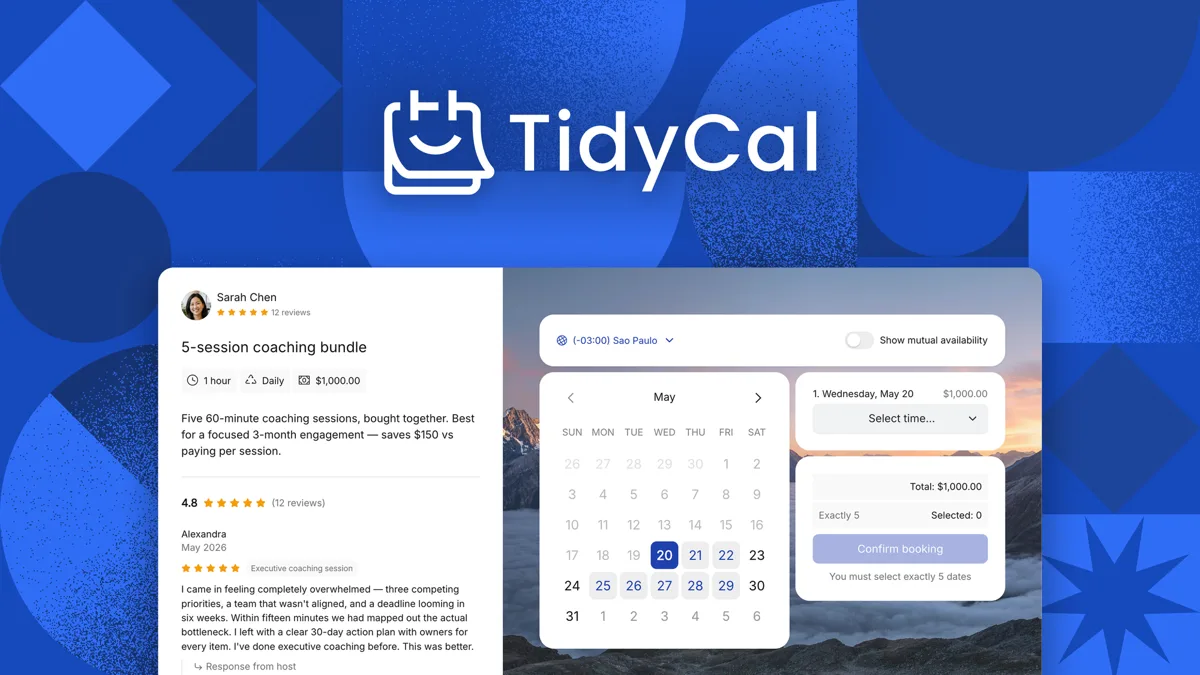
TidyCal is a booking and scheduling platform with unlimited bookings, calendar syncing, and Stripe/PayPal payment collection for freelancers and small teams. TidyCal lifetime deal on AppSumo: $29 one-time for Individual or $79 for Agency, protected by AppSumo's 60-day money-back guarantee.
The TidyCal lifetime deal on AppSumo starts at $29 one-time for the Individual tier and $79 for Agency, replacing recurring scheduling subscriptions like Calendly and Acuity. TidyCal handles unlimited bookings, paid appointments through Stripe and PayPal, and auto-generated Zoom or Google Meet links, which covers most solo scheduling needs. The catch shows up fast: calendar syncing drift is the single most repeated complaint across Reddit and review sites, calendar connections are capped at 10 to 25, and there is no native mobile app. Cal.com is the obvious counterweight here, offering a genuinely strong free plan with unlimited calendar connections and an open-source self-hosting option, so budget-focused solopreneurs have a real reason to look there instead. TidyCal makes sense if you are a single user who values a fixed one-time cost over polish, but the 60-day AppSumo refund window is the safety net you should plan to test before the sync and team-licensing limits catch up with you.
What You Get, and What to Accept
What the deal gets you
- The $29 Individual and $79 Agency lifetime prices replace ongoing subscriptions, undercutting Calendly and Acuity annual plans that run $120 to $324 per year per seat.
- Core scheduling is genuinely unlimited: unlimited bookings and booking types on every tier, including the free plan, with no artificial monthly caps confirmed on the pricing page.
- Paid bookings, recurring and package sessions, and a digital storefront for PDFs and courses are built in, features Calendly and Cal.com either charge more for or omit.
- AppSumo's 60-day money-back guarantee lets you fully test calendar sync and team licensing before committing, reducing the risk of a lifetime purchase.
Trade-offs to know first
- Calendar sync drift can display already-booked times as open, a reliability issue reported across five or more independent sources and the most likely reason users churn.
- Calendar connections are capped at 10 to 25, so anyone juggling many accounts hits a wall that Cal.com and Acuity do not impose.
- No native mobile app means all scheduling happens through the browser, a clear downgrade from Calendly and Cal.com for on-the-go management.
- Team scaling is expensive and confusing because each member needs a separate paid license, with no unified role-based team account available.
What It Does
- Creates unlimited booking pages and appointment types
- Collects paid bookings through Stripe and PayPal
- Auto-generates Zoom, Google Meet, and Teams links
- Syncs availability with Google Calendar and Outlook
- Runs recurring, group, and package bookings
TidyCal Lifetime Deal Tiers Compared
| Plan | Price | Type |
|---|---|---|
| TidyCal Individual Lifetime | $29 one-time | ⭐ Best Value |
| TidyCal Agency Lifetime | $79 one-time | Lifetime Deal |
| TidyCal Pro (regular) | $12/month or $99/year | Subscription |
How It Compares to the Alternatives
| Plan | Price | Type |
|---|---|---|
| Calendly Standard | $10/month annual per seat | Subscription |
| Cal.com Teams | $12/user/month annual | Subscription |
| Acuity Scheduling Starter | $16/month annual | Subscription |
Who Should Buy This Lifetime Deal?
- Solo freelancers and consultants managing one to three calendars
- Coaches and creators who sell paid one-on-one sessions
- Small service businesses that want a fixed one-time scheduling cost
- AppSumo buyers seeking a low-cost Calendly alternative
Who Should Use TidyCal but Not Buy This Deal?
- Teams of three or more people, since per-seat lifetime licensing balloons the cost and Calendly Standard or Acuity offers cleaner role-based team scheduling.
- Healthcare, legal, or finance users who need HIPAA compliance, which only Acuity Premium provides among these tools.
- Anyone managing more than 10 calendars across accounts, where Cal.com's unlimited connections remove TidyCal's hard cap entirely.
- Users who rely on mobile-app scheduling or robust CRM automation, both better served by Calendly or Zoho-backed Setmore.
TidyCal vendor check
- Domain Rating
- 91/100 Backlink authority
- In business since
- 2008
- Monthly visitors
- ~19K Est. organic
- Ranks for
- 55 keywords Organic search
- Traffic value
- ~$24K/mo Equivalent ad spend
- Security
- No known flags Google Safe Browsing
Domain Rating & traffic data by Ahrefs. Objective third-party data, not our opinion.
How TidyCal's price compares
TidyCal is the 12th-cheapest of 42AI Productivitylifetime deals we've reviewed. At $29 it is below the $59 median for AI Productivity lifetime deals we've reviewed. It ranks 37th by verdict score (3/10) among the same group.
What Does "Lifetime" Actually Mean Here?
How long do you have to change your mind?
60 days. That refund window is the single most useful thing about any lifetime deal: it is long enough to put the tool through real work and get your money back if it does not hold up. Set a reminder for a day or two before it closes.
Before you buy, get these in writing
"Lifetime" is a marketing word, not a legal one. In practice it almost always means the lifetime of the product, not yours: if the company shuts down or retires the tool, the deal ends with it. These are the questions worth answering on TidyCal's own terms page before you pay (tidycal.com).
- Updates. Are future versions included forever, or only for a fixed window?
- New features. Do features built after your purchase reach your plan, or only the paid tiers?
- Support. Is help included indefinitely, or does it lapse after the first year?
- Integrations. Are new third-party connections part of the deal?
- Usage limits. Do monthly credits reset, and can the vendor lower them later?
- Fair use. Is there a cap that turns "unlimited" into something else?
- Inactivity. Can the account be closed if you stop logging in?
- Hosting and storage. If the tool stores your data, is that storage included permanently?
- Transfer. Can the licence move to another person or business?
Where a vendor answers these clearly, that is a good sign in itself. Silence on updates and support is the most common way a lifetime deal quietly becomes a one-year deal.
Frequently Asked Questions
- For a single freelancer managing one to three calendars, the $29 Individual lifetime deal is fair value because it replaces recurring plans like Calendly Standard at roughly $120 per year. You get unlimited bookings, paid appointments, and auto-generated video links for a one-time cost. It stops being worth it once you need more than 10 calendar connections, a native mobile app, CRM integrations, or team features, since per-seat licensing and calendar sync drift undercut the savings. Because AppSumo includes a 60-day refund, the safest move is to buy, stress-test the calendar syncing and your real workflow within that window, and refund if the reliability gaps affect your bookings.
- The TidyCal lifetime deal is sold through AppSumo, so it carries AppSumo's standard 60-day money-back guarantee rather than a refund handled directly by TidyCal. If you are unsatisfied for any reason within 60 days of purchase, you can request a full refund through your AppSumo account. This matters more than usual with TidyCal because the most common complaint is calendar sync drift, and 60 days is enough time to connect your Google Calendar or Outlook, run live bookings, and confirm availability updates correctly. After the 60-day window closes there is no refund, so any sync or team-scaling problems that surface later leave you locked into the platform or forced to switch tools at your own cost.
- The biggest difference is pricing model: TidyCal is a one-time lifetime purchase at $29 to $79 on AppSumo, while Calendly is subscription-only, starting around $10 per seat per month on annual billing. TidyCal wins on upfront cost and bundles extras like a digital storefront and paid package bookings. Calendly wins on polish and scale, with a native mobile app, no hard cap on calendar connections, stronger CRM and API integrations, better team scheduling, and faster support. If you are a solo user optimizing for cost, TidyCal is the value pick. If you run a team, depend on mobile scheduling, or need reliable multi-calendar availability, Calendly is the more dependable choice despite the ongoing fee.
- The most serious limitation is calendar syncing drift, where TidyCal can show already-booked times as available because it does not combine availability across Google Calendar and Outlook simultaneously, a complaint repeated across Reddit and review sites. Calendar connections are also hard-capped at 10 on Individual and 25 on Agency or Pro, unlike Cal.com's unlimited connections. There is no native mobile app, so scheduling happens through the browser. It lacks native CRM integrations with Salesforce, HubSpot, or Pipedrive, offers weaker automation and API tooling than Acuity or Calendly, and forces per-seat licensing for teams. Support response times reportedly exceed seven days on sync issues, which compounds the reliability concerns for anyone running a business on it.
- Teams of three or more people should skip it, because each member needs a separate $29 or $79 license with no unified role-based team account, making Calendly Standard or Acuity better team value. Healthcare, legal, and finance users should avoid it since only Acuity Premium offers HIPAA compliance and TidyCal has none. Anyone managing more than 10 calendars across multiple accounts will hit the connection cap, where Cal.com's unlimited connections and free open-source self-hosting are stronger. Finally, users who depend on a native mobile app or deep CRM automation are better served by Calendly or Zoho-backed Setmore, both of which cover mobile and contact management that TidyCal leaves out.
Is TidyCal worth the money?
What is the refund policy for TidyCal?
How does TidyCal compare to Calendly?
What are the main limitations of TidyCal?
Who should NOT buy TidyCal?
Official offer page
Pricing and terms on this page come from TidyCal's own site. Always confirm the current offer at checkout before buying, since vendors change lifetime terms without notice.
Related tools & guides
Alternatives to TidyCal
Other active deals in AI Productivity


Deals That Pair Well With TidyCal
Pairs well with AI Automation and AI Writing and AI Customer Support tools


Comments
Loading comments...