

Invideo Editor and DaVinci Resolve solve editing in two different ways. Invideo Editor runs AI agents that execute editing tasks on a real timeline, while a person still has full manual control underneath. DaVinci Resolve is a fully manual, professional-grade editor with some AI-assisted tools layered into its paid Studio tier. Both handle serious editing work, but they are built for different starting points. This comparison looks at how each one actually works, what each costs in 2026 in USD, and which fits which kind of project.
How we compared these two editors
We compared both tools on five points. First, how much of the edit an AI agent can execute versus how much stays manual. Second, color grading depth, since this is Resolve’s core strength. Third, the pricing model, since one is a per-seat subscription and the other is a one-time purchase. Fourth, collaboration features for teams. Fifth, the learning curve for a new editor picking up each tool.
Invideo Editor vs DaVinci Resolve at a glance
| Category | Invideo Editor | DaVinci Resolve |
|---|---|---|
| Editing model | AI agents plus full manual timeline | Fully manual, professional NLE |
| Color grading | Included, not the core focus | Industry-leading, especially in Studio |
| Collaboration | Real-time multiplayer editing with live cursors | Multi-user project collaboration |
| Pricing model | Monthly subscription, billed per seat | Free core version, $295 one-time Studio upgrade |
| Free tier | No permanent free plan | Yes, nearly full feature set |
Invideo Editor: agentic editing on a full timeline
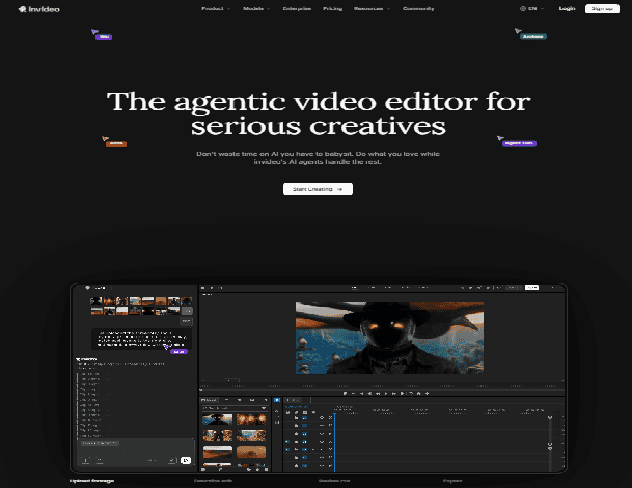
Invideo Editor runs on a real multitrack timeline, with AI agents assigned to specific tasks rather than one generic “auto-edit” pass. Its editing agent can log and search footage by description, apply the same change across multiple clips at once, and hand off a cut that a person can take over at any single frame.
The invideo editor timeline also supports real-time multiplayer editing, so a producer, editor, and sound designer can work on the same project with live cursors and comments. Teams can also build custom agents assigned to roles like cinematographer or colorist, on top of the standard editing agent.
Best for: teams and solo creators who want an agent to handle repetitive or structural editing work while keeping full manual control available.
Where it falls short: color grading is included but is not the tool’s specialty, so colorists doing dense, technical grading work may still prefer Resolve’s dedicated toolset. It also has no permanent free tier, unlike Resolve.
Pricing (USD): Starts at $20/seat/month on the Starter plan, with the full manual timeline but limited agent access, priced the same whether billed monthly or annually. Plus runs $60/seat/month, or $50/seat/month billed annually, and adds frontier agent access. Max costs $150/seat/month, or $100/seat/month billed annually, for full agent access and the lowest per-credit cost.
DaVinci Resolve: manual, professional-grade color and finishing
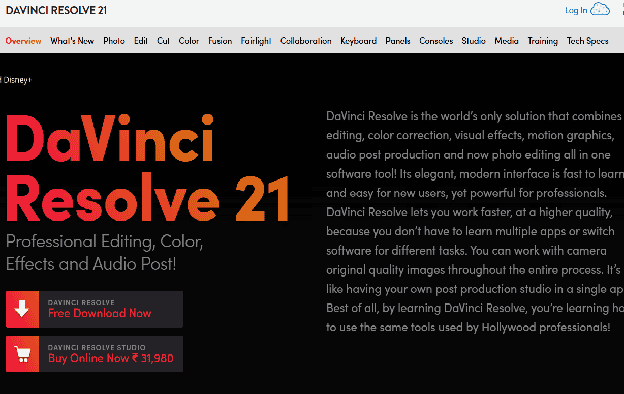
DaVinci Resolve is a fully manual editor built around four integrated tools: editing, color grading, Fusion for visual effects, and Fairlight for audio. Its free version includes nearly the entire toolset, with no watermark and no time limit, which is unusual for professional-grade software.
The paid Studio tier adds the DaVinci Neural Engine, which includes AI-assisted tools like Magic Mask and automatic scene-cut detection, along with 8K support and advanced noise reduction. Every editing and grading decision still runs through the person at the controls, since Resolve has no agent layer executing multi-step edits on its own.
Best for: colorists, professional editors, and anyone who wants the deepest grading toolset available, especially at no cost.
Where it falls short: there is no AI agent to handle repetitive tasks or assemble a first cut from raw footage, so long or multicam projects still require a person to do all the structural work by hand. The interface also has a steeper learning curve than more guided editors.
Pricing (USD): The core version is free with no time limit or watermark. DaVinci Resolve Studio is a one-time purchase of $295, not a subscription, and adds the Neural Engine and 8K support.
Which one should you use
- Want an AI agent to handle structural editing while you keep manual control: Invideo Editor.
- Want the deepest color grading toolset, for free: DaVinci Resolve.
- Editing long or multicam footage and want an agent to build the first cut: Invideo Editor.
- Doing dense, technical color work as your primary job: DaVinci Resolve, especially the Studio tier.
- Working on a team that wants real-time multiplayer editing: Invideo Editor.
FAQ
What is Invideo Editor better at than DaVinci Resolve?
Invideo Editor leads on agentic workflows, like applying one instruction across an entire multicam project or finding a shot by describing it instead of scrubbing through footage. Its real-time multiplayer editing is also more built-in than Resolve’s collaboration tools, since live cursors and comments sit directly on the same timeline. For long or repetitive editing tasks, this saves time that Resolve still requires doing by hand.
Does Invideo Editor have a free plan like DaVinci Resolve?
DaVinci Resolve offers a permanent free version with nearly the full toolset, while Invideo Editor requires a paid seat starting at $20/month, with no permanent free tier.
Which is better for editing long or multicam footage in 2026?
Invideo Editor is built for this specifically, with an agent that can search footage by description and apply one edit across multiple clips or camera angles at once. DaVinci Resolve can handle multicam footage too, but every step is manual.
Related Posts

AI adoption statistics, sourced: 78% of companies say they use AI and only 21% have redesigned a workflow. Here is the h...

A free, cited AI glossary covering 264 machine learning and generative AI terms, with plain-English definitions and cros...

Real examples of artificial intelligence in digital marketing across content, SEO, ads, email and analytics, with what e...

AI marketing on Reddit: I pulled 239 threads across 7 subreddits. Marketers use AI daily and mostly dislike the products...
The AI prompt manager I built for Chrome and Firefox: save, tag, version and export your prompts locally. Free, no accou...

An AI shopping assistant finds products and compares prices for you. Which to use across ChatGPT, Gemini, Rufus and Perp...