
Kan Lifetime Deal
The Kan lifetime deal on AppSumo replaces the $8 per user monthly Teams plan with a one-time payment, includes future Teams and Pro updates, and is covered by AppSumo's standard 60-day refund policy for brand-new accounts only.
- Type Lifetime
- Verdict Wait
- Status Active
- Updated Jul 4, 2026
- Confidence Medium
- Score 5/10
Verdict: Wait
Kan is a clean, open-source kanban board with real appeal for small teams that want no vendor lock-in, but the missing views, integrations, and AI, plus unconfirmed AppSumo pricing, make it worth waiting until you can verify the live tier price and terms.
Kan deal: quick verdict
Wait 5/10- Verdict
- Wait (5/10)
- Price
- Check current price >
- Best for
- Solo founders and small teams who want a simple kanban board without a monthly subscription
- Skip if
- Teams needing Gantt charts, timelines, or portfolio management should choose ClickUp or Asana, which cover multi-view project planning that Kan does not.
- Bottom line
- Kan is a clean, open-source kanban board with real appeal for small teams that want no vendor lock-in, but the missing views, integrations, and AI, plus unconfirmed AppSumo pricing, make it worth waiting until you can verify the live tier price and terms.
Last verified Jul 4, 2026 by Alston Antony.
On this page7 sections
What is Kan?
Kan is an open-source, lightweight kanban board tool built as a Trello alternative that lets teams organize work without vendor lock-in. The Kan lifetime deal on AppSumo replaces the $8 per user monthly Teams plan with a one-time payment, includes future Teams and Pro updates, and is covered by AppSumo's standard 60-day refund policy for brand-new accounts only.
The Kan lifetime deal on AppSumo puts an open-source kanban board in front of teams who are tired of Trello's pricing changes and want to own their workflow without a recurring subscription. Kan covers the core basics well, with unlimited boards and cards, Trello import, custom templates, checklists, and role-based permissions, and it replaces a regular Teams plan that costs $8 per user each month. The trade-off is depth: Kan is a board-only tool with no Gantt charts, calendar views, built-in AI, or a third-party integrations marketplace, so it is much narrower than ClickUp or Monday.com. The exact AppSumo tier pricing was not confirmed at research time, so treat the numbers on the live listing as the source of truth before buying. If you compare it to the top alternative, Trello, someone might still prefer Trello for its Power-Ups, calendar view, and Butler automation, while Kan wins on open-source transparency, self-hosting, and one-time cost. This breakdown weighs both sides so you can decide whether a lightweight open-source kanban tool fits your team.
Pros & Cons
Pros
- Open-source with an on-premise deployment option, which reduces the risk of vendor lock-in or a sudden rug-pull and lets technical teams self-host their data.
- Genuinely unlimited boards, lists, and cards on both free and paid plans, with no artificial fair-use cap mentioned in the current pricing, according to the official Kan pricing page.
- One-time lifetime pricing replaces an ongoing $8 per user monthly Teams plan, and the AppSumo deal confirms that future Teams and Pro plan updates are included.
- Direct Trello import lowers the switching cost, so existing Trello users can migrate their boards without rebuilding everything from scratch.
- The indie founder actively responds to feedback, shown by adding more workspaces to Tiers 2 and 3 in June 2026 after user requests.
Cons
- Kan is board-only, so it lacks the Gantt, calendar, and timeline views that ClickUp, Monday, and Asana treat as standard project management features.
- There is no built-in AI or workflow automation, putting it well behind ClickUp Brain, Monday AI Blocks, and Trello Butler on productivity features.
- Integrations are minimal with no marketplace, so connecting Kan to Slack, Jira, or Google Drive is not comparable to Trello's Power-Ups ecosystem.
- Independent review data is scarce, with little presence on G2, Capterra, or Reddit, which makes long-term reliability harder to verify for cautious buyers.
- Reporting is basic and there are no published storage or per-tier user limits, so heavy or large teams may hit unclear ceilings.
What It Does
- Organizes work with unlimited kanban boards and cards
- Imports existing boards directly from Trello
- Supports team collaboration with role-based permissions
- Offers custom templates, labels, filters, and checklists
- Runs open-source with an on-premise deployment option
- Manages multiple workspaces on higher tiers
Who It's For
- Solo founders and small teams who want a simple kanban board without a monthly subscription
- Privacy-focused users who prefer open-source software and self-hosting to avoid vendor lock-in
- Trello users frustrated by pricing changes who need a lightweight, low-cost migration path
Pricing Comparison
| Plan | Price | Type |
|---|---|---|
| Kan AppSumo Deal (Tier 1 to 3) | Check current price > | ⭐ Lifetime Deal |
| Kan Teams Plan (regular) | $8 per user/month | Subscription |
| Trello Standard | $5 per user/month | Subscription |
| ClickUp Team | $5 per user/month | Subscription |
| Monday.com Basic | $8 per user/month | Subscription |
| Asana Premium | $10.99 per user/month | Subscription |
Feature Comparison
| Feature | Kan | Trello | ClickUp |
|---|---|---|---|
| Unlimited boards and cards | ✅ | ✅ | ✅ |
| Trello import | ✅ | ✅ | ✅ |
| Open-source and self-hosting | ✅ | ❌ | ❌ |
| One-time lifetime pricing | ✅ | ❌ | ❌ |
| SAML SSO and admin controls | ✅ (Pro tier) | ✅ (Enterprise) | ✅ (Business+) |
| Calendar and timeline views | ❌ | ✅ | ✅ |
| Gantt charts | ❌ | ❌ (Power-Up) | ✅ |
| Third-party integrations marketplace | ❌ | ✅ | ✅ |
| Built-in AI assistant | ❌ | ❌ | ✅ (ClickUp Brain) |
| Native document collaboration | ❌ | ❌ | ✅ (ClickUp Docs) |
| Advanced reporting dashboard | ❌ | ✅ (paid) | ✅ |
| Workflow automation | ❌ | ✅ (Butler) | ✅ |
Limitations
- Kan has no third-party integrations marketplace, so it cannot connect to Slack, Jira, or Google Drive the way Trello Power-Ups can, per TechRepublic's open-source kanban roundup.
- The tool is limited to kanban boards only, with no Gantt charts, calendar, or timeline views that ClickUp, Monday, and Asana all ship as standard, based on competitor comparison research.
- Kan includes no built-in AI or automation, so features like ClickUp Brain, Monday AI Blocks, and Trello Butler have no equivalent here, per ClickUp and Monday comparison pages.
- Reporting and analytics are minimal, with no advanced dashboard comparable to Asana or Monday, which limits visibility for managers tracking multiple projects across teams.
- There is no native document collaboration inside Kan, unlike ClickUp Docs, so teams still need a separate tool such as Notion or Google Docs for written work.
- Public review coverage is thin: Kan is not listed prominently on G2 or Capterra and generated no Reddit discussion, so independent long-term reliability signals are hard to verify.
- Workspace allocation was previously a pain point that the founder only addressed in June 2026 by adding 2 workspaces to Tier 2 and 4 to Tier 3, per the AppSumo listing.
- Storage caps and exact per-tier user limits are not published, so the unlimited boards and cards claim should be checked against the current terms of service before buying.
What's Missing vs Competitors
- Gantt charts and timeline views that ClickUp and Asana include for dependency-heavy project planning are absent in Kan.
- A calendar view for deadline visualization, standard in Trello and Monday.com, is not available in Kan's board-only interface.
- Built-in AI assistance such as ClickUp Brain and Monday AI Blocks for summaries and automation has no counterpart in Kan.
- Native document collaboration like ClickUp Docs is missing, forcing Kan users to bolt on a separate writing tool.
- A third-party integrations marketplace comparable to Trello Power-Ups does not exist for Kan, limiting its connections to other apps.
Who Should Skip This Deal
- Teams needing Gantt charts, timelines, or portfolio management should choose ClickUp or Asana, which cover multi-view project planning that Kan does not.
- Anyone who relies on deep integrations with Slack, Jira, or Google Drive is better served by Trello and its Power-Ups ecosystem.
- Managers who need advanced reporting dashboards and workload analytics should look at Monday.com or Asana instead of Kan.
- Users who want built-in AI writing and automation should pick ClickUp, since Kan ships no AI features at all.
Frequently Asked Questions
- Kan can be worth it for solo users and small teams who want a simple, open-source kanban board and want to stop paying a recurring subscription. It replaces a Teams plan that normally costs $8 per user each month, and the lifetime deal includes future Teams and Pro updates. The value depends heavily on the exact AppSumo tier price, which was not confirmed during research, so check the live listing first. If your workflow only needs boards, lists, cards, labels, and checklists, the value is strong. If you need Gantt charts, calendar views, integrations, or AI automation, the missing features make it a weaker buy than ClickUp or Monday.com.
- Based on research, Kan follows AppSumo's standard 60-day refund policy, which lets you test the tool and request a full refund within 60 days of purchase if it does not fit your needs. Note that the deal is restricted to brand-new Kan users with no previous accounts, trials, or paid plans with the partner, and the license must be activated within 60 days of purchase. The exact refund terms were not explicitly confirmed for Kan in the research sources, so verify the refund window and eligibility directly on the AppSumo product page before you buy, since AppSumo occasionally varies terms by deal.
- Kan and Trello are both kanban-first tools, and Kan was created specifically as a Trello alternative after Trello's pricing changes. Kan wins on being open-source, offering self-hosting, and using one-time lifetime pricing instead of Trello's $5 to $10 per user monthly plans. Trello wins on ecosystem: it offers a large Power-Ups marketplace with 100-plus integrations, a calendar view, voting, and Butler automation on paid tiers. Kan supports Trello import, so migrating is straightforward. Choose Kan if you value ownership, transparency, and low cost. Choose Trello if you rely on integrations with Slack, Jira, or Google Drive and want a more mature, widely reviewed platform.
- Kan's biggest limitations are its narrow feature set and small ecosystem. It offers only kanban board views, with no Gantt charts, calendar, or timeline views that ClickUp, Monday, and Asana include. It has no built-in AI or workflow automation, no third-party integrations marketplace like Trello Power-Ups, and only basic reporting with no advanced analytics dashboard. It also lacks native document collaboration, so you still need a separate tool for written work. On top of that, public review coverage is thin on G2, Capterra, and Reddit, and storage and per-tier user limits are not published, so cautious buyers should verify those details before committing.
- You should not buy Kan if your team needs multi-view project management. Teams that rely on Gantt charts, timelines, or portfolio management will be better served by ClickUp or Asana. Anyone whose workflow depends on deep integrations with Slack, Jira, or Google Drive should choose Trello for its Power-Ups ecosystem. Managers who need advanced reporting dashboards and workload analytics should look at Monday.com or Asana. And if built-in AI writing and automation matter to you, ClickUp is the stronger pick since Kan ships no AI features at all. Kan fits lightweight, board-only workflows, not complex or enterprise-scale project management.
Is Kan worth the money?
What is the refund policy for Kan?
How does Kan compare to Trello?
What are the main limitations of Kan?
Who should NOT buy Kan?
Sources
Kan deal terms
- Refund window
- 60-day money-back guarantee
- License tiers
- 3 available
Kan vendor check
- Domain Rating
- 39/100 Backlink authority
- In business since
- 2025
- Security
- No known flags Google Safe Browsing
Domain Rating by Ahrefs. Objective third-party data, not our opinion.
Get notified when the verdict changes
This deal currently has a "Wait" verdict. If pricing improves, limitations are fixed, or the verdict changes to Buy, we will email you.
We only email you about this specific deal. Unsubscribe anytime.
Related tools & guides
Alternatives to Kan
Other active deals in AI Productivity
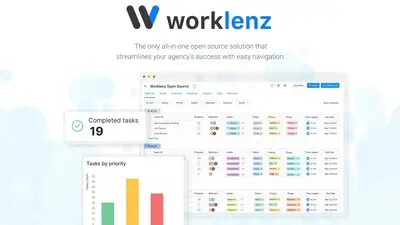
Worklenz is a web-based project management tool for task tracking, Kanban boards, Gantt charts, and time track...
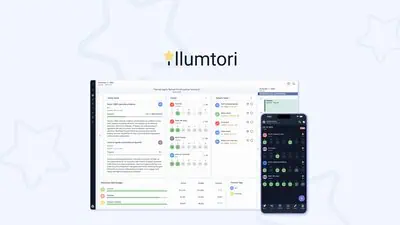
Illumtori is an all-in-one productivity platform that combines SMART goal tracking, habit tracking, calendar m...
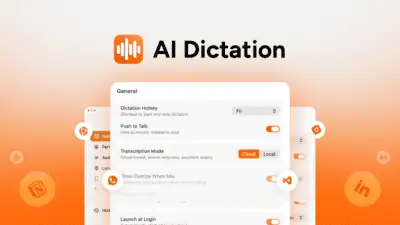
AI Dictation is a Mac voice-to-text app that removes filler words, fixes grammar, and auto-formats dictated te...
Comments
Loading comments...