

- Type Lifetime
- Verdict Wait
- Status Active
- Updated Jul 8, 2026
- Confidence Low
- Score 4/10
Verdict: Wait
ChartBrick may suit simple personal dashboards, but its unconfirmed pricing, undisclosed Unlimited plan limits, missing API and alerting features, and total absence of independent user reviews make it too uncertain to recommend over free alternatives like Looker Studio or Metabase right now.
ChartBrick deal: quick verdict
Wait 4/10- Verdict
- Wait (4/10)
- Price
- Check pricing >
- Free option
- Yes, free tier available
- Best for
- Non-technical solo founders who need quick spreadsheet-based dashboards
- Skip if
- Technical teams that want SQL-native querying and self-hosted control should use Apache Superset or Metabase instead, since both are free, open source, and offer more advanced capability.
- Bottom line
- ChartBrick may suit simple personal dashboards, but its unconfirmed pricing, undisclosed Unlimited plan limits, missing API and alerting features, and total absence of independent user reviews make it too uncertain to recommend over free alternatives like Looker Studio or Metabase right now.
Last verified Jul 8, 2026 by Alston Antony.
How we calculated this deal's 43/100 score
Every deal gets a score out of 100 built from five weighted factors, computed from the same research used to write this review. No factor is guessed: when data for a factor isn't available (for example, an older deal published before we started tracking vendor trust signals), that factor falls back to a neutral, non-penalizing score instead of being invented.
| Category | Points | What it measures |
|---|---|---|
| Verdict Strength | 16/40 | Based on our 1-10 editorial verdict score from hands-on research (or the BUY/WAIT/SKIP call itself when no numeric score was recorded). |
| Deal Value | 12/25 | How steep the confirmed discount is versus the regular price, when that price is available. |
| Feature Completeness | 4/15 | How the tool holds up against named competitors on the feature comparison table. |
| Vendor Trust | 5/10 | The vendor's domain authority, safety record, and how long the company has been operating. |
| Deal Terms & Risk | 6/10 | Refund window length, code-stacking policy, and how confident our research was overall. |
On this page7 sections
Get This Deal → Affiliate link - see our disclosure.
ChartBrick pricing at a glance
- Free tier
- Yes
- Deal price
- Check pricing >
ChartBrick deal terms
- Refund window
- 60-day money-back guarantee
What is ChartBrick?
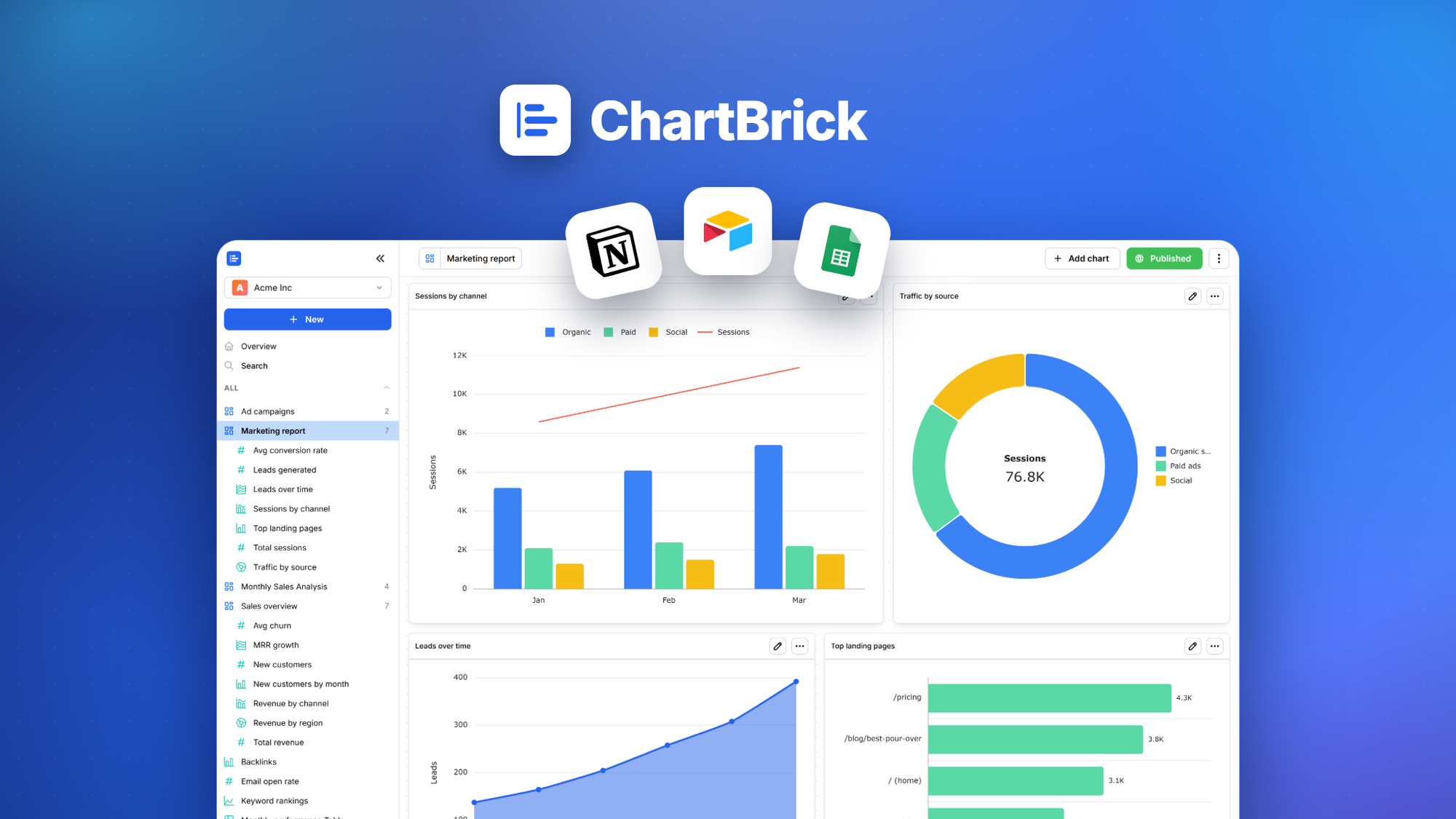
ChartBrick is a no-code SaaS tool for building, sharing, and embedding charts and dashboards from spreadsheets, databases, and cloud apps. ChartBrick's AppSumo lifetime deal price was not confirmed in available research data, so check the live AppSumo listing for the current one-time tier, and verify AppSumo's standard refund terms before buying.
ChartBrick is a no-code chart and dashboard builder listed on AppSumo, and this ChartBrick lifetime deal breakdown looks at what the Spain-based tool actually offers before you buy. The exact AppSumo deal price could not be confirmed from available listing data at the time of writing, so check the live AppSumo page for the current tier before purchasing. ChartBrick's free plan caps out at just 4 charts, a tighter limit than free alternatives like Google Looker Studio, which imposes no chart cap at all. The tool connects to CSV, Excel, JSON, MySQL, PostgreSQL, Google Sheets, Airtable, Notion, and Stackby, and lets you share dashboards via public link or embed code without writing any code. Compared to Metabase, an open-source competitor with a free self-hosted tier, unlimited charts, and a growing API ecosystem, ChartBrick looks thin on documented features like alerting, scheduling, and programmatic access. No independent user reviews were found on G2, Capterra, or Trustpilot, which makes it hard to verify real-world reliability. Anyone comparing no-code dashboard tools should weigh ChartBrick's simplicity against the free power of Looker Studio and Metabase before committing to a lifetime purchase.
Pros & Cons
Pros
- Connects to a wide range of data sources out of the box, including CSV, Excel, JSON, MySQL, PostgreSQL, Google Sheets, Airtable, Notion, and Stackby, covering most small business spreadsheet-to-database workflows without extra connector tools.
- Public share links and website embed codes are both confirmed features, letting non-technical users publish a dashboard externally without writing embed scripting or managing hosting infrastructure themselves.
- ChartBrick's terms explicitly confirm users retain full ownership of uploaded data and created charts, plus a full account deletion option, a clear and buyer-friendly data policy compared to vaguer competitor terms.
- As a purely no-code tool, ChartBrick targets non-technical users who find SQL-native platforms like Metabase or Superset intimidating, filling a simpler niche aimed at basic business dashboards and quick reporting.
Cons
- The free plan's 4-chart cap is restrictive next to free competitors, forcing an early upgrade decision before a user can properly test the tool across multiple real use cases or departments.
- The paid Unlimited plan's actual limits, whether on data rows, users, or API calls, are not disclosed anywhere in the terms or accessible pricing page, making it impossible to budget confidently before purchase.
- No API, alerting, scheduling, or collaboration features are documented, all of which are standard in Metabase, Grafana, and Tableau, limiting ChartBrick to simple, manually-refreshed dashboards rather than automated reporting workflows.
- Zero third-party reviews exist on G2, Capterra, Trustpilot, or Reddit, so there is no independent validation of uptime, support quality, or bug history beyond the vendor's own claims.
- The lifetime deal cannot be transferred, shared, or resold per ChartBrick's own terms, so if a business restructures or the buyer decides to switch tools later, the purchase carries no residual value.
What It Does
- Connects to CSV, Excel, MySQL, PostgreSQL, Sheets, Airtable, Notion, Stackby
- Builds charts and dashboards without writing any code
- Shares dashboards publicly through a shareable link
- Embeds charts on external websites using embed code
- Retains full user ownership of uploaded data and charts
- Allows full account deletion whenever a user wants
Who It's For
- Non-technical solo founders who need quick spreadsheet-based dashboards
- Small teams tracking simple metrics from Sheets or Airtable
- Freelancers who want to embed a shareable chart on a client-facing website
Pricing Comparison
| Plan | Price | Type |
|---|---|---|
| ChartBrick Lifetime Deal (AppSumo) | Check pricing > | ⭐ Lifetime Deal (unconfirmed price) |
| ChartBrick Free Plan | $0 (4 charts max) | Free |
| ChartBrick Unlimited Plan | Check pricing > | Subscription |
| Google Looker Studio | $0 (no chart limit) | Free |
| Metabase Cloud | $29/month, or free self-hosted | Subscription or Free (open source) |
| Grafana Cloud | $29/month, or free self-hosted | Subscription or Free (open source) |
| Tableau | $70/month per user | Subscription |
Feature Comparison
| Feature | ChartBrick | Metabase | Looker Studio | Grafana |
|---|---|---|---|---|
| Multi-source data connectors (CSV, SQL, Sheets, Airtable, Notion) | ✅ | ✅ | ✅ (Google-centric) | ✅ |
| No-code chart and dashboard builder | ✅ | ✅ | ✅ | ✅ (via plugins) |
| Public share link for dashboards | ✅ | ✅ (paid tiers) | ✅ | ✅ (Grafana Cloud) |
| Embed code for external websites | ✅ | ✅ (paid tiers) | ✅ | ✅ |
| Unlimited charts on free tier | ❌ (4-chart cap) | ✅ (self-hosted, open source) | ✅ | ✅ (self-hosted, open source) |
| API for programmatic access | ❌ | ✅ | ✅ | ✅ |
| Alerting and monitoring notifications | ❌ | ✅ | ❌ | ✅ |
| Self-hosted / on-premise deployment | ❌ | ✅ | ❌ | ✅ |
| Scheduled automated report delivery | ❌ | ✅ | ✅ | ✅ (via plugins) |
| SSO / enterprise access controls | ❌ | ✅ (paid tiers) | ✅ (Google Workspace) | ✅ (Enterprise tier) |
Limitations
- ChartBrick's free plan is capped at just 4 charts total according to its own terms and conditions, a harsher ceiling than free competitors like Looker Studio, which forces new users to pay before they can meaningfully test the tool across more than one small use case.
- No third-party user reviews were found on G2, Capterra, Trustpilot, ProductHunt, or Reddit despite ChartBrick being sold as an AppSumo lifetime deal, which creates a meaningful trust gap because buyers cannot independently verify real-world satisfaction, bug history, or support responsiveness before purchasing.
- ChartBrick's terms and conditions explicitly prohibit sharing, reselling, or transferring account access, including lifetime deal accounts, which means the license carries no resale value and cannot move with the business if ownership, structure, or use case ever changes.
- The paid Unlimited plan referenced in ChartBrick's terms gives no specifics on what is actually unlimited, whether charts, dashboards, data rows, API calls, or seats, and the pricing page content was not accessible during research, leaving buyers to guess at real usage caps before paying.
- ChartBrick's confirmed feature set lacks an API for programmatic access, alerting or monitoring notifications, scheduled automated report delivery, and version control or collaboration tooling, all of which are standard confirmed features in Metabase, Grafana, and Tableau based on each vendor's public pages.
- No SOC 2 report, GDPR compliance detail, or data residency information was found in ChartBrick's terms or referenced privacy policy, and the privacy policy page itself could not be fully extracted during research, which may exclude compliance-sensitive teams from adopting the tool.
- There is no evidence of an active user community, public forum, or bug tracker for ChartBrick, unlike open-source competitors Metabase, Grafana, and Apache Superset, so support appears to depend entirely on the small Spain-based team's direct responsiveness to tickets.
- No independent performance benchmarks, case studies, or user reports describing how ChartBrick handles large datasets, high chart counts, or concurrent users were found in any public source, so its suitability beyond small personal or single-team dashboards remains unproven.
What's Missing vs Competitors
- Metabase offers a free, self-hosted open-source version with unlimited charts and dashboards, while ChartBrick's free plan caps out at just 4 charts before requiring payment.
- Grafana provides built-in alerting and monitoring notifications as a standard feature, a capability that ChartBrick's confirmed feature list does not mention anywhere.
- Google Looker Studio is completely free with no chart limits and deep native integration with Google Analytics and Workspace data, undercutting ChartBrick's paid tiers entirely.
- Tableau and Metabase both expose an API for programmatic access, letting technical teams pull chart data into other systems automatically, a capability absent from ChartBrick.
- Apache Superset, being open source and self-hostable, gives technical teams full data control with no vendor lock-in, whereas ChartBrick's own terms forbid transferring or reselling a lifetime account.
Who Should Skip This Deal
- Technical teams that want SQL-native querying and self-hosted control should use Apache Superset or Metabase instead, since both are free, open source, and offer more advanced capability.
- Marketing teams already working inside Google Workspace should choose Looker Studio, which is completely free, has no chart caps, and connects natively to Google Analytics and Ads data.
- Ops and engineering teams that need real-time alerting and monitoring dashboards should pick Grafana, which includes alerting as a standard confirmed feature ChartBrick does not offer.
- Enterprises with strict compliance requirements like SOC 2 or GDPR data residency guarantees should choose Tableau, which publishes clear enterprise security documentation ChartBrick has not made public.
ChartBrick vendor check
- Domain Rating
- 13/100 Backlink authority
- In business since
- 2022
- Monthly visitors
- ~17 Est. organic
- Ranks for
- 1 keywords Organic search
- Traffic value
- ~$36/mo Equivalent ad spend
- Security
- No known flags Google Safe Browsing
Domain Rating & traffic data by Ahrefs. Objective third-party data, not our opinion.
Get notified when the verdict changes
This deal currently has a "Wait" verdict. If pricing improves, limitations are fixed, or the verdict changes to Buy, we will email you.
We only email you about this specific deal. Unsubscribe anytime.
Frequently Asked Questions
- ChartBrick's exact AppSumo lifetime deal price could not be confirmed from currently available listing data, so any worth-it judgment depends heavily on checking the live AppSumo page for the current tier and price before buying. Based on confirmed features, the tool covers basic no-code chart and dashboard creation from sources like CSV, MySQL, Google Sheets, and Airtable, plus sharing via link or embed code, which suits simple personal or small business reporting. However, free and open-source alternatives like Google Looker Studio and Metabase already cover this ground at no cost with fewer restrictions, and ChartBrick has no public API, alerting, or scheduling features. Unless the confirmed AppSumo price turns out unusually low, the value case is weak compared to free competitors, especially given the total absence of independent user reviews validating real-world performance and support quality.
- ChartBrick's own terms and conditions do not spell out a company-specific refund window or policy in the sections available for review. AppSumo lifetime deals typically carry a standard 60-day money-back guarantee across most products sold on the platform, and that policy likely applies here, but this has not been independently confirmed for ChartBrick specifically at the time of writing. Buyers should check the refund policy section directly on the AppSumo product page before purchasing, since AppSumo's standard terms can vary by promotion or be superseded by vendor-specific exceptions. Given the lack of confirmed refund detail and the account transfer restrictions found in ChartBrick's own terms, it is worth verifying the refund window in writing before treating it as a safety net.
- Metabase is a mature, open-source business intelligence platform with a free self-hosted tier, unlimited charts and dashboards, SQL-native querying for technical teams, and paid cloud plans starting around $29 per month for hosted convenience. ChartBrick is a simpler, no-code-only tool aimed at non-technical users, connecting to fewer enterprise data warehouses but supporting common sources like Google Sheets, Airtable, Notion, and Stackby directly out of the box. Metabase includes an API, more advanced permissions, and a large user community built over years, all of which ChartBrick's confirmed feature list currently lacks entirely. For anyone comfortable with a bit of setup, Metabase's free tier alone likely outperforms ChartBrick's paid plans in raw capability, while ChartBrick may only appeal to users who want the simplest possible interface with zero self-hosting responsibility.
- ChartBrick's most significant limitations include a free plan capped at just 4 charts, a paid Unlimited plan with undisclosed actual limits on data, users, or usage, and a complete absence of independent user reviews on platforms like G2, Trustpilot, or Capterra to validate real-world quality. The confirmed feature list also lacks an API for programmatic access, alerting or monitoring notifications, scheduled automated report delivery, and collaboration or version control tools, all of which competitors like Metabase, Grafana, and Tableau offer as standard. ChartBrick's terms and conditions further prohibit transferring, sharing, or reselling a lifetime deal account, meaning the purchase has no flexibility if a business situation changes later. No compliance certifications like SOC 2 or clear GDPR data residency details were found either, which may concern privacy-sensitive buyers.
- Technical teams that want SQL-native querying, self-hosted deployment, or full data control should skip ChartBrick and use Apache Superset or Metabase instead, both of which are free and open source with more advanced capabilities. Marketing teams already working inside Google Workspace or relying heavily on Google Analytics data are better served by Looker Studio, which is completely free with no chart limits and deeper native integrations. Ops or engineering teams that need real-time alerting and monitoring dashboards should choose Grafana, since alerting is a confirmed standard feature there and is absent from ChartBrick's documented capabilities. Finally, enterprises with strict compliance needs around SOC 2 or GDPR data residency should look toward Tableau or other vendors with published compliance documentation, since ChartBrick has not made any such certifications public.
Is ChartBrick worth the money?
What is the refund policy for ChartBrick?
How does ChartBrick compare to Metabase?
What are the main limitations of ChartBrick?
Who should NOT buy ChartBrick?
Sources
Related tools & guides
Alternatives to ChartBrick
Other active deals in AI Analytics

KPI Karta is a visual KPI tracking and strategic planning tool with an AI co-pilot that maps daily activities ...
TruConversion is a conversion rate optimization platform combining funnel tracking, heatmaps, session recordin...
OrcaSheets is a local-first analytics platform that turns plain-English questions into editable SQL and scans ...

Fox Signals is an AI trading signal app that scans crypto and stock markets and pushes real-time buy and sell ...
Deals That Pair Well With ChartBrick
Pairs well with AI SEO and AI Marketing and AI Automation and AI Research tools

Internal Linking Related Contents is a WordPress plugin that automatically inserts related post links inside a...
Fouita Smart Widgets is a website widget platform for targeted popups, bars, and lead capture forms driven by ...

RoboMotion RPA is a low-code, cloud-native robotic process automation platform that builds bots to automate we...
CapitalConnector AI is an investor database with 75,000+ angels, VCs, advisors, and accelerators, plus an emai...
Comments
Loading comments...