


- Type Lifetime
- Verdict Skip
- Status Active
- Updated Jul 8, 2026
- Confidence High
- Score 3/10
Verdict: Skip
DivMagic's $49 AppSumo lifetime price undercuts its reported $300+ yearly value, but documented failures in core color accuracy and element copying, plus unresolved Firefox and responsive bugs, make this a SKIP for anyone needing reliable, production-ready output.
DivMagic deal: quick verdict
Skip 3/10- Verdict
- Skip (3/10)
- Price
- $49 one-time (normally $300/yr)
- Best for
- Frontend developers who occasionally need quick CSS or Tailwind snippets from live sites
- Skip if
- Developers who need pixel-accurate color extraction should use CSS Scan ($59 one-time) instead, since DivMagic's Tailwind-palette color snapping is a documented accuracy problem.
- Bottom line
- DivMagic's $49 AppSumo lifetime price undercuts its reported $300+ yearly value, but documented failures in core color accuracy and element copying, plus unresolved Firefox and responsive bugs, make this a SKIP for anyone needing reliable, production-ready output.
Last verified Jul 8, 2026 by Alston Antony.
How we calculated this deal's 53/100 score
Every deal gets a score out of 100 built from five weighted factors, computed from the same research used to write this review. No factor is guessed: when data for a factor isn't available (for example, an older deal published before we started tracking vendor trust signals), that factor falls back to a neutral, non-penalizing score instead of being invented.
| Category | Points | What it measures |
|---|---|---|
| Verdict Strength | 12/40 | Based on our 1-10 editorial verdict score from hands-on research (or the BUY/WAIT/SKIP call itself when no numeric score was recorded). |
| Deal Value | 23/25 | How steep the confirmed discount is versus the regular price, when that price is available. |
| Feature Completeness | 4/15 | How the tool holds up against named competitors on the feature comparison table. |
| Vendor Trust | 5/10 | The vendor's domain authority, safety record, and how long the company has been operating. |
| Deal Terms & Risk | 9/10 | Refund window length, code-stacking policy, and how confident our research was overall. |
On this page9 sections
Get This Deal → Affiliate link - see our disclosure.
DivMagic deal terms
- Refund window
- 60-day money-back guarantee
What is DivMagic?
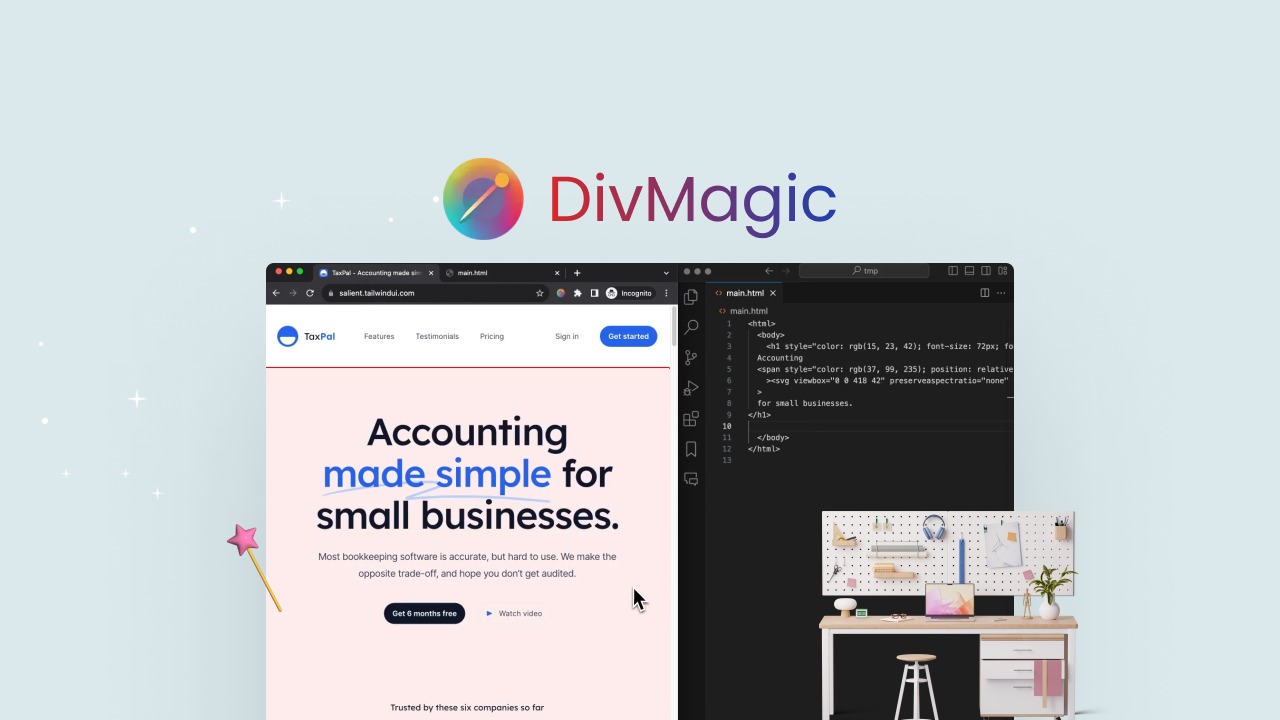
DivMagic is a Chrome and Firefox browser extension that captures web elements from any site and converts them into HTML, CSS, React, JSX, or Tailwind CSS code. DivMagic Lifetime Deal costs $49 one-time on AppSumo (unverified promo codes found elsewhere), backed by AppSumo's standard 60-day money-back guarantee.
DivMagic lifetime deal buyers get lifetime access to this Chrome and Firefox extension for $49 through AppSumo, replacing a regular cost AppSumo lists at over $300 per year for the same capture-to-code workflow. The tool lets anyone right-click an element on any website and export it as HTML, CSS, React, JSX, or Tailwind CSS, complete with DivMagic Studio for revisiting captured components later. However, verified AppSumo reviewers report that the core 1:1 copying feature frequently fails: colors snap incorrectly to the nearest Tailwind palette value, and some elements do not copy at all. Responsive breakpoints are also inconsistently captured, meaning mobile layouts often need manual rework. Free alternative ExtractCSS handles pseudo-states like hover and dark mode more reliably and costs nothing, which is why many developers weighing a DivMagic lifetime deal or discount code end up testing the free option first. AppSumo's 60-day refund window is the main safety net if DivMagic's Tailwind CSS conversion does not hold up on your target site.
Pros & Cons
Pros
- The $49 one-time AppSumo price for lifetime access, including all future updates, replaces a subscription AppSumo lists at over $300 per year, making it a low-risk trial for occasional Tailwind CSS extraction work.
- Multi-format export covers HTML, CSS, React, JSX, and Tailwind CSS from a single capture, giving frontend developers and designers flexibility to paste code straight into different frameworks without rewriting markup by hand.
- DivMagic Studio lets users revisit and update previously captured components later, rather than losing extracted code the moment the browser tab closes, which is useful for building a personal component library over time.
- It works across Chrome and all Chromium-based browsers plus Firefox, and the AppSumo lifetime tier includes use on two devices with the ability to rotate team members, adding flexibility for small teams.
Cons
- Multiple verified AppSumo reviewers report the core 1:1 copying feature fails on basic elements like buttons, with colors reproduced inaccurately because DivMagic snaps them to the nearest Tailwind palette value instead of the true source hex code.
- Responsive design capture is unreliable: media queries and breakpoints are not consistently extracted, so mobile and tablet layouts frequently need to be rebuilt manually after export, undercutting the time savings the tool promises.
- Firefox users get no visual confirmation when copying, leaving them waiting 10 to 15 seconds unsure whether code was captured; the founder acknowledged this bug on the feedback portal but it remained unresolved at last check.
- Generated code, particularly Tailwind conversions, is described by users as not production-ready, requiring a developer to manually clean up class names, so the promised one-click workflow still needs skilled follow-up work.
- Free competitor ExtractCSS captures pseudo-states like hover and dark mode more reliably at zero cost, raising the question of why to pay $49 for a tool with open accuracy bugs when a free alternative exists.
What It Does
- Captures any web element and converts it to code instantly
- Exports HTML, CSS, React, JSX, or Tailwind CSS formats
- Copies styles through iframes on most websites
- Saves captured components inside DivMagic Studio for reuse
- Works as a Chrome and Firefox browser extension
- Attempts responsive design capture across breakpoints
Who It's For
- Frontend developers who occasionally need quick CSS or Tailwind snippets from live sites
- No-code builders wanting to replicate existing website designs quickly
- Freelancers and agencies testing lifetime deal tools on a tight budget
- Designers who want to reverse-engineer a competitor's page styling
Pricing Comparison
| Plan | Price | Type |
|---|---|---|
| DivMagic Lifetime Deal (AppSumo) | $49 one-time | ⭐ Best Value |
| DivMagic Regular Plan | Reported $300+/year | Subscription |
| ExtractCSS | Free | Free forever |
| CSS Scan | $59 one-time | One-time purchase |
| Tailfind | $24 lifetime deal | Lifetime Deal |
| Tailscan | €89 one-time | One-time purchase |
Feature Comparison
| Feature | DivMagic | ExtractCSS | CSS Scan |
|---|---|---|---|
| One-click element to code capture | ✅ | ✅ | ❌ (inspection only) |
| React/JSX code export | ✅ | ❌ (CSS only) | ❌ |
| Tailwind CSS conversion | ✅ | ✅ | ❌ |
| Accurate color reproduction | ❌ (snaps to Tailwind palette) | ✅ | ✅ |
| Pseudo-state capture (hover, focus, dark mode) | ❌ | ✅ | ✅ |
| Responsive/media query capture | ❌ (reported failures) | ❓ | ✅ |
| Free or open-source availability | ❌ | ✅ | ❌ |
| Unused CSS cleanup and measurement tools | ❌ | ❌ | ✅ |
| Firefox extension support | ✅ (buggy copy feedback) | ❓ | ❓ |
Limitations
- Core copying function frequently fails to reproduce elements 1:1, with users reporting inability to duplicate simple buttons or accurate color values (Source: AppSumo review 'Too disappointed', Feb 2024).
- Color accuracy is broken because DivMagic snaps extracted colors to the nearest Tailwind palette value instead of the true hex code from the source site, forcing manual correction of nearly every generated component (Source: multiple AppSumo user reviews).
- Responsive design capture does not reliably extract media queries or breakpoints, so mobile and tablet layouts often need to be rebuilt by hand after export instead of arriving ready to use (Source: AppSumo user reviews).
- Firefox users see no visual feedback when clicking copy, leaving them uncertain for 10 to 15 seconds whether the code was actually captured, a bug the founder acknowledged but had not fixed as of the latest feedback portal update (Source: DivMagic Feedback Portal).
- Right-to-left language support is weak: Hebrew and Arabic sites translate poorly and the extension defaults to the browser's language setting with no manual override option (Source: DivMagic Feedback Portal).
- Site compatibility is inconsistent, with the extension failing outright on certain websites, and it remains unclear whether this is limited to non-Tailwind sites or a broader parsing problem (Source: AppSumo user reviews).
- Generated code, especially Tailwind conversions, is described by reviewers as not production-ready and typically requires a developer to manually clean up class names and spacing before shipping (Source: AppSumo user reviews).
- The 'Open in DivStudio' export button is small and easy to miss, and users have specifically requested a more visible, dedicated export control on the toolbar (Source: DivMagic Feedback Portal).
What's Missing vs Competitors
- ExtractCSS captures pseudo-states like hover, focus, and dark mode variants natively and for free, a capability DivMagic does not offer at any tier.
- CSS Scan includes dedicated tools for identifying fonts, colors, and removing unused CSS during inspection, features entirely absent from DivMagic's capture-and-convert workflow.
- ExtractCSS is free forever with no accuracy complaints found in research, while DivMagic charges $49 lifetime and still carries open color and copying bugs.
- Stylebot is fully open source, giving users code transparency and a live on-page CSS editor that DivMagic's closed-source extension does not provide.
- Tailfind offers a lifetime deal at $24, roughly half of DivMagic's $49 tier, for users who mainly need Tailwind-focused class extraction.
Who Should Skip This Deal
- Developers who need pixel-accurate color extraction should use CSS Scan ($59 one-time) instead, since DivMagic's Tailwind-palette color snapping is a documented accuracy problem.
- Teams building with hover states, focus states, or dark mode variants are better served by ExtractCSS, which captures these natively and costs nothing.
- Budget-conscious freelancers who only need basic Tailwind class extraction may prefer Tailfind's $24 lifetime deal over DivMagic's $49 tier.
- Anyone requiring production-ready output without manual cleanup should look elsewhere, since multiple AppSumo reviewers report DivMagic's generated code still needs developer fixes.
DivMagic in action
DivMagic vendor check
- Domain Rating
- 20/100 Backlink authority
- In business since
- 2023
- Monthly visitors
- ~3K Est. organic
- Ranks for
- 340 keywords Organic search
- Traffic value
- ~$2K/mo Equivalent ad spend
- Security
- No known flags Google Safe Browsing
Domain Rating & traffic data by Ahrefs. Objective third-party data, not our opinion.
Lifetime Deal Savings Calculator
Work out whether a lifetime deal actually beats the subscription. Enter the monthly price of the tool you would replace and the one-time lifetime price. The single most important number is the break-even: how fast you recover the cost. Recovering it quickly is what protects you if the company shuts down later.
This lifetime deal pays for itself in 2 months and saves $1,451 over 5 years versus paying monthly.
Roughly 1 in 10 lifetime deal companies shut down within five years. Recovering your cost fast, and buying only tools you will use right away, is how you stay ahead of that risk. This is an estimate, not financial advice.
How DivMagic's price compares
DivMagic is the 4th-cheapest of 12AI Designlifetime deals we've reviewed. At $49 it is right at the $49 median for AI Design lifetime deals we've reviewed. It ranks 11th by verdict score (3/10) among the same group.
- QwikBanners
- Git Aset
- EpicPxls
- DivMagic(this deal)
- Brandy
Frequently Asked Questions
- At $49 for a lifetime AppSumo deal, DivMagic is priced far below its reported $300+ per year regular value, which makes it tempting for anyone who occasionally needs to pull HTML, CSS, React, or Tailwind code from a live website. However, verified AppSumo reviews document real accuracy problems with the tool's core promise: 1:1 element copying frequently fails, colors get snapped to the wrong Tailwind palette values, and responsive breakpoints are inconsistently captured. Whether it is worth it depends heavily on tolerance for manual cleanup after export. Buyers who only need occasional Tailwind class extraction and are willing to test within the 60-day refund window may find value; those needing pixel-accurate, production-ready output should weigh CSS Scan or the free ExtractCSS extension instead before committing.
- AppSumo backs the DivMagic lifetime deal with its standard 60-day money-back guarantee, so buyers can test the extension on their own websites and request a full refund if the copying, color accuracy, or responsive capture issues reported by other users show up in their own workflow. This window is the main practical safety net given the documented accuracy bugs, since the deal itself does not appear to offer partial refunds or credit-based alternatives. Buyers are advised to actually stress-test capture on Tailwind and non-Tailwind sites, in both Chrome and Firefox, within the first weeks of purchase rather than waiting, since the refund clock starts at purchase and some bugs, like the Firefox copy-feedback issue, may not surface until repeated use.
- ExtractCSS is a free, forever-free browser tool focused on CSS extraction, and it reportedly handles pseudo-states such as hover, focus, and dark mode more reliably than DivMagic, with no accuracy complaints surfacing in research. DivMagic costs $49 lifetime on AppSumo and adds broader multi-format export, including React, JSX, and Tailwind CSS in addition to raw CSS, plus a Studio dashboard for revisiting captured components, which ExtractCSS does not offer. The tradeoff is that DivMagic's core copying and color accuracy have documented bugs in verified AppSumo reviews, while ExtractCSS carries no such reports. Developers who mainly need clean CSS and pseudo-state capture may be better served starting with the free ExtractCSS option before paying for DivMagic's broader but buggier feature set.
- The most serious limitation is unreliable core functionality: AppSumo reviewers report that 1:1 element copying frequently fails, colors get distorted because DivMagic snaps them to the nearest Tailwind palette value rather than the exact source hex code, and responsive breakpoints are not consistently captured. Secondary issues include a Firefox bug where the copy button gives no visual feedback for 10 to 15 seconds, weak right-to-left language support for Hebrew and Arabic sites, inconsistent compatibility across different websites, and generated code, especially Tailwind conversions, that typically needs manual developer cleanup before it is production-ready. The founder has acknowledged some of these issues on the public feedback portal, but as of the most recent check they remained unresolved, adding real refund risk for buyers expecting polished, ready-to-ship output.
- Developers who need pixel-accurate color extraction should skip DivMagic and use CSS Scan instead, since DivMagic's Tailwind-palette color snapping is a documented accuracy problem in AppSumo reviews. Teams that rely heavily on hover states, focus states, or dark mode variants are better served by ExtractCSS, which captures these natively and costs nothing. Anyone who needs shippable, production-ready code without manual cleanup should also hold off, because multiple reviewers report Tailwind conversions and general output still require developer fixes. Non-English or right-to-left language users, such as Hebrew and Arabic speakers, should be cautious too, since DivMagic's language handling defaults to the browser setting with no override and translation support is reported as weak on the feedback portal.
Is DivMagic worth the money?
What is the refund policy for DivMagic?
How does DivMagic compare to ExtractCSS?
What are the main limitations of DivMagic?
Who should NOT buy DivMagic?
Sources
Related tools & guides
Alternatives to DivMagic
Other active deals in AI Design

QwikBanners is a template-based tool that generates 10 static display ad banner sizes at once without requirin...

Drawtify is a browser-based vector graphic editor with 1000+ templates, an SVG editor, and an animated logo ma...
Mass Watermark Tool is desktop batch watermarking software for Windows and macOS that adds text, logo, and sig...
UX Pilot is an AI UX/UI design platform that turns text prompts and reference images into wireframes, high-fid...
Deals That Pair Well With DivMagic
Pairs well with AI Marketing and AI Website Builder and AI Image and AI Video tools

Fouita Smart Widgets is a website widget platform for targeted popups, bars, and lead capture forms driven by ...

Sheetany is a no-code builder that turns a Google Sheet into a live website such as a blog, directory, job boa...

Fit It On is an AI virtual try-on platform that turns garment flatlays and mannequin shots into on-model photo...
SoundMadeSeen converts podcasts, audiobooks, and audio files into short-form videos with transcripts, captions...
Comments
Loading comments...