

- Type Lifetime
- Verdict Skip
- Status Active
- Updated Jul 8, 2026
- Confidence High
- Score 3/10
Verdict: Skip
Drawtify's $79.90 lifetime price is cheap, but missing mobile support, no AI/EPS import, no offline mode, and outdated templates are core gaps that make Canva or Adobe Illustrator better value for most buyers.
Drawtify deal: quick verdict
Skip 3/10- Verdict
- Skip (3/10)
- Price
- $79.9 one-time (normally $990)
- Free option
- Yes, free tier available
- Best for
- Non-designers and content creators needing quick vector graphics without a learning curve
- Skip if
- Professional graphic designers needing precise color matching and file compatibility should use Adobe Illustrator instead, since Drawtify's imprecise color picker and missing AI/EPS support create real workflow friction.
- Bottom line
- Drawtify's $79.90 lifetime price is cheap, but missing mobile support, no AI/EPS import, no offline mode, and outdated templates are core gaps that make Canva or Adobe Illustrator better value for most buyers.
Last verified Jul 8, 2026 by Alston Antony.
How we calculated this deal's 48/100 score
Every deal gets a score out of 100 built from five weighted factors, computed from the same research used to write this review. No factor is guessed: when data for a factor isn't available (for example, an older deal published before we started tracking vendor trust signals), that factor falls back to a neutral, non-penalizing score instead of being invented.
| Category | Points | What it measures |
|---|---|---|
| Verdict Strength | 12/40 | Based on our 1-10 editorial verdict score from hands-on research (or the BUY/WAIT/SKIP call itself when no numeric score was recorded). |
| Deal Value | 15/25 | How steep the confirmed discount is versus the regular price, when that price is available. |
| Feature Completeness | 5/15 | How the tool holds up against named competitors on the feature comparison table. |
| Vendor Trust | 7/10 | The vendor's domain authority, safety record, and how long the company has been operating. |
| Deal Terms & Risk | 9/10 | Refund window length, code-stacking policy, and how confident our research was overall. |
On this page8 sections
Get This Deal → Affiliate link - see our disclosure.
Drawtify pricing at a glance
- Free tier
- Yes
- Deal price
- $79.9 one-time
- Normally
- $990
Drawtify deal terms
- Refund window
- 60-day money-back guarantee
What is Drawtify?
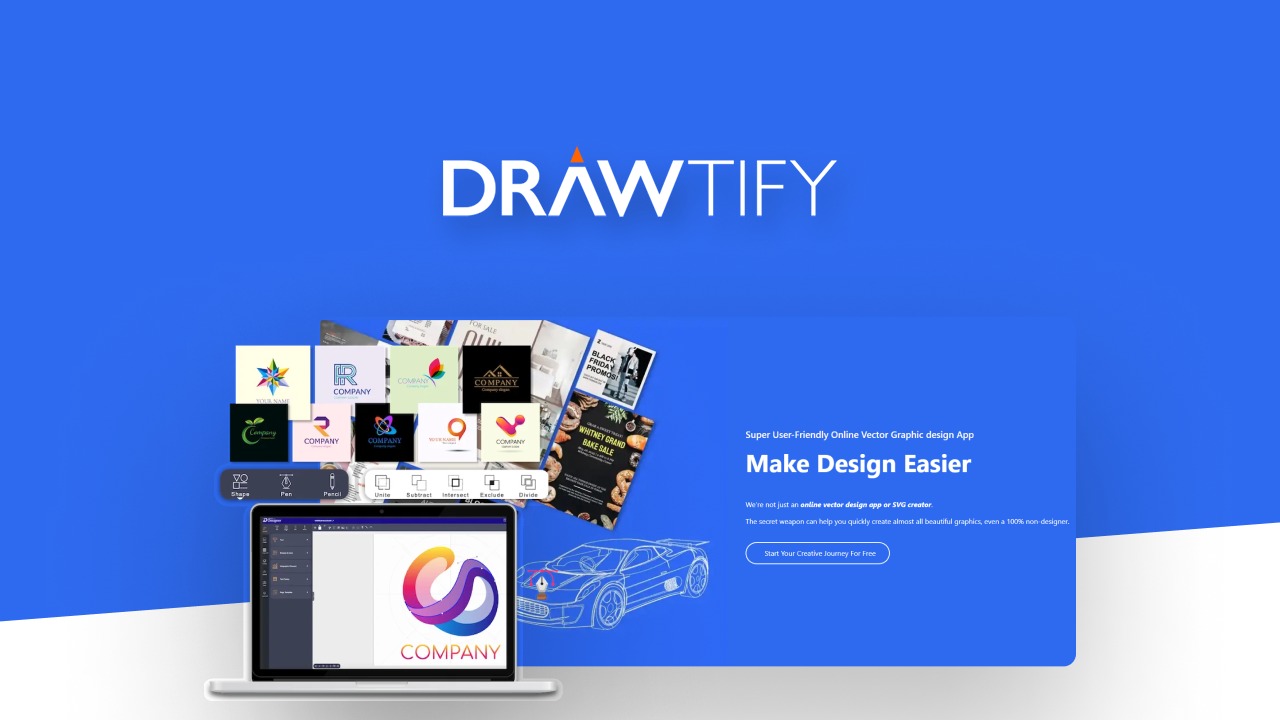
Drawtify is a browser-based vector graphic editor with 1000+ templates, an SVG editor, and an animated logo maker. Drawtify Lifetime Deal on AppSumo: $79.90 one-time (listed regular price $990), 60-day refund window, no separate discount code needed beyond the AppSumo listing price.
The Drawtify lifetime deal on AppSumo puts a browser-based vector graphic editor in your hands for $79.90 one-time, replacing what AppSumo lists as a $990 regular license and undercutting monthly design subscriptions entirely. Drawtify includes a full vector drawing toolkit, over 1000 design templates, an SVG editor, and an animated logo maker, positioning it as a budget alternative to Adobe Illustrator and Canva. However, G2 reviewers consistently flag that Drawtify has no mobile app, cannot import industry-standard AI or EPS files, and requires a constant internet connection since there is no offline editing mode. The template library, while large, is described by multiple reviewers as outdated and less polished than Canva's catalog of over 50,000 templates, which also ships with a genuine mobile app and real-time collaboration tools that Drawtify simply does not offer. For anyone weighing a Drawtify lifetime deal against Canva Pro at $15 a month or Adobe Illustrator at $22.99 a month, the real question is whether Drawtify's lower one-time price offsets its missing mobile support, clunky text tools, and lack of team collaboration for your specific workflow.
Pros & Cons
Pros
- The $79.90 one-time AppSumo price replaces a claimed $990 regular license, making it one of the cheaper lifetime vector editor deals available, with no recurring subscription fees required after purchase.
- The 60-day AppSumo refund window gives buyers a low-risk way to test the full vector editor, SVG tools, and template library before committing, unlike many SaaS trials that cap core features.
- Over 1000 design templates plus an animated logo maker and Unsplash stock photo integration let non-designers produce usable graphics quickly without learning complex vector software from scratch.
- The 100% vector drawing engine with pen and pencil tools gives more creative control than template-only tools, appealing to users who want to draw custom shapes rather than just arrange presets.
Cons
- Drawtify has no mobile app, confirmed by G2 reviewers seeing 'mobile not supported' messages, forcing all editing onto a desktop browser while Canva and Figma both ship full native mobile apps.
- The tool cannot import Adobe Illustrator (.ai) or EPS files, cutting off anyone who needs to bring existing professional brand assets into the platform for further editing or reuse.
- There is no offline editing mode; since Drawtify runs entirely in-browser, a lost internet connection stops work completely, unlike Affinity Designer or Adobe Illustrator's desktop applications.
- Reviewers on G2 describe the template library as outdated, the text and letter-spacing tools as clunky, and the color picker as imprecise, pointing to a rougher editing experience than mature competitors.
- Drawtify offers zero real-time collaboration, commenting, or team workspace features, so teams needing shared design workflows will find nothing here compared to Figma's purpose-built collaboration tools.
What It Does
- Vector graphic editing with pen and pencil drawing tools
- 1000+ pre-built design element templates for quick edits
- Built-in SVG editor and animated logo maker
- Unsplash integration for free stock photo imagery
- Browser-based design creation with no software install
Who It's For
- Non-designers and content creators needing quick vector graphics without a learning curve
- Small business owners making logos and simple marketing assets on a tight budget
- Freelancers who want a one-time payment instead of a recurring design subscription
Pricing Comparison
| Plan | Price | Type |
|---|---|---|
| Drawtify Lifetime Deal (AppSumo) | $79.90 one-time | ⭐ Best Value |
| Drawtify Regular Price (per AppSumo listing) | $990 one-time | Lifetime License |
| Canva Pro | $15/month | Subscription |
| Adobe Illustrator (single app) | $22.99/month | Subscription |
| Figma Pro | $15 to $20/month | Subscription |
| Affinity Designer | ~$70 one-time | One-time Purchase |
Feature Comparison
| Feature | Drawtify | Canva | Adobe Illustrator | Figma |
|---|---|---|---|---|
| Vector drawing tools (pen/pencil) | ✅ | ❌ (limited) | ✅ | ✅ |
| 1000+ design templates | ✅ | ✅ (50,000+) | ❌ | ❌ |
| Mobile app support | ❌ | ✅ | ✅ | ✅ |
| AI/EPS professional file import | ❌ | ❌ | ✅ | ❌ (limited) |
| Offline editing mode | ❌ | ❌ | ✅ | ❌ |
| Real-time team collaboration | ❌ | ✅ | ❌ (cloud sync only) | ✅ |
| Custom font upload | ❌ | ✅ | ✅ | ✅ |
| Stock photo library | ✅ (Unsplash) | ✅ (100M+ photos) | ✅ | ✅ (via plugins) |
| Animated logo maker | ✅ | ❌ | ❌ | ❌ |
| Lifetime one-time pricing available | ✅ ($79.90) | ❌ | ❌ | ❌ |
Limitations
- No mobile app support: G2 reviewers report seeing a 'mobile not supported' message on tablets and phones, making Drawtify a desktop-only, browser-based editor unlike Canva or Figma, which both offer full native mobile apps for on-the-go editing.
- Cannot import AI or EPS files: multiple G2 reviewers note Drawtify cannot open industry-standard Adobe Illustrator (.ai) or PostScript (.eps) files, a dealbreaker for anyone migrating existing brand assets from a professional design workflow.
- Internet-dependent only with no offline mode: unlike Adobe Illustrator or Affinity Designer, Drawtify runs entirely in the browser and requires a constant internet connection, leaving users unable to work during outages or while traveling.
- Templates look outdated: reviewers across G2 and AppSumo repeatedly describe the 1000+ template library as dated in style with limited customization depth compared to Canva's constantly refreshed catalog of over 50,000 templates.
- Clunky text editing tools: users report that adjusting letter spacing and line spacing is 'tricky' inside the editor, and the overall typography toolkit lags noticeably behind Canva's and Adobe's more mature text controls.
- Limited built-in font library: Drawtify restricts users to its own font set with no option to upload custom fonts or access third-party font marketplaces, a real constraint for brand-consistent design work.
- Imprecise color picker: several G2 reviewers flag difficulty selecting exact hex or brand colors, describing the color tool as imprecise compared to the fine-grained color controls found in Illustrator and Affinity Designer.
- No real collaboration features: Drawtify has no team sharing, commenting, or real-time multi-user editing, a category where Figma and Canva Teams are purpose-built and where Drawtify currently offers nothing at all.
What's Missing vs Competitors
- Canva offers a native mobile app for iOS and Android with full editing capability; Drawtify is confirmed browser-only with no mobile support found anywhere in research.
- Adobe Illustrator supports importing and exporting native .ai and .eps files used across professional workflows; Drawtify cannot open either format according to G2 reviewers.
- Figma provides real-time multi-user collaboration, commenting, and Dev Mode handoff; Drawtify has no shared editing or team review workflow at all.
- Affinity Designer runs fully offline as a native desktop app; Drawtify requires a live internet connection for every single editing session since it is browser-based.
- Canva and Adobe are both actively shipping generative AI design features into their tools; research found no evidence Drawtify offers any AI-assisted design capability.
Who Should Skip This Deal
- Professional graphic designers needing precise color matching and file compatibility should use Adobe Illustrator instead, since Drawtify's imprecise color picker and missing AI/EPS support create real workflow friction.
- Teams that need real-time collaboration, comments, or shared review workflows should choose Figma, because Drawtify has no team workspace or co-editing features whatsoever.
- Mobile-first creators who design primarily on phones or tablets should pick Canva, whose native mobile apps far outperform Drawtify's desktop-only, browser-dependent editor.
- Users who need reliable offline access while traveling or in low-connectivity areas should choose Affinity Designer's one-time desktop license over Drawtify's internet-only browser tool.
Drawtify in action
Drawtify vendor check
- Domain Rating
- 48/100 Backlink authority
- In business since
- 2018
- Monthly visitors
- ~7K Est. organic
- Ranks for
- 682 keywords Organic search
- Traffic value
- ~$2K/mo Equivalent ad spend
- Security
- No known flags Google Safe Browsing
Domain Rating & traffic data by Ahrefs. Objective third-party data, not our opinion.
How Drawtify's price compares
Drawtify is the 11th-cheapest of 12AI Designlifetime deals we've reviewed. At $80 it is above the $49 median for AI Design lifetime deals we've reviewed. It ranks 12th by verdict score (3/10) among the same group.
Frequently Asked Questions
- At $79.90 one-time on AppSumo, Drawtify is inexpensive compared to its claimed $990 regular price and to monthly subscriptions like Canva Pro or Adobe Illustrator. It is a reasonable buy if you only need basic vector graphics, templates, and an animated logo maker for casual or small business use on desktop. But G2 reviewers consistently report missing mobile support, no AI or EPS file import, outdated templates, and a clunky text and color toolkit. If your work involves professional file compatibility, mobile editing, or team collaboration, the low price does not offset those gaps, and a subscription tool with a free tier, like Canva, may deliver more practical value even at a recurring cost.
- Drawtify's AppSumo lifetime deal includes a standard 60-day refund window, meaning buyers can request a full refund through AppSumo within 60 days of purchase if the tool does not meet their needs. This is a fairly generous window compared to many SaaS trials, and it gives buyers real time to test the vector editor, SVG tools, templates, and export quality before committing permanently. However, AppSumo's terms require refund requests to go through their support process rather than Drawtify directly, and research found no explicit confirmation of whether future major updates are guaranteed under the lifetime license, which is worth clarifying with AppSumo support before purchase if long-term access to new features matters to you.
- Canva remains the stronger all-around choice for most users: it offers a native mobile app, a template library exceeding 50,000 designs, over 100 million stock photos, and real-time team collaboration, none of which Drawtify currently offers according to G2 and competitor research. Canva's free tier and $15 per month Pro plan also undercut the ongoing value proposition, since most casual users never need Drawtify's deeper vector pen and pencil tools. Drawtify's advantage is the one-time $79.90 lifetime price versus Canva's recurring subscription, plus a more genuine vector-drawing engine for users who want to create custom shapes rather than only arrange templates. If mobile access and template variety matter more than price, Canva wins; if a one-time payment for basic vector editing matters more, Drawtify has an edge.
- Research identified roughly a dozen confirmed limitations across G2 and AppSumo reviews. The most serious are the complete lack of a mobile app, no ability to import Adobe Illustrator (.ai) or EPS files, no offline editing mode since the tool is fully browser-based, and a template library that multiple reviewers describe as outdated. Additional issues include clunky text and letter-spacing controls, an imprecise color picker, occasional export quality bugs, and no real-time collaboration or team features. Some reviewers also note a contradiction with Drawtify's own marketing: the company claims 'no learning curve,' yet several users reported difficulty getting started with the interface. Together, these gaps make Drawtify better suited to simple, solo, desktop-only design tasks than professional or team workflows.
- Professional graphic designers who need precise color matching, AI/EPS file compatibility, or advanced typography controls should choose Adobe Illustrator instead, since Drawtify's color picker and file support fall short of professional standards. Teams needing shared design workflows, comments, or real-time co-editing should pick Figma, which is purpose-built for collaboration that Drawtify does not offer at all. Anyone who designs primarily on a phone or tablet should use Canva, given its confirmed native mobile apps versus Drawtify's desktop-only browser experience. Finally, users who need reliable offline access, such as frequent travelers, are better served by Affinity Designer's one-time desktop license, since Drawtify cannot function without an active internet connection.
Is Drawtify worth the money?
What is the refund policy for Drawtify?
How does Drawtify compare to Canva?
What are the main limitations of Drawtify?
Who should NOT buy Drawtify?
Sources
Related tools & guides
Alternatives to Drawtify
Other active deals in AI Design
DivMagic is a Chrome and Firefox browser extension that captures web elements from any site and converts them ...
QwikBanners is a template-based tool that generates 10 static display ad banner sizes at once without requirin...
Mass Watermark Tool is desktop batch watermarking software for Windows and macOS that adds text, logo, and sig...
UX Pilot is an AI UX/UI design platform that turns text prompts and reference images into wireframes, high-fid...
Deals That Pair Well With Drawtify
Pairs well with AI Marketing and AI Website Builder and AI Image and AI Video tools
Fouita Smart Widgets is a website widget platform for targeted popups, bars, and lead capture forms driven by ...
Sheetany is a no-code builder that turns a Google Sheet into a live website such as a blog, directory, job boa...
Fit It On is an AI virtual try-on platform that turns garment flatlays and mannequin shots into on-model photo...
SoundMadeSeen converts podcasts, audiobooks, and audio files into short-form videos with transcripts, captions...
Comments
Loading comments...