

Verdict: Buy
SnapTax is a tax planning app for freelancers and 1099 workers that categorizes expenses with AI and keeps a real-time estimate of what you owe, so quarterly payments stop being a guess. Starter costs $4.99 per month and is free for the first 90 days with no credit card; Builder is $19.99 per month. It does not file your return. For a solo contractor living in spreadsheets, it is one of the simplest tools I have seen.
Disclosure: Review Access / Deal Notification. I have not run my own 1099 income through SnapTax for a full tax year yet. This review is based on examining the live platform, the founder’s track record, the real pricing, and verified user feedback. I will flag exactly where my opinion is an estimate and where it is fact. No money changed hands for this review.
The freelancer tax problem is rarely a software problem. It is not knowing what you owe until an accountant tells you in April, when it is too late to do anything smart about it. A graphic designer earning through Stripe and PayPal (the same creator who might lean on an image-to-content tool) does not need QuickBooks. She needs one number: how much to save before the IRS comes knocking. That is the gap SnapTax is built to close.
What SnapTax does between bookkeeping and filing
SnapTax tracks income, categorizes expenses and calculates your tax liability in real time, for solo earners paid through Venmo, Stripe, PayPal or Zelle who do not want to learn accounting. Most tax tools do one of two jobs: keep formal books for a business with employees (QuickBooks, Xero) or file a return once a year (TurboTax). SnapTax does the planning work in between, during the year, which is the part most freelancers skip until it hurts. You still file elsewhere or hand its Profit and Loss report to your CPA.
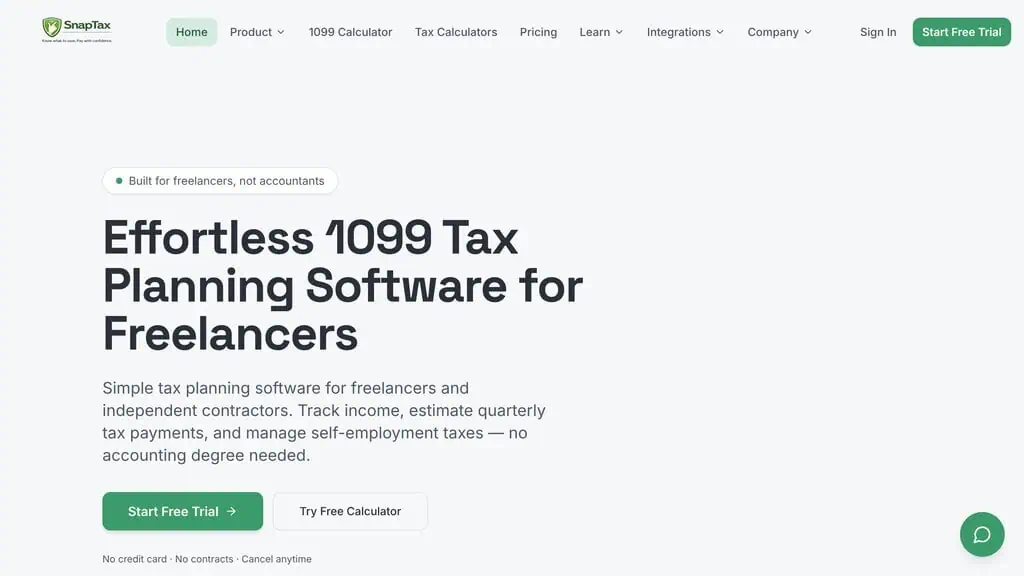
- Track what you earn. Upload bank statements or enter income manually.
- Know what you owe. Real-time tax estimates update the moment your income changes.
- Pay with confidence. SnapTax gives you quarterly payment amounts and deadlines so you stop guessing.
SnapTax is built by BookKeepXperts LLC, based in Austin, Texas, and founded in 2024; the AI features arrived in April 2026. Founder Crystal Harrison spent 20-plus years doing books for small businesses before building it, which is the main reason I take it seriously. A tool in a complicated niche built by someone who did the manual version for two decades usually reflects real pain points.
“After more than 20 years in bookkeeping, I saw the same problem over and over. Freelancers did not need more accounting software, they needed clarity. SnapTax shows users exactly where they stand with their taxes at any moment, without forcing them to learn accounting.” That is Crystal Harrison, founder of BookKeepXperts LLC, describing the problem she built SnapTax to solve.
Not the old TurboTax SnapTax
The original TurboTax SnapTax was a mobile filing app from Intuit that has been discontinued. The SnapTax in this review is a completely different product: a tax planning platform for freelancers.
Why 1099 workers get the April surprise
The self-employment tax rate is 15.3%, covering Social Security and Medicare, on top of regular income tax. According to the IRS self-employment tax guidance, freelancers generally owe it on net earnings of $400 or more. W-2 employees never think about it because their employer withholds every paycheck; freelancers have no one doing that. The IRS expects estimated taxes paid quarterly, and underpaying triggers a penalty. A running number instead of a once-a-year reveal solves a real and expensive problem.
The features, from most to least useful
AI expense categorization
This is the feature that earns the “AI” in the marketing and the one I would use most. You upload a bank statement and SnapTax sorts the transactions into categories. For a freelancer with 200 transactions a month across personal and business spending, manual categorization is the most tedious part of tax prep, so this is where the time savings are.
Business use percentage instead of a second bank account
Most freelancers mix personal and business money in one account because opening a business account was a hassle they never got around to. SnapTax lets you keep doing that and applies a business use percentage to filter what counts, so you get accurate deductions without a separate business account. It fits how solo earners operate.
Real-time P&L and tax estimates
Your Profit and Loss report and tax estimate update the moment income or expenses change. Land a big project in March and you see the tax impact immediately, so you can set the right amount aside. This is the core value of the platform.
Mileage, depreciation, receipts and W-2 side hustles
The Builder plan adds asset and depreciation tracking, which applies depreciation to big purchases to lower taxable income, plus a GPS mileage tracker that flows into your P&L. Mileage is one of the most commonly missed deductions for freelancers who drive, and the IRS standard mileage rate adds up fast, so if you drive for work at all this feature can pay for the subscription several times over. Mobile receipt capture stores and organizes a photo of each receipt, which every expense app does, and keeps you audit-ready. The newest addition handles a W-2 day job and a 1099 side business in a single tax estimate, which matches how most side hustles start.
To check the math before signing up, SnapTax offers a free 1099 tax calculator on its site with no signup required.
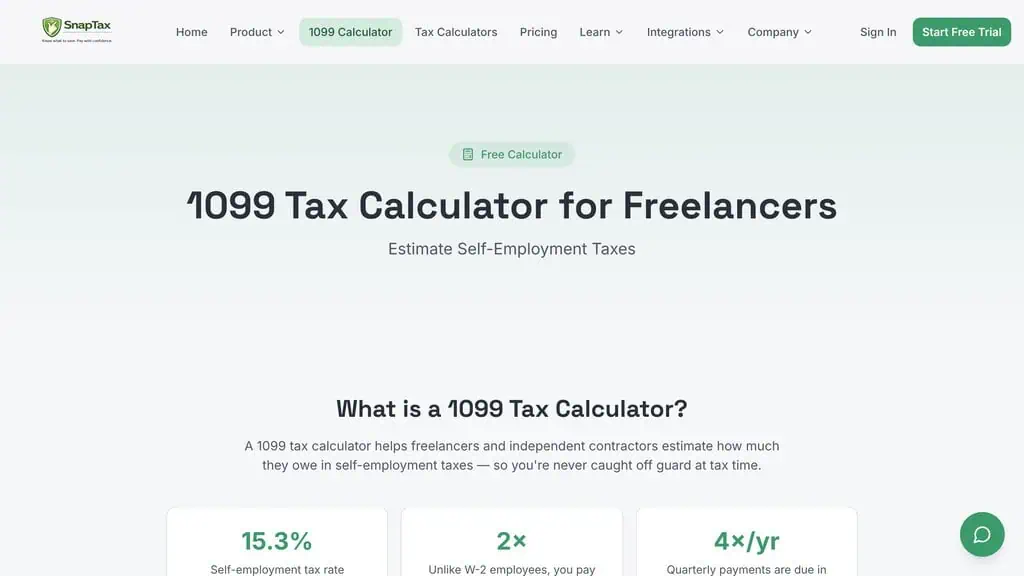
SnapTax pricing: $4.99 Starter, $19.99 Builder
There are no setup fees, no contracts and no credit card required to start. I verified these prices on the SnapTax pricing page and cross-checked them against the Capterra listing.
| Plan | Price | Free Offer | Best For |
|---|---|---|---|
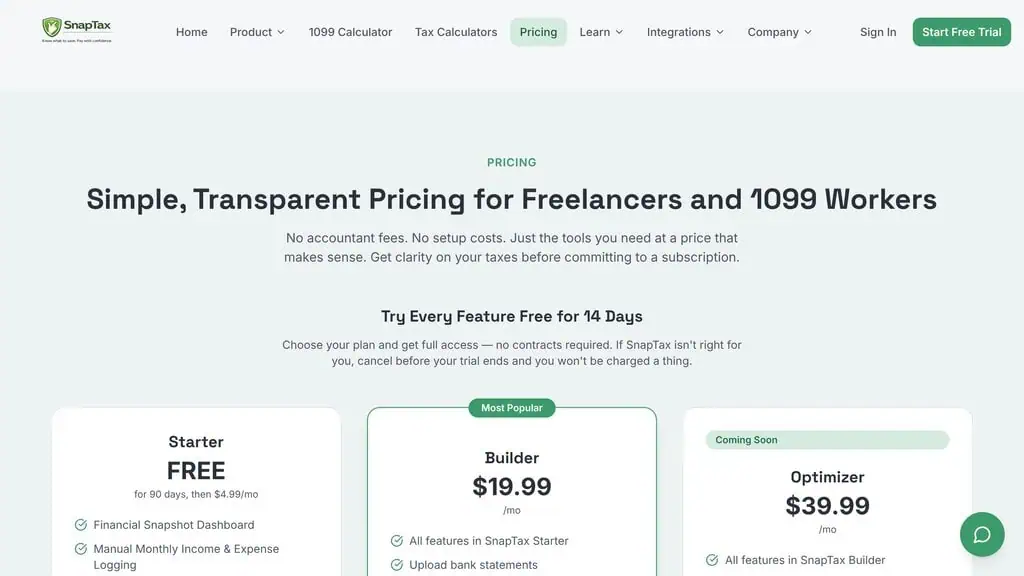
| Starter | $4.99/mo | Free for 90 days | Basic quarterly tax estimates, mobile and desktop |
| Builder (Most Popular) | $19.99/mo | 14-day free trial | Full AI expense management, P&L, mileage and receipts |
| Optimizer (Coming Soon) | $39.99/mo | 14-day free trial | Advanced deductions, itemization, capital gains tracker |
Start on the free 90 days of Starter. Basic tax planning and quarterly estimates on mobile and desktop are enough for a freelancer with simple income to get organized, and $4.99 a month afterwards is close to a rounding error. Builder at $19.99 is where the product earns its keep for most working freelancers, because the AI expense engine, P&L, mileage and receipts are the features that save time and find deductions. A bookkeeper costs hundreds of dollars a month, and QuickBooks Self-Employed sits in a similar price range without the freelancer-first simplicity.
There is also a $49 one-time personal setup session with Crystal Harrison, a 30-minute call where she calculates your quarterly estimate and configures your account. For someone who freezes at the word “taxes,” that is a reasonable add-on.
What early users report
SnapTax is young, so the review count is small. It holds a 5.0-star rating on G2. Kurt Heiss of OnPointe Allergy, quoted on the SnapTax site, says he forgot to write off new office furniture and missed $3,600 in deductions. At a 22% marginal rate that is roughly $792 left on the table, more than a decade of Starter subscriptions. Miki of Balanced Body Healing, also quoted on the site: “I avoided my QuickBooks account because it felt like Greek to me. With SnapTax I am not afraid to look at my financials anymore.” These are vendor-selected testimonials from a small base, so read them as direction, not proof.
What SnapTax leaves out, and where it can be wrong
- It does not file. SnapTax is a planning engine. You still file your return elsewhere or hand the P&L to your CPA.
- AI categorization needs checking. It is never perfect on the first pass. Ambiguous transactions, such as a software subscription you use for both work and personal projects, need manual correction. Treat it as a strong first draft, not a finished ledger.
- No invoicing, payroll or balance sheet reporting. An agency or anyone with employees needs full accounting software.
- No one does the books for you. There is no ongoing one-on-one accounting support beyond the $49 setup call.
- The top tier is not live. Optimizer, with advanced deductions, itemization and the capital gains tracker, is marked “Coming Soon.”
- The evidence base is thin. Few public reviews exist, and I have not run a full tax year through it myself.
The freelancer SnapTax fits, and the business it frustrates
The company says who it is not for on its own homepage, which is rare and useful. It fits if you earn 1099 or freelance income and want to know what you owe all year, mix personal and business spending in one account, find QuickBooks overkill for solo work, want quarterly estimates and deadlines handled, or have both a W-2 job and a side hustle. It is the wrong tool if you want someone to manage your books, need invoicing, payroll or balance sheet reporting, or prefer a full accounting system like QuickBooks.
The bullseye customer is a freelance UX designer billing about $90,000 a year through Stripe, running projects in a tool like our project management pick, with a handful of subscriptions and some mileage. The wrong one runs a small agency with three contractors, sends 40 invoices a month and needs payroll; SnapTax would frustrate him within a week.
| Factor | SnapTax | QuickBooks Self-Employed | A Bookkeeper |
|---|---|---|---|
| Built for solo 1099 workers | ✅ | Partially | Depends |
| Real-time tax estimates | ✅ | Limited | ❌ (periodic) |
| Learning curve | Minimal | Moderate | None (they do it) |
| Invoicing and payroll | ❌ | ✅ | ✅ |
| Monthly cost | $4.99 to $39.99 | Similar range | $200 to $500+ |
| Best for | Tax planning clarity | Light bookkeeping | Hands-off owners |
SnapTax is not trying to beat QuickBooks at bookkeeping or replace a bookkeeper’s full service, and our software alternative breakdowns cover more head-to-head calls. It wins a narrower fight: tax clarity for solo earners, cheaply and simply.
My SnapTax verdict
Two things move SnapTax from “fine” to “worth recommending”: a 20-year bookkeeper built it, and the company openly tells wrong-fit customers to look elsewhere. In a category full of overhyped financial apps, that restraint is a good sign. What it leaves out (filing, invoicing, payroll) are scope decisions, and for a solo 1099 earner they are the right ones. The small review base and the AI categorization that needs checking are the real caveats.
If you earn any 1099 income, run your numbers through the free 1099 tax calculator, then start the free 90-day Starter plan. You will know within an afternoon whether the real-time estimate gives you the clarity you have been missing. For more verdicts before you spend, see our best AI tools for business guide and the AI deals hub.
Pricing and company details: see the SnapTax profile.
Related Posts

I tested AgainstData on 355 pages of Gmail data. Bulk unsubscribe, personal data deletion requests, pricing, and whether...

AI-Text-Humanizer.com took a 132-word ChatGPT paragraph from 100% AI to 0% on ZeroGPT but flattens your voice. Buy the $...

AIscan24 is a free, no-signup AI detector: it caught pure ChatGPT text at 100% but scored my handwritten paragraph 80%. ...

Honest Aithenticate review after hands-on testing. Does this AI disclosure badge tool meet EU AI Act requirements? Prici...

My hands-on Answer Socrates review covering all features, free plan limits, pricing, and how it compares to AlsoAsked. I...

I’ve spent $4,200 on 118 AppSumo lifetime deals over 5 years. Here’s my honest review: what works, what fails, and wheth...