

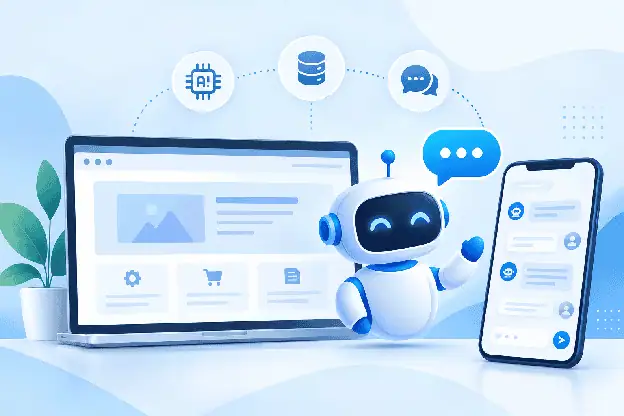
When I want to integrate an AI chatbot into an existing website or application, I typically look at three components:
- An AI model to process incoming queries and return responses,
- A knowledge layer to support the responses with relevant content from your business, and
- A messaging layer that embeds the chatbot within your product.
If you get any of these wrong, the chatbot either provides confident wrong answers or is perceived as a foreign object bolted onto your site.
Most teams begin such a project asking which AI model to use. But that is not the best place to start. In my experience, this is the wrong first question to ask.
The more important questions are what the bot needs to know, when it should hand a conversation to a human or another system, and how it should fit into the interface your users already trust. Adding a chat widget may be relatively straightforward, designing an experience that actually works is the harder part. Here is a practical way to approach the process.
Define what the chatbot needs to do
I always assess the task that the bot needs to do. This evaluation comes before I type even a single line of code. A chatbot that helps customers track an order needs a different setup from one designed to qualify leads before passing them to the sales team.
Here are some common tasks performed by bots:
- Answering common customer support questions
- Explaining product or service details
- Qualifying leads by asking a few structured questions before routing to sales
- Recommending products or plans based on what the user tells it
Also, it is critical to decide what the human role will be. Billing disputes, contract negotiations, legal risk, emotionally escalated conversations, and unusual cases not covered by the knowledge base should be handled by a person. These situations require judgment and context that a chatbot should not be expected to guess.
So, define the scope before you build anything. It will help shape the knowledge base, handoff rules and your security model later.
Prepare the knowledge the chatbot will use
An AI chatbot heavily relies on the information available to it. This is where many implementations can go wrong.
You will typically need to gather:
- Website content and product pages
- FAQs and help-center articles
- Support docs and troubleshooting guides
- Pricing and policy pages
Gathering this information may sound simple, but it is essential to keep the details current. For instance, if there is a change in the pricing page and your knowledge source stays outdated, the bot will quote the wrong number confidently. This is why having a process, even if it is manual, for reviewing and refreshing the content on schedule is critical.
You also need to plan for questions the bot can’t answer. You don’t want the bot to give made-up responses. Perhaps make a response that says, “I don’t have this information, let me connect you with someone who does.”
Decide whether to build or buy the chatbot
This decision affects your launch timeline, engineering budget and ongoing maintenance.
1. Build the chatbot yourself
You gain complete control over every layer by choosing to build a chatbot in-house. This includes the AI model integration, knowledge retrieval system, the chat interface, conversation management, human handoff logic, hosting infrastructure and security.
However, this control comes at a cost. You become responsible for a lot of things, such as:
- Connecting an LLM provider and managing prompt logic
- Building a retrieval system that finds the right knowledge for each query
- Designing and maintaining the chat UI
- Handling conversation state, session history, and context across messages
- Building the human handoff workflow from scratch
- Running and scaling the infrastructure
- Securing the whole stack
- Updating everything as your product and content change
This makes sense when the chatbot is core to your product and you have the engineering capacity to maintain it. For most businesses, though, I have seen that it is a much bigger undertaking than it first appears.
2. Build in-house vs. use an existing solution
The main advantage of using an existing solution is faster implementation because many of the required capabilities are already available. These include AI integration, chat APIs, SDKs, conversation history and human handoff workflows. With this advantage, your team gets to focus on connecting the bot to your content and product. They don’t have to build a messaging infrastructure from scratch.
It also helps to separate two aspects: the AI logic and the communication layer.
Adding a chatbot does require a real-time messaging layer. But you need not build that infrastructure from scratch. Chat APIs and SDKs can handle capabilities such as message delivery, presence, and conversation history. This is the exact value proposition provided by a cPaaS solution like MirrorFly. It offers a self-hosted chat API and SDK layer to integrate real-time messaging in an AI chatbot without building it from scratch. You get options to deploy on cloud, self-hosted, or on-premise, as well as source-code access and white-labeling based on the plan. This includes one-to-one and group messaging, typing indicators, read receipts, media sharing and human-agent handoff.
The key point here is that you don’t have to choose between building everything yourself and giving up control to a vendor. You get to own the AI experience and the data while employing existing infrastructure for the messaging plumbing underneath it.
Listed below is a simple comparison of both approaches.
| Factor | Build Yourself | Buy / Use an Existing Solution |
|---|---|---|
| Development effort | High | Lower |
| Time to launch | Longer | Faster |
| Customization | Full control | Depend on the providers (With MirrorFly you have Full Control) |
| AI integration | Build and integrate yourself | Already supported by the solution |
| Chat APIs & SDKs | Develop/integrate yourself | Available |
| Deployment options | Build and manage your own infrastructure | Cloud, self-hosted, or other options depending on provider (MirrorFly support all deployment) |
| Hosting | Your responsibility | Provider-managed or self-hosted, depending on the solution (MirrorFly offers self-hosted, on-premise, and cloud) |
| White-labelling | Full control | Depends on the solution (MirrorFly supports this) |
| Source code / access | Full access | Depends on provider (MirrorFly provides access) |
| Data control | Full control | Full control |
| Real-time messaging | Build and maintain | Available |
| Conversation history | Build and manage | Supported |
| Human-agent handoff | Build the workflow | Available depending on solution |
| Security | Build and maintain | Provider-managed, well-secured infrastructure |
| Scalability | Your team manages infrastructure | Provider handles scaling |
| Maintenance & updates | Internal team | Provider or shared responsibility |
| Vendor dependency | None | Depends on provider (With MirrorFly you don’t have a vendor dependency) |
The right approach depends on your engineering capacity, required level of customization, deployment requirements and how much of the messaging infrastructure you want to manage yourself.
Integrate the AI chatbot into your existing website or app
1. Adding AI chat to an existing website
The chat widget should not feel like a last-minute addition. It should blend naturally into your site. This means using the same fonts, colors and tone of voice and positioning it where it doesn’t interfere with navigation or critical content.
Connect the bot to your existing content instead of maintaining a separate copy of the same information. If your FAQ already contains the answer, the chatbot should use that current information rather than relying on a separate copy that could become outdated. Trust only develops through consistency. A visitor who has gone through your home page before chatting with the bot must feel like they are talking to the same company and not two different ones.
2. Adding AI chat to an existing app
An existing app can provide useful context for the chatbot, such as account details, order history, previous interactions and in-progress workflows, when those systems are properly integrated. A chatbot that cannot use relevant application context may be limited to generic responses.
The bot should be able to access the logged-in user’s account and product context to answer questions that are specific to that user, not just generic ones. Also, it must align with your existing UI patterns instead of appearing like a separate embedded product. If your app is designed using a specific navigation style or design language, the chat experience must follow it.
The goal is simple: make the chatbot feel like a natural feature of your app rather than a third-party tool bolted onto it.
Keep the conversation connected from AI to human support
Customers get easily frustrated when they have to repeat things. For instance, if someone starts with an AI bot and is then transferred to a human agent for escalated queries, the agent needs access to the conversation history. This is such a simple task, yet I am surprised by how many brands fail to maintain this kind of continuity in conversation with the customer.
The messaging system must carry the context forward. It must provide details on who the user is, what they have already asked, what account or order the conversation relates to and what has already been tried. Real-time messaging and notifications help maintain continuity even when a conversation moves from the bot to a human agent. As a result, both the agent and customer are aware of the current context in the conversation.
Make human handoff part of the chatbot
Handoff isn’t a fallback feature. In my experience, it is a core part of the design. I would build clear triggers for situations when the bot should step aside:
- The question falls outside its knowledge base
- The request is complex or involves account-specific decisions
- The customer explicitly asks for a human
- The customer shows signs of frustration
- The conversation needs sales or specialized support involvement
When a handoff happens, I would make sure to pass the full conversation history to the agent automatically. The customer should never have to explain their issue from scratch a second time. This simple design choice can make a big difference to the customer experience.
Secure the chatbot before launch
Security needs to be part of the design from day one, not a checklist item before launch.
At a minimum, I would include these features in the AI chatbot:
- Authentication so only the right users access their own conversation data
- User permissions that control what account information the bot can pull up
- Encryption of conversation data, both in transit and at rest
- Secure API integrations the chatbot uses to access external systems or services
- Careful handling of sensitive information like payment details or personal data
- Clear policies on where conversation data is stored and hosted
- Restrict what the AI can access, so that it exposes only the relevant information
The bot should only have access to the information it needs to perform its role. Limiting this access helps reduce security risks without affecting the tasks it is meant to handle.
Test the chatbot with real conversations
Testing the bot with only a handful of clean and obvious questions is not enough. Real customers ask ambiguous and sometimes unreasonable things.
Before launch, run the bot through:
- Genuine customer questions pulled from past support tickets
- Questions clearly outside its knowledge base, to confirm it says so instead of guessing
- Requests it shouldn’t fulfill to check if it declines appropriately
- Multi-turn conversations, to confirm it retains context instead of losing the thread
- Scenarios that should trigger human handoff, to verify the handoff actually works
- Vague or ambiguous phrasing, since real users rarely ask questions the way you expect
Keep an eye on how consistent the responses are when the same questions are asked in different ways. A bot that doesn’t consistently give correct answers to a given question isn’t ready for launch. Test it on the actual site or app, not in isolation, because the surrounding UI affects usability.
Conclusion
To sum it up, I would say that integrating an AI chatbot into your existing website or app goes beyond adding a chat widget. It is about the knowledge behind it, deciding if you should build from scratch or use an existing infrastructure and the ability of the bot to hand off the conversation to a human when it hits its limits.
A successful chatbot depends on careful planning and how well it handles the entire conversation, not just the initial interaction. Knowledge, context, handoff, security and testing all need to work together. Or else, the bot ends up creating more friction than it removes.
With these pieces handled properly, the chatbot does not feel like an add-on. It, instead, becomes an extension of how your business already communicates with customers.
Related Posts

AI adoption statistics, sourced: 78% of companies say they use AI and only 21% have redesigned a workflow. Here is the h...

A free, cited AI glossary covering 264 machine learning and generative AI terms, with plain-English definitions and cros...

Real examples of artificial intelligence in digital marketing across content, SEO, ads, email and analytics, with what e...

AI marketing on Reddit: I pulled 239 threads across 7 subreddits. Marketers use AI daily and mostly dislike the products...
The AI prompt manager I built for Chrome and Firefox: save, tag, version and export your prompts locally. Free, no accou...
An AI shopping assistant finds products and compares prices for you. Which to use across ChatGPT, Gemini, Rufus and Perp...