


Subscribr is an AI YouTube script tool that builds a persona from your actual channel data, trains a voice profile on your own transcripts, and pulls in competitor outlier videos automatically. Not a ChatGPT wrapper. The persona-plus-voice combination is what closes the gap between AI-generated scripts and content that sounds like you. Available on AppSumo as a lifetime deal starting at $79 (Tier 1, chat only). Practical tier for solo creators is $129 (Tier 2) with 20 script credits per month and full features. Scripts still need editing (add your own examples, adjust claims, record in your voice). The workflow saves the setup cost, not the creator’s work. Best for creators publishing 4+ videos per month with a defined niche.
I tested Subscribr on two of my actual channels: my English SaaS and AI SEO channel and my Tamil digital marketing channel. Wanted to see how well it could capture the difference in voice and audience between the two, and whether script output was actually usable. The short version: surprised in a few places, disappointed in one predictable area.
What separates Subscribr from a ChatGPT wrapper
Most “AI YouTube script” tools are ChatGPT with a template. Drop a topic, get a generic script, spend 20 minutes editing it to sound like yourself, wonder why you paid. Subscribr’s premise: the most important context for any video script is the specific channel it belongs to, not an abstract persona. Your channel, your past videos, your niche, your top-performing content.
The mechanism that delivers on that premise is a two-part setup that happens before you write a single script:
Audience persona from live YouTube data. When I connected my English channel, Subscribr analysed the channel and surfaced a persona automatically: “tech-savvy small business owner who wants practical SaaS and AI-driven SEO advice.” That is exactly the audience I had identified manually after hours in YouTube Analytics. It matched. The persona includes demographics, psychographics, motivators, fears, key questions, and even online/offline behaviour patterns.
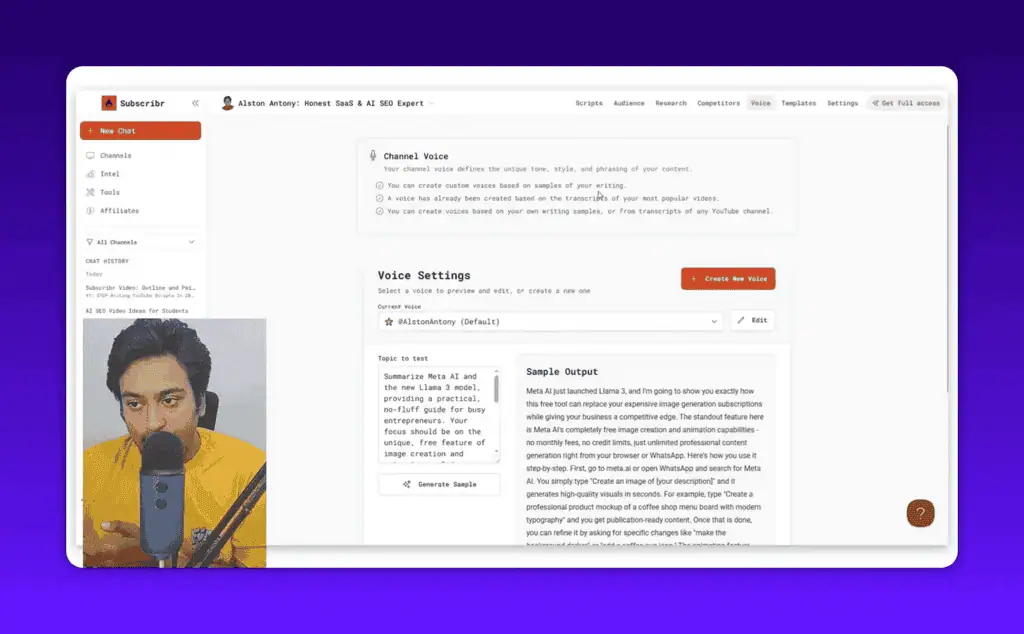
Custom voice profile. Takes a transcript from one of your popular videos (or any YouTube video, or written samples you paste in) and captures your natural speaking style. Once both persona and voice are set, every chat and script generation in that channel project uses both as context. That combination is the whole difference.
Setup
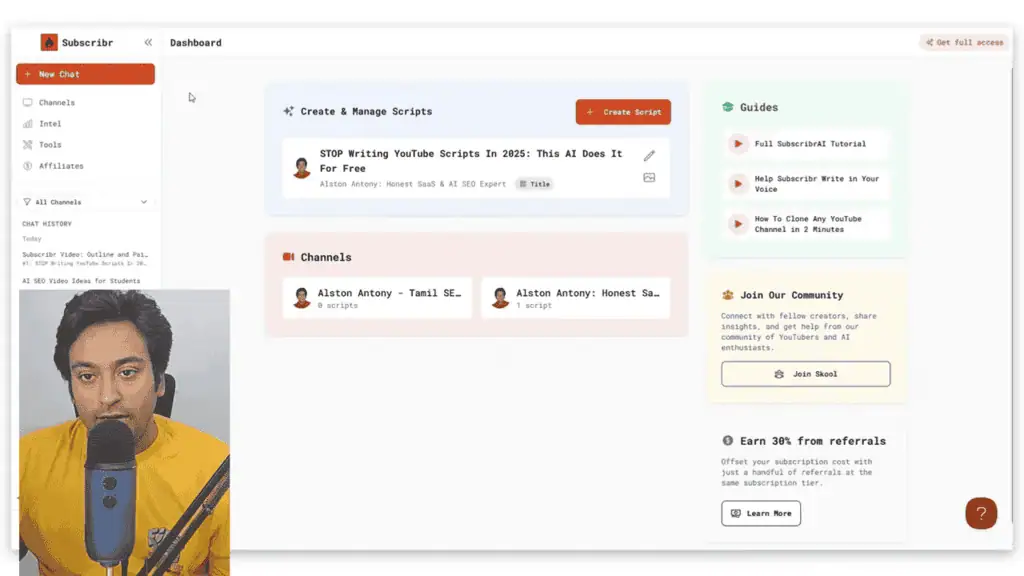
Connect your YouTube channels, Subscribr creates a separate project for each one. The separation matters: audience profile, voice settings, and script context are all scoped to the specific channel. Clean interface, main navigation for channels, templates, competitor intel, and settings. Not overcrowded.
Once connected, Subscribr reads the channel data and generates the persona and voice profile before you write anything.
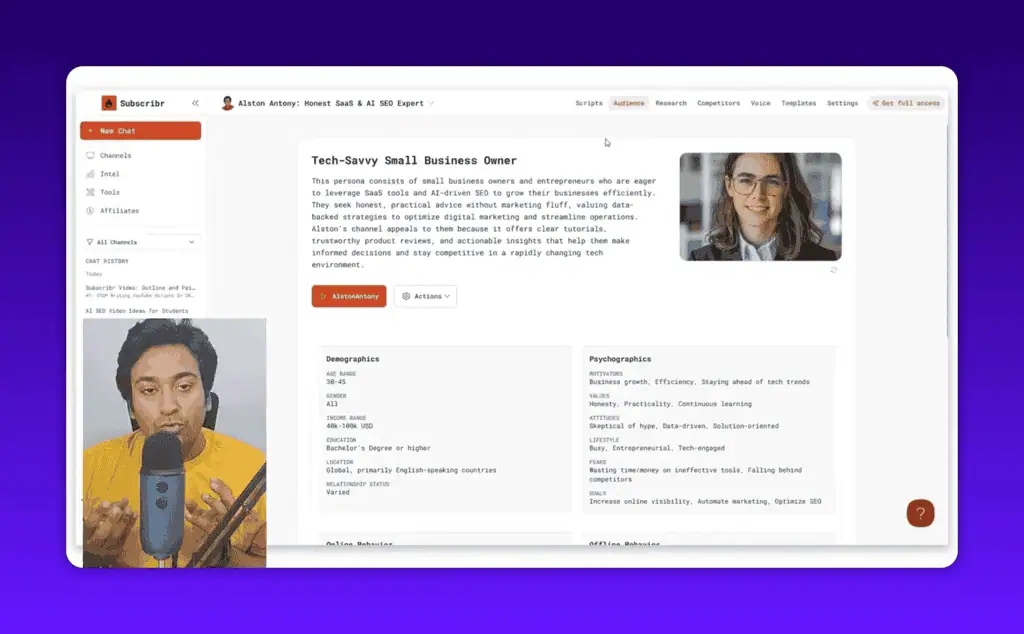
You can refresh or edit the persona at any point. Every script Subscribr generates references it automatically.
Video idea generation
Idea generation starts in the chat interface. Built-in prompts include “Find video ideas” and “Plan next week.” When you trigger a search, Subscribr does not just generate five generic titles from a keyword. It pulls in your channel history, competitor data, and the outlier videos in your niche, then surfaces ideas filtered through your audience persona.
During my test, ideas for my English channel came back referencing my best-performing content types: timely tool reviews, tutorials on SEO tools, comparison videos. Each suggested idea mapped to a format, a title angle, and a reason it would work for my specific audience.
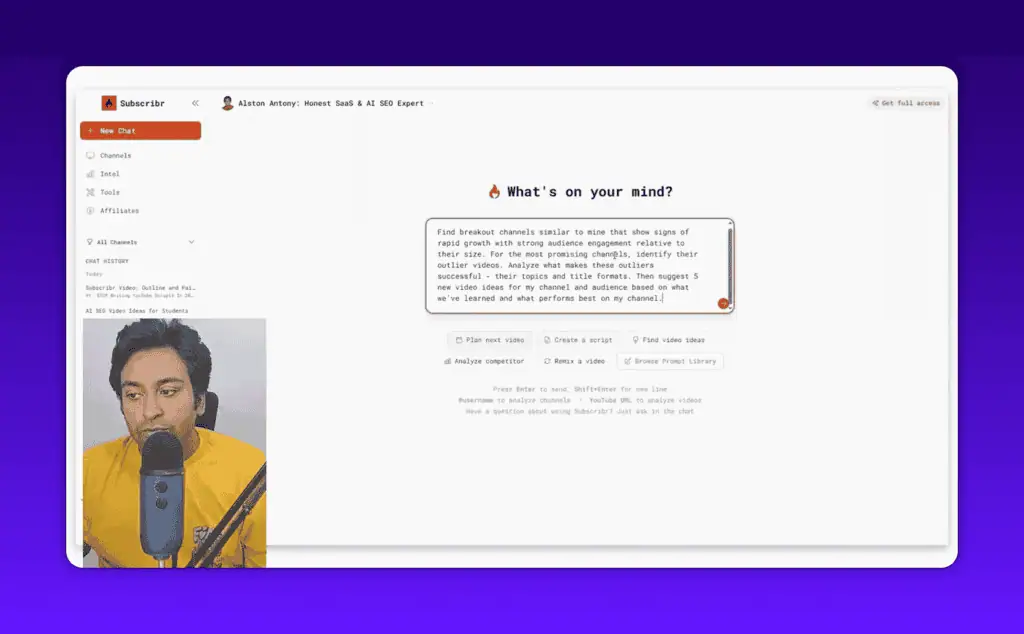
The ideas were not perfect. One reference to Jasper was outdated for my niche. But the framework behind each suggestion was sound, and redirecting the AI with a different topic reframes the idea around your audience automatically.
Script writing
Once you have an idea, Subscribr walks through clarifying questions before generating anything: what format (tutorial, review, commentary, documentary), what tools or examples you will use, what measurable outcome you promise the viewer, what target word count. You can also add context manually: paste URLs, drop in transcripts, search YouTube for reference videos. Subscribr accepts up to 75,000 tokens of context per session, similar to Notebook LM.
After you answer the questions, Subscribr generates a full script outline first. You review the structure, make changes in the chat, then click generate for the complete script from the outline.
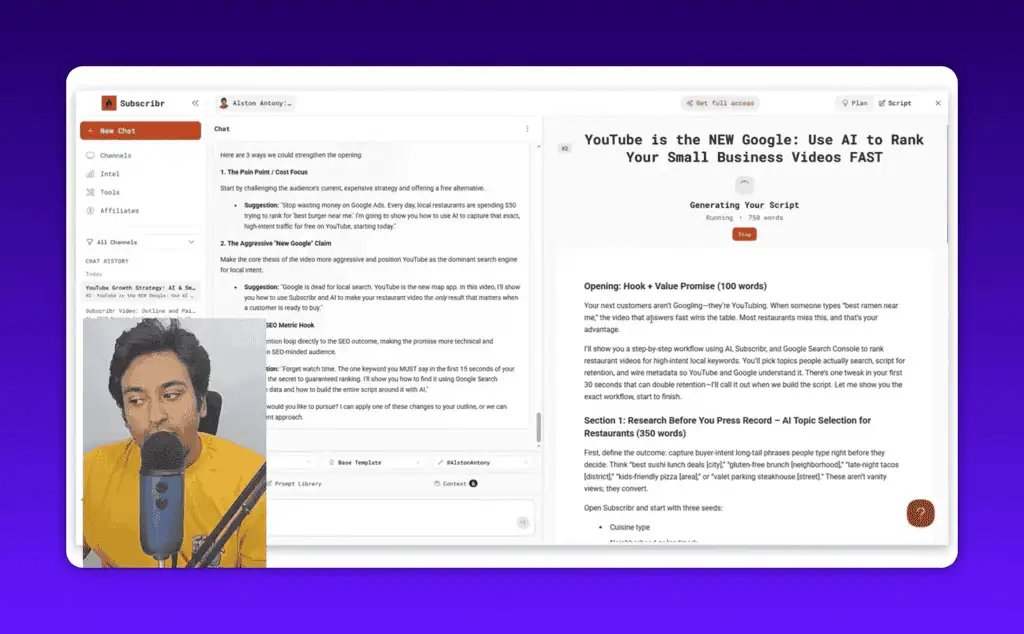
For a 1,600-word script, the draft came out well-organised: hook, value promise, step-by-step workflow, call to action. The hook section in particular used data from my channel (real viewer behaviour patterns from my niche) rather than generic opener language. A prompt library with options like “strengthen the hook” or “improve the opening” lets you iterate on specific sections without rewriting the whole draft.
The caveat is honest: this is a starting point, not a finished script. You still add your own anecdotes, adjust facts, and record in your actual voice. Subscribr saves time on structure and outlining. It does not save you from being the creator.
Competitor intelligence
The intel section is genuinely useful, and I would use it outside of script writing. Automatic weekly alerts scan for outlier videos (2.5x or greater performance index) across channels in your niche. You set filters (time frame, outlier threshold, channel types). Subscribr delivers a curated list.
From the intel dashboard, you can analyse which channels are growing fastest, which videos are outperforming, and why. Click any video and chat directly with its transcript: “Break this down. What works? What would I do differently for my audience?”
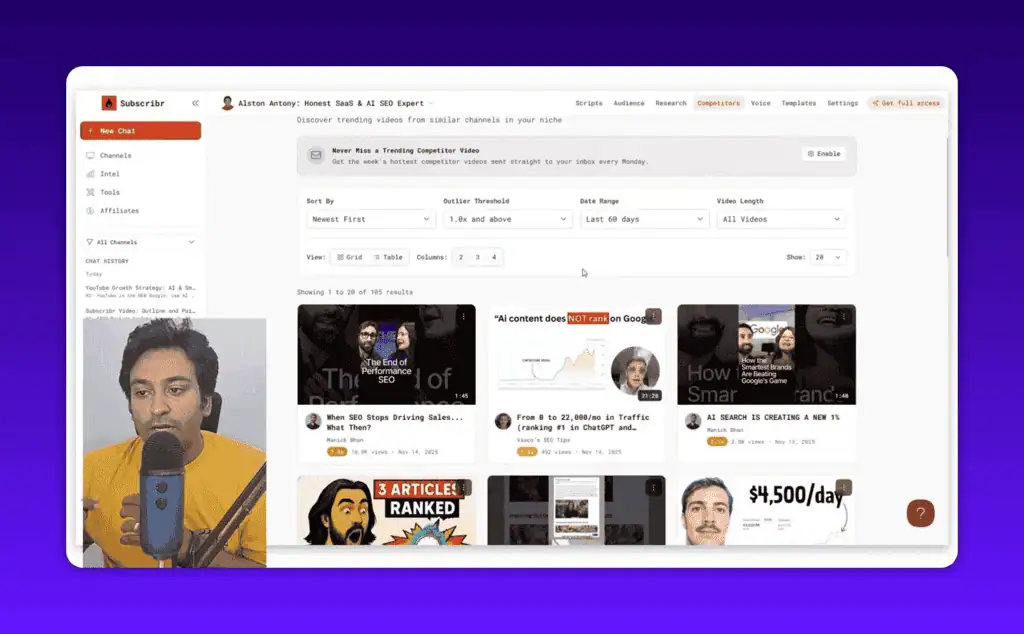
During testing, I found a breakout video from a competitor channel and asked Subscribr to remix the concept for my audience. Output reframed the topic around SaaS tools and AI SEO, which is exactly what my audience wants. One competitor analysis session became a video idea in under five minutes.
Templates and mini tools
Pre-built templates: base, review, commentary, documentary, and a few others. Subscribr assigns the most relevant template automatically when you generate an idea. You can override or build custom templates by cloning the existing ones.
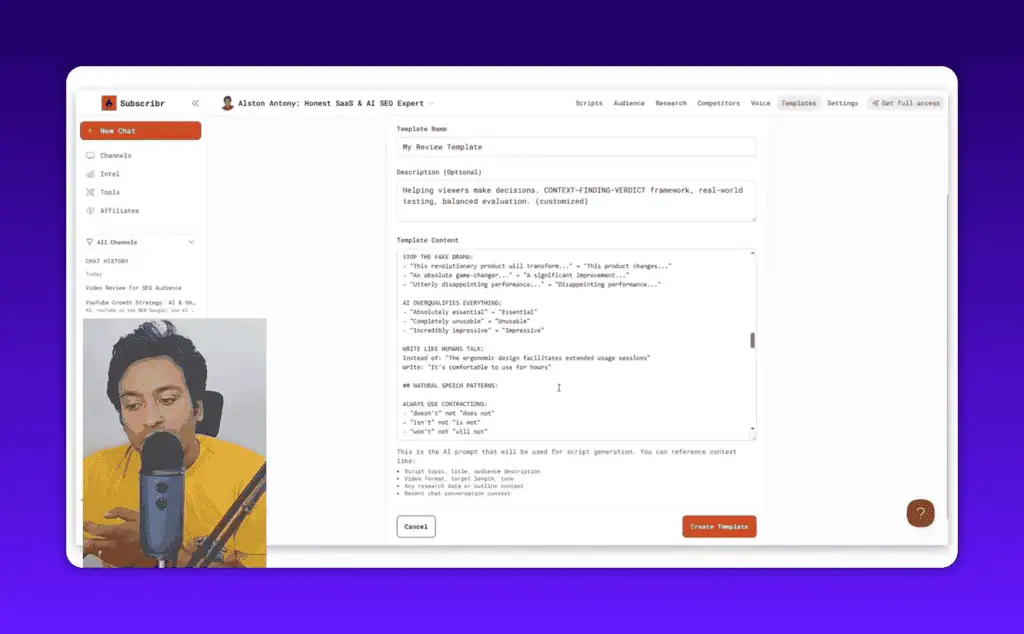
Mini tools included:
- Hook generator. Input a title, get multiple hook variations to test.
- Description writer. Give it the video title and details, it writes the YouTube description.
- Keyword suggestions. Type a topic, returns keyword ideas (no search volume data, which is a gap).
- Title generator. Multiple title options based on your channel and niche.
- Video breakdown. Paste a YouTube URL, get a structured analysis of that video.
- Transcript downloader. Pull the transcript from any public YouTube video.
The keyword tool is the weakest area. Relevant terms but no search volume or difficulty data. As an AI tool for YouTube creators, this is a noticeable gap: you still need VidIQ or TubeBuddy for that layer of research. Not a dealbreaker.
Pricing: the AppSumo lifetime deal
Subscribr is on AppSumo as a lifetime deal. This is the best way to buy it. Monthly or annual subscriptions on the main site (starting with a $7 trial), but the AppSumo deal locks in significantly better value for long-term users.
| Plan | Price | Channels | Script Credits/Month | Research |
|---|---|---|---|---|
| Tier 1 | $79 | Chat only | 200 ideation generations | - |
| Tier 2 | $129 | 1 | 20 script credits | 50K words |
| Tier 3 | $269 | 2 | 60 script credits | 75K words |
| Tier 4 | $459 | 5 | 180 script credits | 75K + 15 thumbnails/month |
| Tier 5 | $809 | Unlimited | Unlimited ideation | Expanded |
All plans include audience persona analysis, channel voice capture, title and hook generation, and description automation. AppSumo’s 60-day refund guarantee removes most of the purchase risk.
Which tier makes sense. For a solo creator publishing 4-8 videos per month with one channel, Tier 2 at $129 is the practical choice. Twenty script credits is enough for consistent use, full feature suite. For a small team or agency managing multiple channels, Tier 3 or 4. Tier 1 is chat-only and lacks script generation; skip unless you just want to test the ideation chat.
Subscribr vs ChatGPT vs Notebook LM
This is the question that matters most, because both ChatGPT and Notebook LM are free (or nearly free at the Pro level) and both can generate YouTube scripts with the right setup.
| Feature | Subscribr | ChatGPT | Notebook LM |
|---|---|---|---|
| Channel-specific persona | Auto-built from your data | Manual setup required | Manual setup required |
| Voice training | From your transcripts | Prompt engineering | Background context |
| Competitor intel | Built in, automated | None | None |
| Script templates | Pre-built for YouTube | Generic | Generic |
| Search volume data | No | No | No |
| Price | From $79 (lifetime) | $20/mo for Plus | Free with limits |
The gap is workflow, not raw capability. ChatGPT can do everything Subscribr does if you invest time in building a system: custom GPTs with channel context, saved prompts for different script formats, manual competitor research. Notebook LM with background context drops (transcripts, URLs, your brand doc) gets close to the same output quality.
What Subscribr removes is the setup cost. Persona, voice, competitor tracking, and templates are already wired together. For creators who do not want to engineer their own AI prompting stack, Subscribr delivers a structured, repeatable workflow out of the box. For creators who enjoy building their own systems and already have a ChatGPT setup they trust, the overlap is significant and the extra cost may not be justified.
Buy, wait, skip
Buy if you are a YouTube creator publishing 4+ videos per month with a defined niche, if you want competitor intelligence without hours in YouTube Studio, if you run a small team or agency managing multiple channels, or if you hate staring at a blank page and want an AI that already knows your channel.
Wait if your channel is still finding its niche (the persona tool works best with clear consistent data), or if you already have a polished ChatGPT/Notebook LM system you trust.
Skip if you publish once a month (a free LLM does the same job for less), or if you need search volume and keyword difficulty data as part of the workflow.
The persona plus voice combination genuinely reduces the gap between AI-generated scripts and content that sounds like it came from you. The competitor intel alone would justify part of the cost if you are actively tracking your niche. The AppSumo lifetime deal makes the entry price fair enough that the tool does not have to be perfect to pay for itself.
If you publish consistently and your biggest bottleneck is coming up with ideas and building out script structure, Subscribr solves that problem well. Start with Tier 2 on AppSumo. Test it for a month. If it saves you 5+ hours per video, it will have paid for itself several times over.
Check the current Subscribr AppSumo deal for the most up-to-date pricing and availability, or browse more tested AI tools for alternatives if the deal has expired.
_Disclosure: this review contains affiliate links. If you purchase through my referral link, I may earn a commission at no extra cost to you. I also provide non-referral links so you have the choice._
Liked this guide? Pin ZPlatform as your Preferred Source.
Pinning us tells Google to make our hands-on AI reviews, verified lifetime deals, and founder interviews more likely to appear prominently for you in Top Stories and eligible AI Search experiences (AI Mode, AI Overviews). Set it once, no account needed on our end.
- 500+ AI tools tested with real budgets
- Verified deals - no dead affiliate links
- Editor: Alston Antony, 15+ years in SaaS & SEO
 Opens Google · takes 2 seconds
Related Posts

78% of companies say they use AI. Only 21% redesigned a workflow. Here are the sourced AI adoption statistics and the ho...

A free, cited AI glossary covering 264 artificial intelligence, machine learning, and generative AI terms - plain-Englis...

I pulled 239 threads across 7 subreddits. Marketers use AI daily and hate the products. Here is what the highest-voted t...
The Chrome and Firefox extension I built to save, tag, version, and export AI prompts locally. Free. No account. No clou...

ChatGPT, Gemini, Rufus, Perplexity. Which AI shopping assistant to use for what, plus the fake deals and dynamic pricing...

I ran a 26-feed pipeline for 34 days and logged 2,234 AI stories. Here are the sources worth your time by output, and 3 ...