
Contact Button Lifetime Deal
The Contact Button lifetime deal is $19 one-time on AppSumo (unlimited domains, buttons, and clients) with a 60-day money-back guarantee, replacing an ongoing subscription-style widget cost.
- Type Lifetime
- Verdict Buy
- Status Active
- Updated Jul 4, 2026
- Confidence Medium
- Score 7/10
Verdict: Buy
At $19 one-time with unlimited domains and a 60-day refund, Contact Button is a low-risk buy for solopreneurs and agencies who need a simple contact widget, provided you do not expect AI chat, team features, or analytics.
Contact Button deal: quick verdict
Buy 7/10- Verdict
- Buy (7/10)
- Price
- $19 one-time (normally $19/mo)
- Best for
- Solopreneurs adding quick lead capture to a single site
- Skip if
- Support teams that need a shared inbox, agent routing, and live chat should choose Intercom or LiveChat instead of a static button widget.
- Bottom line
- At $19 one-time with unlimited domains and a 60-day refund, Contact Button is a low-risk buy for solopreneurs and agencies who need a simple contact widget, provided you do not expect AI chat, team features, or analytics.
Last verified Jul 4, 2026 by Alston Antony.
On this page7 sections
What is Contact Button?
Contact Button is an all-in-one website widget that puts 15 contact, booking, and engagement apps behind a single floating button to capture leads. The Contact Button lifetime deal is $19 one-time on AppSumo (unlimited domains, buttons, and clients) with a 60-day money-back guarantee, replacing an ongoing subscription-style widget cost.
The Contact Button lifetime deal is $19 one-time on AppSumo, and it replaces the recurring cost of stitching together separate contact, chat, and booking widgets on your website. For that flat price you get 15 apps behind a single floating button, including contact forms, click-to-call, WhatsApp and Messenger links, email signup, business hours, maps, and calendar embeds, all usable across unlimited domains and client sites. The important limitation to know upfront is that this is a static contact aggregator, not a support or marketing platform: there is no conversational AI, no native SMS or email campaigns, no team inbox, and no analytics dashboard. If you need those, a subscription tool is the right call. Intercom, for example, starts at $29 per seat per month and adds Fin AI resolution, a shared inbox, and native messaging channels that Contact Button simply does not have. But for solopreneurs and agencies who just want a clean, one-click way for visitors to reach a business, the $19 lifetime price and 60-day refund make Contact Button an easy, low-risk pickup that pays for itself against even one month of a comparable widget subscription.
Pros & Cons
Pros
- At $19 one-time with unlimited domains, buttons, and clients, the value is strong for agencies who install widgets on many client sites without per-site fees.
- One widget consolidates 15 contact and engagement apps, so you avoid installing and maintaining several separate plugins or scripts on the same website.
- Setup is quick with a stated 15-minute onboarding and free onboarding sessions, plus WordPress and Shopify listings for common platforms.
- The 60-day AppSumo money-back guarantee lets you test it fully on real traffic before committing, which keeps the downside risk low.
- AppSumo feedback is uniformly positive at 5.00/5 across 37 verified ratings, suggesting the core widget works reliably for its intended use.
Cons
- There is no AI, no lead qualification bot, and no automation, so it cannot compete with Drift or Intercom on conversational marketing or support.
- It cannot send email campaigns, SMS, or WhatsApp messages itself and instead depends on external tools like Mailchimp or Convertkit for those flows.
- No team roles, assignment routing, or shared inbox means it does not scale to a multi-agent support workflow the way LiveChat or Intercom do.
- Missing analytics and conversion reporting leaves you guessing about button performance, unlike LiveChat which ships visitor tracking and team metrics.
- The unlimited claims have no published fair-use policy, and future-update terms are not explicitly stated, so verify both before relying on the deal long term.
What It Does
- Bundles 15 contact and booking apps in one widget
- Adds click-to-call, WhatsApp, and Messenger links
- Embeds contact forms and email signup fields
- Shows business hours, maps, and menus
- Connects to Calendly, Mailchimp, and Intercom
- Works across unlimited domains and client sites
Who It's For
- Solopreneurs adding quick lead capture to a single site
- Agencies installing contact widgets on many client sites
- Small e-commerce and local businesses needing booking or click-to-call
- Freelancers who want one widget instead of many plugins
Pricing Comparison
| Plan | Price | Type |
|---|---|---|
| Contact Button Lifetime Deal | $19 one-time | ⭐ Best Value |
| LiveChat Starter | $19/month | Subscription |
| Intercom Essential | $29/seat/month | Subscription |
| Drift Premium | $2,500/month | Subscription |
Feature Comparison
| Feature | Contact Button | Intercom | LiveChat |
|---|---|---|---|
| One-time lifetime price | ✅ | ❌ | ❌ |
| Unlimited domains included | ✅ | ❌ | ❌ |
| 15 contact and booking apps in one widget | ✅ | ❌ | ❌ |
| Click-to-call and WhatsApp links | ✅ | ✅ | ✅ |
| Conversational AI chatbot | ❌ | ✅ | ❌ (limited) |
| Native SMS and WhatsApp messaging | ❌ | ✅ | ✅ (Business tier) |
| Email campaigns and sequences | ❌ | ✅ | ❌ |
| Team roles and assignment routing | ❌ | ✅ | ✅ |
| Advanced analytics and reporting | ❌ | ✅ | ✅ |
| Shared inbox for live agents | ❌ | ✅ | ✅ |
| Free trial without payment | ❌ (refund only) | ✅ | ✅ |
Limitations
- No conversational AI or lead qualification bots, so every interaction is static or hands off to a third-party tool, a gap confirmed against Drift and Intercom feature lists.
- Cannot send email campaigns, nurture sequences, SMS, or WhatsApp natively; you must wire in Mailchimp, Convertkit, or similar, per the AppSumo and vendor feature documentation.
- No team management, user roles, or assignment routing, which makes it a solo-operator tool rather than a shared support desk, based on comparison against Intercom and Drift.
- Missing detailed analytics on clicks, conversion funnels, and visitor behavior that LiveChat reporting includes, according to the LiveChat pricing and feature breakdown.
- Customization is limited to two colors, three menu layouts, and Google Fonts on the Max Plan, so the widget can look generic next to modern design-first alternatives (vendor docs).
- The unlimited domains, clients, and buttons claims have no published fair-use policy or technical caps, per the Lifetimo deal page, so heavy use carries some uncertainty.
- Website widgets in general can trigger JavaScript conflicts, mobile sizing issues, and page-speed impact if not tuned, a recurring theme in independent widget guides from Powr and Elfsight.
- AppSumo reviews are strongly positive (5.00/5 across 37 ratings) but are incentivized and thin in volume, so there is little independent negative feedback to stress-test the product.
What's Missing vs Competitors
- Intercom offers Fin AI resolution and a shared team inbox for live agents; Contact Button has neither and only links out to chat tools.
- Drift provides conversational AI playbooks, meeting booking, and email sequences for lead qualification that Contact Button cannot replicate on its own.
- LiveChat includes visitor tracking, work scheduling, and team metrics reporting, while Contact Button offers no built-in analytics dashboard.
- Intercom and LiveChat both support native SMS and WhatsApp messaging, whereas Contact Button can only link to those channels, not send through them.
- Both Intercom and LiveChat offer a real free trial with no upfront charge; Contact Button relies on its 60-day AppSumo refund instead.
Who Should Skip This Deal
- Support teams that need a shared inbox, agent routing, and live chat should choose Intercom or LiveChat instead of a static button widget.
- Marketers who want built-in email campaigns, AI chat, and lead scoring will be better served by Drift or Intercom despite the higher monthly cost.
- Data-driven owners who need click-through analytics and conversion reporting should pick LiveChat, which ships those metrics out of the box.
- Anyone requiring native SMS or WhatsApp sending, not just links, should look at Intercom or LiveChat rather than Contact Button.
Frequently Asked Questions
- For $19 one-time, Contact Button is worth it if you want a simple, all-in-one contact and booking widget for one site or many client sites. It bundles 15 apps, works on unlimited domains, and carries a 60-day refund, so the downside is minimal. It is not worth it if you expected a live chat, CRM, or marketing platform, because it has no AI, no native email or SMS sending, and no team inbox. Judge it as a lightweight lead-capture widget, not a replacement for Intercom or Drift, and at that job the price is easy to justify against even a single month of a comparable subscription tool.
- The Contact Button lifetime deal on AppSumo comes with a 60-day money-back guarantee, which is AppSumo's standard refund window. That gives you two full months to install the widget on real traffic, test the 15 apps, and confirm it fits your workflow before the purchase becomes final. No restocking fee was found in the research. Because the deal is a one-time $19 payment rather than a recurring subscription, the refund is your main safety net, so treat the 60 days as a genuine trial period and cancel within that window if the widget does not perform the way you need it to on your specific site or platform.
- Contact Button and Intercom solve different problems. Contact Button is a $19 one-time widget that aggregates contact links, forms, booking, and click-to-call behind one button across unlimited domains. Intercom starts at $29 per seat per month and is a full customer communication platform with Fin AI resolution, a shared team inbox, native SMS and WhatsApp, email campaigns, and detailed analytics. If you need automated support, live agents, and marketing messaging, Intercom is far more capable but costs recurring money per seat plus usage fees. If you only need visitors to reach you quickly through a tidy widget, Contact Button covers that at a fraction of the lifetime cost and without the ongoing bill.
- The main limitations are that Contact Button has no conversational AI or lead qualification bots, cannot send native email campaigns, SMS, or WhatsApp messages, and offers no team roles, assignment routing, or shared inbox. It also lacks a built-in analytics dashboard, so you cannot easily track click-through or conversion data the way LiveChat allows. Customization is limited to two colors, three menu layouts, and Google Fonts on the higher tier. Finally, the unlimited domains and clients claims have no published fair-use policy, and future-update terms are not explicitly stated on the deal page, so those are worth confirming with the vendor before you rely on the tool at scale.
- Skip Contact Button if you run a support team that needs a shared inbox, agent routing, and real-time live chat, because LiveChat or Intercom handle those properly. Skip it if you want built-in AI chat, automated lead scoring, or email and SMS campaigns, since Drift and Intercom are built for that and Contact Button only links out to third-party tools. Also skip it if analytics matter to you, because there is no reporting dashboard for clicks or conversions, and LiveChat ships that data by default. Contact Button suits solopreneurs and agencies wanting a simple contact widget; anyone needing a full communication or marketing platform should invest in a subscription tool instead.
Is Contact Button worth the money?
What is the refund policy for Contact Button?
How does Contact Button compare to Intercom?
What are the main limitations of Contact Button?
Who should NOT buy Contact Button?
Sources
Contact Button deal terms
- Refund window
- 60-day money-back guarantee
Contact Button vendor check
- Domain Rating
- 27/100 Backlink authority
- In business since
- 2018
- Security
- No known flags Google Safe Browsing
Domain Rating by Ahrefs. Objective third-party data, not our opinion.
Lifetime Deal Savings Calculator
Work out whether a lifetime deal actually beats the subscription. Enter the monthly price of the tool you would replace and the one-time lifetime price. The single most important number is the break-even: how fast you recover the cost. Recovering it quickly is what protects you if the company shuts down later.
This lifetime deal pays for itself in 1 months and saves $1,121 over 5 years versus paying monthly.
Roughly 1 in 10 lifetime deal companies shut down within five years. Recovering your cost fast, and buying only tools you will use right away, is how you stay ahead of that risk. This is an estimate, not financial advice.
How Contact Button's price compares
Contact Button is the 2nd-cheapest of 42AI Marketinglifetime deals we've reviewed. At $19 it is below the $69 median for AI Marketing lifetime deals we've reviewed.
- Tagdeo$19
- Contact Button(this deal)$19
- GoEmailTracker$19
- FormRobin$19
- SendFox$29
Related tools & guides
Alternatives to Contact Button
Other active deals in AI Marketing
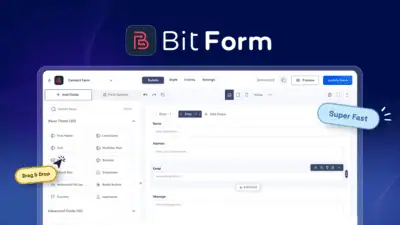
Bit Form is a lightweight WordPress form builder that loads about 15 KB of JS and CSS while offering drag-and-...
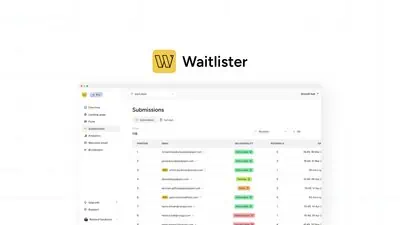
Waitlister is a no-code platform for building branded pre-launch waitlists with referral incentives, email aut...
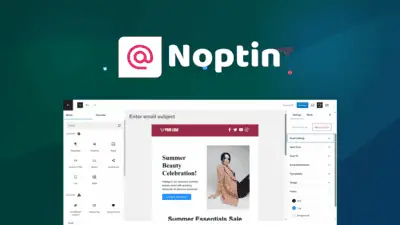
Noptin is a WordPress plugin that builds, sends, and automates email newsletters and drip courses with AI dire...
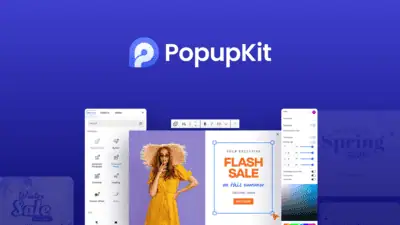
PopupKit is a WordPress popup builder that uses drag-and-drop Gutenberg blocks, 270+ templates, gamification, ...
Comments
Loading comments...