
MarkupGo Lifetime Deal
The MarkupGo lifetime deal starts at $25 one-time on AppSumo across tiers up to $147, replacing recurring API subscriptions, and AppSumo typically backs purchases with a 60-day money-back guarantee (confirm the exact refund window on the deal page).
- Type Lifetime
- Verdict Wait
- Status Active
- Updated Jul 4, 2026
- Confidence Medium
- Score 5/10
Verdict: Wait
MarkupGo delivers solid managed HTML-to-PDF and image generation at a low one-time price, but unconfirmed update and stacking terms, plus repeated complaints about documentation, support, and integrations, mean most buyers should test it inside the refund window first.
MarkupGo deal: quick verdict
Wait 5/10- Verdict
- Wait (5/10)
- Price
- $25 one-time
- Best for
- Developers who need HTML-to-PDF conversion without self-hosting a rendering server
- Skip if
- Developers comfortable self-hosting should skip and run Gotenberg or Puppeteer, which are free, open source, and carry no per-request or lifetime deal cost.
- Bottom line
- MarkupGo delivers solid managed HTML-to-PDF and image generation at a low one-time price, but unconfirmed update and stacking terms, plus repeated complaints about documentation, support, and integrations, mean most buyers should test it inside the refund window first.
Last verified Jul 4, 2026 by Alston Antony.
On this page7 sections
What is MarkupGo?
MarkupGo is an API platform that converts URLs, HTML, CSS, and JavaScript templates into PDFs and images for documents like invoices, reports, and marketing assets. The MarkupGo lifetime deal starts at $25 one-time on AppSumo across tiers up to $147, replacing recurring API subscriptions, and AppSumo typically backs purchases with a 60-day money-back guarantee (confirm the exact refund window on the deal page).
The MarkupGo lifetime deal starts at $25 one-time on AppSumo, with stackable tiers reported up to $147, and it replaces the recurring subscription fees most HTML-to-PDF APIs charge. MarkupGo converts URLs, HTML, CSS, and JavaScript templates into PDFs and images, which suits developers building invoices, receipts, reports, and marketing assets programmatically. The catch shows up early: reviewers describe a steep learning curve, unclear API documentation, and slow support responses, so the onboarding is not as smooth as the marketing suggests. It is also cloud-only with limited integrations, which matters if you compare it against free open-source options. Gotenberg and Puppeteer both handle HTML-to-PDF conversion at $0 when you are willing to self-host, and APITemplate.io adds a WYSIWYG editor, a pre-built template library, and native Zapier and Make.com connectors that MarkupGo lacks. If you want a managed API and are fine writing templates in code, the lifetime pricing is genuinely cheaper than years of subscription billing. If you can self-host or need a visual builder, the value case weakens fast.
Pros & Cons
Pros
- One-time pricing from $25 removes recurring API subscription costs, which adds up favorably against monthly billing for teams generating documents at steady volume over several years.
- Core HTML, CSS, and JavaScript to PDF and image conversion works as advertised, using Chromium-based rendering that handles dynamic elements, embedded fonts, SVGs, and emojis.
- Reusable templates with instant preview let developers standardize invoices, receipts, and reports, then adjust headers and footers per document without rebuilding layouts each time.
- AppSumo purchases typically carry a 60-day money-back guarantee, giving buyers a real window to test rendering quality and API reliability before the decision becomes final.
Cons
- Limited integrations and no native Zapier or Make.com connectors mean more custom glue code, a gap that APITemplate.io closes out of the box for non-technical workflows.
- Documentation is unclear and support responses are slow according to aggregated reviews, which lengthens onboarding and raises the risk of getting stuck on first setup.
- It is cloud-only with no offline or self-hosted option, unlike Gotenberg and Puppeteer, which run free on your own infrastructure with no per-request dependency.
- It cannot edit or write text onto existing PDFs cleanly, and performance reportedly degrades on large or annotation-heavy documents, limiting some document-processing use cases.
What It Does
- Convert HTML, CSS, and URLs into PDFs
- Generate images from reusable templates
- Preview templates instantly for real-time edits
- Embed custom fonts, SVGs, and emojis
- Customize headers and footers per document
- Serve output through a PDF and image API
Who It's For
- Developers who need HTML-to-PDF conversion without self-hosting a rendering server
- SaaS teams generating invoices, receipts, and reports programmatically at scale
- Web and marketing agencies producing branded documents and social images through an API
Pricing Comparison
| Plan | Price | Type |
|---|---|---|
| MarkupGo Deal (entry tier) | $25 one-time | ⭐ Best Value |
| MarkupGo Deal (top tier) | $147 one-time | Lifetime Deal |
| MarkupGo Regular Plans | Check pricing > | Subscription |
| APITemplate.io | Check pricing > | Subscription |
| Gotenberg (self-hosted) | $0 (open source) | Free |
| PrinceXML | $3,800/server one-time | Perpetual License |
Feature Comparison
| Feature | MarkupGo | APITemplate.io | Gotenberg |
|---|---|---|---|
| HTML/CSS to PDF conversion | ✅ | ✅ | ✅ |
| Image generation API | ✅ | ✅ | ❌ |
| JavaScript rendering support | ✅ | ✅ | ✅ |
| Reusable HTML templates | ✅ | ✅ | ❌ |
| WYSIWYG drag-and-drop editor | ❌ | ✅ | ❌ |
| Pre-built template library | ❌ | ✅ | ❌ |
| Zapier / Make.com integrations | ❌ | ✅ | ❌ |
| Regional API endpoints (US/EU/APAC) | ❌ | ✅ | ❌ |
| Self-hosted / offline option | ❌ | ❌ | ✅ |
| Office docs (Word/Excel) to PDF | ❌ | ❌ | ✅ |
| Editing text onto existing PDFs | ❌ | ❓ | ❌ |
| Lifetime deal available | ✅ | ❌ | ❌ (free) |
Limitations
- MarkupGo cannot write text onto existing PDFs; the documented workaround renders the PDF as an image and overlays text, which degrades vector quality, according to user feedback compiled at bestlifetimo.com.
- Reviewers report a steep learning curve and complex initial setup, saying template customization options and first-time configuration are hard to understand without prior HTML and CSS experience (source: bestlifetimo.com).
- There is no mobile app, so the tool is web and API only, which limits any on-the-go editing or monitoring, a gap noted in aggregated user feedback at bestlifetimo.com.
- Integrations are limited compared with rivals; MarkupGo lacks native Zapier and Make.com connectors that APITemplate.io offers, per user feedback at bestlifetimo.com and APITemplate.io feature pages.
- Performance reportedly degrades on large projects, with slower rendering when documents carry many annotations or heavy assets, according to user complaints summarized at bestlifetimo.com.
- The service is cloud-only with no offline mode, so a stable internet connection is required for every render, which independent reviews at bestlifetimo.com flag as a reliability concern.
- Customer support response times are described as slow, and API documentation is called unclear, both of which lengthen onboarding for new developers (source: bestlifetimo.com review roundup).
- Some users experienced occasional delays and inconsistent API response times during image transformation, suggesting variable throughput under load, per feedback gathered at bestlifetimo.com.
What's Missing vs Competitors
- APITemplate.io provides a WYSIWYG drag-and-drop editor and a pre-built template library for invoices and certificates, features MarkupGo does not offer for non-technical users.
- APITemplate.io ships native Zapier and Make.com integrations plus regional API endpoints for the US, EU, and APAC, while MarkupGo has limited integrations and no documented regional routing.
- Gotenberg is self-hosted and free with no per-request cost, and it also converts Office files like Word and Excel to PDF, neither of which MarkupGo supports.
- Puppeteer runs entirely as a free open-source library on headless Chrome with no external API dependency, giving privacy-sensitive teams control that MarkupGo's cloud-only model cannot match.
- PrinceXML uses a dedicated CSS Paged Media engine refined since 2003 for higher-fidelity print output than MarkupGo's Chromium-based rendering delivers.
Who Should Skip This Deal
- Developers comfortable self-hosting should skip and run Gotenberg or Puppeteer, which are free, open source, and carry no per-request or lifetime deal cost.
- Non-technical teams that want a visual editor and ready-made templates will get more from APITemplate.io than from MarkupGo's code-first, template-by-hand workflow.
- Teams that need to edit or annotate existing PDFs should skip, because MarkupGo generates new documents and cannot reliably write text onto existing files without quality loss.
- Studios needing print-grade CSS Paged Media fidelity are better served by PrinceXML, whose dedicated engine outputs higher quality than Chromium-based rendering.
Frequently Asked Questions
- It depends on how you deploy it. If you want a managed HTML-to-PDF and image API and are comfortable writing templates in code, the MarkupGo lifetime deal from $25 is cheaper over several years than a recurring subscription that can run into hundreds of dollars monthly. If you can self-host, free open-source tools like Gotenberg and Puppeteer do the same core conversion at $0, which weakens the value case. The deal makes the most sense for developers who value a hosted API, do not want to maintain a rendering server, and can live with limited integrations and the documentation gaps that reviewers have flagged.
- MarkupGo is sold through AppSumo, which typically backs its listings with a 60-day money-back guarantee, so you generally have about two months to test the tool and request a refund if it does not fit your workflow. You should confirm the exact refund window and any conditions directly on the AppSumo deal page before purchasing, because terms can vary by campaign. The refund window is meaningful here: it gives you time to test rendering quality, API response times, and documentation clarity, all of which are the areas reviewers most often complain about, before your purchase becomes final.
- Both convert HTML and CSS to PDFs and images through an API, but APITemplate.io targets a broader audience. APITemplate.io includes a WYSIWYG drag-and-drop editor, a pre-built template library for invoices and certificates, native Zapier and Make.com integrations, and regional API endpoints for compliance, none of which MarkupGo offers. MarkupGo is more code-first and expects you to build templates by hand in HTML and CSS. The clearest advantage MarkupGo holds is pricing structure: it is available as a one-time lifetime deal from $25 on AppSumo, while APITemplate.io runs on a subscription. If you want a visual builder and ready-made connectors, APITemplate.io fits better; if you want managed rendering at a fixed lifetime cost, MarkupGo has the edge.
- According to aggregated user reviews, the main limitations are a steep learning curve with complex initial setup, unclear API documentation, and slow customer support responses. It cannot cleanly edit or write text onto existing PDFs, and the documented workaround of overlaying text on a rendered image degrades vector quality. It is cloud-only with no offline mode or mobile app, and it lacks native integrations that competitors like APITemplate.io include. Reviewers also report that performance degrades on large or annotation-heavy documents and that image transformation can experience occasional delays. None of these are dealbreakers on their own, but together they explain why the tool suits developers more than non-technical teams.
- Skip MarkupGo if you are comfortable self-hosting, because Gotenberg and Puppeteer perform the same core HTML-to-PDF conversion for free on your own infrastructure with no per-request cost. Non-technical teams that want a visual editor and pre-built templates will be happier with APITemplate.io, which is built for that workflow. Anyone who needs to edit or annotate existing PDFs should look elsewhere, since MarkupGo creates new documents rather than modifying existing ones. Studios that require print-grade CSS Paged Media fidelity should consider PrinceXML, whose dedicated rendering engine outputs higher quality than MarkupGo's Chromium-based approach. In short, MarkupGo is a poor fit for self-hosters, visual-first users, and PDF editors.
Is MarkupGo worth the money?
What is the refund policy for MarkupGo?
How does MarkupGo compare to APITemplate.io?
What are the main limitations of MarkupGo?
Who should NOT buy MarkupGo?
Sources
MarkupGo deal terms
- Refund window
- 60-day money-back guarantee
- Code stacking
- Yes, buy multiple codes to scale up
MarkupGo vendor check
- Domain Rating
- 26/100 Backlink authority
- In business since
- 2024
- Security
- No known flags Google Safe Browsing
Domain Rating by Ahrefs. Objective third-party data, not our opinion.
How MarkupGo's price compares
MarkupGo is the 1st-cheapest of 17AI Automationlifetime deals we've reviewed. At $25 it is below the $59 median for AI Automation lifetime deals we've reviewed.
- MarkupGo(this deal)$25
- SlideFill$29
- LeadToSheet$39
- Airwork AI$49
- AdaCertify$49
Get notified when the verdict changes
This deal currently has a "Wait" verdict. If pricing improves, limitations are fixed, or the verdict changes to Buy, we will email you.
We only email you about this specific deal. Unsubscribe anytime.
Related tools & guides
Alternatives to MarkupGo
Other active deals in AI Automation
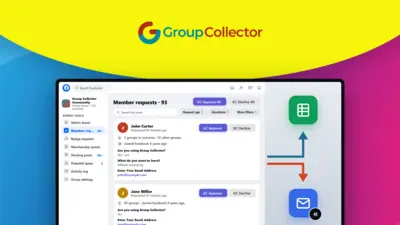
Group Collector is a Chrome extension that automates Facebook group member approvals, answer collection, and w...
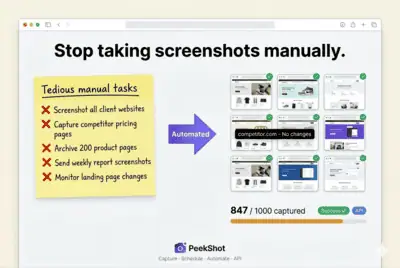
PeekShot is a screenshot automation API that schedules, bulk-captures, and hosts website and HTML screenshots ...

Airwork AI is an AI hiring platform that sources, screens, and shortlists pre-vetted software engineers from S...
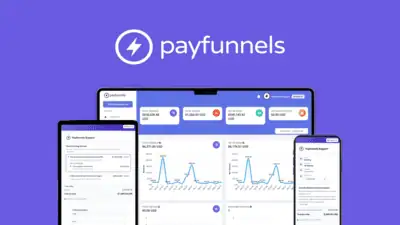
Payfunnels is a Stripe-based billing platform that creates branded payment links, manages recurring subscripti...
Comments
Loading comments...