

AI-Text-Humanizer.com verdict: buy the prepaid pack
| Field | Detail |
|---|---|
| Tool | AI-Text-Humanizer.com |
| Category | One-button AI text humanizer and rewriter, with an optional API |
| Best use case | Cleaning AI vocabulary out of AI-assisted drafts before your own editing pass |
| Price | Free tier: yes, 500 words total and 200 words per process, no card or login. PRO Monthly $19.99/month for 50,000 words, 2,000 per process, words do not roll over. PRO Prepaid $69.99 one-time for 150,000 words valid up to 24 months. Volume discounts from 20% at five packs to 50% at forty. Checked 31 July 2026. |
| My test | A 132-word ChatGPT paragraph went from 100% AI to 0% on ZeroGPT and 3% on AIscan24 after one pass. Meaning intact, voice flattened, no tone control. |
| Verdict | Buy the $69.99 prepaid pack if your content work arrives in bursts, skip the monthly |
I don’t trust the before and after screenshots on a humanizer’s sales page, because anyone can pick a paragraph that flatters their own software. So I wrote the worst ChatGPT paragraph I could, scored it in two separate detectors, ran it through the tool once, and scored it again, all in one session on the public free tier.
Disclosure: Free-tier tested. I ran every test in this review on the public free tier on July 31, 2026. I do not hold a PRO account, I was not given vendor access, and there is no affiliate link on this page. All prices come from the official AI-Text-Humanizer pricing page.
What AI-Text-Humanizer.com does
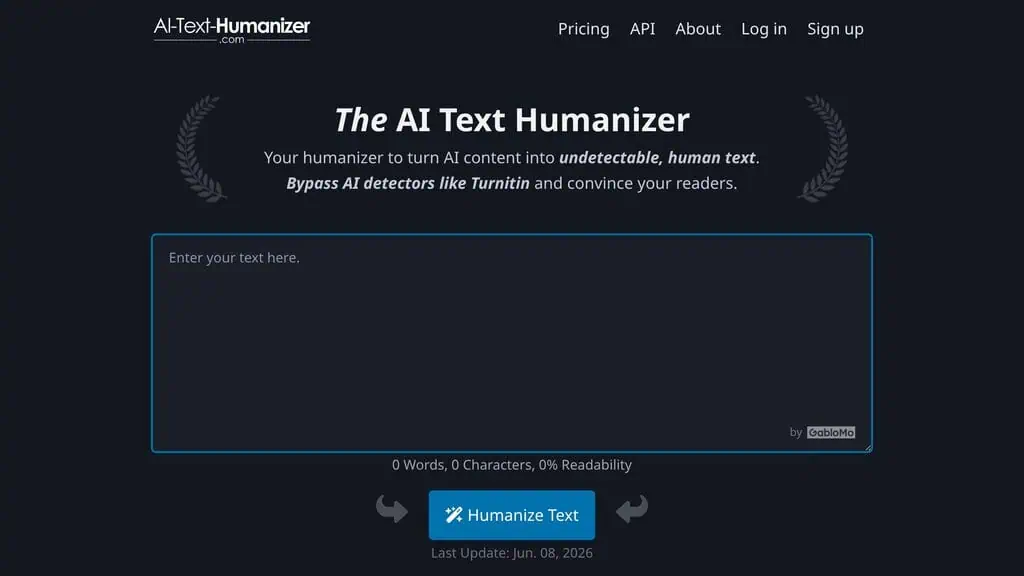
AI-Text-Humanizer.com is a browser-based paraphrasing tool that rewrites AI-generated text into plainer language so it stops matching the statistical patterns AI detectors look for. You paste text into one box (200 words per process on free, 2,000 on either PRO plan), press one button, and a rewritten version appears below with word count, character count and a readability percentage. There is no dashboard, no project system and no tone selector, and there is no style sample to steer it.
According to the vendor, it uses custom prompts to rephrase your content into less common, plain language, then breaks up repetitive patterns in the result. Two things happen at once: the AI vocabulary gets swapped out, and the evenly balanced sentence rhythm models produce gets rebuilt. It does this rather than injecting errors or hidden characters. The rhythm is usually what detectors react to, since machine text has a very even texture; our guide on how AI detectors actually work covers the statistical side. Press the button twice on the same input and you get a different result, which helps when the first rewrite mangles a sentence you care about.
The company behind it is GabloMo.com, a small German operation that also runs the free detector AIscan24 and the free writing toolbox Textbuddy. That family relationship matters when you read detector claims.
Is my text safe when I paste it in?
The vendor states that inputs are not saved and never used to train models, that the connection is encrypted, and that the LLM APIs behind the tool are configured not to retain data. As a German company it falls under GDPR. That is a stronger privacy position than most humanizers publish, though you are trusting a stated policy rather than something you can audit.
Did it bypass the AI detectors?
Yes. One pass took my paragraph from 100% AI to 0% on ZeroGPT and 3% on AIscan24. The input was a deliberately terrible 132-word ChatGPT paragraph stuffed with the usual tells: “in today’s rapidly evolving digital landscape,” “leverage cutting-edge,” “unlock their full potential,” “paradigm shift,” “holistic approach.” Both detectors agreed it was machine written.
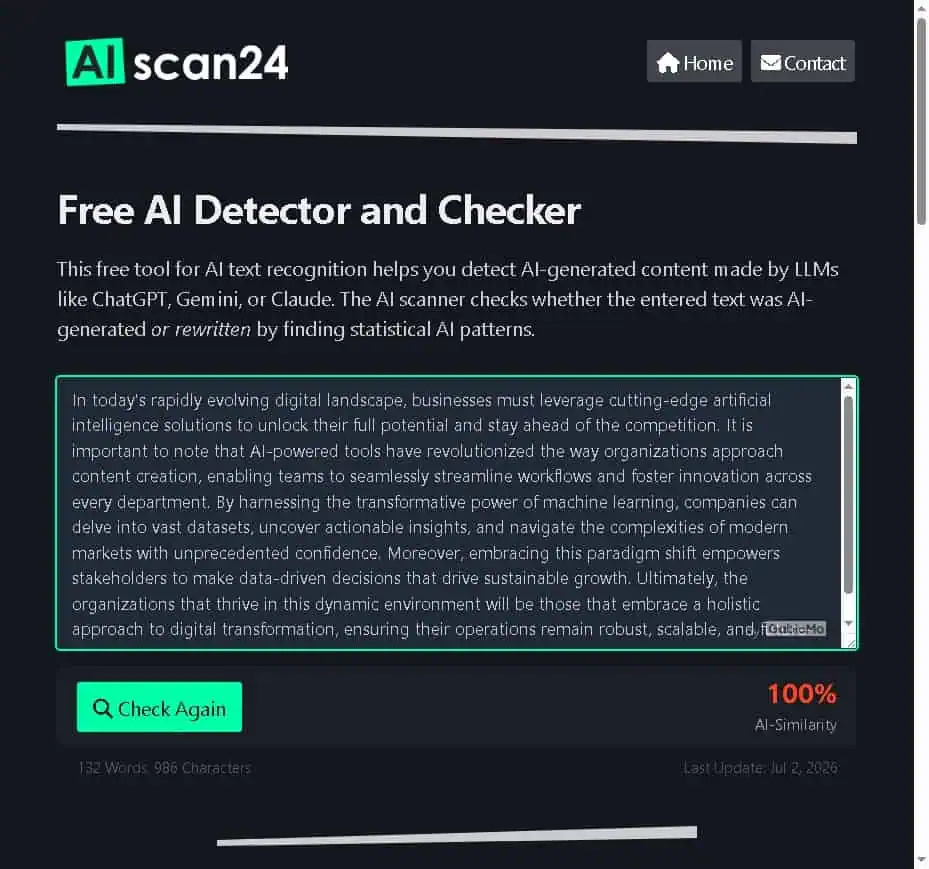
I pasted the same paragraph into AI-Text-Humanizer.com, pressed Humanize Text once, and took the output straight into both detectors without touching a word.
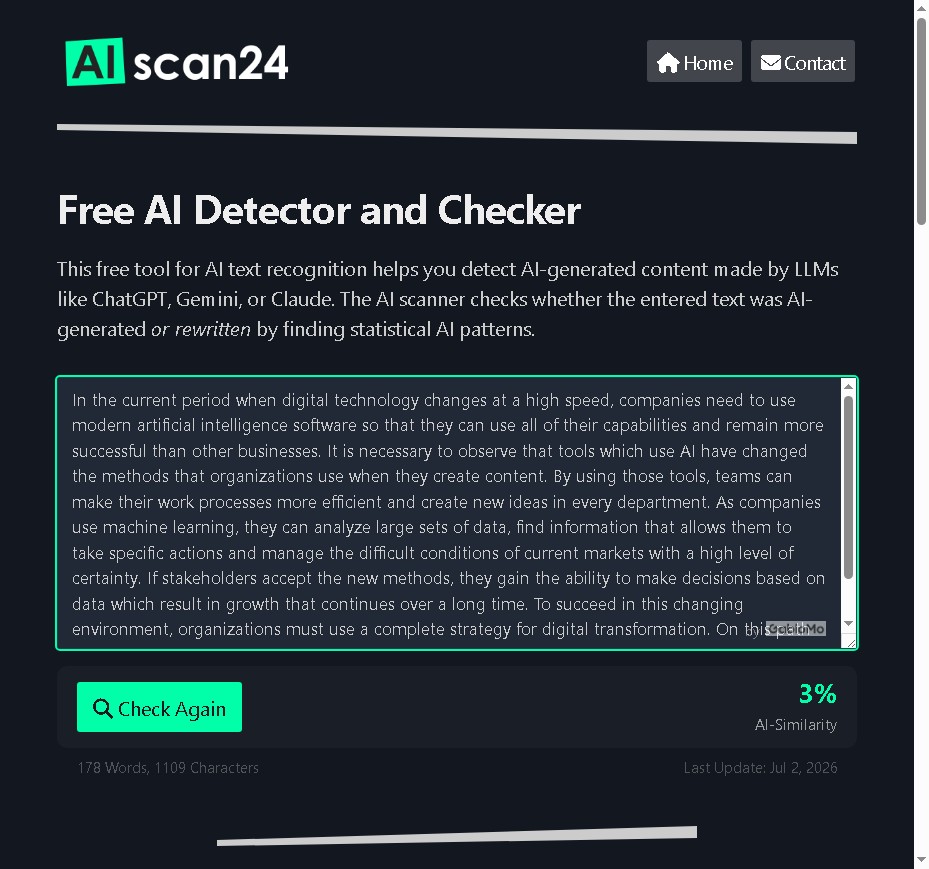
| Detector | Original ChatGPT paragraph | After one humanizer pass |
|---|---|---|
| ZeroGPT | 100% AI, “Your Text is AI/GPT Generated” | 0% AI, “Your Text is Human written” |
| AIscan24 | 100% AI-Similarity | 3% AI-Similarity |
| Word count | 132 words | 178 words |
| Readability (vendor score) | 10%, rated Very Hard | 25%, rated Hard |
Why the ZeroGPT number matters more than the AIscan24 number
AIscan24 is run by the same company as the humanizer, so a 3% score there is a weak proof point on its own. That is why I ran ZeroGPT in the same session. ZeroGPT is unrelated to GabloMo, it flagged my test paragraph at 100%, and after the rewrite it returned 0% with the verdict “Your Text is Human written.” Two detectors, one of them independent, same direction, one pass.
What this does not prove
It doesn’t prove the tool beats Turnitin. Turnitin sits behind an institutional license, I don’t have access to it, and the site’s claim that it tests Turnitin regularly is a vendor statement, not a verified fact.
It also proves nothing about durability. Detector models get retrained, so a rewrite that scores 0% today can score differently in six months. To their credit, the tool’s own FAQ says it cannot guarantee results bypass every scanner every time.
Want the other side of this test? I put the same detector through five samples of my own writing, including two paragraphs I wrote by hand, in my AIscan24 review. One of my human paragraphs scored 80%. That number should worry you more than any humanizer score.
What the humanized output reads like
A 0% detector score on text you cannot publish is worth nothing, so this is the part that decides whether the tool is useful. Here is my input, which is intentionally awful:
“By harnessing the transformative power of machine learning, companies can delve into vast datasets, uncover actionable insights, and navigate the complexities of modern markets with unprecedented confidence.”
And here is what came back:
“As companies use machine learning, they can analyze large sets of data, find information that allows them to take specific actions and manage the difficult conditions of current markets with a high level of certainty.”
“Harnessing the transformative power” became “use.” “Delve into vast datasets” became “analyze large sets of data.” “Actionable insights” became “information that allows them to take specific actions.” Every AI tell is gone and the meaning survived: no invented facts, no dropped clauses, no deliberate typos. The tool did not wreck the grammar to fool the scanner.
Read the output again as a writer, though. It is correct, clear and slightly lifeless. The sentences got longer and more explanatory, the rhythm is even throughout, and it reads like a competent second-language speaker being very careful.
132 words in, 178 out
The FAQ warns that results are sometimes shorter because the tool strips AI fluff. In my test the opposite happened, a 35% increase, which makes sense once you see the style: replacing “actionable insights” with a full explanatory clause costs words. If you are writing to a word ceiling, humanize first and trim after.
The readability score is a nudge
The readability percentage moved from 10% (Very Hard) to 25% (Hard) on my sample. The vendor recommends aiming above 60% for anything you publish, and a single dense paragraph about machine learning is never going to hit that. I treat it the way I treat a Flesch score: worth a glance, not worth chasing.
How much does AI-Text-Humanizer.com cost?
Three tiers, all from the official pricing page as of July 31, 2026:
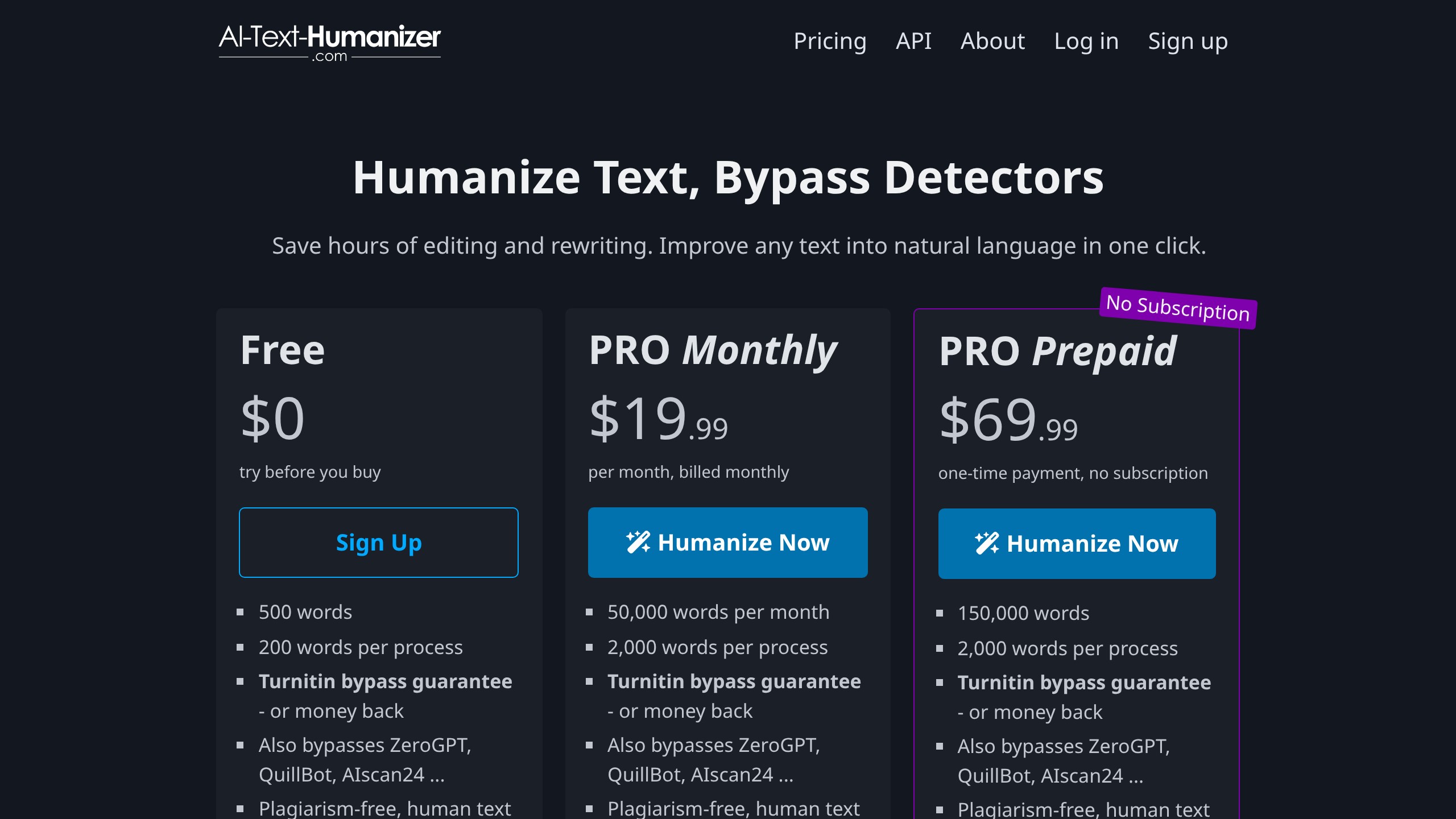
| Plan | Price | Word allowance | Per process | Notes |
|---|---|---|---|---|
| Free | $0 | 500 words | 200 words | No credit card, no login needed to start |
| PRO Monthly | $19.99/month | 50,000 words/month | 2,000 words | API access optional, cancel anytime, words do not roll over |
| PRO Prepaid | $69.99 one time | 150,000 words | 2,000 words | Valid up to 24 months, buy multiple packs, no subscription |
Volume discounts apply to multiple prepaid packs: 20% off at 5 packs, 30% at 10, 40% at 20, and 50% at 40. They are aimed at agencies, and you have to contact the vendor for the code rather than getting it applied at checkout. Payment runs through credit card, PayPal, Google Pay or Apple Pay.
The refund policy is narrow and stated plainly: a refund within three days of your first payment if you used fewer than 10,000 words. Three days is short, and 10,000 words is easy to burn through in an afternoon of serious testing.
The math: monthly or prepaid?
PRO Monthly costs $19.99 for 50,000 words, which is $0.40 per 1,000 words, and unused words expire at the end of the month. PRO Prepaid costs $69.99 for 150,000 words, which is $0.47 per 1,000 words, usable for up to 24 months. Monthly is cheaper per word; prepaid is cheaper in practice for most people, because content work is lumpy. You do 40,000 words in March when a client project lands, then 2,000 in April. On monthly, April is nearly pure waste, and after three quiet months you have paid $60 for almost nothing. On prepaid, you paid $69.99 once and the words wait.
My rule: if you humanize more than 25,000 words every single month without fail, take the subscription. Everyone else should take prepaid. To run the comparison with your own numbers, our free SaaS vs lifetime deal calculator does the break-even math in about thirty seconds.
What the free tier really gives you
The pricing page says 500 free words. I ran one 132-word job with no account, and when I came back a few minutes later with an 81-word paragraph, the tool said “Out of free daily words” and asked me to sign up.
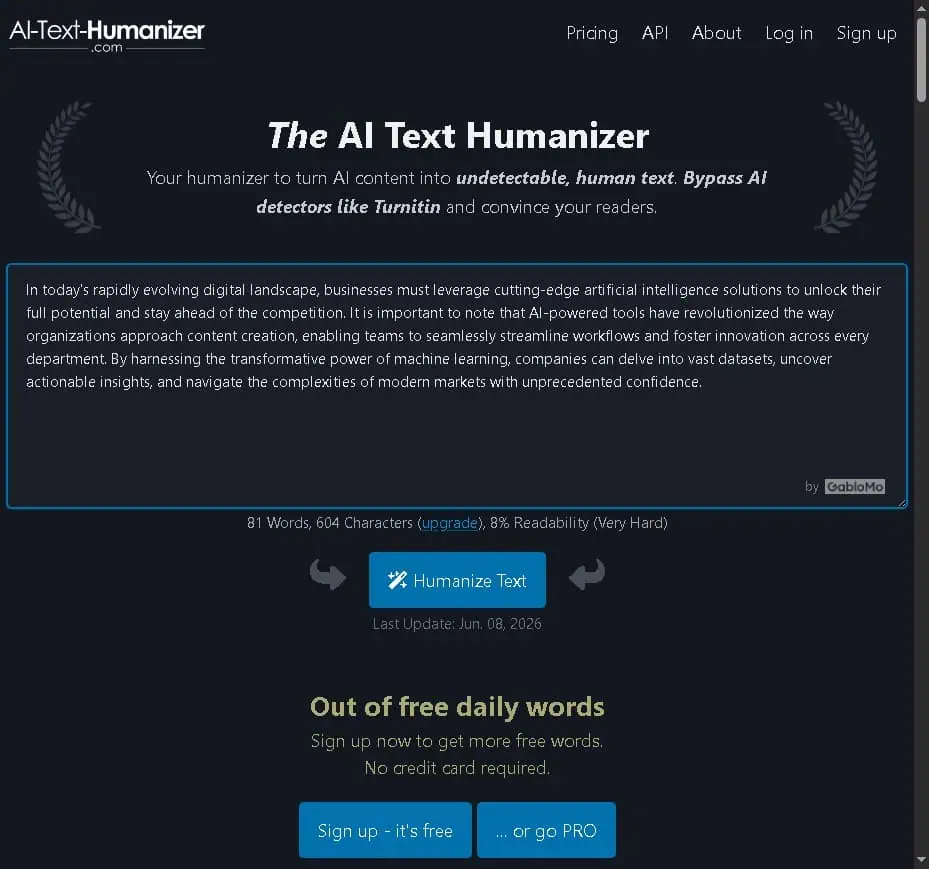
So the anonymous allowance is a daily trickle, and the 500 words appear to sit behind a free account. Plenty of tools do this, but “free without login” sets an expectation the daily cap doesn’t meet. I would rather the homepage said “try roughly a paragraph a day free, sign up for 500 words.” Use it to check output quality on one paragraph, not to get work done.
Is the humanizer API worth it for teams?
The API is the strongest argument for PRO if you publish at volume, because it turns the tool from a browser tab into a step in your pipeline. It is bundled with PRO rather than sold separately.
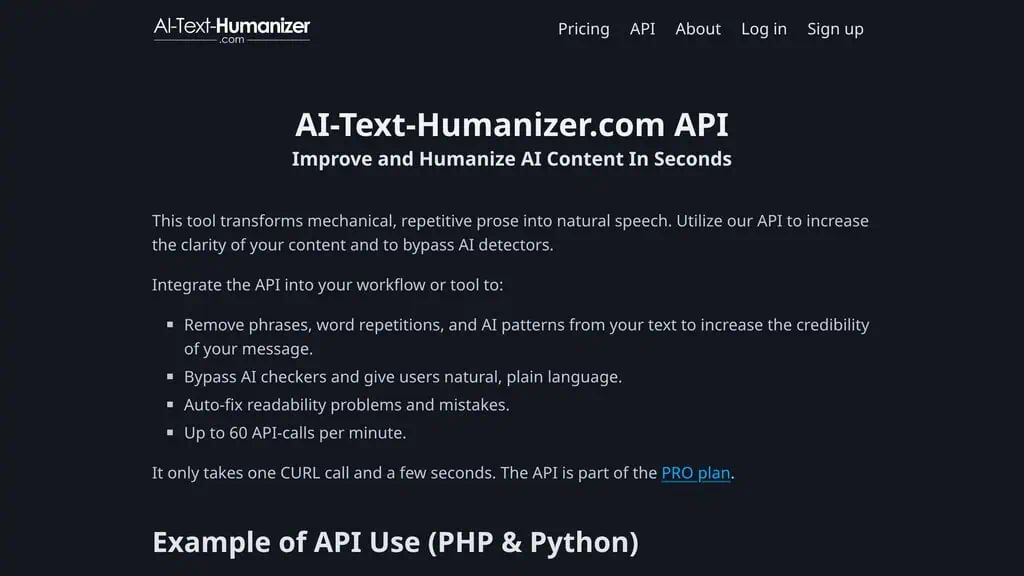
Setup is basic: create an account, buy PRO, then send your login details and your text as POST variables. The docs show a CURL example in PHP and the same call in Python, and that is all there is to it. Rate limit is 60 calls per minute, and the vendor asks you to pause a second between calls.
Authenticating with your account login in a POST body is old-school; a revocable API token would let you rotate credentials without changing your password. There is no batching either, so 200 articles means 200 calls and your own queue logic. For a small agency running a content pipeline that is fine, and 50,000 words a month at $19.99 is cheap for an automated cleanup step. For anything larger, ask about the seat discounts before you build.
Where it fits and where it does not
The site pitches four groups: students, writers and bloggers, marketing teams, and companies writing customer-facing copy. Based on the output I got, I would rank the fit differently.
Jobs I would give it
- Cleaning up AI first drafts before a human edit. The best fit by a wide margin. You brief ChatGPT or Claude, get back something structurally fine and stylistically dead, and want the cliches gone before you start editing. One pass, then you rewrite the intro and add your own examples.
- Plain-language rewrites for non-native writers. Simple vocabulary and explicit constructions are close to ideal for making dense text understandable, such as technical support documentation drafted in a second language.
- Internal and operational copy. Product descriptions, help center articles, FAQ answers, release notes: text where clarity matters and personality does not, so the flattening stops being a problem.
- Reducing false positives on your own writing. Editors and clients now run drafts through detectors, and polished human writing gets flagged. If your own paragraph comes back at 80% AI and a client is nervous, a rewrite pass is a pragmatic fix for a broken measurement.
- Bursty workloads. The prepaid pack spreads 150,000 words across two years, which fits irregular work better than a monthly reset.
Jobs I would keep away from it
- Anything with your name and your voice on it. If your brand voice is “clear and neutral,” fine. If it has any edge (short punchy sentences, opinions, a joke), the rewrite sands it off and getting it back costs an editing pass. I would never run one of my own published paragraphs through it. There is no register, style or audience setting to compensate; if you need tone control, the same company’s Textbuddy toolbox at least gives you five tone settings, and this tool’s FAQ says it has none.
- Publishing without reading the output. The rewrite occasionally produces a clumsy clause, and nothing in the interface flags where. Read every word before it ships.
- Graded academic work. The site runs a whole guide page on getting past Turnitin, and the homepage says students can finish homework in minutes and teachers will not find out.
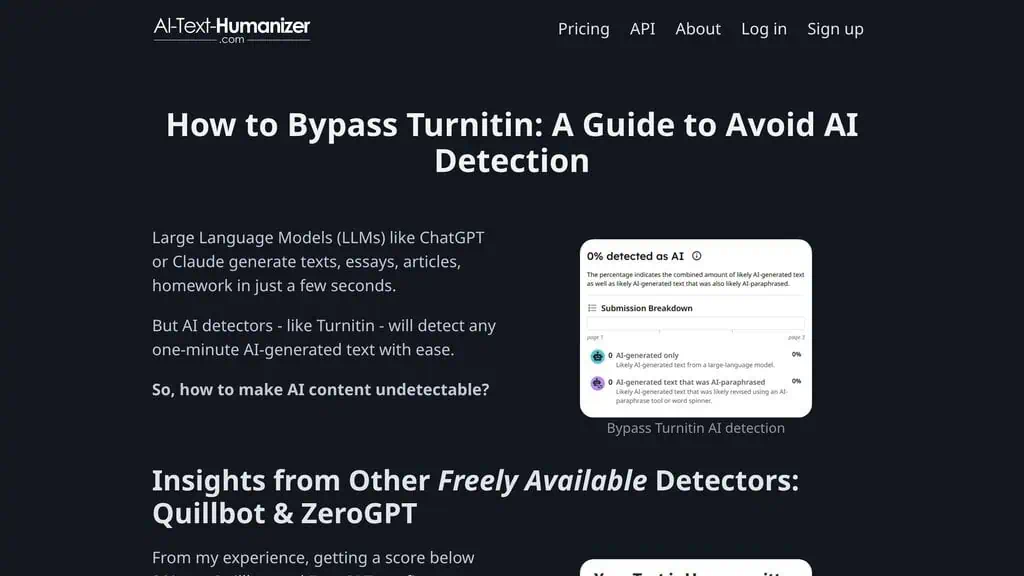
That promise has two problems. Submitting machine-written work as your own is an academic integrity violation at essentially every institution, with consequences that outlast the assignment. And no vendor can back it, because detection is a moving target and the same company’s own FAQ states that clear proof of AI use is not possible in either direction. The legitimate student use is narrower: you wrote the essay yourself, a detector flagged it anyway, and you need the prose to stop tripping a broken scanner. That is a defensive edit on your own work.
Try a prompt before you pay for any humanizer
| Alternative | Price | Pick it instead when | Tradeoff |
|---|---|---|---|
| Textbuddy | Free, no login | You want rewriting plus tone settings and 16 other writing tools | No accounts, no history, occasional grammar slips |
| ChatGPT Plus or Claude Pro | $20/month | You already pay for one and will maintain your own rewriting prompt with a style sample | You write and maintain the prompt yourself |
| QuillBot | Free tier, paid plans above it | You want sentence-level paraphrasing modes rather than a single detector-focused pass | Built for paraphrasing, not detector evasion |
Before paying for any humanizer, spend an hour writing a rewriting prompt for a model you already subscribe to. Feed it three paragraphs of your own writing as a style sample and tell it to remove the AI vocabulary while preserving your sentence rhythm. If that gets you 80% of the way, you do not need another subscription. If you are running volume and want it automated, that is when this tool’s API justifies itself. Our roundup of the best AI writing tools covers the drafting side of that stack.
Why I would still buy the prepaid pack
Worth it, with conditions. The tool does the specific job it claims, verified on a detector the vendor does not own, and it gets there by rewriting rather than by breaking the text. The prepaid structure respects how content work arrives, the API is basic but real, and the privacy position is better than most of this category bothers with. What holds it back is style, not capability: the output is clear and dull, so it is a cleanup step and never the last step. The student-facing marketing oversells something no vendor can guarantee, which is a shame on a site whose own FAQ is otherwise candid about how unreliable detectors are.
Before you buy anything in this category, score a paragraph you wrote yourself, with no AI involved, in a detector. If it comes back flagged, you will stop treating detector percentages as facts about authorship. My AIscan24 review shows how badly that can go on five samples, the Textbuddy review covers all 17 tools the same team gives away free, and our AI deals directory lists tools worth paying for once instead of monthly.
Related Posts

I tested AgainstData on 355 pages of Gmail data. Bulk unsubscribe, personal data deletion requests, pricing, and whether...
AIscan24 is a free, no-signup AI detector: it caught pure ChatGPT text at 100% but scored my handwritten paragraph 80%. ...
Honest Aithenticate review after hands-on testing. Does this AI disclosure badge tool meet EU AI Act requirements? Prici...
Allavsoft review: a Windows and Mac video and music downloader with batch queues, 8K support and format conversion, from...
My hands-on Answer Socrates review covering all features, free plan limits, pricing, and how it compares to AlsoAsked. I...

I’ve spent $4,200 on 118 AppSumo lifetime deals over 5 years. Here’s my honest review: what works, what fails, and wheth...