

Verdict: Buy
What Music Remover AI separates, and for how much
| Field | Detail |
|---|---|
| Tool | Music Remover AI (musicremover.ai), part of the AudioCleaner AI family |
| Category | Browser-based AI audio source separation: background music removal and multi-stem splitting into vocals, drums, bass, guitar and piano |
| Best use case | Rescuing a clip where background music buries the speech, without re-recording or paying for a subscription |
| Price | Free. No signup, no credit card, no watermark on downloads, and no published pricing page. File-size and duration limits are not stated anywhere. |
| Runs on | Any desktop or mobile browser, including iPhone and Android, with nothing to install |
| Verdict | Use it for content-grade cleanup and practice tracks, use a paid tool for commercial masters or confidential material |
This review is based on the public tool, its stated feature set and the AudioCleaner AI lineage behind it, checked at the time of writing. I have not run a full production workload through it, and the usage figures, ratings and testimonials quoted on the site are the vendor’s own and not independently audited. The one thing I would verify before relying on it: take a clip you almost scrapped over background music, run 30 seconds through it on headphones, and judge the separation on your own mix rather than on anyone’s description of it.
One click and three steps: how the separation works
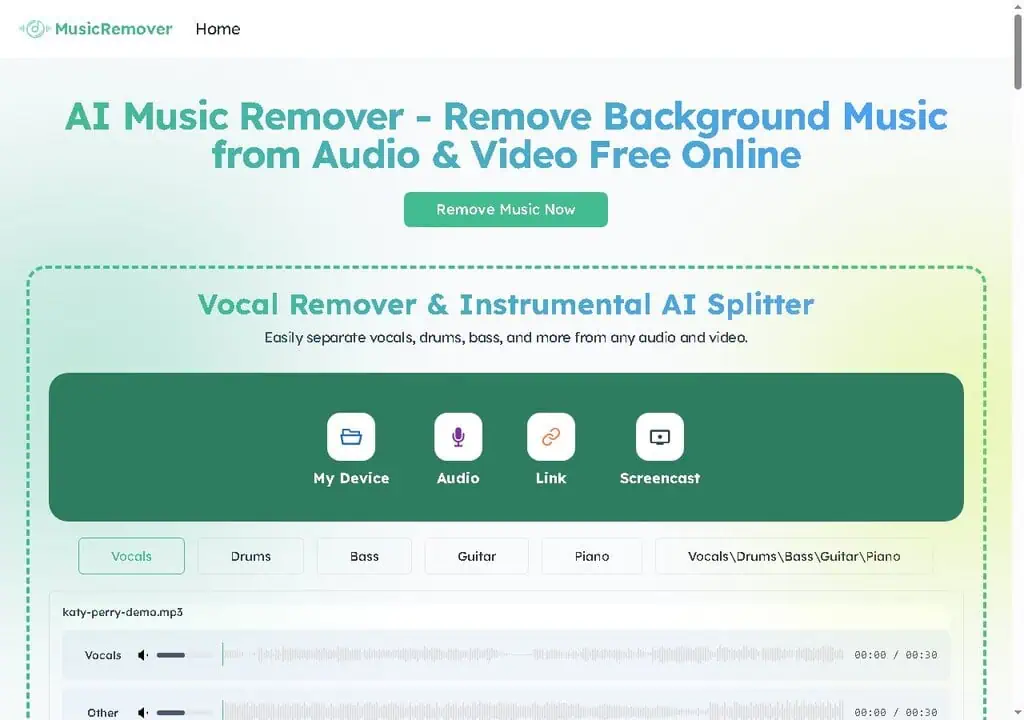
Music Remover AI removes background music from audio and video files while keeping the voice clear, and splits a track into separate stems. Its own tagline sums it up: “Separate vocal from background music, one click, no editing, free.” It comes from the same team as AudioCleaner.ai. The workflow is three steps, and the whole appeal is that there is nothing else to configure.
- Input. Four methods: upload from your device, paste a link, pull from an audio source, or capture a screencast. The link option means you often do not have to download a video just to clean its audio.
- Separation. The model analyses the file and splits music from speech automatically. There are no sliders, no model choice and no quality presets.
- Preview and download. You listen to the result, then download the voice-only track or the instrumental depending on which side you isolated.
The underlying tech across this whole category descends from open research like Meta’s Demucs music source separation and similar models, which are excellent but not magic. Output quality is a function of how crowded the original mix is, which is why a 30-second test on your real file is the correct first move rather than trusting any quality claim.
Five jobs it is built for
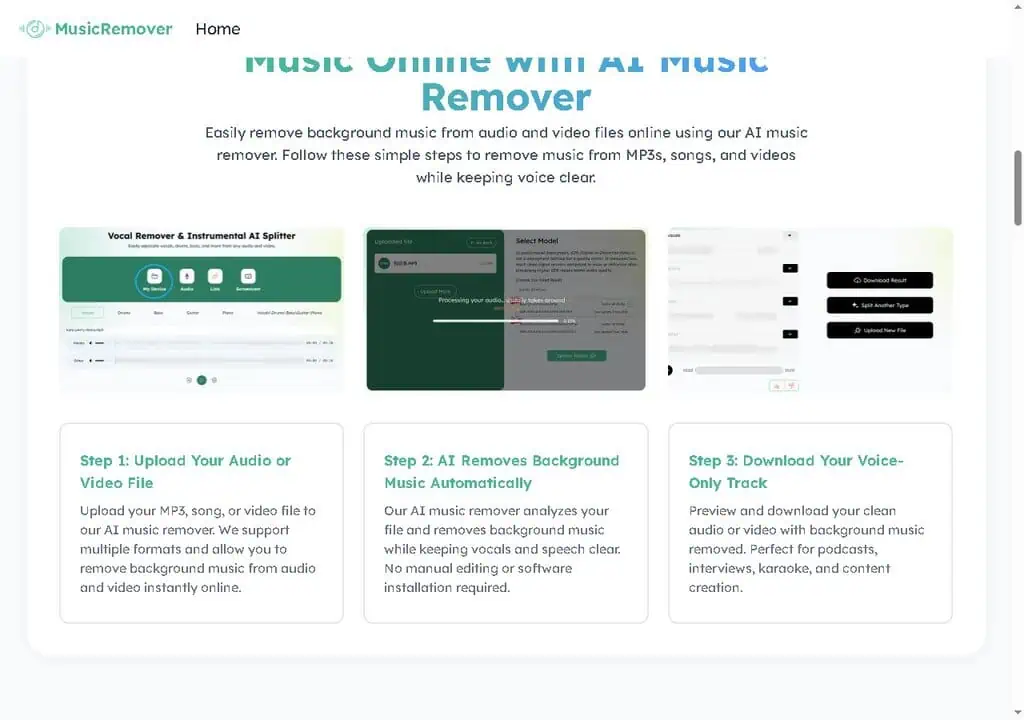
The tool is pointed at a handful of specific jobs rather than trying to be a general audio editor.
- Remove background music from video. When music drowns out your voice on a YouTube, TikTok, or Instagram clip, it lifts the music and keeps the speech, so you don’t re-shoot. This is the headline use case, and good prep before running clips through a TikTok generator like the one in my CreatOK review.
- Create karaoke and instrumental tracks. Flip it around and remove the vocals from a song to get a clean instrumental or karaoke backing track, useful for singers, cover artists, and practice.
- Clean up podcasts and interviews. Strip unwanted background music from a recording while keeping speech natural, which matters when a guest had music playing or a clip was recorded in a noisy room.
- Prepare video for dubbing and voiceovers. Remove the music bed before translating, dubbing, or laying a new voiceover, so the original score doesn’t fight your new track.
- Split a track into stems. Beyond simple voice-versus-music, it isolates vocals, drums, bass, guitar, and piano as separate stems.
Five stems instead of two
On the homepage you can pick Vocals, Drums, Bass, Guitar or Piano individually, or take all of them at once. That is what separates it from a basic vocal remover. Two-way splitting into “vocals” and “everything else” is common and easy; pulling drums, bass, guitar and piano into their own lanes is harder and normally sits behind a paid plan.
It also opens the door to remixing, sampling and music practice, not just voice cleanup. A music teacher can isolate the piano to demonstrate a part, a bedroom producer can pull a drum loop to remix, a cover artist can mute the guitar and play over the rest, and a wedding DJ can pull an acapella of a first-dance song to layer over a new beat without paying per track on a pro service.
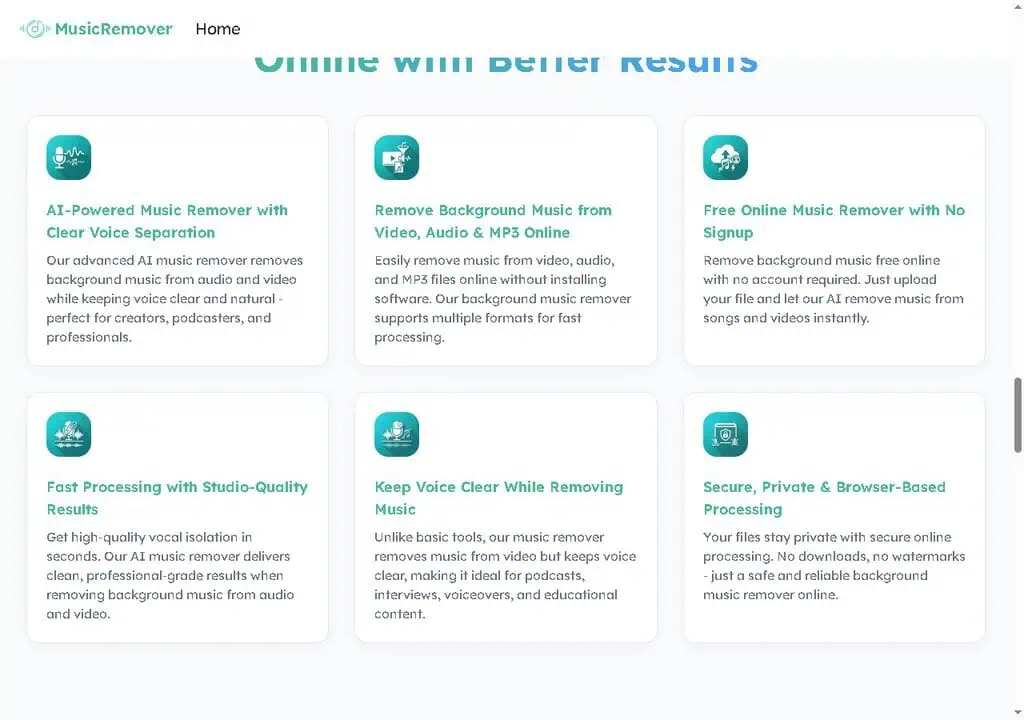
None of it is new technology, and it does not need to be. The value is that everything points at one outcome, clean separated audio, instead of a sprawling editor you’ll use 5% of. Our roundup of the best AI tools for 2026 maps the rest of a lean creator stack around it.
Is Music Remover AI free?
Yes, with no signup, no credit card, and no watermark on your exported files. There is no pricing page, no tiered plan, and no “upgrade for HD” gate visible on the tool. You upload, process, and download at no cost. In a category where free tools usually let you run the separation, play a watermarked preview and then demand a subscription to download, that is the headline.
| What you get | Music Remover AI | Typical “free” audio tool |
|---|---|---|
| Signup required | No | Often yes |
| Watermark on output | No | Common on free tier |
| Credit card to start | No | Sometimes |
| Stem separation (vocals, drums, bass, etc.) | Yes | Usually paid-only |
| Software install | No, browser-based | Sometimes desktop-only |
| Published file-size / length limit | Not stated | Varies |
The part the marketing won’t volunteer: free tools fund themselves somehow, and when there’s no visible pricing, the trade is usually some combination of file-length caps, processing queues at peak times, or ads, plus your uploaded files passing through someone’s server. If a one-time payment for a paid audio tool looks better than that trade, our tested AI deals show when it beats a subscription.
Creators it suits, and jobs to send elsewhere
Music Remover AI is best for:
- YouTube, TikTok and Instagram creators. When music buries your voice, this is the fastest fix short of re-shooting, and link input often skips the download step.
- Podcasters and interviewers. Music bleed or a guest with a track playing can be salvaged rather than cut, as a strong first pass.
- Educators and course creators. Lecture audio is markedly easier to follow with the music bed removed.
- Singers, DJs and hobbyist producers. Acapellas, karaoke backing tracks and isolated instruments without a subscription.
- Anyone working from a phone. Browser-based processing runs on iOS and Android with nothing to install.
Music Remover AI is not for:
- Commercial audio work. Mastering a release or scoring to picture needs model choice, quality settings and surgical control this does not have.
- Batch or automated pipelines. One file at a time, no API, no desktop app, no offline mode.
- Confidential or unreleased material. Privacy is a stated claim you cannot verify, and the file passes through someone else’s server.
- Anyone with a hard deadline and an untested file. With no published limits, the only way to know it will process your file is to try it first.
- Users who need a documented vendor. There is no team page, no pricing page and minimal legal detail.
Where the output and the vendor fall short
- Dense mixes bleed. When several instruments occupy the same frequency range, expect artefacts or residual music. Fine for content and practice, not for a master: for a commercial release you would still take the stems into a proper studio chain.
- No published limits at all. No stated file-size cap, no maximum duration, no complete supported-format list. Free processing always has a limit somewhere, and here you discover it by hitting it.
- “Studio-quality” is marketing language. Treat it as a claim to test on your own audio rather than a specification.
- No batch, no API, no desktop app. Processing hundreds of files or automating a workflow is out of scope.
- Company transparency is thin. No detailed about page, no team page, minimal legal links. You are trusting a brand rather than a documented company, which is normal for free utilities and still worth naming.
- Privacy is unverifiable. The site states processing is secure and private and that no downloads are required. That is the right thing to say and not something you can audit. For everyday creator audio it is a low risk; for a confidential client recording or unreleased material, read the privacy policy first and decide whether browser upload fits.
- Vendor social proof cannot be checked. 3.5 million users, a 4.7 Chrome Store rating and 5,200-plus schools and teams are all figures published by the tool, and the on-site testimonials are unverifiable first-name-plus-role quotes.
- Separation is one-way. Keep the untouched original, because there is no undo and no way to re-derive the source from a stem.
LALAL.AI, Moises or iZotope RX instead?
| Alternative | Price | Pick it instead when |
|---|---|---|
| LALAL.AI | Free Starter tier with 10 minutes in the relaxed queue and a 200 MB per-file cap; Lite €6.75 per month or €81 per year; Pro €13.50 per month or €162 per year with API and VST access | You need batch processing, an API, a plugin inside your DAW, or published per-file limits you can plan around |
| Moises | Free tier with a limited number of monthly uploads; paid plans shown after sign-in rather than on the public page | You are a musician who wants stem separation alongside practice tools like pitch and tempo control |
| Vocalremover.org | Free | You want a second free opinion on the same file, since separation quality varies by model and mix |
| iZotope RX | Paid licence, priced per edition | The job is professional repair and restoration where surgical control decides the outcome |
The paid tools add more stems, quality presets, model choice, batch processing and an API. For the 80% of jobs that are “get the music off this voice” or “make me a quick instrumental,” those features mostly don’t change the outcome, so the free tool is the right call. For the 20% that are paid client work or a release master, the control and depth of a paid tool earn their cost. Match the tool to the stakes of the job.
Getting a clean result on the first run
A few practical tips, drawn from our AI how-to guides:
- Start with a short test clip. Run 30 seconds of your real audio first to judge quality before committing a full file. Every mix separates differently.
- Use the cleanest source you have. A higher-quality original gives the AI more to work with. A heavily compressed, re-uploaded clip will separate worse than the original export.
- Pick the right stem for the job. If you only need voice, isolate vocals. If you need a backing track, remove vocals. Grabbing all stems when you only need one just adds steps.
- Listen on headphones. Artifacts and bleed are easier to catch on headphones than laptop speakers, so you know whether the result is clip-ready.
- Keep your original. Separation is one-way. Always keep the untouched source so you can re-run if the first pass isn’t clean enough.
Worth it for creators, not for masters
Yes, with clear expectations. Music Remover AI is one of the few free AI audio tools that doesn’t punish you for not paying, and the multi-stem splitter pushes it past the basic vocal removers it competes with. Its boundaries are transparency and ceiling, not core function: you are trusting a thinly documented brand, the limits aren’t published, and the output is content-grade rather than master-grade.
The real value of a tool like this is not the single edit; it is removing a recurring excuse. Creators who don’t abandon good footage because the audio was messy publish more, the same way the AI video maker in my Steve AI review rescues a thin script. Take one clip you almost scrapped over background music, run 30 seconds through it, and see if it earns a spot in your workflow.
Love free AI tools like this one? Our guide to the 108 best free AI tools ranks 108 of them by real traffic, with each free plan and limit spelled out.
Cleaned up your audio? Pair it with visuals. Our guide to the 60 best free AI video generators ranks 60 free tools for text-to-video, avatars, and editing.
Formats and copyright
What audio and video formats does it support?
It accepts common formats including MP3 and WAV audio and MP4 video, plus song files and links. The site doesn’t publish a full format list or maximum file size, so if you work in something less common like FLAC or MOV, run a short test file first.
Does removing background music help avoid YouTube copyright strikes?
It can help, but it’s not a guaranteed fix. Removing copyrighted background music from your own footage reduces the chance of a Content ID match on that audio. It does not make using someone else’s song legal, and YouTube’s detection works on more than the isolated track, so treat it as cleanup, not a loophole.
Related Posts

I tested AgainstData on 355 pages of Gmail data. Bulk unsubscribe, personal data deletion requests, pricing, and whether...

AI-Text-Humanizer.com took a 132-word ChatGPT paragraph from 100% AI to 0% on ZeroGPT but flattens your voice. Buy the $...

AIscan24 is a free, no-signup AI detector: it caught pure ChatGPT text at 100% but scored my handwritten paragraph 80%. ...

Honest Aithenticate review after hands-on testing. Does this AI disclosure badge tool meet EU AI Act requirements? Prici...

My hands-on Answer Socrates review covering all features, free plan limits, pricing, and how it compares to AlsoAsked. I...
I’ve spent $4,200 on 118 AppSumo lifetime deals over 5 years. Here’s my honest review: what works, what fails, and wheth...