

Verdict: Buy
CinemaDrop is an all-in-one AI filmmaking platform that turns a single idea into a script, a storyboard, and a finished video without leaving the tab. The Lite plan is free but excludes AI video; $8/month buys commercial use, AI video and Veo 3.1. It earns a cautious Buy for creators who need the same character to look the same across shots, with two warnings: monthly credits do not roll over, and regenerating shots burns them far faster than the headline numbers suggest.
Disclosure (Review Access): This CinemaDrop review is based on hands-on exploration of the platform, the free Lite tier, and pricing verified directly from the official CinemaDrop site. I have not run a months-long paid production test. zplatform.ai may use affiliate links; my verdicts are never for sale.
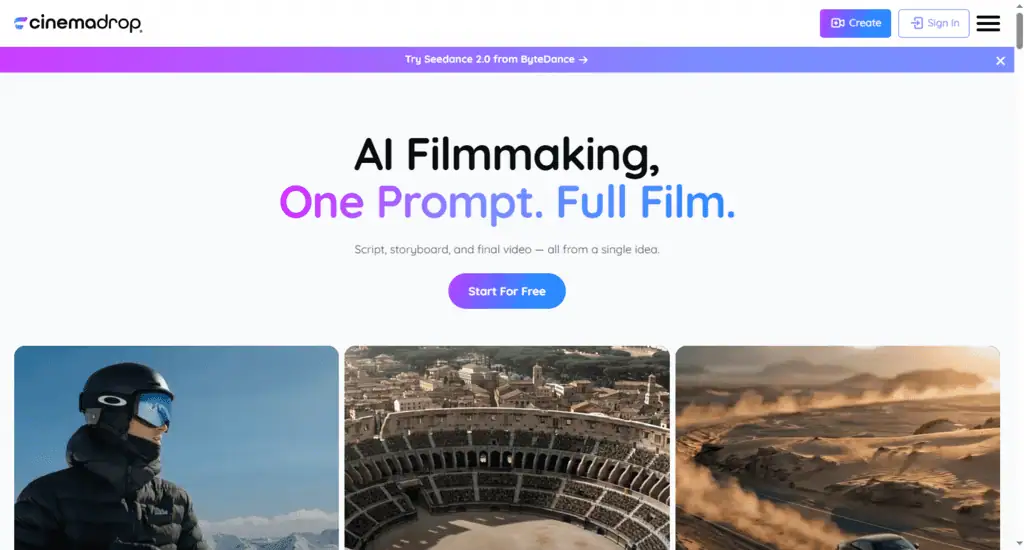
What is CinemaDrop?
CinemaDrop is an all-in-one AI filmmaking platform that takes you from a written idea to a finished video inside a single tool. Instead of generating clips in one app, writing scripts in another, and fixing audio in a third, you do the whole thing in one workspace: script, storyboard, visuals, voice, and export. It sits in a crowded space next to Kling, Higgsfield AI, and LTX Studio; see how the top rivals stack up in my AI tool alternatives hub.
The core promise is continuity. Most AI video tools generate isolated clips: your character looks slightly different in every shot, the lighting jumps around, and the result feels like a slideshow of unrelated generations, a pattern I also hit in my Steve AI review. CinemaDrop is built around fixing that problem with a feature set it calls Elements.
- Write your script. Describe a concept and the AI drafts a full script with scenes, dialogue, and structure. You can edit any line before moving on.
- Define your Elements. Upload a reference image or generate a character, object, or environment. Tag it in any shot, and the AI keeps it visually consistent across the whole project.
- Build your storyboard. Break the script into scenes and shots. Each shot is its own canvas where you generate visuals using 30+ AI models in one click.
- Export your video. Add lip sync, voiceovers, music, and sound effects, then compile the shots into a final video.
It supports 65+ visual styles, from Pixar and Studio Ghibli looks to anime, horror, and comic book. The model lineup is the part that surprised me: Google Veo 3.1, Kling 3.0, Seedance 2.0, Nano Banana Pro, GPT Image 2, Runway Aleph, ElevenLabs audio, and more, all accessible through one credit balance.
Script to storyboard without copying prompts
The script-to-storyboard handoff is what separates CinemaDrop from a plain video generator. You type an idea, pick a format and length, and the AI returns a structured script. Once the script is ready, the platform reads it and automatically builds your elements and storyboard. No manual setup, no copying prompts between tools.
With a raw model like Kling, you write your own prompts, manage your own reference images, generate each clip separately, and stitch the whole thing together in an editor. CinemaDrop collapses that into a connected pipeline where each step feeds the next. For a small e-commerce owner who needs a 30-second product ad, the kind of short-form sales clip I tested in my CreatOK review, that means tagging the product once as an Element so it appears identically in every shot, instead of three subscriptions and manual continuity fixes.
CinemaDrop pricing, and what 700 credits buy
CinemaDrop pricing starts free and scales by monthly credits. One flexible credit balance powers every feature: images, video, audio, and storyboards. Here is the plan breakdown verified directly from the CinemaDrop pricing page.
| Plan | Price | Monthly Credits | Key Unlock |
|---|---|---|---|
| Lite | Free | 50 (one-time) | Storyboard, script, image, audio. Personal use only |
| Basic | $8/mo | 700 | Commercial use, AI video, Veo 3.1, Kling 3.0, no watermark |
| Plus | $19/mo | 1,800 | Seedance 2.0, AI music, speech to speech |
| Pro | $39/mo | 4,000 | Priority support, early model access (Most Popular) |
| Max | $249/mo | 30,000 | Dedicated support, studio-volume usage |
| Enterprise | Custom | Flexible | High-volume, custom solutions |
The Lite plan’s 50 one-time credits need no credit card and let you test the script, storyboard, image, and audio features on a real project before paying. Browse more zero-cost options in my free AI tools picks if you want to build a budget stack around it.
Credits are consumed at different rates depending on what you generate:
- Images from 3 credits per image
- Video from 4 credits per second of video
- Lip sync from 8 credits per second
- Text to speech at 1 credit per 10 characters
- Sound effects at 3 credits per second, or 15 credits flat for auto length
Now do the math the pricing table hides. The Basic plan gives 700 credits a month. At 4 credits per second of video, that is roughly 175 seconds of single-pass video generation. You rarely keep the first generation of a shot, though, and if you regenerate each usable shot three to five times, which is normal, a single polished one-minute video can eat most of a month on the Basic plan.
The Pro plan at $39 for 4,000 credits gives you around 1,000 seconds of single-pass video, but the same regeneration tax applies. This is not a CinemaDrop flaw specifically; it is the reality of every credit-based AI video tool. The headline credit numbers will still make you overestimate how much finished footage you get.
One honest positive: Veo 3.1, one of the strongest video models available, is unlocked on the $8 Basic plan, while LTX Studio reserves Veo 3.1 for its $125/month tier. If Veo output is your priority, that gap lands in CinemaDrop’s favor.
Where CinemaDrop earns its fee
Elements keeps faces and scenes consistent
The Elements system is the feature that justifies choosing CinemaDrop over a bare video model. Tag a character once and the AI reproduces the same face and style across every scene. Lock lighting, color grade, and mood at the scene level so shots feel like they belong to the same film. For narrative work, this solves the single most frustrating problem in AI filmmaking.
One workspace instead of a tool graveyard
Most creators building AI video today run a messy stack: one tool for scripts, one for images, one for video, one for voice, and an editor to assemble it. CinemaDrop centralizes all of it, which means fewer subscriptions, fewer exports and re-imports, and no continuity lost when you move assets between apps. If cutting recurring software cost is your goal, it is the same logic behind chasing AI lifetime deals, just applied to a single platform.
Swap models per shot
Access to 30+ models means you are not stuck with one engine’s weaknesses, much like the multi-model workspace in my Epochal review. You can swap models per shot, which is smart, because no single model wins at everything.
Credit, refund and track-record risks
- Credits do not roll over. Unused monthly credits vanish at the end of your billing cycle, so a slow month loses what you paid for. Bonus credits you buy as top-ups last a year but are non-refundable. For irregular creators, this use-it-or-lose-it model is a quiet cost.
- The refund window has a usage cap. CinemaDrop offers refunds on monthly subscriptions within 14 days, but only if you have used fewer than 500 credits. Given how fast credits burn, it is easy to cross 500 in a single serious test session and forfeit your refund, so request it early if the tool is not for you.
- Lite is a taste, not a trial of the real product. The free plan is personal use only and excludes AI video generation, the headline feature. To judge the video output you have to pay at least $8.
- It is a young platform with a short public track record. CinemaDrop is moving fast and is listed across AI tool directories, but it does not yet have years of independent reviews behind it. I would not build a mission-critical production pipeline on it without a backup plan.
- Output quality is still bound by current AI video limits. Motion artifacts, odd hands, and continuity slips still happen, and CinemaDrop runs the same underlying models everyone else does. Elements reduces character drift but does not make raw generations flawless, as I explain in my AI how-to guides. Expect to regenerate, and budget credits for it.
CinemaDrop vs Kling, Higgsfield AI, and LTX Studio
CinemaDrop’s own positioning is that competitors solve only part of the problem, and after digging in, that framing is mostly fair.
| Capability | CinemaDrop | Kling | Higgsfield AI | LTX Studio |
|---|---|---|---|---|
| AI script generator | Yes | No | No | Yes |
| Storyboard builder | Yes | No | Partial | Yes |
| Character consistency | Yes (Elements) | No | Yes (Soul ID) | Unreliable in practice |
| Multiple AI models | 30+ | One | Limited | Multi-model |
| Voiceover and lip sync | Yes | No | Partial | Partial |
| Best video model on entry plan | Veo 3.1 at $8 | n/a | n/a | Veo locked to $125/mo |
Kling is a powerful generation model, but that is all it is: you bring your own prompts and assemble everything yourself. Pick it, or direct access to Veo, if you want one best-in-class video model and nothing else. Higgsfield AI has strong short-form character consistency through Soul ID, but clips cap around 5 to 10 seconds and it is built for social and brand promos, not narrative film. LTX Studio is the closest competitor in concept, with its own script-to-storyboard flow, and it is the more established platform; its character consistency has a poor reputation that I have not tested myself, and its credit system and premium pricing are steeper.
CinemaDrop’s edge is the complete connected pipeline at an accessible entry price. Its risk is being newer than the alternatives. Compare it against the rest of my tested picks in the best AI tools roundup before you commit to a paid plan.
Buy, wait or skip: who CinemaDrop fits
Buy it if you are a content creator, indie filmmaker, marketer, or agency that needs short narrative or branded video with consistent characters, and you want one tool instead of five. The $8 Basic plan with commercial use and Veo 3.1 is one of the better-value entry points in this category right now.
Wait if you only generate video occasionally. The no-rollover credit model punishes irregular use, and you may get better value buying bonus credits as needed on a cheaper base plan.
Skip it if you need a single best-in-class video model and nothing else, or you are running a high-stakes commercial production that cannot tolerate the longevity risk of a young platform.
A cautious buy, and the first test to run
“One prompt, full film” is marketing, not reality. You will still write, edit, regenerate, and assemble. What CinemaDrop does well is remove the tool-juggling and continuity headaches that make AI video tedious, at a price that does not require a $100+ monthly commitment, and that is why it earns a Buy despite the credit and track-record risks.
Your concrete first step: start on the free Lite tier at CinemaDrop, run one real script through the script-to-storyboard flow, and judge the storyboard quality with your own eyes. If the continuity holds up for your style, the $8 Basic plan is a low-risk way to test the full video pipeline. For more tested verdicts before you spend, browse the ZPlatform AI deals hub or subscribe for weekly picks.
Is CinemaDrop good for beginners?
Yes. The Story Builder lets you start from a single typed idea with no technical background, and you can generate a script, storyboard, and rough video without learning complex editing software. Getting polished results still takes iteration and credit budget.
Pricing and company details: see the CinemaDrop profile.
Related Posts

I tested AgainstData on 355 pages of Gmail data. Bulk unsubscribe, personal data deletion requests, pricing, and whether...

AI-Text-Humanizer.com took a 132-word ChatGPT paragraph from 100% AI to 0% on ZeroGPT but flattens your voice. Buy the $...

AIscan24 is a free, no-signup AI detector: it caught pure ChatGPT text at 100% but scored my handwritten paragraph 80%. ...

Honest Aithenticate review after hands-on testing. Does this AI disclosure badge tool meet EU AI Act requirements? Prici...

My hands-on Answer Socrates review covering all features, free plan limits, pricing, and how it compares to AlsoAsked. I...

I’ve spent $4,200 on 118 AppSumo lifetime deals over 5 years. Here’s my honest review: what works, what fails, and wheth...