

Verdict: Buy
Who CreatOK suits, and at what price
| Field | Detail |
|---|---|
| Tool | CreatOK |
| Category | AI video generator built for TikTok Shop sellers rather than general creators, routing across multiple foundation models |
| Best use case | Turning one winning TikTok product video into a steady stream of new sales creatives, by deconstructing a viral video’s hook, pacing and social proof and rebuilding it around your product |
| Price | Free tier: yes, with limited credits, basic models and no watermark. Basic $10 per month, Pro $39 per month with the full credit allowance, premium models (Veo, Kling, Seedance, Wan, Nano Banana Pro) and a faster queue. Prices checked on 25 September 2026. |
| Wrong tool for | Technical niches, B2B SaaS and anything longer than about 60 seconds |
| Verdict | Test on the free plan with your own products, buy Pro only if you are running paid TikTok ads |
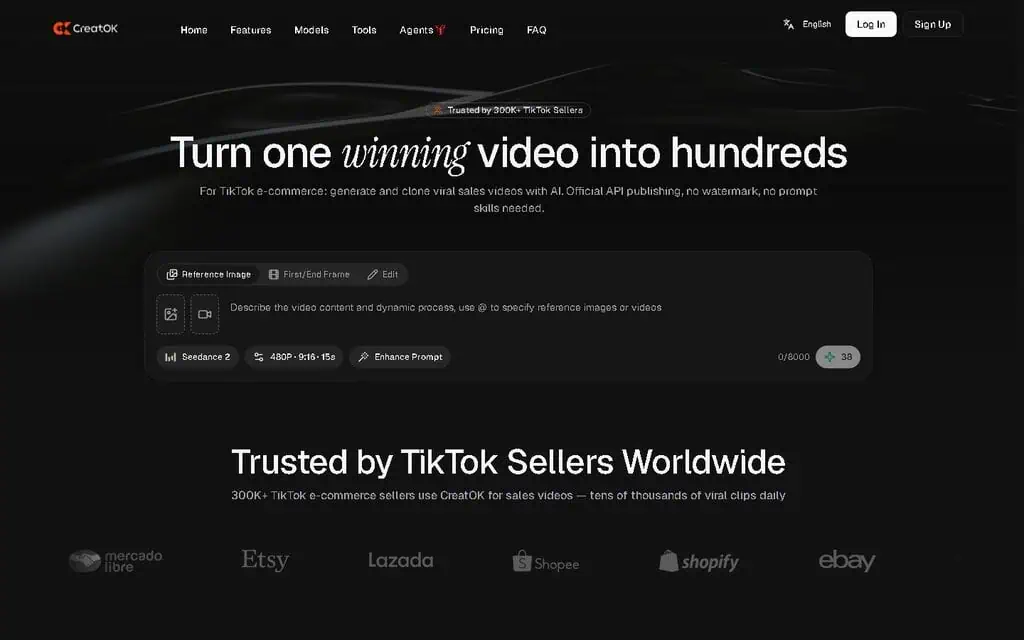
The second-video problem CreatOK is built for
Almost every TikTok Shop seller hits the same wall. One video works, pulls a weekend of orders, and then the second one never lands. You film yourself, you hire a creator on Fiverr, you run a generic AI tool and get something that looks like a 2018 slide deck with a sound effect over it. None of it converts like the first video did.
Most AI video tools are not built for the shape of TikTok e-commerce content, unlike the general-purpose maker in my Steve AI review. CreatOK is. I ran it for 30 days on my own products, on review access to the Pro plan (details in the disclosure at the end), and went in expecting another wrapper around a generic text-to-video model.
What is CreatOK, and how is it different from Veo, Sora and Kling?
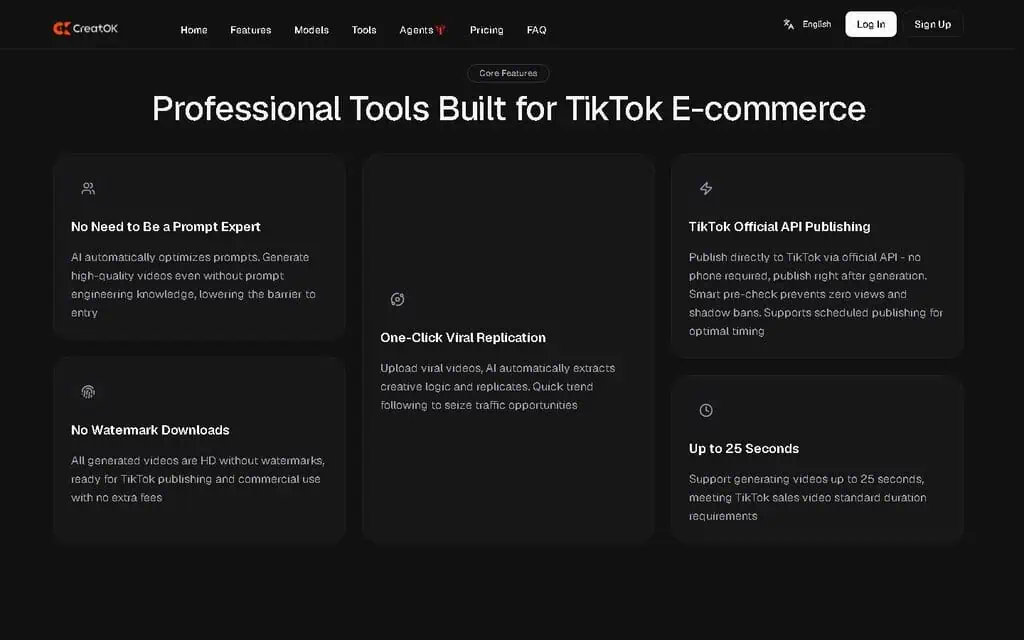
CreatOK is an AI video generator for TikTok e-commerce sellers and agencies that need short-form sales videos at scale. Veo, Sora and Runway produce creative output for any use case; CreatOK does one job, turning a single piece of product input into a stream of viral-style sales content. The platform says it serves over 200,000 TikTok sellers.
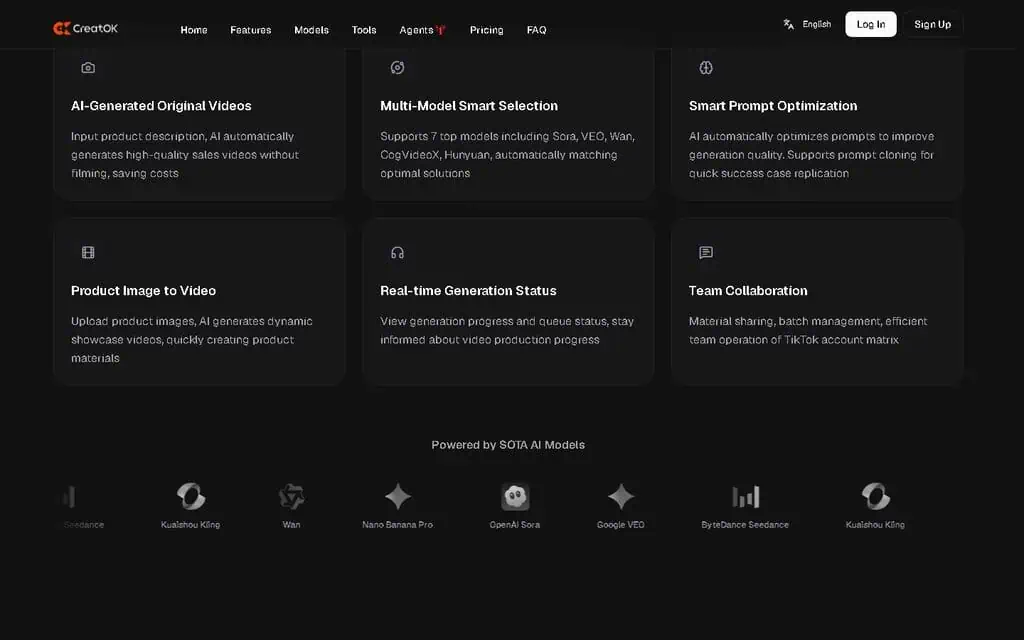
It sits on top of several foundation models, including Soar, Wan, Seedance, Veo, Nano Banana Pro and Kling, the same multi-model approach I saw in my CinemaDrop review. No single model is best at everything: Veo is strong at cinematic motion, Kling at physical realism, Nano Banana Pro at fast character-driven scenes. CreatOK routes your prompt to the model that fits, so you do not have to learn seven engines.
On day one I uploaded three product photos (a phone case, a desk lamp and a face cream) and ran the same prompt through each model option. The phone case looked best out of Wan, which handles reflective surfaces cleanly. The face cream looked best out of Nano Banana Pro because the talking-head segment was smoother. The desk lamp looked best out of Seedance because the lighting movement looked natural.
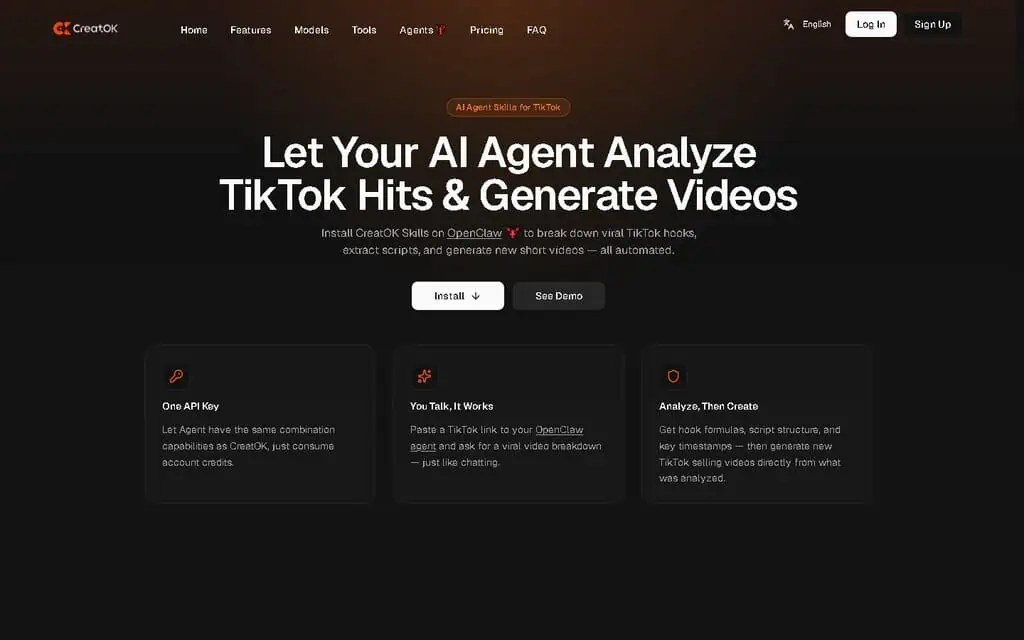
There are two creation paths, and almost every video I made fell into one of them: text-to-video for new products with nothing to clone, and viral cloning for rebuilding a proven video around your product. Viral Discovery feeds the second path, and consistent characters sit across both.
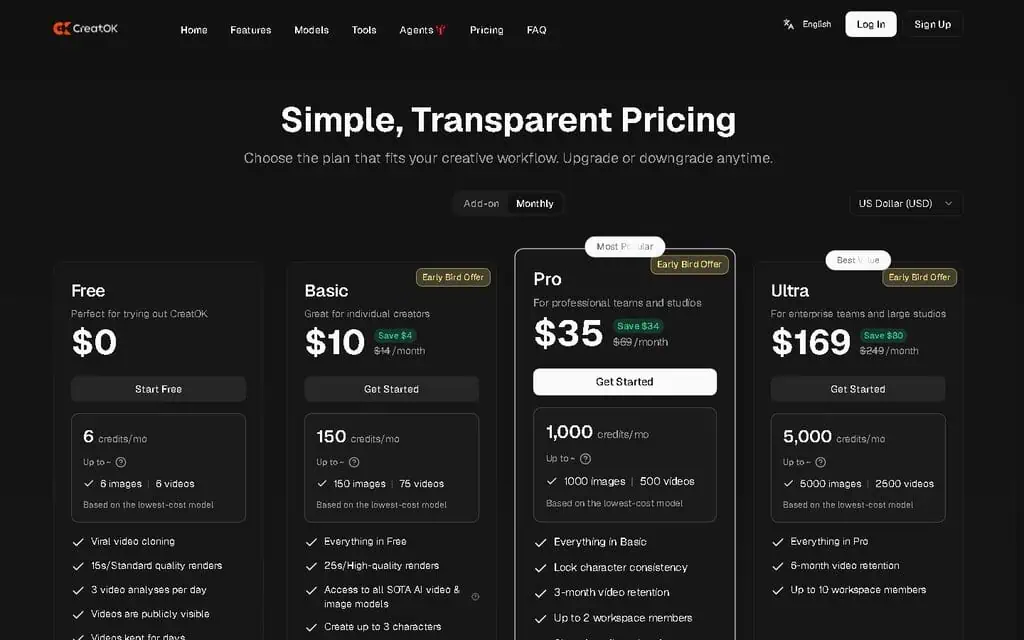
CreatOK pricing: free, Basic and Pro
| Plan | Monthly Cost | Best For | What You Get |
|---|---|---|---|
| Free | $0 | Testing the product | Limited credits, basic models, no watermark |
| Basic | $10/month | Solo sellers with low volume | Standard credits, most models, no watermark |
| Pro | $39/month | Active TikTok sellers and agencies | Full credit allowance, all premium models including Veo and Kling, faster generation queue |
The free plan is a real test environment: real videos, no watermark, where most tools in this category give you a watermarked 6-second demo. It covers 3 to 5 generations against your own products, which is enough to see whether the workflow fits.
Why Basic runs dry for anyone iterating
I used both Basic and Pro. The average video took 2 to 4 generation attempts before I had something I would post, and at that rate the Basic allowance was gone in about 18 days. On Pro I never ran out, and the premium models gave the cleanest output for product-heavy scenes.
The split is volume. If you run TikTok ads on $100 per month or more, one AI video that runs as a paid ad and brings in 30 to 50 incremental sales pays for Pro many times over. If you post organically 2 to 3 times per week, Basic is enough.
Deals and discounts
The official pricing on the CreatOK website is already low for the category, so discounts are mostly limited to annual billing savings. I have not seen CreatOK on AppSumo, Dealify or PitchGround as of May 2026, which suggests the team is sticking to direct SaaS pricing. For one-time-payment tools in the same space, see the AI lifetime deals page, where I track new listings weekly.
Viral Discovery: trends ranked by 24-hour velocity
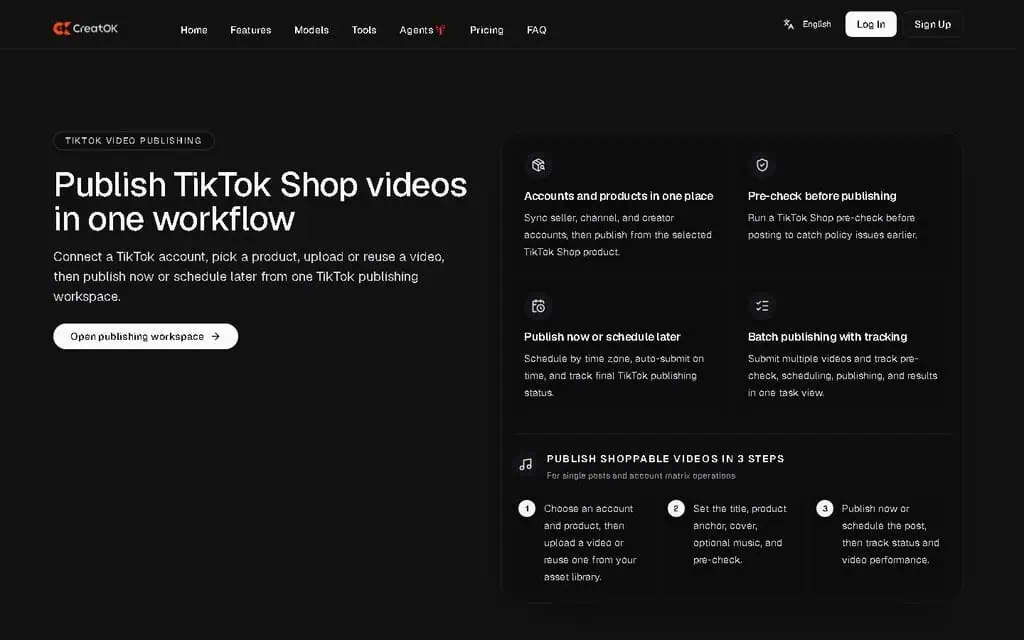
Viral Discovery is a live feed of TikTok videos performing well right now in the categories you pick. You filter by niche (beauty, tech, home, pets, fashion, food), by engagement velocity over the last 24 hours, and by content style (unboxing, demo, before/after, testimonial). Niche filtering goes deep enough to drill from beauty into skincare into anti-aging.
Ranking by velocity is the useful part. A video with 2 million views from three months ago is interesting but not actionable; one with 80,000 views in the last 12 hours is a pattern you can replicate while the trend is live. Your own For You Page cannot show you that, because it ranks videos for your tastes, not for the marketplace. Any result exports straight into the clone workflow without copying URLs.
In week two I ran it end to end on a portable LED ring light listing: a pattern from the feed, into the viral clone workflow with the product. Six minutes later there was a clean new video using the product, its packaging and a matching tone of voice, ready to post inside 20 minutes of starting. Whether a clone earns views is down to the account and the offer; what CreatOK removes is the hours between spotting a pattern and having an asset built on it.
Text-to-video: about 70% usable on the first generation
This is the path for products with no viral video to clone. You upload product images, write a short description, pick a tone (energetic, calm, urgent, informative) and a length, and get a complete video with scene structure, on-screen text and a music suggestion.
About 70 percent of first generations were usable in my testing, the highest first-attempt rate I have seen from a text-to-video tool.
The output reads as a TikTok video rather than an AI video. Cuts come every 1 to 2 seconds for the first 5 seconds, run longer during value delivery, and close quickly on a CTA. On-screen text sits in TikTok’s center-bottom position.
My clearest example was a product I have never sold: a silicone food storage bag. Three manufacturer photos, a 40-word description, an “energetic and educational” tone and a 22-second target. The first generation came back as a 1.5-second hook (“Stop buying plastic bags forever”), a 4-second product reveal with on-screen text on the reusable material, a 6-second demonstration of the bag holding liquid without leaking, a 5-second social proof beat reading “Over 50,000 sold this month,” and a 5-second CTA. The suggested music was a trending audio I checked was trending that week. The hook landed faster than my own manual attempts at this kind of video usually do.
Viral cloning rebuilds the structure, not the video
You paste a TikTok link or upload a file. The system splits the video into timed components: hook (0 to 1.5 seconds), setup (1.5 to 4 seconds), value delivery (4 to 15 seconds), social proof or demonstration (15 to 22 seconds) and close (22 to 30 seconds). For each one it identifies the emotional tone, visual style, pacing and on-screen text strategy.
You then add your product: photos, description, brand voice and any claims you can make. CreatOK fuses it into that skeleton and generates a new asset. Audio, on-screen text, pacing, product placement and CTA are all regenerated; only the story shape carries over.
Doing this by hand means understanding pacing, music, text timing, hook structure and emotional arc, which is why most manual remakes copy the surface and miss the reason the original worked. The typical case is a small brand with one old video carrying most of its paid performance and several failed remakes. Using that winner as the clone source for a different product keeps the hook structure and demonstration pacing. It will not usually beat the original, but it gives you a second and third asset to test instead of one you cannot reproduce. That is the case for Pro: creative velocity, not a guaranteed conversion rate.
Consistent characters held across 12 videos
You upload a reference image (yourself, a hired model with permission, or a synthetic character) and the system locks facial and body features for reuse. A character library holds multiple personas, so you can switch by audience. It is the same avatar-consistency problem I looked at in my Every Anyone review.
This matters because talking-head videos are the format sellers keep filming themselves for, and outsourcing them costs $200 to $500 per video at the low end, $1,000+ for proven UGC creators. With a locked character, the only limit is your credit allowance.
I generated 12 videos with the same character over three weeks, across different products and scenes. The face stayed recognizable in all 12, the hair stayed within the same shade range, and body type and facial structure stayed locked while the outfit changed (which I wanted). General-purpose tools can change a character’s ethnicity or age between two generations of the same prompt.
How CreatOK compares on price and fit
| Tool | Monthly price | TikTok-specific workflow | Pick it instead when |
|---|---|---|---|
| CreatOK | Free tier; $10 to $39 | Yes, with viral clone | You sell physical consumer products on TikTok |
| Runway (Gen-3) | Free credits to start; $15 to $95 | No | You need high-quality cinematic creative rather than sales-shaped short form, and will do the prompt engineering |
| Pika | $10 to $95 | No | You want quick stylized clips rather than product videos |
| Synthesia | From about $19 to $89 | No | The job is corporate talking-head or explainer video with a scripted avatar, not TikTok pacing |
| Captions | Free tier; $24.99 to $279.99 | Partial | You are editing footage you filmed yourself and want captions, trimming and social formatting rather than generation |
| InVideo AI | $20 to $150 | Partial | Template-driven marketing video across channels matters more than a TikTok-specific viral workflow |
CreatOK is the only tool here with a complete viral-clone workflow; its Pro plan costs $4 a month more than Runway Pro or Pika Creator and less than Synthesia Creator. Check each vendor’s page before comparing, since this category re-prices often. Competitor prices checked on 25 September 2026. For a multi-engine creative workspace rather than a TikTok-specific tool, see the Epochal review. For avatar consistency specifically, see the Every Anyone review. For the wider market, see my comparison of the best AI tools for video creators.
Where CreatOK breaks down
- Cloning a competitor’s video can cost you reach. Rebuilding someone else’s hook and pacing sits in a grey area on originality, and TikTok’s own guidelines discourage unoriginal content, which can suppress the asset you just generated. Use your own winners as the source where you can.
- The credit system is opaque for the first days. A Veo video costs materially more credits than one on a lighter model, so early experimenting burns the allowance fast. By week two I knew which models I needed for which jobs.
- Roughly 30% of first generations are not usable. That is a good rate for this category and still means rerunning about a third of everything, which is what empties Basic in about 18 days.
- The first 5 to 10 clones are hit-or-miss. Clear structure, a single product and a recognizable hook clone well. Multi-product showcases, complex storytelling and unusual pacing do not.
- Technical niches produce confidently wrong claims. Medical devices, scientific instruments and industrial equipment get voiceover claims that sound right and are not precisely accurate, so every generation needs checking and the speed advantage disappears.
- Coherence ends around 60 seconds. 90-second tutorials and 2-minute deep dives have to be generated in pieces and stitched in an external editor.
- Characters drift under close inspection. Across my 12 videos, eye color shifted slightly between two generations and the smile pattern varied. It survives a 22-second watch, not a frame-by-frame review.
- Multi-location scenes break. Move a character from a kitchen to a living room and lighting and background jump, so each scene has to be generated separately.
- Hands and small product details show artifacts. Every current video model has this problem; it is still visible to anyone who looks closely, which rules out high-end commercial work.
- Viral Discovery is skewed by region and category. Trend data is strongest for the US, UK and Southeast Asia and thins out elsewhere, including non-English markets. Beauty and fashion are oversampled, so industrial supplies or B2B sellers get more from text-to-video than from the feed.
- Mobile is weaker than web. If you run your TikTok business from a phone, expect to spend more time on the desktop dashboard than you planned. The team has signaled a mobile-first redesign, but as of May 2026 web is where the tool works best.
Who should pay for CreatOK, and who should not
- TikTok Shop sellers in consumer categories. Beauty, fashion, home, tech accessories, food and pet products are what the templates and trend data are built around.
- TikTok ad buyers spending $100 or more a month. Creative velocity drives paid ROI, and one AI creative that beats a $200 freelancer video pays for Pro immediately.
- Agencies running three or more TikTok Shop accounts. Consistent characters plus the Pro credit allowance is where the throughput argument lands.
- Sellers who refuse to be on camera. Build a synthetic persona once and generate talking-head videos without filming anything.
Skip it for B2B SaaS marketing (the viral patterns are consumer e-commerce patterns, and TikTok is rarely the right channel for that buyer), for medical, scientific or industrial products, and for YouTube long-form. Hobbyists making fewer than about four videos a month should stay on the free plan, because paying does not improve anything at that volume.
My verdict after 30 days
CreatOK is the first AI video tool I have used that produces a second video as good as the first, and the roughly 70% first-attempt rate in my testing is the number that decides it. The price makes the test cheap: the free plan is a genuine trial rather than a teaser.
The decision rule: if you sell physical consumer products on TikTok and have one video that worked and no second one, start on the free plan, run 3 to 5 generations on your own products, then give Pro two weeks. If you post organically at low volume, Basic at $10 is enough. If your product needs precise technical claims or videos past a minute, the editing time cancels the speed and you should look at the alternatives above.
Comparing video tools? If you want several engines like Veo, Kling, and Sora in one workspace instead of a single generator, read our Epochal review.
Generating short-form video with AI? When background music buries your voiceover, our Music Remover AI review covers a free tool that strips background music from video while keeping speech clear.
Earning 1099 income from your content? You will owe quarterly taxes on it. See our SnapTax review for tax planning software aimed at freelancers and creators.
More CreatOK questions
Can I clone any viral TikTok video legally?
You can rebuild the structure of a video (hook pattern, pacing, visual style), because structures and patterns are not copyrightable, and CreatOK regenerates the audio, product and branding. You cannot reuse copyrighted audio, recognizable people or trademarked elements. Copyright is a separate question from TikTok’s originality rules, which is why I still prefer your own winners as clone sources.
How fast is CreatOK video generation?
Most videos finish in 2 to 6 minutes on Pro: under 2 minutes on the lightweight models, 4 to 6 minutes on Veo and Kling. The free and Basic plans use a slower queue, so expect 5 to 12 minutes during peak demand.
Will CreatOK videos look like AI to viewers?
In my testing they passed casual viewing as human-made, because the pacing matches TikTok’s native rhythm. A skeptical frame-by-frame viewer would still catch the hand and small-detail artifacts listed above.
Disclosure: This review is based on 30 days of personal testing using my own accounts and my own products. I received Review Access from the CreatOK team for the Pro plan, with zero editorial control over the content of this review. Any links to CreatOK in this article may be affiliate links. zplatform.ai never trades a positive review for affiliate revenue, and the verdict in this article is based solely on the testing experience.
For more AI tool reviews, visit zplatform.ai and subscribe to the weekly AI deal alerts.
Pair your AI-generated video with custom visuals from our guide to the 60 best free AI image generators, ranked by real traffic and tested hands-on.
Looking for more ways to make short-form video? Our guide to the 60 best free AI video generators covers 60 free options across text-to-video, avatars, and editing.
Pricing and company details: see the CreatOK profile.
Related Posts

I tested AgainstData on 355 pages of Gmail data. Bulk unsubscribe, personal data deletion requests, pricing, and whether...

AI-Text-Humanizer.com took a 132-word ChatGPT paragraph from 100% AI to 0% on ZeroGPT but flattens your voice. Buy the $...

AIscan24 is a free, no-signup AI detector: it caught pure ChatGPT text at 100% but scored my handwritten paragraph 80%. ...

Honest Aithenticate review after hands-on testing. Does this AI disclosure badge tool meet EU AI Act requirements? Prici...

My hands-on Answer Socrates review covering all features, free plan limits, pricing, and how it compares to AlsoAsked. I...
I’ve spent $4,200 on 118 AppSumo lifetime deals over 5 years. Here’s my honest review: what works, what fails, and wheth...