

Chat2Design was a text-to-UI design assistant that ran as a Figma plugin, sold from a free plan up to $9 a month, and went offline in 2024. This historical review is built from archived copies of the original chat2.design site and directory listings, checked on 18 November 2026. We did not test the product.
Chat2Design at a glance
| What it was | An AI design assistant that turned text prompts into UI components, images and vector art |
| Where it ran | A Figma plugin, with Sketch and Adobe XD plugins listed as “coming soon” |
| Active | 2023 to 2024. BetaList featured it on 30 October 2023; by July 2024 the domain was parked |
| Pricing (historical) | Free plan; $9 a month; $59 a year early-bird (shown against $108); custom Enterprise |
| Status | Discontinued. The chat2.design domain now redirects to this review |
| Verdict | An early, sensible take on text-to-UI inside Figma. Not usable today; use Figma Make or Uizard instead |
What was Chat2Design?
Chat2Design was a conversational AI design tool for UI and UX designers. Its tagline was “Speak in Text, See in Design”: you typed what you wanted, such as a “moody blue testimonial section” or a “vibrant call-to-action”, and the tool generated it as a design element you could keep working on in Figma.
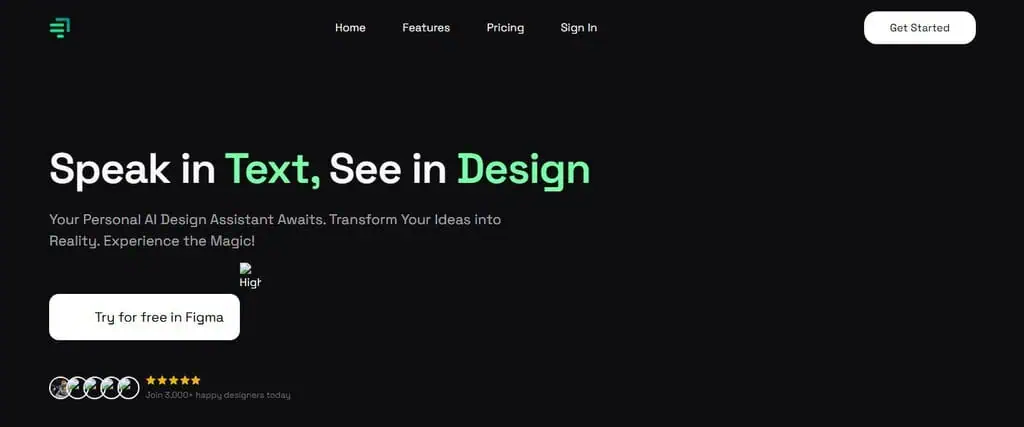
The chat2.design homepage as archived by the Internet Archive on 7 February 2024.
The main call to action was “Try for free in Figma”, which says a lot about the product’s positioning. It was not a standalone design app trying to replace your tools. It was an assistant that lived inside the tool most UI designers already used, aimed at the slowest part of the job: getting from a blank frame to a first draft.
The homepage claimed “3,000+ happy designers”. We could not verify that figure, and there are no independent user reviews to check it against. G2 lists a Chat2Design seller page with no reviews.
Its launch date is less certain. Some AI tool directories list July 2023, which we could not confirm. The firmest date is BetaList featuring it on 30 October 2023.
How the Chat2Design workflow worked
The site summed up the flow as “Enter thoughts, get elements”. In practice the archived pages and the demo describe five steps:
- Open the plugin in Figma. A chat panel appeared with the prompt “Ask me to create any UI component in the prompt below. Be as descriptive as possible!”
- Describe the element. You could be as specific as you liked about colours, dimensions and layout.
- Generate it. The design was produced inside your Figma file.
- Regenerate for variety. If the first result missed, one button produced a new take on the same prompt.
- Import and remix. Earlier generations could be pulled back in, edited, or combined with other elements.
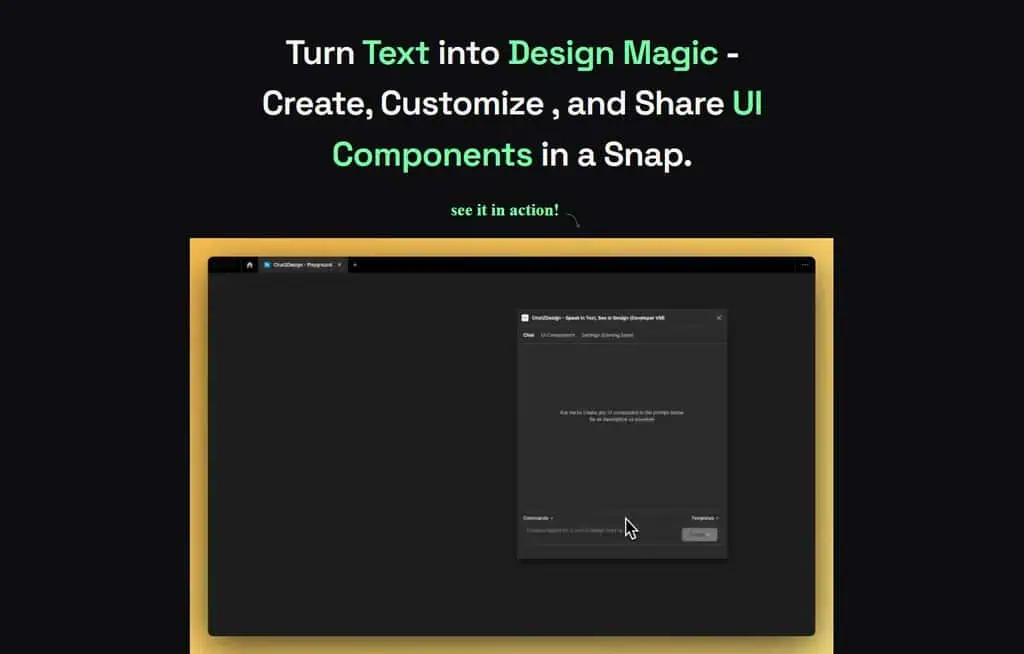
The plugin panel had three tabs: Chat, UI Components and Settings, the last marked “Coming soon”. Below the prompt box sat menus for Commands and Templates.
Chat2Design features, as the site described them
Everything in this section comes from the product’s own marketing pages. None of it is independently verified, and the site published no export formats, model details or quality benchmarks.
Text-to-UI generation
The central feature: describe an interface element in plain language and get a UI component back. The site’s examples were cards, testimonial sections and calls to action, the kind of building blocks that eat time when you are laying out a landing page or an early prototype.
Regenerate and “unlimited redos”
Rather than rewriting a prompt that produced a weak result, you could hit Regenerate for a new variation. The site pitched this as a cure for creative block, and it is the feature that made the tool more useful for exploration than for final output.
Import, history and remix
“Revisit and Remix Imports” let you reopen previous generations, tweak them, or merge elements from several. Paired with chat history on the paid plans, this made Chat2Design closer to an iterative workspace than a one-shot generator.
Precision prompts
The site stressed that you could specify colours, dimensions and complex layouts “down to the last pixel”. The plugin’s own demo shows a broader request too: a mood board with four distinct colour schemes and their hex codes.
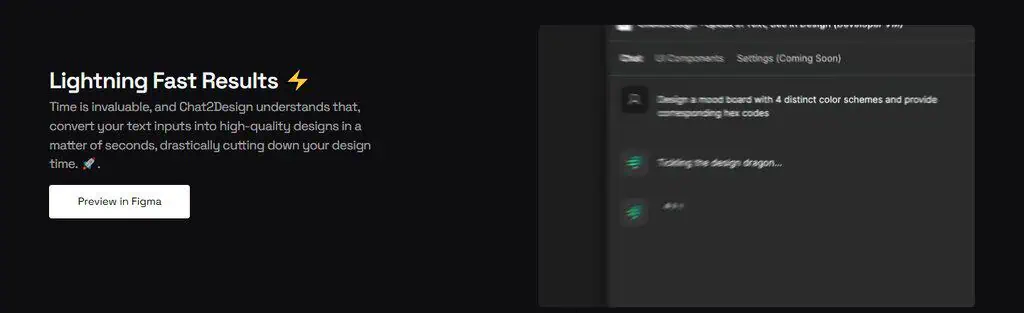
Images with /imagine and vector art
Beyond UI, typing `/imagine` followed by a prompt generated images for mockups and presentations. A separate “Vector Euphoria” feature promised vector artwork and logo concepts from a text description. The site never said which vector formats it exported or whether the results were production-ready, so treat this as a concept aid rather than a logo tool.
Plugin partners and community
A “Supercharge your design workflow” section showed five companion Figma plugins: Anima, Content Reel, Icons8, Lorem Ipsum and Unsplash, for swapping in text, icons, avatars, images or generating code. A “Community-Powered” feature described sharing creations, asking for feedback and joining design challenges, though the archive does not show what that community looked like in use.
Figma first, Sketch and Adobe XD never
Figma was the only integration the site presented as working. The plugin was the product, the free plan included it, and every “Preview in Figma” button pointed there.
Sketch and Adobe XD appeared on every paid plan with “(coming soon)” next to them, and they were still labelled that way in the last archived copy of the site. Some directories later listed Chat2Design as working with Figma, XD and Sketch. The original pricing page does not support that, so do not take those listings at face value.
Chat2Design pricing (historical)
These are the prices the original site advertised in February 2024. They are a historical record, not offers you can buy.
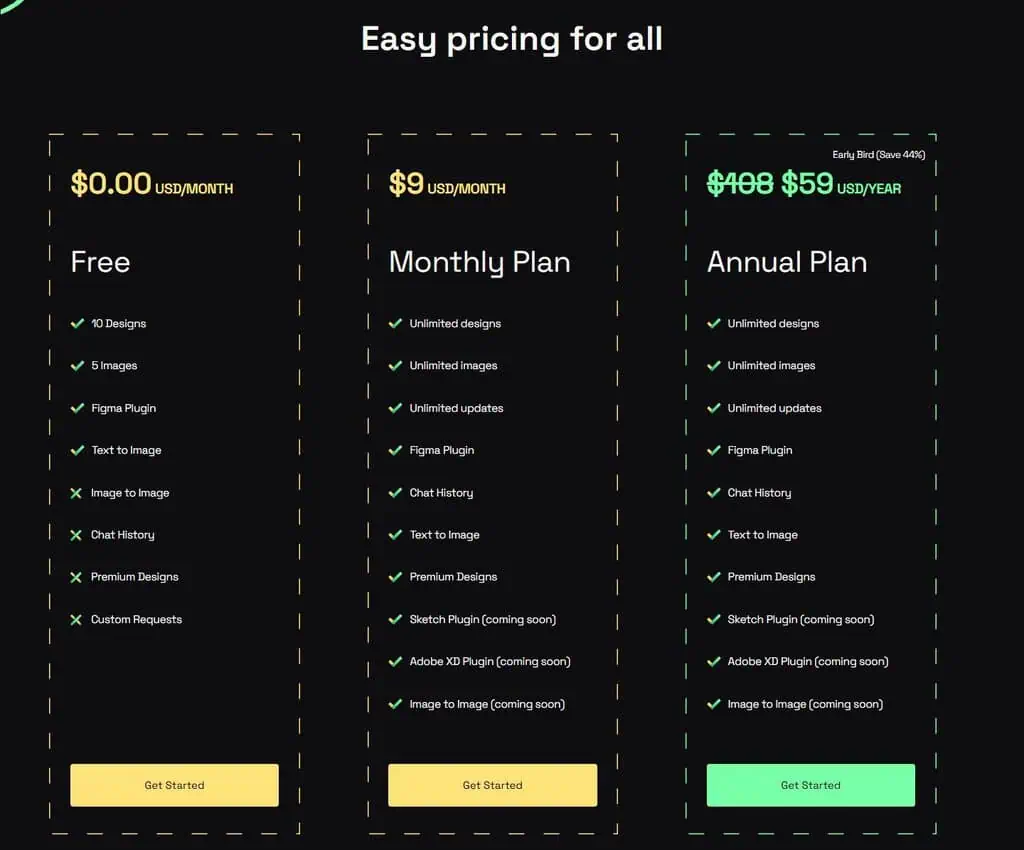
| Plan | Advertised price | What it included |
|---|---|---|
| Free | $0 a month | 10 designs, 5 images, Figma plugin, text to image |
| Monthly | $9 a month | Unlimited designs, images and updates; Figma plugin; chat history; text to image; premium designs |
| Annual | $59 a year early-bird, shown against $108 (“Save 44%”) | Everything in Monthly |
| Enterprise | Contact for a price | Unlimited usage, custom requests, priority support, training on your own UI components |
The free plan was narrower than some later summaries suggest. Its card marked chat history, image to image, premium designs and custom requests as not included. Image to image was also only “coming soon” on the paid plans, even though the free card listed it.
The Enterprise option to train on your own UI components was the most interesting line on the page: generation that matched a company’s existing design system instead of producing generic components. Nothing in the archive shows whether any customer used it.
Who Chat2Design suited, and who it did not
It was pitched at people who design inside Figma and want a faster first draft:
- UI and UX designers blocking out components and sections before refining them by hand.
- Web and landing page designers trying several takes on a hero, pricing card or call to action.
- Freelancers producing quick variations to show a client before committing to one direction.
- Product teams exploring interface ideas at the prototype stage.
- Designers early in their career who learn by seeing several versions of the same request.
It was a poor fit for anyone who needed finished, on-brand production assets out of the box, since the generated elements were starting points, and for teams on Sketch or Adobe XD, whose plugins never arrived.
Where it fell short, and what we cannot know
- No evidence of output quality. There are no independent tests, benchmarks or user reviews, so how good the generated components were is unknown.
- Unverified traction. The “3,000+ designers” figure is the vendor’s own and cannot be checked.
- One integration. Figma was the only one that shipped. Sketch and XD stayed on the roadmap.
- No technical detail. The site never stated its models, export formats or how vector output was produced.
- Short life. From a late-2023 launch window to a parked domain by July 2024 leaves well under a year of documented operation, too little to judge reliability or support.
Is Chat2Design still available?
No. The original Chat2Design plugin and web app are no longer available.
| Date | What the record shows |
|---|---|
| 2023 | Chat2Design appears in AI tool directories |
| 30 October 2023 | Featured on BetaList |
| February to April 2024 | The Internet Archive captures the original site, unchanged |
| July 2024 | chat2.design shows a parked-domain page |
| 2026 | The domain briefly hosted an unrelated AI design tools directory |
| 18 November 2026 | chat2.design redirects to this review |
We found no announcement explaining why the product closed or whether it continues somewhere else under another name.
The chat2.design domain now redirects to this page.
Live alternatives to Chat2Design
These tools do what Chat2Design set out to do and are available today. Prices checked on 18 November 2026; published figures vary by billing period and source, so confirm on each vendor’s pricing page.
| Tool | Choose it if you want | Price |
|---|---|---|
| Figma Make | Prompt-to-prototype inside Figma itself, the closest successor to Chat2Design’s idea | Free Starter plan with 500 AI credits a month; Professional full seat about $16 to $20 a month |
| Uizard | Multi-screen app and web designs generated from a text prompt, outside Figma | Free plan with 3 AI generations a month; Pro listed at $12 to $19 a month depending on billing |
The biggest change since 2023 is that Figma now builds prompt-driven design into the editor, which removes most of the reason a third-party plugin like Chat2Design existed.
Our verdict on Chat2Design
Chat2Design was a well-aimed early AI design tool. It put generation where designers already worked, kept the loop conversational, and treated regeneration and remixing as core features rather than afterthoughts. The Enterprise idea of training on a company’s own components pointed at the problem AI design tools still wrestle with: output that fits an existing design system.
What it never produced was evidence. There are no independent tests and no documented user base, and the Sketch and XD plugins never arrived before the product disappeared in 2024. It is worth knowing as part of the history of AI UI generators. If you want the same workflow now, start with Figma Make.
Frequently asked questions
Was the Chat2Design Figma plugin free?
It had a free plan with 10 designs and 5 images, including the Figma plugin and text to image. Chat history, premium designs and custom requests needed a paid plan.
Did Chat2Design work with Sketch or Adobe XD?
No. Both plugins were listed as “coming soon” on the original pricing page and never shipped before the product closed.
Is chat2.design the original Chat2Design?
No. The original product closed in 2024. The chat2.design domain now redirects to this review, which is not connected to the original plugin or its makers.
Related Posts

I tested AgainstData on 355 pages of Gmail data. Bulk unsubscribe, personal data deletion requests, pricing, and whether...
AI-Text-Humanizer.com took a 132-word ChatGPT paragraph from 100% AI to 0% on ZeroGPT but flattens your voice. Buy the $...
AIscan24 is a free, no-signup AI detector: it caught pure ChatGPT text at 100% but scored my handwritten paragraph 80%. ...

Honest Aithenticate review after hands-on testing. Does this AI disclosure badge tool meet EU AI Act requirements? Prici...
Allavsoft review: a Windows and Mac video and music downloader with batch queues, 8K support and format conversion, from...

My hands-on Answer Socrates review covering all features, free plan limits, pricing, and how it compares to AlsoAsked. I...