

The best AI Bible apps in 2026 depend on whether you want to study, chat or ask from one tradition. Logos suits serious study, Magisterium AI answers from Catholic sources, and bible.ai and FaithGPT offer open-ended chat. The biggest Bible app, YouVersion, has no AI chat, because its founder says today’s best models misquote Scripture at least 15% of the time.
I’m Alston Antony. I’ve bought and tested 500+ AI and SaaS tools with my own money, but I’m not a theologian and I have not used these eight for daily study, so this compares what each app says it does, how it charges and how well it protects you from errors. Everything below comes from each app’s own pages and store listings, checked on 21 November 2026, plus published reporting on AI accuracy. It isn’t pastoral or theological advice.
No app paid for a place on this list, and every link is a plain, non-affiliate link. Prices are a gap in this category. Most apps sell subscriptions inside the app, and the store pages I could read don’t show the amounts, so I describe how each one charges and tell you where I couldn’t confirm a figure.
Which AI Bible apps are worth comparing in 2026?
Eight apps passed one test: a page I could read for what the AI does and who is behind it. Three are study tools, three are chat apps, one is built for Catholics, and one is the reading app that deliberately has no AI chat. The table shows what each does and how it charges.
| App | Best for | The AI part | How it charges | Whose content |
|---|---|---|---|---|
| Logos | Serious study | Study Assistant, Smart Search, Summarize | Free trial, then Premium, Pro or Max | Your Logos library |
| Bible: Study, Audio, Widgets | Reading with a light AI chat | Discuss, answers from the Bible | Free reading; Discuss needs Premium or credits | KJV, licensed NIV and more |
| Olive Tree | Study tools without a chatbot | Plain-language search | Free app, books bought separately | 35,000+ books |
| bible.ai | Voice or text chat, devotionals | Chat, Theology Mode | Free with in-app purchases | Not stated |
| Bible AI (bibleai.com) | Questions answered with sources | Ask-anything search | No price on its page | ESV plus partner publishers |
| FaithGPT | Chat, quizzes, verse tools | Chat and creation tools | Free sign-up | Not stated |
| Magisterium AI | Catholic questions | Cited answers on Church teaching | Free, 90 queries a week; Pro above that | Catholic Church sources |
| YouVersion | Reading and plans | None public | Free | 3,500+ versions |
Checked 21 November 2026. “bible.ai” and “bibleai.com” are two different products from two different companies, which is a good example of how crowded and confusing this category is.
Do Bible apps use AI, and is there an AI version of the Bible?
Some do, many don’t, and there is no AI version of the Bible. The Bible text in every app is an existing translation such as the KJV, the NIV or the ESV, so people who want to read the Bible still use the same texts. AI sits on top as a search or chat layer that finds passages, summarises them or answers questions, so the apps differ in how well they stay tied to the text.
That split matters more than any feature list. Roughly three kinds of tool exist:
- Reading apps with no AI chat. YouVersion is the clearest example, and Olive Tree sits here too. They give you the text, plans, audio and notes, and nothing writes a new answer.
- Study software with AI search. Logos pairs an AI assistant with a library of books you own, so answers point back to sources.
- Chat apps. bible.ai, FaithGPT and Bible AI let you ask in plain language and get a written reply, which is where the accuracy risks sit. These AI chatbots use conversational AI, and some add a devotional or a Bible passage of the day.
An AI model works on a language model trained on text, not on a doctrinal rulebook. It produces likely wording, which is why apps that can show you the verse and the source beat apps that only talk.
Best AI Bible apps for study and research
For study, the best AI Bible apps tie answers to books and translations you can open yourself. Logos does this most directly, Olive Tree gives you strong study tools without a chatbot, and the Accessible Resources Bible app adds a light AI chat to a free reader.
Logos: an AI study assistant anchored in your library
Logos is one of the biggest names in Bible study software. Its page lists a Study Assistant on all plans, which it describes as a chat anchored in your Bible and trusted resources, with links to take you deeper. Smart Search lets you ask a question as deep as “What’s the purpose of life?” or as short as “Trinity,” and Premium and up add search in books and a Summarize tool that shows which resources are worth reading.
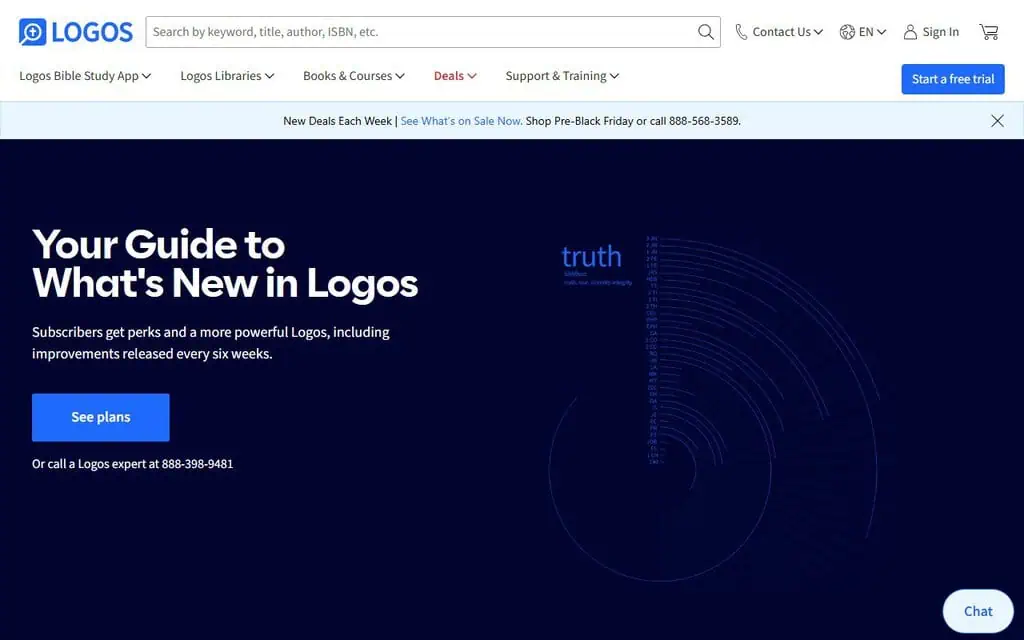
A realistic use is a pastor or student preparing a passage who wants answers that link back to commentaries they own, not a paragraph from nowhere.
The limits are cost and weight. The page I read doesn’t state prices, and the figures I found elsewhere conflicted, so check the plans before you commit. A free trial is offered. It is also a bigger piece of software than a phone Bible.
- How it charges (checked 21 Nov): free trial, then plans named Premium, Pro and Max. Study Assistant is on all plans; Smart Search in books and Summarize start at Premium. Price not on the page I read.
- Best for: pastors, students and anyone who wants AI answers that cite a real library.
Bible: Study, Audio, Widgets: a free reader with an AI chat called Discuss
The Bible: Study, Audio, Widgets app from Accessible Resources Ltd is a free Bible reader that gives you the full Bible offline with search, highlights, notes, audio, a Bible Atlas of 900+ places, widgets and an Apple Watch app, free. It carries the KJV, BSB, WEB, ASV and the licensed NIV, plus translations in 10+ languages. Discuss is its AI Bible study chat, which the listing says answers from the Bible itself with Bible verses you can open in context, so it works as a mobile app for daily Bible study.
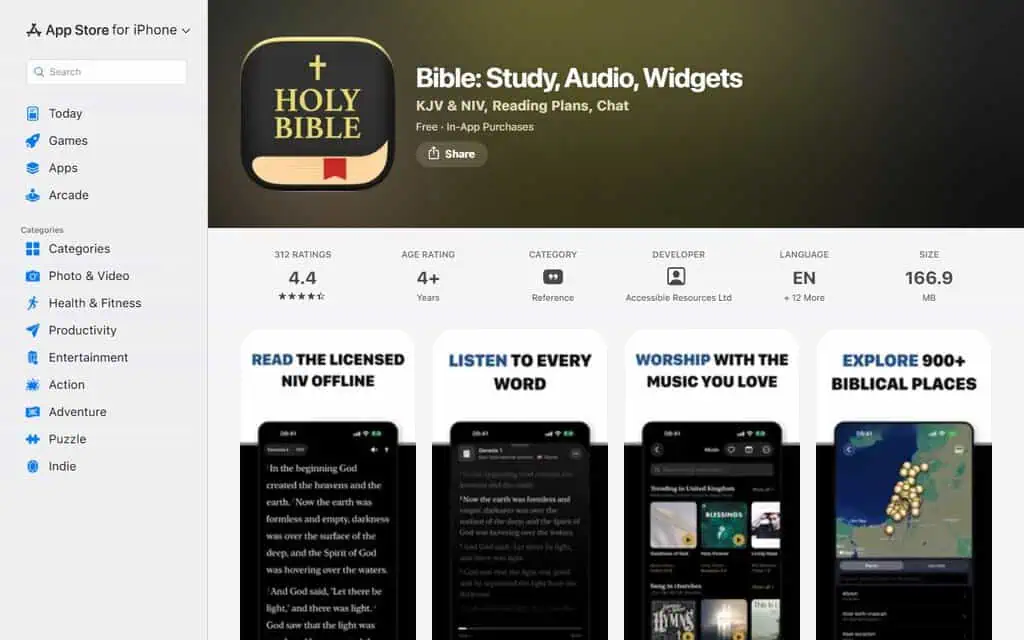
For example, you could read Romans offline for free, then ask Discuss a question and jump from its answer straight to the verses it cites.
The catch is that the AI part isn’t free. Bible Premium includes the Plans and Devotions library and Discuss, and Discuss runs on credits: a weekly or monthly subscription includes an allowance that refreshes and rolls over, or you can buy a credit pack. The listing says that is how a small independent team funds the licensed NIV.
- How it charges (checked 21 Nov): free reading, audio, atlas and widgets; Discuss needs a Premium subscription or credits. Amounts aren’t visible on the store text I could read.
- Best for: readers who want a good free Bible app and the option of an AI chat that cites verses.
Olive Tree: strong study tools, and the AI question is open
Olive Tree bills itself as the number-one Bible study app, free on iOS, Android, Mac and Windows, with 35,000+ books available. As a study tool it supports daily Bible reading with plans and audio, and its search accepts plain-language Bible questions such as “What does the Bible say about marriage?”, and it offers multiple Bible translations side by side, with Strong’s links to Greek and Hebrew roots, notes, devotionals and a reading plan builder.
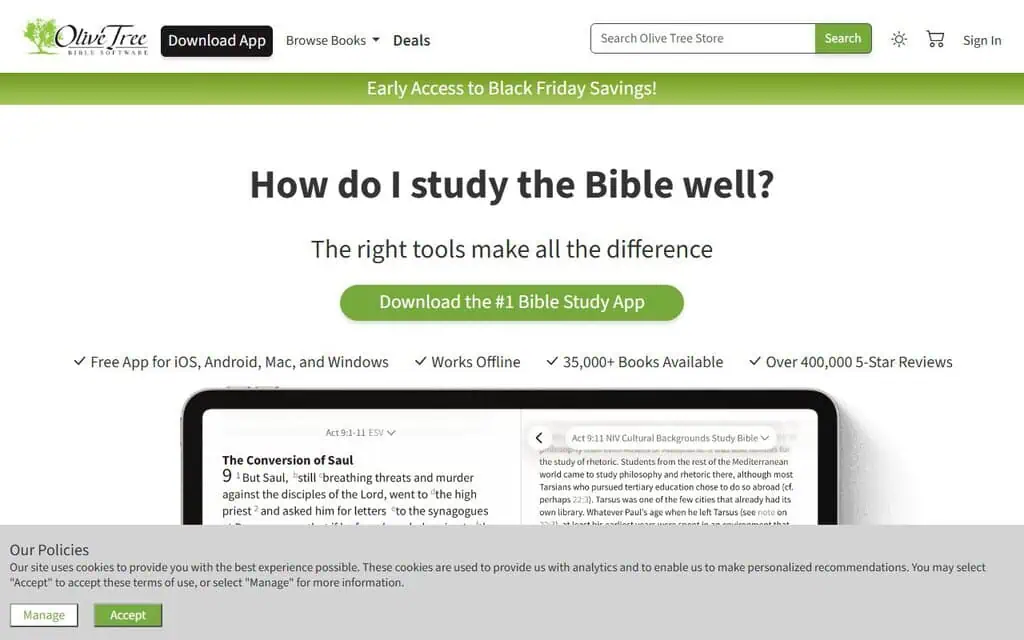
A realistic use is a student comparing translations and original-language words without a chatbot in the way.
I’m careful with the label here. The page describes search and study tools and doesn’t call them AI, so I treat Olive Tree as the strong non-chat option rather than an AI app. You buy books separately from the free app.
- How it charges (checked 21 Nov): the app is free; books are bought in the app, and its FAQ asks whether bought books are owned permanently.
- Best for: people who want serious study tools without an AI answering for them.
Best AI Bible apps for asking questions in chat
Three apps let you ask in plain language and get a written reply: bible.ai, Bible AI at bibleai.com, and FaithGPT. They are the most convenient and the riskiest, because a fluent answer can sound right while quoting a verse wrongly. Treat each reply as a lead to check.
bible.ai: voice or text chat with a Theology Mode
bible.ai is a personal Christian AI you can chat with by voice or text. The App Store listing describes a Theology Mode that switches from casual chat to deeper discussion styled after theologians, personalised devotionals and guided journeys through topics. It is free with in-app purchases, and it has 58 ratings at 4.2.
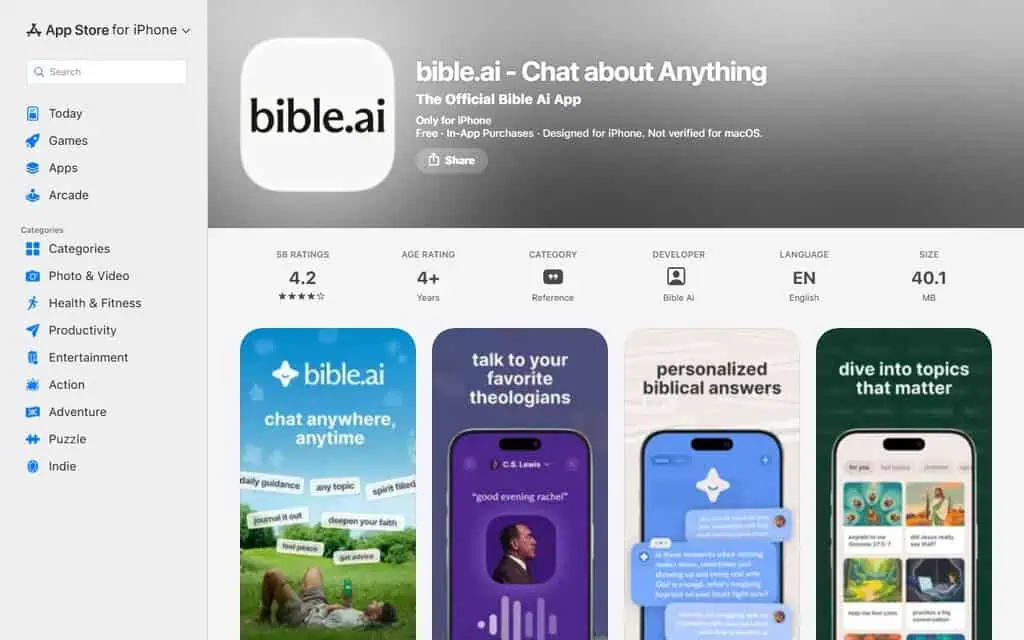
A realistic use is a new believer who wants to talk a passage through out loud.
The caution is the “styled after theologians” idea: the listing’s own screenshots show a chat with a C.S. Lewis persona. A model imitating a theologian’s speech is not that theologian’s teaching, and the part of the listing I read doesn’t say which traditions it draws on. Amounts for the in-app purchases aren’t shown in the text I could read.
- How it charges (checked 21 Nov): free with in-app purchases.
- Best for: conversational Bible chat, with verses checked elsewhere.
Bible AI (bibleai.com): questions answered with named sources
Bible AI at bibleai.com is a different product from bible.ai. Its homepage invites you to ask anything about the Bible, shows answers in the ESV, and lists “trusted sources” it features, among them 9Marks, Crossway, Desiring God, Grace to You, Ligonier and The Gospel Coalition, plus many Portuguese and Turkish publishers.
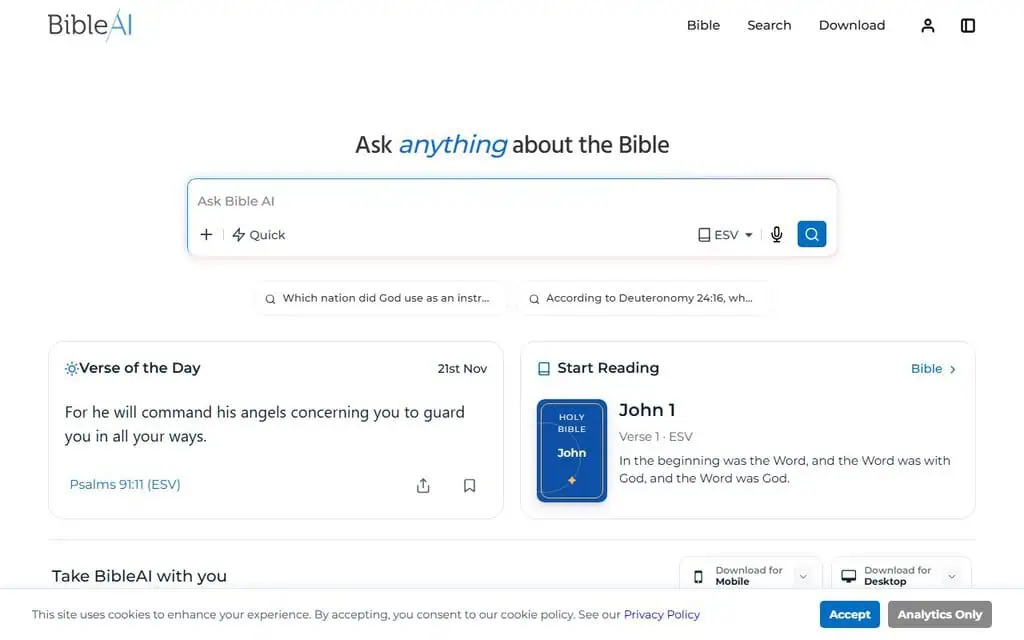
For example, you could ask which nation God used to judge Israel and see the answer alongside the ESV text.
The source list is both its strength and its limit. Those publishers mostly come from one Protestant evangelical tradition, which is useful if that is yours and worth knowing if it isn’t. The page states no price.
- How it charges (checked 21 Nov): no price on the page I read; it offers mobile and desktop downloads.
- Best for: evangelical readers who want sourced answers in the ESV.
FaithGPT: a wide toolkit built around chat
FaithGPT offers free sign-up and a long feature menu: devotionals, a verse finder, live notes, Bible memory, Bible character chat, audio and video creation, games and quizzes, and scripture insights. Its page shows a 5.0 rating from 473 reviews, which is the vendor’s own figure.
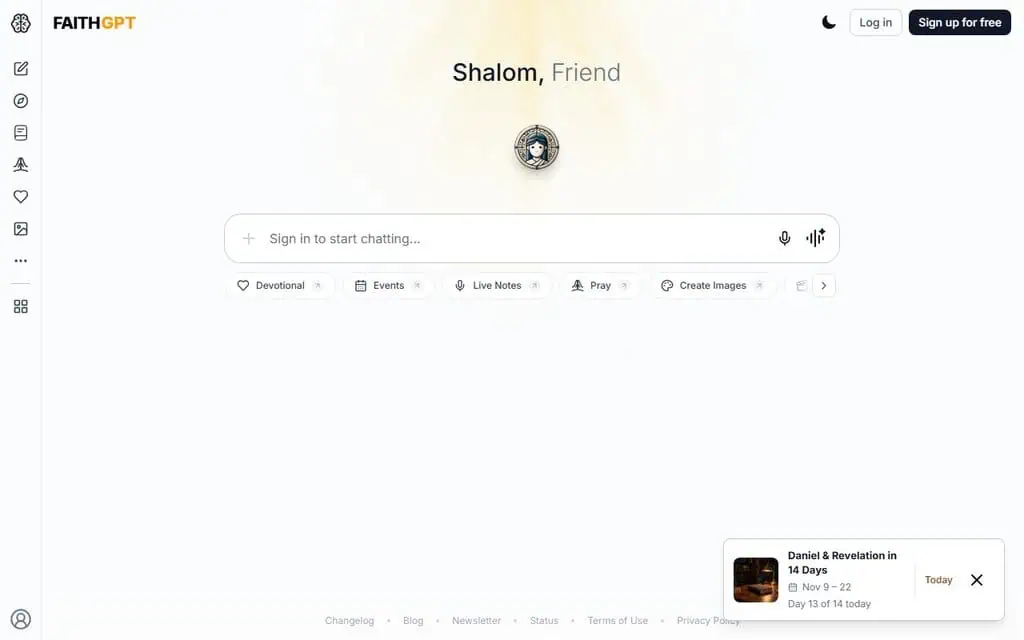
A realistic use is a family or small group that wants quizzes and devotionals around the text.
Two things to weigh. “Bible character chat” means you can talk to an AI playing a biblical figure, which some readers love and others find uncomfortable. And the page shows no pricing or limits before you sign in.
- How it charges (checked 21 Nov): free sign-up; paid limits not shown before login.
- Best for: groups and families who want an activity-heavy app.
Which AI is best for Christianity, and does tradition matter?
No single AI is best for Christianity, because the best answer depends on your tradition and what you are asking. A Catholic asking about doctrine and an evangelical asking about a passage want different sources. Pick the app whose source base matches the tradition you want answers from.
This is the denomination question, and apps rarely say which tradition they follow. Only one of these eight says so outright, and one more shows it through its publishers.
Magisterium AI: cited answers from Catholic sources
Magisterium AI, made by Longbeard, calls itself an answer engine for the Catholic Church. Its App Store listing says it gives cited answers on doctrine and Scripture from Church sources, and it can help draft homilies, lesson plans and study guides. It lists users in 165+ countries and 50+ languages, which are the company’s figures. Its screenshots also show a Search and Explore mode that returns sources without chat, and say it powers the Catholic prayer app Hallow.
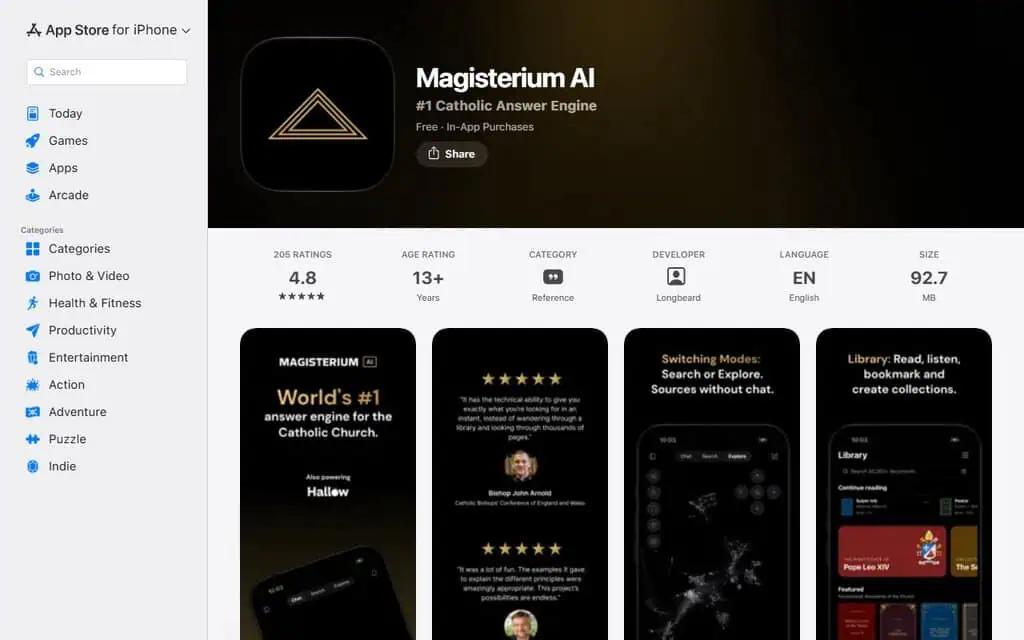
A realistic use is a catechist who wants an answer with its Church source attached.
The free version is limited to 90 queries a week, and more needs Magisterium AI Pro. A 2023 National Catholic Register report described it as promising but raised concerns, so check what it cites against the source.
- How it charges (checked 21 Nov): free, rate-limited to 90 queries a week; Pro above that. Pro’s price wasn’t on the store text I could read.
- Best for: Catholics who want answers tied to Church teaching.
Bible AI at bibleai.com leans on Protestant evangelical publishers, as above. The rest of the apps don’t state a tradition. If your tradition matters to you, treat an unstated one as a reason to ask the developer, not as neutral ground.
Why YouVersion, the biggest Bible app, has no AI chat
YouVersion, the Bible App from Life.Church, has no public AI chat because its leadership doesn’t think the models are accurate enough yet. That makes it a useful baseline: free, huge, and a place to check any verse an AI quotes.
YouVersion reports more than 1 billion installs across its family of apps and 18 million+ daily users in 2026. Its App Store listing offers 3,500+ Bible versions in 2,300+ languages, audio Bibles, reading plans and prayer lists, free, with 14 million ratings at 4.9.

In March 2026 Christian Today reported an interview with Christian Daily International in which founder Bobby Gruenewald said YouVersion would not launch open-ended AI answers until it could be done “safely” and with accuracy and integrity. YouVersion uses AI behind the scenes for coding and workflow, but not for public theological answers.
- How it charges (checked 21 Nov): free.
- Best for: reading, listening, plans and checking a verse any AI quotes.
Do AI Bible apps work, and can they make up verses?
They can make up or alter verses, and the risk is real. In the March 2026 interview, YouVersion’s founder said the best model on the most popular, most indexed Bible versions misquotes Scripture at least 15% of the time, and some models up to 60%. That is one executive’s claim, but it matches how language models work.
A model predicts likely words. It doesn’t look the verse up unless the app is built to. When a quote is slightly off, the change can be a comma or a word, and as Gruenewald put it, every word and punctuation mark matters in Scripture. People who don’t know the text by heart often can’t spot it. The word for this is a hallucination, and our AI glossary explains it.
My default mode with any tool is doubt, and with a text people build their lives on I’d be stricter, not looser. Here is what lowers the risk:
- Prefer apps that show the verse. Logos links each AI answer to your resources, and the Accessible Resources app says Discuss answers with verses you can open in context.
- Check the quote in a reading app. Open the verse in YouVersion or Olive Tree and compare word for word.
- Be wary of “verse generators.” One chat app I read describes a verse generator that writes an inspiring verse to share. That is generated text, not Scripture.
- Compare translations. If two translations disagree with the AI’s wording, trust them.
Are there free AI Bible apps, and what do the paywalls look like?
Yes, but “free” usually means free reading plus a limited or paid AI layer. YouVersion and Olive Tree are free apps. Magisterium AI is free up to 90 queries a week. FaithGPT is free to sign up. The Accessible Resources app is free to read, but its Discuss AI chat needs a subscription or credits.
Four paywall patterns show up on these pages:
| Pattern | Example | What to watch |
|---|---|---|
| Free app, AI behind a subscription | Bible: Study, Audio, Widgets | The reader is free; Discuss is not |
| Free tier with a weekly cap | Magisterium AI (90 queries a week) | A heavy week hits the cap |
| Credits | Bible: Study, Audio, Widgets | Credits refresh and roll over, or buy a pack |
| Free sign-up, limits shown later | FaithGPT | Check limits after you log in |
A fifth pattern is the weekly auto-renewing subscription. One chat app’s listing says its Pro plan is available as a weekly, monthly or yearly auto-renewing subscription, and weekly plans are the ones that surprise people. Before you subscribe to any of them, check the renewal period on the paywall and set a reminder to cancel a trial.
I couldn’t read the in-app prices on the store pages, so no price comparison here would be honest. If you need the amount, the paywall inside the app is the only source that is current.
Is there a Bible ChatGPT, and can I build my own?
Yes, you can ask a general assistant such as ChatGPT about the Bible. It runs on a GPT model, and using AI this way carries the same misquoting risk, and you can’t tell when it is off unless you check. A Bible app that cites the verse is a safer front end.
If you want to build your own, the safest design gives the model the text. Paste the passage into the conversation, ask it to explain only what’s in front of it, and compare the result with the verse. That keeps the model working from the page instead of from memory. Don’t paste anything personal into an assistant you haven’t read the privacy terms for.
The tools above vary in how much of this they do for you. Logos and the Accessible Resources app anchor answers to resources and verses. The pure chat apps leave more of the checking to you.
For a wider directory, faith.tools publishes a long list of Christian AI apps, including church and ministry tools. I used it only to find names and checked each app myself.
Can an AI app give spiritual advice, write a sermon or replace a pastor?
It can draft and summarise, but I would not treat it as spiritual authority. Gruenewald said so directly: he drew the line at answering life’s most important questions and giving direction from God’s Word, and encouraged people to know the Bible themselves and seek trained pastors and leaders.
Here is how I’d split the work:
- Reasonable uses. Searching a passage, comparing translations, summarising a commentary, drafting a study outline or a lesson plan. Magisterium AI says it can help draft homilies, lesson plans and study guides, and Logos describes a Summarize tool.
- Use with care. Devotionals and prayers an AI writes for you. They can read well and still say something your tradition wouldn’t.
- Not a substitute. Personal struggles, grief, marriage and big decisions. A pastor knows you and is accountable to a community, and a chat app isn’t.
If a sermon is the goal, treat the AI’s draft as research notes, and read every quote and claim against the text before it goes in front of anyone.
How do I choose an AI Bible app, and how do I use it responsibly?
Choose by the job first, then by tradition, then by how the app charges. If you mostly read, you may not need AI at all. If you study, pick the tool that shows its sources. If you chat, pick one you can verify against a reading app.
| If you want… | Look at | Why |
|---|---|---|
| To read, listen and follow plans | YouVersion | Free, no AI answers to second-guess |
| Serious study with AI that cites your books | Logos | Study Assistant anchored in your library |
| A free reader with an optional AI chat | Bible: Study, Audio, Widgets | Discuss answers with verses you can open |
| Study tools without a chatbot | Olive Tree | Parallel translations, Strong’s, notes |
| Catholic answers with sources | Magisterium AI | Built on Church sources, 90 free queries a week |
| Open-ended chat by voice or text | bible.ai | Theology Mode, devotionals |
| Sourced answers in the ESV | Bible AI (bibleai.com) | Named partner publishers, mostly evangelical |
| Family and group activities | FaithGPT | Quizzes, devotionals, character chat |
Whichever of the best AI Bible apps you choose, use it like this:
- Start free. Use the free reader and the free tier first, and read the paywall before you enter a card.
- Verify every quote. Open the verse in a reading app and compare it with the AI’s wording.
- Ask for the source. If an app can’t point to a verse or a document, treat the answer as an opinion.
- Know the tradition. Find out whose teaching or publishers the app draws on, or ask the developer.
- Keep a person in the loop. Bring hard questions to a pastor, priest or study group.
- Protect your privacy. Don’t share personal details you wouldn’t tell a stranger, and read the privacy policy.
If you want the same treatment for other AI tools, I publish tested AI tool reviews and a growing set of best AI tools lists. You can get new ones by email, and our affiliate disclosure explains how the site is funded.
Nothing here is theological, pastoral or legal advice. AI tools make mistakes, and the apps change their features and plans often, so check the paywall and the terms before you rely on any of them.
Product profiles: Google PageSpeed Insights.
Related Posts
The 32 best AI SEO tools in 2026, most tested with real money: what each costs, which ones track AI visibility and AI Mo...

30 AI writing tools tested across free, freemium and paid tiers, every link checked, plus which AI beats ChatGPT for wri...

I tested 60 free and freemium AI image generators and ranked them by real traffic and hands-on quality. Free tiers, limi...

31 social media scheduling tools tested for small business: real pricing, every tool link checked September 2026, and th...
The AI tools for developers I used to build a full-stack app: v0, Cursor, Codex, Snyk and Kuberns. Where each helped, an...
The best agentic video editors for long-form footage are Invideo Editor, Descript, Premiere Pro, Gling AI and CapCut, co...