

An AI dating assistant helps with one part of online dating: what to text next, how to write a profile, or which photos to use. Each of the four below is best at a different one of those jobs, and each was checked on its own terms and privacy policy, because these tools ask for your face, your messages and often other people’s too.
These are tools that help you date real people, not AI companions to talk to. If that is what you are after, see the best AI companion apps instead.
AI dating assistants compared
| App | Best for | Price from | Free option | Age rule | Trains on your uploads | Keeps your uploads | Rule on other people’s photos | Last checked |
|---|---|---|---|---|---|---|---|---|
| Wingman | Reply and opener ideas, with a coach | $7.99 in the App Store (period not shown) | Yes, with limits | 18+ in terms; Google Play rates it Teen | May train on your messages and photos | No period published | None published | 2026-10-08 |
| YourMove AI | Writing your profile and replies | $12.99/mo in the App Store | Bio writer is free | No minimum in its terms | A temporary model for your own photos only | Photos 7 days; screenshots weekly | None published | 2026-10-08 |
| DatePhotos AI | AI dating photos from your selfies | $29 one-time | No free photo pack; limited free tools | 18+ | Your own photo model only | Uploads 30 days after the project | Consent required; no photos of minors | 2026-10-08 |
| ROAST | A scored review of your profile and photos | $9.99/week in the App Store | Free trial on some plans | 18+ | Not for general-purpose models | Face data up to 90 days | Explicit consent required | 2026-10-08 |
Checked against each vendor’s own website, terms, privacy policy and official App Store or Google Play listing.
The four AI dating assistants worth a look
1. Wingman, best for knowing what to text next
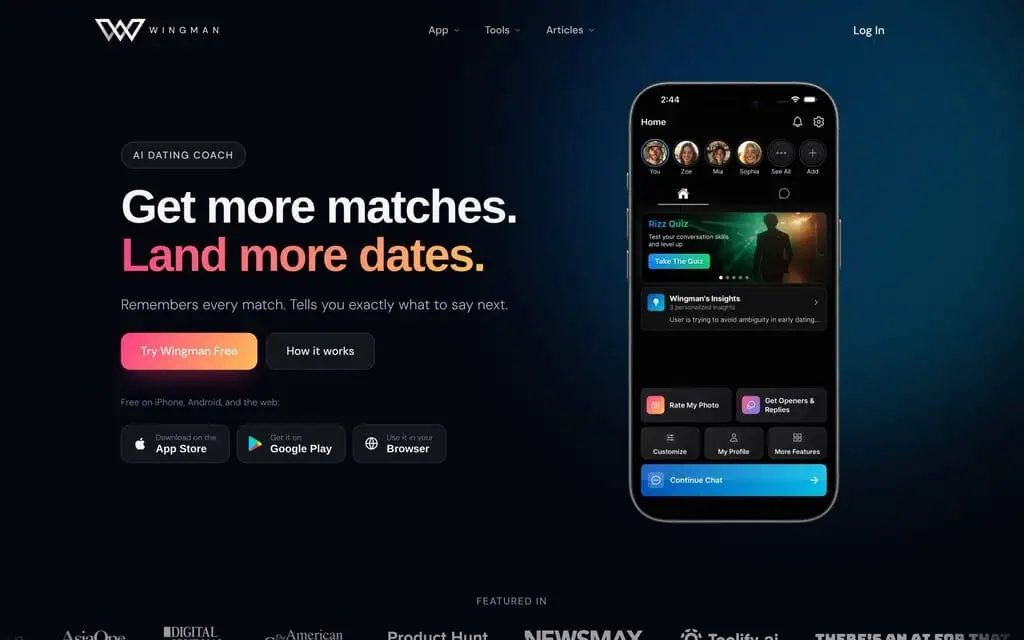
Wingman sells itself as a coach that remembers each match.
Wingman is built around conversations. You upload a screenshot of a chat or a match’s profile and it suggests an opener or a reply, and an ongoing coach chat keeps notes on each person you are talking to. It also rates single photos for free, reviews a full profile of up to six photos plus your bio on the paid plan, and tidies up an existing photo rather than generating new ones. Its homepage pitches “the next text, not a pickup line”.
It works on the web, iPhone and Android, and the free tier covers the coach with limits, photo ratings and openers. The App Store lists premium purchases from $7.99, without saying for what period; Wingman’s own site describes weekly, monthly and quarterly plans but shows no prices.
What you give up: the terms let Wingman use your messages and photos for training. Its homepage says you can opt out, but neither the terms nor the privacy policy say how. It publishes no retention period, and no rule about the people in the screenshots you upload. The terms set 18 as the minimum age, while Google Play in the US rates the app Teen.
2. YourMove AI, best for writing your profile
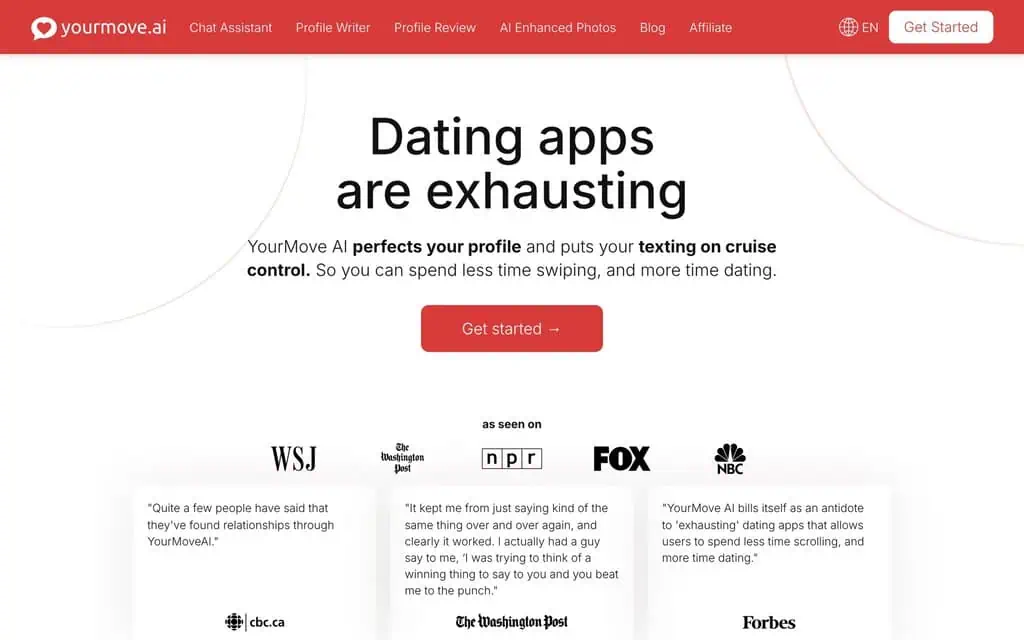
YourMove AI groups its tools by job: chat, profile writing, review and photos.
YourMove AI is the most complete toolkit here. Its profile writer produces a bio and prompt answers with versions for Tinder, Hinge, Bumble and other apps, and that part is free. The chat assistant suggests openers from a topic or a profile screenshot and replies to messages you receive. A profile review ranks your photos and critiques your bio, and an AI photo tool makes new pictures from 10 to 15 photos of yourself.
It runs on the web, iPhone and Android. The App Store lists a monthly plan at $12.99 and an annual one at $44.99, plus Basic, Plus and Premium purchases from $19.99 to $79.99 that the listing does not explain.
Its retention is the most specific of the four: uploaded photos are deleted after 7 days, the model trained on them and the generated photos after 30, and chat screenshots weekly. The privacy policy says your photos only train a temporary model for your own pictures.
What you give up: its terms set no minimum age at all, and the privacy policy only mentions children under 13. It also has no rule on uploading other people’s faces or chats, even though it offers a tool for removing an ex from your photos.
3. DatePhotos AI, best for AI dating photos
DatePhotos AI does one thing: you upload 5 to 20 selfies and it generates 80 to 180 dating photos across 25 to 45 scenes in about half an hour, each with a “Realness Score” for how natural it looks. Packages are one-time payments rather than subscriptions: $29 for 80 photos, $49 for 120 and $79 for the largest. There is no free photo package, though a few free photo tools and a short AI coach chat come with an account.
It has the clearest rules here about other people. Its terms ban uploading photos of anyone without their consent, creating photos of minors, and making images of any real person other than yourself without that person’s explicit consent. Uploads are deleted 30 days after the project, generated photos stay downloadable for 90 days, and the privacy policy says your photos train a model for your pictures only and are never added to general training data.
What you give up: deletion beyond those automatic periods means emailing support, and its separate iPhone app is rated 4+ even though the terms require users to be 18. Its privacy policy is dated January 2025 while the terms were updated in September 2026.
4. ROAST, best for an honest profile review
ROAST scores your dating profile and breaks it down photo by photo, then gives you a prioritised list of fixes, using AI plus review by a person. It also runs an AI photoshoot that turns 4 to 10 selfies into 40 photos, and its iPhone app edits backgrounds, outfits and lighting. It is based in Paris and works under French law.
Its terms forbid uploading photos of other people without their explicit consent. Face data is deleted 90 days after upload, or sooner if you delete your account, and is stored on servers in the EU. ROAST says it does not use your photos to train general-purpose AI models, and you can withdraw your AI consent in the app’s settings, which triggers deletion.
What you give up: clear pricing and a named company. The App Store lists $9.99 a week or $29.99 a month, while ROAST’s own site quotes $39 a month in a comparison table, and neither its terms nor its privacy policy give a legal company name. It also does not say whether its own proprietary models train on your uploads.
Before you upload photos or chat screenshots of other people
Most of these tools work best when you feed them other people’s words and faces: a match’s profile, a group photo, a screenshot of a conversation. Three things in each vendor’s own terms decide what happens to that material.
- Is there a consent rule? DatePhotos AI and ROAST both forbid uploading other people’s photos without their consent. Wingman and YourMove AI publish no such rule, although both ask for screenshots of your matches’ chats and profiles.
- How long is it kept? YourMove AI deletes chat screenshots weekly and photos after 7 days, DatePhotos AI deletes uploads 30 days after a project, and ROAST keeps face data for up to 90 days. Wingman gives no period.
- Does it train on it? Wingman’s terms allow training on your messages and photos. The other three say photos are used only for your own results, though ROAST does not say whether its proprietary models learn from them.
The safest habit is the simplest: crop other people out of photos before uploading, and blur names and faces in chat screenshots.
AI dating assistants I don’t recommend
Two tools that come up in searches for AI dating help do not publish enough to judge them on the checks above.
- LoveGenius offers profile and opener help, but publishes no terms of service, names no operating company, and gives no price, retention period or age rule. Its privacy policy is generic and lists only an email address for contact.
- Auto Seduction AI automates replies to real people on Tinder, Happn, Match, Badoo and OkCupid. It publishes terms, but no privacy policy (the address returns an error) and names no operating company.
AI dating assistant questions
Is there an AI that helps with dating?
Yes. The four tools above cover the main jobs: Wingman suggests what to text next, YourMove AI writes your profile and replies, DatePhotos AI generates dating photos from your selfies, and ROAST reviews your whole profile. All four were checked against their own terms and pricing in October 2026.
Which AI tool is best for creating dating profile pictures?
DatePhotos AI, if you want new photos. It generates 80 or more from your selfies for a one-time $29 and has the clearest rules on consent and deletion. ROAST’s AI photoshoot is the alternative if you also want your existing profile reviewed.
Is there a free AI dating photo generator?
Not a complete one among these four. DatePhotos AI has free photo-editing tools but charges for its dating photo packages, and ROAST offers a free trial on some plans. YourMove AI’s free tier covers the profile writer, not photos.
Prices and policies were checked on 8 October 2026 against each vendor’s own website, terms, privacy policy and official App Store or Google Play listing. None of these links earn a commission, and no vendor saw this page before it was published.
Related Posts

The 30 best AI SEO tools in 2026, tested with real money: what each costs, which ones track AI visibility and AI Mode, a...
30 AI writing tools tested across free, freemium and paid tiers, every link checked, plus which AI beats ChatGPT for wri...

61 free AI image generators tested and ranked, every tool link checked September 2026, plus which are truly unlimited an...

Which AI Chrome extension should you install? 132 ranked on real Web Store install, rating and review data, with a pick ...

What Firefox AI actually does, how to enable or disable it, and every one of the 95 AI Firefox add-ons ranked on real da...

30 social media scheduling tools tested for small business: real pricing, every tool link checked September 2026, and th...