

Verdict: Buy
Igly’s Seller Studio: price and fit
| Field | Detail |
|---|---|
| Tool | Igly (igly.ai) |
| Category | AI product visual studio for e-commerce sellers: 16+ image and video tools, an infinite Canvas, an automation Agent and a Seller Studio |
| Marketplaces | Direct publishing to Shopify; export-ready presets for Amazon, Etsy and TikTok Shop |
| Price | Free tier: yes, 20 credits every day with no credit card. Starter $8.33/mo, Pro $16.66/mo, Max $41.66/mo, billed yearly, plus a one-time purchase where credits never expire |
| Best for | Sellers who publish product listings and want a folder of supplier photos turned into listing-ready media |
| Verdict | Worth a test on the free daily credits with one real product; more than you need for an occasional single image |
How I reviewed this: I went through Igly’s live product, every tool, the Canvas, the Agent, and the full pricing page in detail for this review. This is a thorough hands-on look at the platform, not a multi-month catalog case study, and I will tell you plainly where it is strong and where it is still early.
What Igly is: tools, Canvas, Agent and Seller Studio
Igly is an AI-powered product visual studio that helps e-commerce sellers create, edit, and publish product imagery and video at scale. The tagline says it plainly: “Create visuals for Shopify pro.” Most AI image tools do one thing and leave the e-commerce work (the resizing, the marketplace formatting, the batch grind) on your plate. Igly is built around that seller workflow instead of a single model.
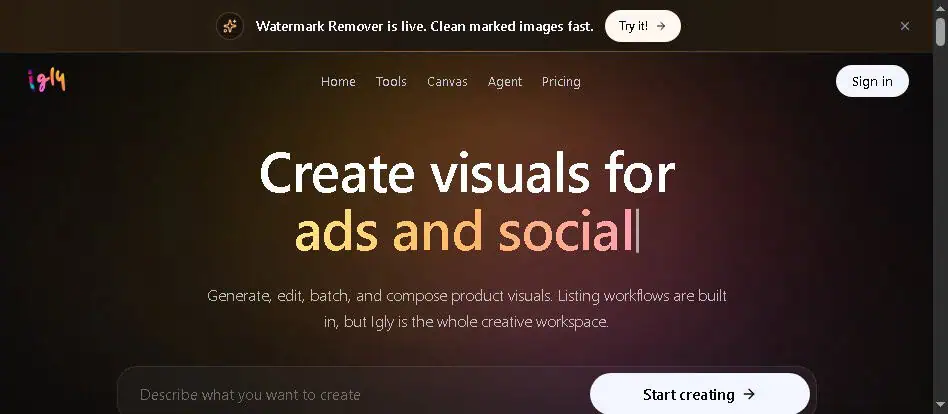
The platform has four connected parts: a library of Tools (the individual AI image and video functions), an infinite Canvas (where you edit and compose), an Agent (automation that runs multi-step jobs), and Seller Studio (the listing-focused workflow that ties it together). It works with Etsy, eBay, TikTok Shop, Walmart, AliExpress, Amazon, and Shopify.
From supplier photos to a published listing
The core promise is “from photo to listing”: you start with messy supplier photos and end with a clean product gallery, marketplace exports, and Shopify media ready to publish. The same tools run three ways, as standalone tools, inline on the Canvas, or orchestrated by the Agent, so you choose the level of control you want.
For a single edit, you open a tool, upload your photo, and download the result in seconds. For a catalog, you switch to batch processing: queue a folder of product photos, track each item, retry the misses, and export only the keepers. Picture a Shopify seller with 40 supplier photos shot on a cluttered desk. In the old workflow that is an afternoon of cutouts, background swaps, and resizing per marketplace. In Igly it is a batch run: clean the backgrounds, generate the product views, frame to each marketplace preset, and push the finished media to the store.
That last step is where Shopify is ahead. You connect a store, pick a product, and append or replace its product media from the workspace. Amazon, Etsy, and TikTok Shop get export-ready presets instead.
The tool list, with credit costs
The Tools library covers the real jobs of product imagery, and each tool shows its credit cost and typical run time up front. The ones I would reach for:
- Image Generator (5 to 30 credits, ~10s), create product images from text prompts.
- AI Edit (10 credits, ~15 to 30s), remove, replace, or transform any part of an image.
- Background Removal (free to 5 credits, ~15s), clean product cutouts in bulk.
- Replace Background (10 credits, ~20s), drop products into studio or lifestyle scenes.
- Product Views (10 to 20 credits, ~15s), generate multiple angles from one photo, which is gold for product detail pages.
- AI Fashion Model (10 credits per pose), put apparel or accessories on a reusable model and pose.
- Watermark Remover (10 credits, ~20 to 30s), clean watermarks, logos, text, and stamps.
- Image Upscale, Image Restore, Expand Canvas, Layer Split (around 10 credits each), the cleanup and resizing essentials.
- Image To Text (free to 5 credits, ~3s), generate Shopify alt text and SEO from a product image, a seller-specific touch.
- Video Generator (30 to 300 credits) and Alive Photos (30 to 60 credits), turn stills and prompts into short product videos.
A few simple tools like basic Background removal and Crop are free, so you can do real work before you spend money.
Canvas and Agent: past the download button
Most AI tools end at the download button. Igly’s Canvas is an infinite board where you run any tool inline: select a layer, and the result lands as a new editable layer next to the source. You can compare variants, reorder a gallery, and stage final assets before anything goes live, which is the right surface for QA on a product gallery.

The Agent is the feature that sets it apart. Instead of running tools one by one, you hand it a brief, and it plans the tool calls, runs them in order, and stages every output on your Canvas. Brief a catalog job, get a staged result set back. That three-layer design (tools, Canvas, Agent in one studio) is what separates Igly from the drawer of disconnected image apps most sellers juggle.
Is Igly free? Daily credits, plans and the one-time option
Yes, there is a free tier: 20 credits every day, no credit card required, so you can test real work indefinitely. Beyond that, pricing is credit-based, so you pay for catalog runs rather than per-seat subscriptions, and one credit balance covers Seller Studio and all the tools behind it.

The plans, with prices pulled directly from Igly’s pricing page:
| Plan | Price (billed yearly) | Monthly credits | Best for |
|---|---|---|---|
| Starter | $8.33/mo ($99.90/yr) | 1,000 credits | Small batches, solo sellers |
| Pro (most picked) | $16.66/mo ($199.90/yr) | 2,500 credits | The catalog workhorse |
| Max | $41.66/mo ($499.90/yr) | 7,500 credits | Heavy SKU drops, agencies |
Yearly billing includes 2 months free. You can instead choose monthly billing, where unused credits roll over once so a slow week is not wasted, or a one-time purchase where credits never expire, which is rare and suits sellers with seasonal, bursty workloads. Failed runs are auto-refunded.
For a Shopify or Amazon seller, even the Pro plan at $16.66/mo covers a whole month of listing media. If you like paying once and owning your tools, also browse our best AI lifetime deals for similar one-time-payment options.
Which sellers it fits, and who can skip it
- Shopify sellers get the deepest experience, with direct publishing from the workspace to product media.
- Amazon sellers get listing kits, main image, studio shot, lifestyle scene, feature block, scale shot, detail, and included-items framing, without the manual resize work.
- Apparel and fashion brands get flat lay, ghost mannequin, model shots, and on-model try-on through the AI Fashion Model tool.
- Etsy and TikTok Shop sellers get export-ready presets and social crops.
- Dropshippers and agencies get batch processing to turn supplier photos into a consistent catalog fast.
If you are weighing up product visual tools as an apparel seller specifically, the Fashion Diffusion AI review compares a fashion-only platform on the same jobs, including virtual try-on, flat lays and sketch rendering.
If you are a casual creator who just wants one AI image now and then, Igly is more than you need, and a general tool like a standalone generator would do. Our roundup of the best free AI image generators covers those options.
Where Igly is still early
Igly is a young product, and it shows in three places.
- Direct publishing stops at Shopify. Amazon, Etsy, and TikTok Shop rely on export-ready presets rather than full direct publishing, so a non-Shopify seller still has an upload step at the end of every batch.
- The credit maths takes a few runs to learn. Costs vary by tool, model, image count, and resolution, from free to 300 credits a run, so you cannot budget a catalog until you have run a few of your own products.
- Lifestyle scenes can get product details wrong. As with any AI visual tool, generated lifestyle scenes occasionally need a retry to get the product exactly right, which is why the auto-refund on failed runs and the daily free credits matter.
Does Igly train on your product images?
No, according to Igly. Your uploads and outputs stay private to your account, and the company states it does not train on user data. Providers only receive what is needed to run each job. That is Igly’s own statement, not something this review could verify.
Worth one real product through Seller Studio
Igly earns the recommendation because it solves the problem sellers have, which is not “make one nice image” but “turn a folder of rough photos into a published, marketplace-ready gallery.” A deep tool library, an editable Canvas, an automation Agent and seller-specific publishing in one studio is a rare combination, and free daily credits plus a no-expiry one-time option remove most of the risk of trying it. The rough edges above are the normal ones for a fast-moving 2026 tool, not dealbreakers.
If you sell on Shopify, Amazon, Etsy, or TikTok Shop and still edit product photos by hand or pay per shoot, start with the free daily credits at Igly.ai, run one real product through Seller Studio, and see how close it gets you to a finished listing. You will know within an afternoon whether it belongs in your stack. For more tools that pull their weight, see our guide to the best AI tools.
Pricing and company details: see the Igly profile.
Related Posts

I tested AgainstData on 355 pages of Gmail data. Bulk unsubscribe, personal data deletion requests, pricing, and whether...

AI-Text-Humanizer.com took a 132-word ChatGPT paragraph from 100% AI to 0% on ZeroGPT but flattens your voice. Buy the $...

AIscan24 is a free, no-signup AI detector: it caught pure ChatGPT text at 100% but scored my handwritten paragraph 80%. ...

Honest Aithenticate review after hands-on testing. Does this AI disclosure badge tool meet EU AI Act requirements? Prici...

My hands-on Answer Socrates review covering all features, free plan limits, pricing, and how it compares to AlsoAsked. I...

I’ve spent $4,200 on 118 AppSumo lifetime deals over 5 years. Here’s my honest review: what works, what fails, and wheth...