


Verdict: Buy
What I Like
- GSC connection is fast and the dashboard presents the data clearly
- Title optimization suggestions are noticeably better than generic AI rewrites
- Schema generation is accurate and production-ready
- AI agent mode is genuinely impressive for non-technical users querying their own data
- AI tracker for monitoring both organic and AI overview rankings in one place
- Bulk title and meta description optimization that actually deploys the changes
- Works on any CMS, not just WordPress
- AppSumo lifetime deal makes the price risk very low
What Is Missing
- AI content writer failed in testing and the workflow skips the outline step that makes AI content usable
- Technical audit shows issues without guidance on how to fix them
- Internal link auto-insertion is inconsistent
- AI search volume tool is limited to US, UK, Canada, and Australia
- Occasional slowness and loading bugs, especially during high-traffic AppSumo periods
- No stop button in the AI agent chat
I connected ClickRank AI to one of my real websites, ran it through every feature, and let the audit crawl 774 pages. It found 2,021 problems.
ClickRank is one of many AI SEO tools worth testing - compare it against the other AI SEO software we ranked in our full roundup.
That number sounds alarming. Some of those problems were real. Others were flags I had already accepted. And a few features that looked impressive in the sales copy did not work at all when I actually tested them.
This is a full walkthrough from setup to verdict, using my own GSC data, not a demo account, the same hands-on standard behind all my AI tool reviews.
What Is ClickRank AI?
ClickRank AI is a cloud-based SEO tool that connects to your Google Search Console and uses AI to automate on-page SEO tasks. It is marketed as an AI SEO automation platform that handles the kind of repetitive SEO work most site owners ignore: optimizing titles for CTR, writing meta descriptions at scale, generating schema markup, suggesting internal links, and auditing technical issues across hundreds of pages.
The key positioning is that ClickRank works with your actual GSC data. It does not just run a generic keyword tool. It pulls your real ranking data, identifies pages sitting in positions 6 to 20, and suggests specific optimizations to push them into the top five. That is where the “AI SEO automation” label earns its keep.
It is also one of the few SEO tools positioning itself for AI search visibility. Alongside traditional ranking features, ClickRank includes an AI model compatibility checker, an AI tracker that monitors your presence in AI overviews, and a search volume analyzer. These features are aimed at helping your content get cited by ChatGPT, Gemini, and other AI search engines, the same visibility problem I dig into in my Knwn review.
ClickRank works with WordPress through a dedicated plugin, and it also works on any other CMS or website via a JavaScript snippet, which is why it ranks among the better AI plugins for WordPress. Installation takes about five minutes.
Setup and Getting Started
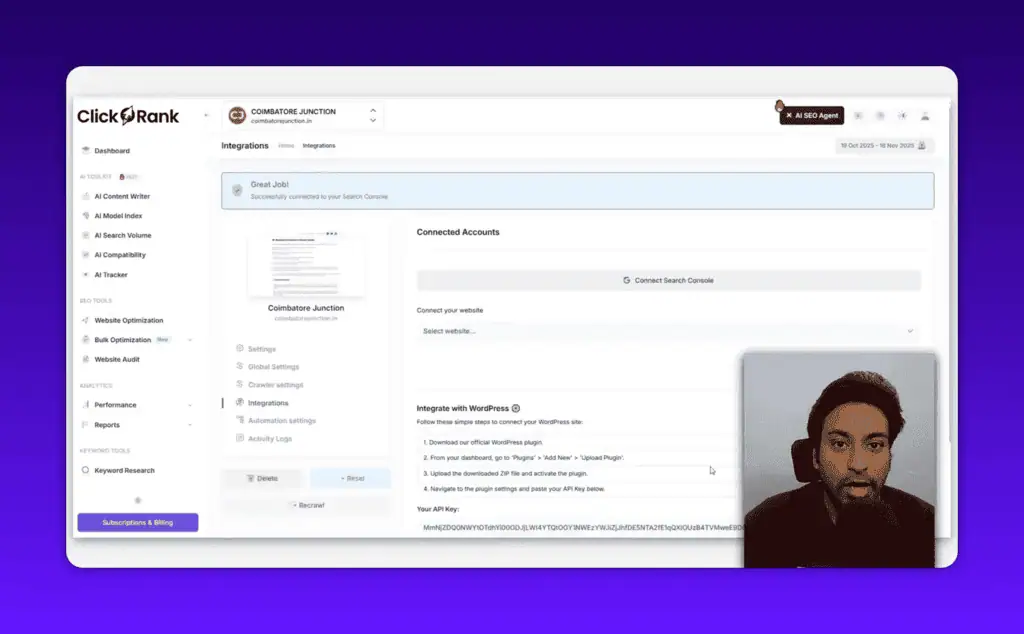
Onboarding is genuinely easy. You install the WordPress plugin or paste a script tag into your site header, then connect Google Search Console by pasting an authentication token from GSC into the ClickRank dashboard. That is it.
After connection, ClickRank crawls your site. On my test site it crawled 774 pages and completed the crawl before I had finished looking through the settings.
The main dashboard shows clicks, impressions, CTR, and keyword distribution. The most interesting metric: 17.88% of my keywords were in top 3 positions, and those keywords were driving 34.7% of my traffic. That single data point tells you which keywords are already pulling their weight versus which ones have room to move up.
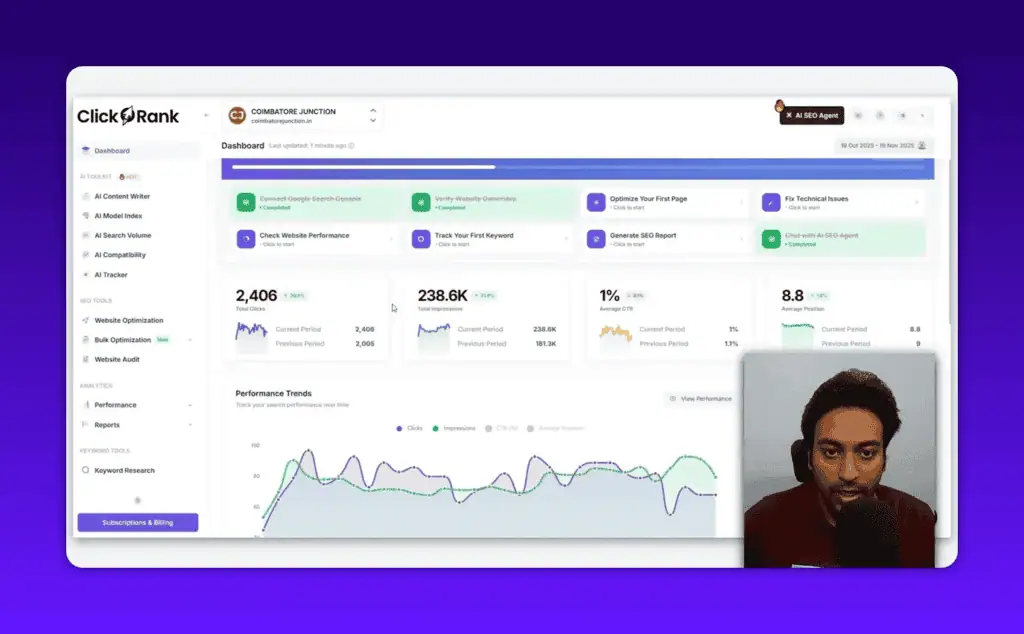
From the dashboard, you start an “Optimize First Page” wizard, which is the primary ClickRank workflow.
Core Feature: The Optimize First Page Wizard
This is where ClickRank earns its value for most users.
The wizard filters your pages by impression volume and surfaces those sitting in positions 6 to 20. These are the pages already close to page one that need a targeted push. For each page, it walks you through five optimization types: titles, meta descriptions, schema markup, internal links, and alt text.
AI Title Optimization
You select a page, click auto-optimize on the title, and ClickRank generates several title variants with a forecasted CTR uplift for each. In my test, this worked fast and the quality of the suggestions was better than I expected. The tool pulls your existing ranking keywords from GSC and works them into the title options.
One thing I want to be clear about: it suggests changes, it does not make them automatically. You approve each edit before anything goes live.
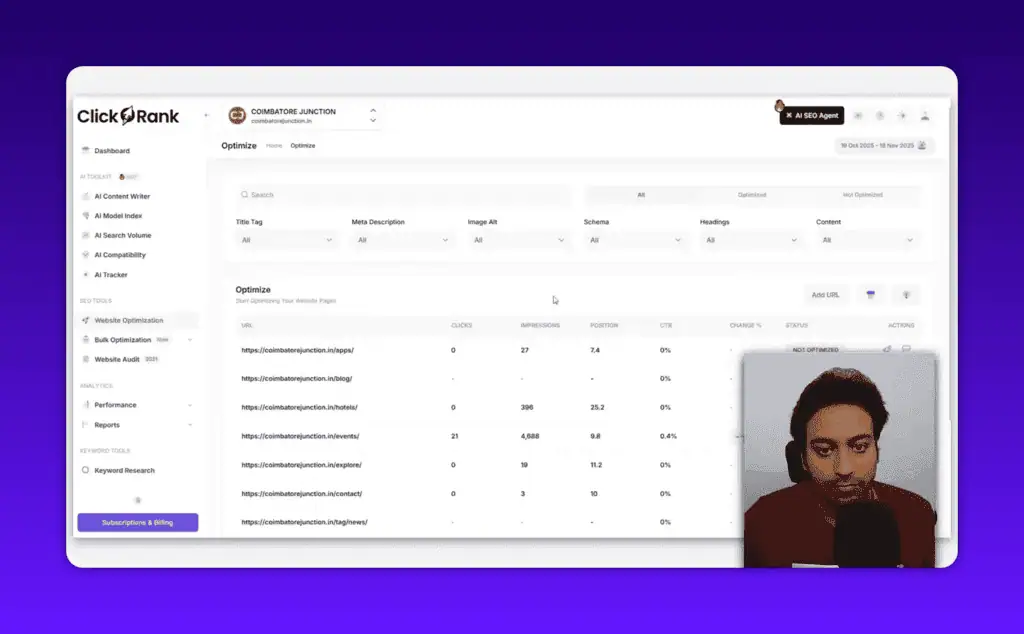
Meta Description Variants
For meta descriptions, ClickRank generates multiple variant types: question format, how-to format, emoji format, and a custom prompt option. All suggestions respect the 160-character limit. The quality is decent for bulk meta generation on pages that currently have no description at all.
Schema Markup Generation
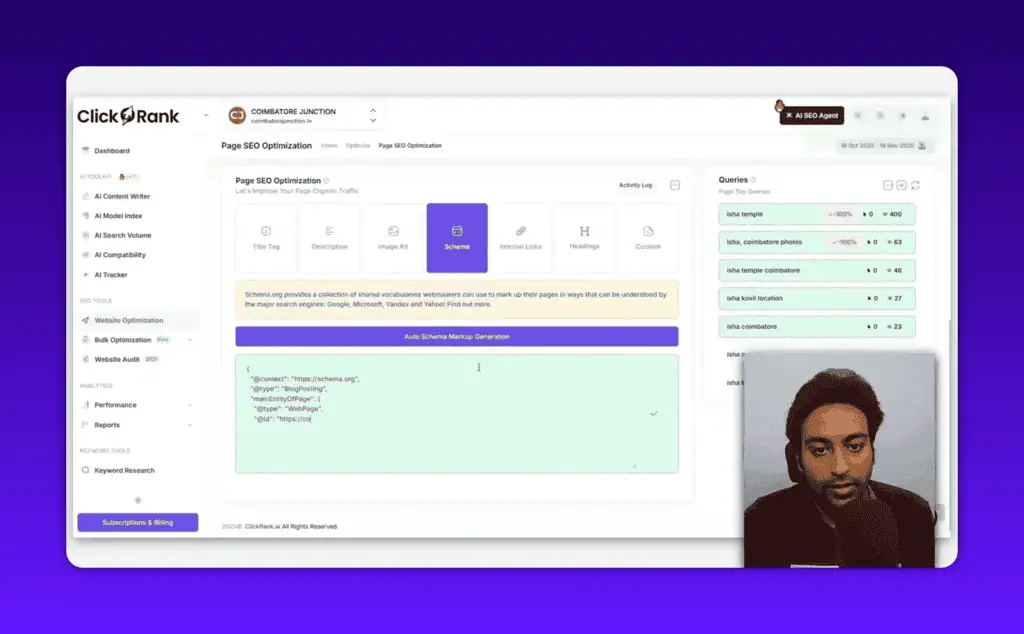
This is a standout feature. ClickRank generates JSON-LD schema markup automatically, including webPage entity, blogPosting, author and organization entities, and pulls your logo from the site. The output is valid and preview-ready.
One caveat: you will see warnings about missing fields depending on what your theme and SEO plugin already inject. I use SEOPress Pro, and some schema fields were flagged as duplicates. Check your existing schema before deploying ClickRank’s version.
Internal Link Suggestions
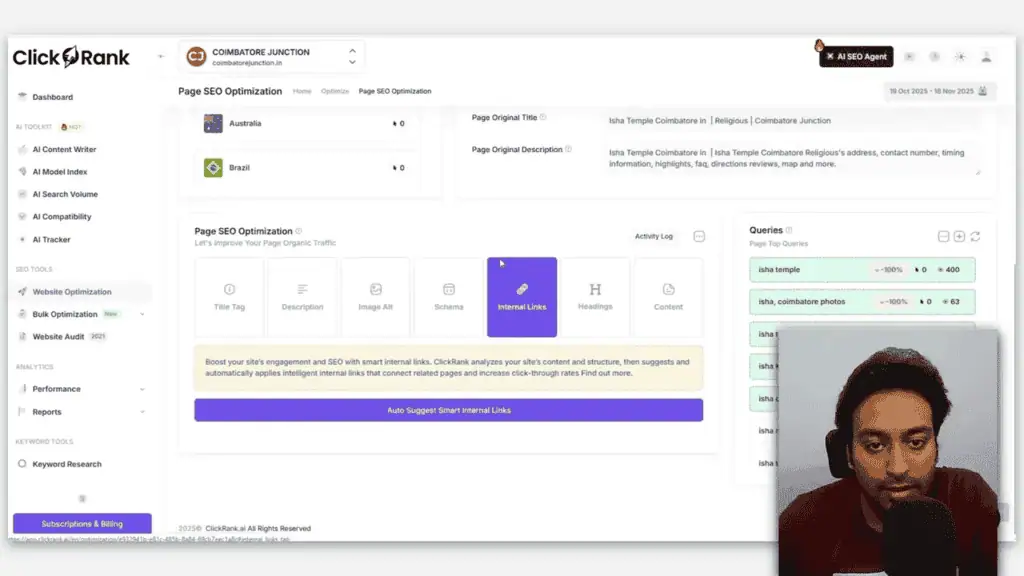
ClickRank suggests internal links for each page, and the suggestions are contextually relevant. It picks up on location signals, event-based content, and topic relevance. The quality here is noticeably better than generic internal linking tools that just match keywords.
The auto-insertion is inconsistent though. On some pages the links were applied correctly. On others, nothing happened. I had to manually check and apply. This is not a deal-breaker, but it is a rough edge worth knowing about.
Alt Text Auto-Generation
ClickRank can generate alt text for images that are missing it. For large sites where images went up without alt text, this alone could justify the tool. The suggestions are descriptive and keyword-aware.
Technical SEO Audit
The audit found 884 errors, 770 warnings, and 365 notices on my site. The priority issues included missing meta descriptions (657 pages), missing canonical tags, and duplicate H1 tags.
The duplicate H1 detection was accurate. ClickRank correctly identified a template issue that was pulling section content into H1 tags across multiple pages. That kind of diagnosis is genuinely useful.
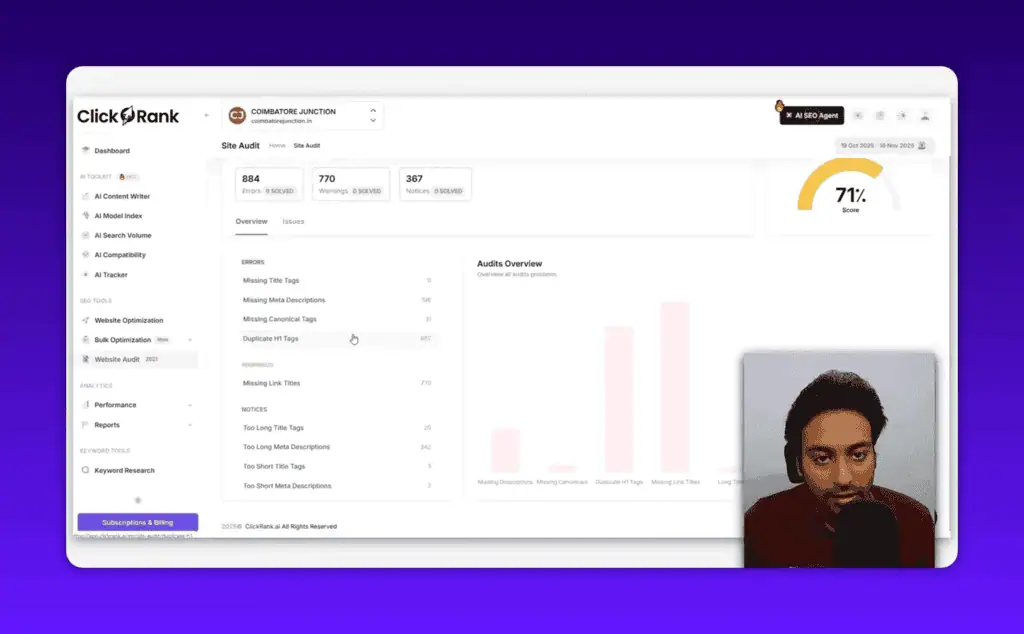
The limitation: the audit shows you what is wrong but does not tell you how to fix it. There are no tooltips, no fix guides, no explanation of what each issue means for your rankings. You see the issue list, and then you go fix it manually.
Compare this to a tool like Morningscore, which gives you goal-oriented SEO tasks with clear explanations for each, as I detail in my Morningscore review. ClickRank’s audit output is functional but sparse in guidance.
Bulk Optimization
Once you have been through the wizard, bulk optimization becomes useful for maintaining scale. ClickRank offers bulk title optimization and bulk meta description generation. You select multiple URLs, hit optimize, and a progress bar shows the updates happening in real time.
I tested this on two pages and both titles were updated with visible confirmation. The bulk feature works correctly and is genuinely faster than going page by page.
The missing piece is breadth: bulk optimization only covers titles and meta descriptions. There is no bulk alt text generation, no bulk schema deployment, no bulk internal link application. For a tool positioning itself as an automation platform, the bulk feature set is narrower than it should be.
Keyword Research and Tracking
ClickRank includes a keyword research tool that goes beyond the basics. For any keyword, it shows volume, PPC competition, CPC, impressions, clicks, monthly search trend, and keyword difficulty.
Two metrics stand out as genuinely unique: gender distribution and age distribution for searchers. Most SEO tools do not surface demographic data at the keyword level. Whether this is useful depends on your niche, but it is a data point you will not find in Ahrefs or SEMrush at this price, so weigh it against the top Ahrefs and SEMrush alternatives.
One important clarification: the “competition” metric in keyword results refers to PPC advertising competition, not SERP competition. Do not treat low competition here as an indicator of low organic difficulty.
The tool pulls related keywords and goes up to 10 pages of results, which is more generous than many tools. Some data felt inconsistent with what Ahrefs shows for the same keywords, which is common with tools pulling from third-party data APIs. Treat it as a directional guide, not a primary research source.
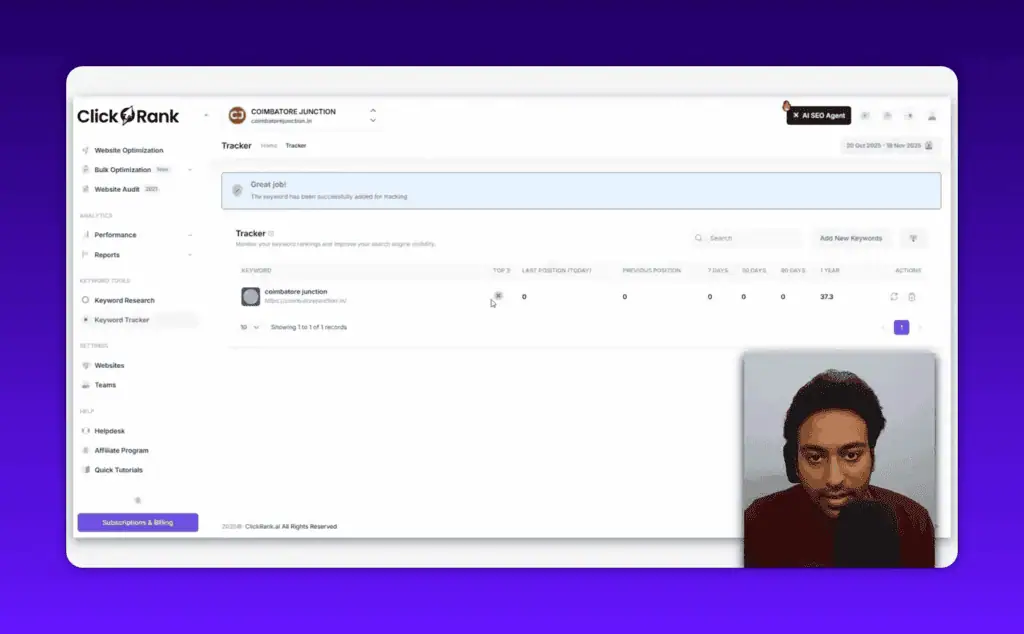
For keyword tracking, you add a keyword, attach a URL, set a location, and ClickRank pulls your position from Google. India is available as a location option, which matters for those of us running sites outside the US-UK-Australia core.
ClickRank’s AI Search Visibility Tools
This is where ClickRank separates from legacy SEO tools. Three features are dedicated to the AI search layer that now sits on top of traditional organic rankings.
AI Model Compatibility Checker
This checks whether your site is accessible to AI crawlers like GPTBot, Google AI, and others. It scans your robots.txt and Cloudflare rules to confirm AI agents are not blocked.
In my test, 100% of my site was accessible to AI crawlers, which took about 30 seconds to confirm. This is a useful quick-check that would otherwise require manually reading robots.txt and WAF rules.
AI Search Volume Analyzer
Useful for US, UK, Canada, and Australia traffic. The location list is limited and does not include India or most Asian markets, which is a real gap if your audience is not in those four countries.
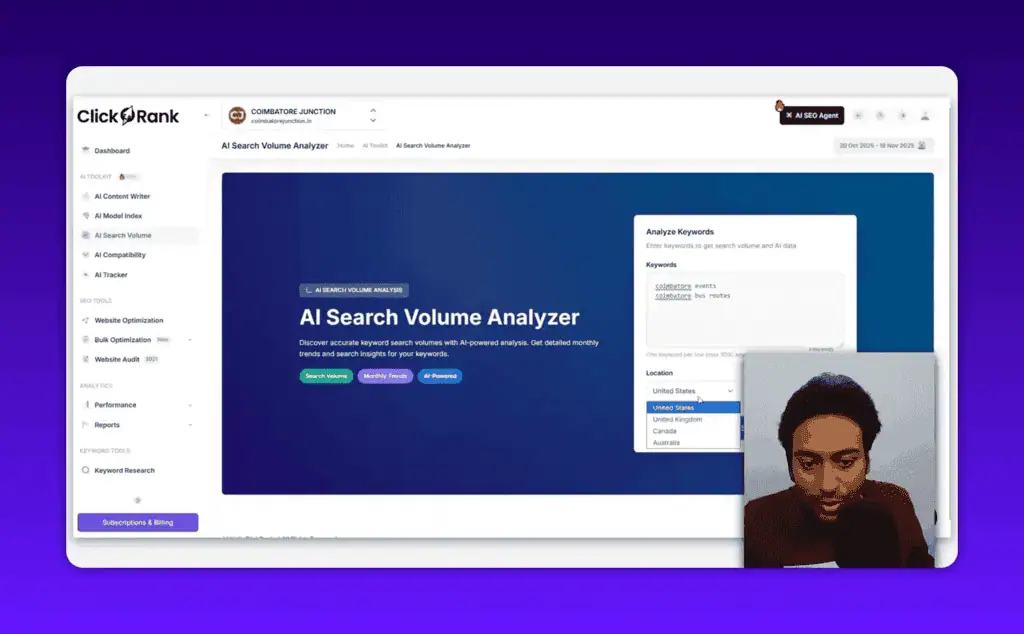
The data comes from a third-party API. It gives you a volume figure and a trend graph, but no source transparency. For primary keyword research, I would still validate with Ahrefs.
AI Tracker
This is the most forward-thinking feature in the tool. The AI tracker monitors your keyword positions in two places simultaneously: standard Google organic results and Google AI Overviews (AIO). For each tracked keyword, you can see your organic position, your AI overview position if you appear in one, and citation tracking.
In my test, the tracker showed my AI status alongside standard ranking data. The ability to see both signals in one interface, without switching between GSC and manually checking AIO appearances, is genuinely practical for anyone monitoring AI search visibility.
ClickRank AI Content Writer: Honest Assessment
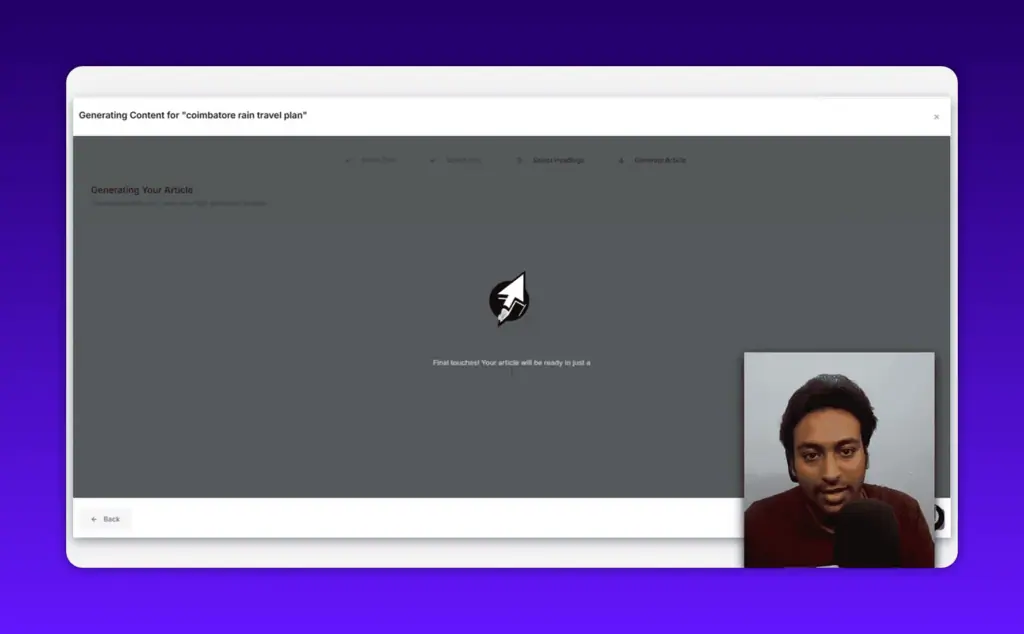
I tested the AI content writer and it failed. Twice.
The workflow is keyword input, title selection from AI-generated options (the titles were actually good), heading structure generation (also solid), and then article writing. At the article generation step, I got an error popup both times.
Even if it had worked, I would not use the output without significant editing. The heading and title generation quality was good. But jumping straight from a keyword to a completed article, without an outline step where you add your own research and context, produces what the industry calls “AI slop.” Generic content that could have been written about anything.
The “Ask AI” feature within individual page optimization is more useful. It rewrites specific sections by injecting your GSC keywords into the rewrite prompt. I had a content section rewritten and it did improve the description quality. The caveat: verify the output. In one test, the tool pulled template placeholder text into the published section instead of actual content.
The AI writer is a genuine weak point right now. For content creation, use a dedicated writing tool and bring ClickRank in for on-page optimization after the content exists.
AI Agent Mode: The Standout Feature
This is what I was most impressed by in the entire tool.
ClickRank’s AI agent gives you a ChatGPT-style chat interface connected to your live GSC data. You type natural language questions and the agent queries your actual site data to respond.
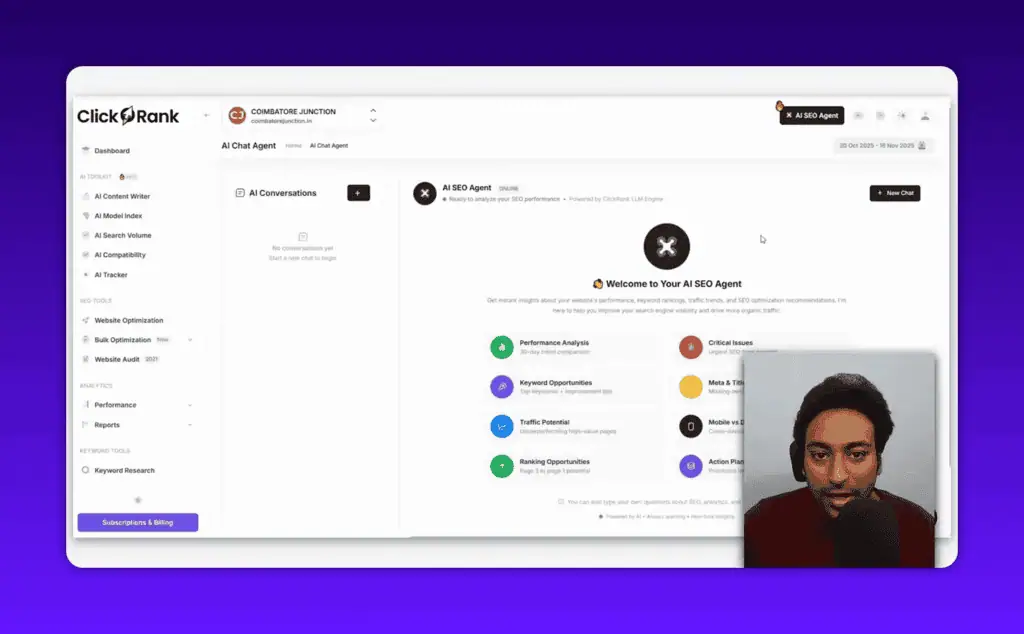
I tested two queries. First, I asked for page-two-to-page-one ranking potential. The agent built a table showing my keywords in positions 10 to 12 with impressions, CTR, and position data, then gave optimization recommendations for each.
Second, I asked it to find event-related keywords with ranking opportunities. The agent filtered my GSC data for event keywords specifically, returned positions 10 and 12 as the top opportunities, and gave context-specific recommendations referencing the event angle.
That second query is the real test. For a technically skilled SEO, filtering GSC data by keyword theme is standard practice. For a small business owner or non-technical site manager, that kind of query-building is a genuine barrier. ClickRank’s AI agent removes it. You just ask.
The main complaint: there is no stop button. If you start a query and want to interrupt it mid-generation, you cannot. You have to wait for the full response before you can type again.
ClickRank vs Other SEO Tools
ClickRank is not trying to replace Ahrefs, SEMrush, or Screaming Frog; for a tool that does chase that crown, see my Semdash review. It does not do backlink analysis, competitor research, or deep keyword gap analysis at that level.
What it does do is complement those tools by automating the on-page execution layer. Most SEO tools are excellent at telling you what to fix. ClickRank is built to help you actually fix it at scale, specifically for sites where the problem is implementation speed rather than strategy.
For Ahrefs users: use Ahrefs for research and strategy. Use ClickRank for bulk on-page implementation.
For Screaming Frog users: ClickRank’s audit is less technical and less configurable, but ClickRank connects to GSC and can automate fixes that Screaming Frog only identifies.
ClickRank is compatible with Yoast, RankMath, and other SEO plugins. It reads existing meta data and works alongside what you have installed rather than replacing it.
On non-WordPress sites, ClickRank works via script tag on any CMS or custom-built site.
ClickRank Pricing and AppSumo Lifetime Deal
ClickRank is currently available on AppSumo as a lifetime deal at $89 for the base plan. This is a one-time payment for lifetime access with a 60-day money-back guarantee.
For context: the category of tools ClickRank competes with typically run $49 to $149 per month as SaaS subscriptions. Getting lifetime access for $89 makes the risk calculation straightforward for most site owners.
The AppSumo 60-day refund window is enough time to connect your site, run the full audit, test the wizard on real pages, and evaluate whether the AI agent saves you meaningful time. Use the full 60 days before making a final call.
For teams, check the higher AppSumo tiers for multi-site and additional user support.
ClickRank Pros and Cons
What works:
- GSC connection is fast and the dashboard presents the data clearly
- Title optimization suggestions are noticeably better than generic AI rewrites
- Schema generation is accurate and production-ready
- AI agent mode is genuinely impressive for non-technical users querying their own data
- AI tracker for monitoring both organic and AI overview rankings in one place
- Bulk title and meta description optimization that actually deploys the changes
- Works on any CMS, not just WordPress
- AppSumo lifetime deal makes the price risk very low
What needs work:
- AI content writer failed in testing and the workflow skips the outline step that makes AI content usable
- Technical audit shows issues without guidance on how to fix them
- Internal link auto-insertion is inconsistent
- AI search volume tool is limited to US, UK, Canada, and Australia
- Occasional slowness and loading bugs, especially during high-traffic AppSumo periods
- No stop button in the AI agent chat
Who Is ClickRank AI Best For?
ClickRank is a strong fit for:
Small business owners and non-technical site managers who want to act on SEO data without hiring an agency. The AI agent alone is worth the purchase for this group.
WordPress site owners with 50+ pages who have never optimized titles and meta descriptions at scale. Running the bulk optimization wizard on a neglected site produces real results fast.
Solo content creators and bloggers who rank for informational keywords but have never added schema markup or systematically optimized CTR.
SEO agencies doing on-page work at scale who want an automation layer for the implementation tasks that take time but not expertise.
ClickRank is a harder sell for:
Pure content-focused sites where the AI writer would be the main use case. The writer is the weakest part of the tool right now.
International sites where search volume data outside the US, UK, Canada, and Australia is critical to your keyword decisions.
Technical SEO specialists who need deep crawl configuration, log file analysis, or JavaScript rendering. Screaming Frog or Sitebulb is still the better choice for that work.
ClickRank AppSumo Deal: Is It Worth Buying?
Yes, at $89 lifetime with a 60-day refund, the calculation is simple.
If you have a site with 50 or more pages that has never had systematic title, meta, or schema optimization, the value is easy to calculate. Running the wizard for a few hours and pushing pages from position 8 to position 4 pays for the tool in the first week of traffic gains.
The AI agent feature adds value that goes beyond what the price suggests. Having a chat interface that queries your GSC data and returns prioritized action items in plain English is something agencies charge for.
The tool has bugs and rough edges. The AI content writer is not ready. But the core on-page automation, the AI tracker, and the AI agent mode are all solid enough to justify the AppSumo price.
If you are evaluating it against a monthly subscription SEO tool, the lifetime deal at $89 is not really a comparable decision. It is a different category of risk.
Browse tested AI lifetime deals to compare ClickRank against other AppSumo tools in the SEO automation space before buying.
Frequently Asked Questions
Can ClickRank be used on non-WordPress websites? Yes. ClickRank provides a JavaScript snippet that you paste into any website’s header. It works on Shopify, Webflow, Squarespace, custom HTML, and any other CMS. The WordPress plugin is the simplest installation path, but it is not required.
Does ClickRank replace other SEO tools? No. ClickRank handles on-page SEO automation and AI search visibility. It does not do backlink analysis, deep keyword research, or competitor intelligence at the level of Ahrefs or SEMrush. It works best alongside existing tools, not as a replacement.
How does ClickRank use Google Search Console data? ClickRank connects via GSC API authentication. Once connected, it reads your ranking data, impressions, CTR, and keyword positions. This data feeds the optimization wizard, the AI agent, and the reporting section. ClickRank does not write data back to GSC.
Is ClickRank compatible with Yoast or RankMath? Yes. ClickRank reads existing meta tags and schema from whatever SEO plugin you use and works alongside them. It does not remove or overwrite your existing SEO plugin settings.
Can beginners use ClickRank easily? The setup and core wizard are beginner-friendly. The AI agent feature specifically lowers the barrier for non-technical users who want to work with their SEO data without understanding how to filter GSC manually.
What is the 60-day money-back guarantee? AppSumo’s standard refund policy applies. Within 60 days of purchase, you can request a full refund if the tool does not meet your needs.
Final Verdict
ClickRank AI is a practical tool for a real problem: most sites have dozens of pages ranking on page two that need specific, targeted optimizations to break into the top five. The wizard automates the most tedious parts of that work.
The AI agent is the genuine surprise. For non-technical users, chatting with your GSC data in plain English and getting prioritized action items is more useful than any report a tool could generate.
The AI content writer is not there yet. The audit lacks guidance. And there are rough edges in the interface that suggest the team is still moving fast to ship features.
At $89 lifetime with a 60-day money-back guarantee, the downside is limited. Use the full trial period, run the wizard on your highest-impression pages, test the AI agent on real questions, and decide based on what you see in your own data.
If you want to compare before buying, the SureRank review covers a similar AI SEO tool in the same price range.
For deal alerts on tools like this as they hit AppSumo, subscribe for AI deal updates and get notifications before lifetime deals expire.
Liked this review? Pin ZPlatform as your Preferred Source.
Pinning us tells Google to make our hands-on AI reviews, verified lifetime deals, and founder interviews more likely to appear prominently for you in Top Stories and eligible AI Search experiences (AI Mode, AI Overviews). Set it once, no account needed on our end.
- 500+ AI tools tested with real budgets
- Verified deals - no dead affiliate links
- Editor: Alston Antony, 15+ years in SaaS & SEO
 Opens Google · takes 2 seconds
Related Posts

I tested AgainstData on 355 pages of Gmail data. Here’s my honest review: bulk unsubscribe, personal data deletion reque...

I ran AI-Text-Humanizer.com through ZeroGPT and AIscan24 with real before and after scores. Here is what works, what it ...

I ran five text samples through AIscan24, including two I wrote by hand. One scored 80% AI. Here is what this free detec...

Starting August 2, 2026, the EU AI Act’s transparency provisions become enforceable. That means if your website uses AI-...

My hands-on Answer Socrates review covering all features, free plan limits, pricing, and how it compares to AlsoAsked. I...
“I’ve spent $4,200 on 118 AppSumo lifetime deals over 5 years. Here’s my honest review: what works, what fails, and whet...