

The best local LLM setup starts with the app, not the model: the app decides how easy it is to download a model, what your computer can run and what, if anything, leaves your machine. LM Studio is the easiest start, Ollama is the one other software talks to, and Jan is the fully open-source choice. Ten apps are compared below, with the model to start with further down.
Every app here runs open models on your own hardware for free. Where a vendor also sells cloud plans, that is noted, but none of them needs one for local use.
Local LLM apps compared
| App | Best for | How you use it | Runs on | Licence | Price | What it sends home | Last checked |
|---|---|---|---|---|---|---|---|
| LM Studio | A desktop app that needs no setup | Desktop app | Windows, macOS (Apple Silicon), Linux | Proprietary app, open-source SDKs | Free locally; cloud from $20/mo | No telemetry, per the vendor | 2026-10-08 |
| Ollama | Running models from the terminal or other apps | Command line, local API, desktop app | Windows, macOS, Linux | MIT | Free locally; cloud from $20/mo | Device and usage metadata, never prompts | 2026-10-08 |
| Jan | An open-source ChatGPT-style app | Desktop app, local API | Windows, macOS, Linux | Apache 2.0 | Free | Analytics only if you opt in | 2026-10-08 |
| AnythingLLM | Chatting with your own documents | Desktop app, Docker | Windows, macOS, Linux | MIT | Free; paid Pro and Cloud plans | Anonymous usage data unless you opt out | 2026-10-08 |
| Open WebUI | A web interface for your own server | Self-hosted web app | Docker or Python, any OS | Open WebUI License, with a branding clause | Free; enterprise licence on request | No data collection; update check on by default | 2026-10-08 |
| PocketPal AI | Running a small model on your phone | Phone app | iPhone, iPad, Android | MIT | Free | Only reports you choose to send | 2026-10-08 |
| llamafile | One file that runs almost anywhere | Single executable, terminal and web UI | Windows, macOS, Linux, BSD | Apache 2.0 | Free | No statement published | 2026-10-08 |
| KoboldCpp | One download with a chat and story interface | Single executable, web UI, local API | Windows, Linux, macOS (Apple Silicon) | AGPL-3.0 | Free | Runs offline, sends inputs nowhere | 2026-10-08 |
| TextGen | Trying many model formats and backends | Desktop app and browser UI | Windows, macOS, Linux | AGPL-3.0 | Free | Zero telemetry, per the project | 2026-10-08 |
| SillyTavern | A chat front-end for any of the above | Self-hosted web app | Windows, macOS, Linux | AGPL-3.0 | Free | Does not track user data, per the project | 2026-10-08 |
Checked against each project’s own website, documentation, licence file, privacy policy or official app store listing.
Which local LLM app to choose
LM Studio: the easiest desktop app
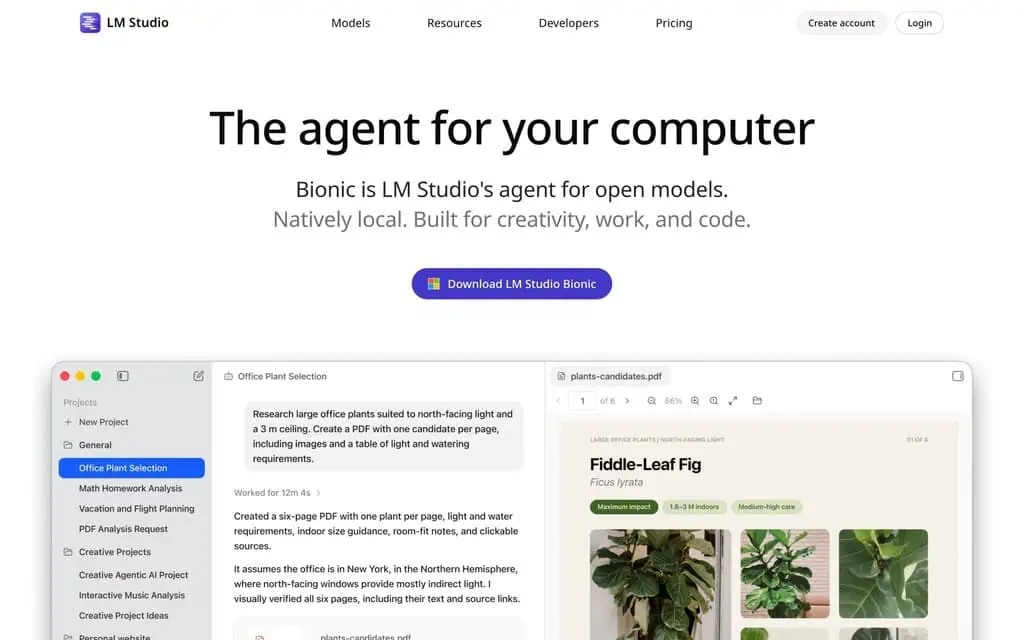
LM Studio’s homepage now leads with Bionic, an agent built on the same local app.
LM Studio is the closest thing to installing a normal app: you download it, pick a model from its built-in search and start chatting. It runs on Windows (x64 and Arm), Macs with Apple Silicon and Linux, and once a model is downloaded it works fully offline. Element Labs, the company behind it, says chats never leave your device for local models and that the app has no telemetry.
Local use is free, including at work since July 2025. The homepage now leads with Bionic, an agent built on the same app, and optional cloud plans start at $20 a month. LM Studio recommends 16GB of RAM, although 8GB works with small models, and Intel Macs are not supported.
What you give up: the app itself is closed source, even though its command line tool and SDKs are open.
Ollama: for the terminal and for other apps
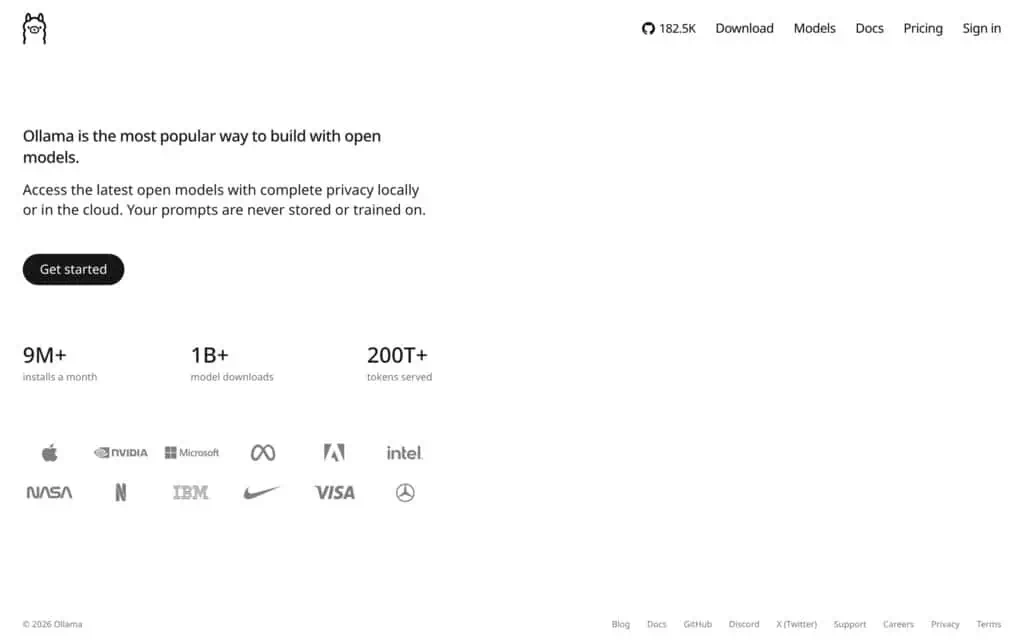
Ollama pitches local and cloud models side by side.
Ollama is what other software connects to. It runs models from the command line or a small desktop app and serves them on a local API at port 11434, with OpenAI- and Anthropic-compatible endpoints, so tools like Open WebUI, AnythingLLM and coding assistants can use your local models. It is MIT licensed and runs on macOS 14 or later, Windows and Linux, with Nvidia, AMD, Apple and Vulkan graphics support. Version 0.40.1 shipped on 7 October 2026.
Local use is free and unlimited, and no account is needed for it. Ollama also sells cloud plans from $20 a month, and a documented local-only mode switches the cloud features off. Its privacy policy says it collects limited device and usage metadata, such as app version and request counts, but never the content of your prompts.
What you give up: a chat interface worth the name, and document chat, which Ollama leaves to the apps you put in front of it. Our ChatGPT alternatives page picks Ollama for private or offline work for that reason, and LM Studio vs Ollama compares the two most popular apps here side by side.
Jan: the open-source desktop alternative
Jan looks and works like a ChatGPT-style app but is open source under Apache 2.0. It runs on Windows, macOS and Linux, downloads models from a built-in hub, can index your project files for document chat, and serves a local API at port 1337. Version 0.8.5 came out on 8 October 2026.
It is free, needs no account, and asks at first launch whether to share anonymous usage analytics, sending none unless you agree. Chats, prompts and files are never tracked. Jan’s own guidance is 8GB of RAM at minimum and 16GB recommended on Windows and Linux, a CPU with AVX2 and a 6GB graphics card. On a Mac with Apple Silicon it puts 8GB at about a 3B model, 16GB at 7B and 32GB at 13B.
What you give up: Intel Macs, which Jan’s install guide says are not supported.
AnythingLLM: for chatting with your documents
AnythingLLM is built around your files. You drop documents into a workspace and chat with them, using its built-in model runner (based on Ollama’s engine) or a connection to Ollama, LM Studio, KoboldCpp and others. The desktop app runs on Windows, macOS and Linux, and a Docker version gives a team a shared web interface. It is MIT licensed.
The desktop app is free, with an optional Pro plan at $15 a month billed yearly. Mintplex Labs recommends 16GB of RAM and, on Windows, a graphics card with 8GB to 12GB or more.
What you give up: some privacy by default. The download page says nothing phones home, but the README and privacy policy describe anonymous usage tracking that stays on until you turn it off in the privacy settings. Document contents are not part of it.
Open WebUI: a web interface for a home server
Open WebUI does not run models itself. It is a web interface you host on your own computer or server, usually in Docker, that connects to Ollama or any OpenAI-compatible API, with built-in document chat. It is the closest thing to running your own ChatGPT for a household or small team, and version 0.11.4 shipped on 21 September 2026.
It is free, and the project says it does not collect your data; a version-update check is on by default and an offline mode turns it off.
What you give up: a conventional open-source licence. It now uses its own Open WebUI License, which its docs say is not OSI-approved, and which stops you removing the Open WebUI branding unless your deployment has 50 or fewer users in a 30-day period or you buy an enterprise licence.
PocketPal AI: a model on your phone
PocketPal AI runs small models on the phone itself, on iPhone, iPad and Android, and works with no connection after a one-time model download. It is free and MIT licensed, needs no account, and only sends what you choose to send, such as benchmark results or feedback. Its Google Play listing asks for 6GB of RAM for smaller models and 8GB or more for better ones.
What you give up: document chat, and the speed of a computer. Optional in-app purchases sell preset assistants, which you do not need.
llamafile: one file, no install
llamafile, now maintained by Mozilla.ai, packs a model and the program that runs it into a single file. You download one file, run it, and get a terminal chat and a browser interface at port 8080, on Windows, macOS, Linux and BSD, with graphics acceleration where available. It is free under Apache 2.0, and version 0.10.6 came out on 15 September 2026.
What you give up: Windows cannot run a file over 4GB, so larger models need the program and the model weights as separate files. The project publishes no telemetry statement, and there is no document chat.
KoboldCpp: one download with its own interface
KoboldCpp is a single program with nothing to install. It runs GGUF model files on Windows, Linux and Apple Silicon Macs, with Nvidia, AMD or Intel graphics acceleration, and opens a browser interface for chat and story writing plus a local API. The project wiki suggests at least 8GB of RAM for a 7B model and 16GB for a 13B one. The project says it can run fully offline and does not send your inputs anywhere, and its README warns that koboldcpp.com is a fake site.
What you give up: it is free and open source under AGPL-3.0, but the interface is plainer than LM Studio’s or Jan’s. Our Character AI alternatives page pairs it with SillyTavern for character chat on your own computer.
TextGen: for trying every model format
TextGen, the project long known as Text Generation WebUI, is the most flexible of the ten. It runs GGUF, Transformers and ExLlamaV3 models among others, offers a desktop app and a browser interface, and exposes OpenAI- and Anthropic-compatible APIs. The project describes it as 100% offline with zero telemetry. It is free under AGPL-3.0.
What you give up: simplicity, and recent releases. The last release, version 4.9, was on 20 May 2026, and the full install needs about 10GB of disk.
SillyTavern: a front-end, not a model runner
SillyTavern runs no model of its own. It is a chat interface you install on Windows, macOS or Linux and connect to a backend such as KoboldCpp, Ollama or llama.cpp, with character cards, chat history and fine-grained settings. It needs Node.js 20 or newer, is free under AGPL-3.0, and the project says it runs no hosted service and does not track user data.
What you give up: it only makes sense on top of one of the apps above.
Local LLM apps we left out
GPT4All was one of the first easy desktop apps, with built-in document chat, but its last release was version 3.10.0 on 25 February 2025. Until it is updated again, Jan or AnythingLLM cover the same ground with current releases.
What hardware you need to run an LLM locally
The model has to fit in memory, so RAM, or video memory on a graphics card, decides what you can run. The projects’ own guidance gives a fair idea:
- 8GB of RAM: small models of around 3B parameters. Jan and LM Studio both say 8GB works for small models.
- 16GB of RAM: the comfortable minimum for 7B to 8B models. LM Studio, Jan and AnythingLLM all recommend it.
- 32GB of RAM: around 13B models, by Jan’s guidance, and room for the larger mixture-of-experts models below, which Ollama lists at 14GB to 19GB.
- A phone: PocketPal AI wants 6GB of RAM for small models and 8GB or more for better ones.
A graphics card is optional for most of these apps; Jan asks for one with 6GB of video memory on Windows and Linux. Without one, models run on the processor, more slowly.
Which model to start with
Most of the apps above can download these for you, and they make a good start. All are released under the Apache 2.0 licence, and each publisher’s model card is the source for its figures.
- Gemma 4 E4B (Google), for laptops and phones. Model card. Google calls it 4.5B effective parameters (8B counting embeddings), with a 128K-token context, and Ollama lists it as gemma4:e4b. Google aims it at laptops and mobile devices.
- Qwen3.5 9B (Qwen), the all-rounder for 16GB machines. Model card. 9B parameters, a 262,144-token context and support for 201 languages. Ollama lists it at 6.6GB to 7.6GB as qwen3.5:9b. It shows its reasoning before answering by default, which can be confusing at first.
- Ministral 3 8B (Mistral AI), for a mid-range graphics card. Model card. 8.4B parameters plus a small vision encoder, a 256K-token context, and the card says it fits in 12GB of video memory at FP8, less when further quantised.
- gpt-oss-20b (OpenAI), the step up. Model card. 21B parameters, of which 3.6B are active per token, with a 128K-token context. OpenAI’s card says it runs within 16GB of memory, and Ollama lists it at 14GB as gpt-oss:20b.
- Gemma 4 26B A4B (Google), for a strong machine. Model card. 25.2B parameters with 3.8B active, a 256K-token context, and Ollama lists it at 16GB to 19GB.
Meta’s Llama models are not on the list because the newest in these sizes date from 2024 and come under Meta’s own community licence rather than Apache 2.0.
Running LLMs locally: common questions
Is it worth running LLMs locally?
Yes, if privacy, cost or offline access matters more to you than getting the strongest answers. Local models keep your prompts on your own machine and cost nothing per message, but the open models a typical laptop can run are smaller than the ones behind ChatGPT or Claude, so expect weaker results on hard tasks.
Do I need a GPU to run an LLM locally?
Not always. Ollama, LM Studio, KoboldCpp, llamafile and TextGen can all run models on the processor alone, and Apple Silicon Macs use their built-in graphics automatically. A graphics card makes larger models practical and faster; Jan, for example, asks for one with at least 6GB of video memory on Windows and Linux.
Is it possible to run Claude locally?
No. Anthropic offers Claude through its apps and API, and its organisation on Hugging Face listed no downloadable models on 8 October 2026. The closest local options are the open models above.
Every fact here was checked on 8 October 2026 against each project’s own website, documentation, licence or app store listing, and against the publishers’ model cards. None of the links are affiliate links.
Related Posts

The 30 best AI SEO tools in 2026, tested with real money: what each costs, which ones track AI visibility and AI Mode, a...
30 AI writing tools tested across free, freemium and paid tiers, every link checked, plus which AI beats ChatGPT for wri...

61 free AI image generators tested and ranked, every tool link checked September 2026, plus which are truly unlimited an...
Which AI Chrome extension should you install? 132 ranked on real Web Store install, rating and review data, with a pick ...

What Firefox AI actually does, how to enable or disable it, and every one of the 95 AI Firefox add-ons ranked on real da...

30 social media scheduling tools tested for small business: real pricing, every tool link checked September 2026, and th...